Remote Work Productivity: How to Measure and Improve It
Managing remote work productivity often feels like trying to solve a puzzle with half the pieces missing. Without the visual cues of a bustling office, it’s tough to distinguish between a team that is deep in “the zone” and one that is simply struggling to stay afloat. Usually, this leads to a cycle of endless status pings and “quick” check-ins that actually destroy focus. To get a real handle on things, we need to shift the conversation away from perceived effort and toward measurable data. By looking at digital work patterns—like how your team interacts with core applications—you can gain the insights needed to support your distributed staff without constantly breaking their flow.
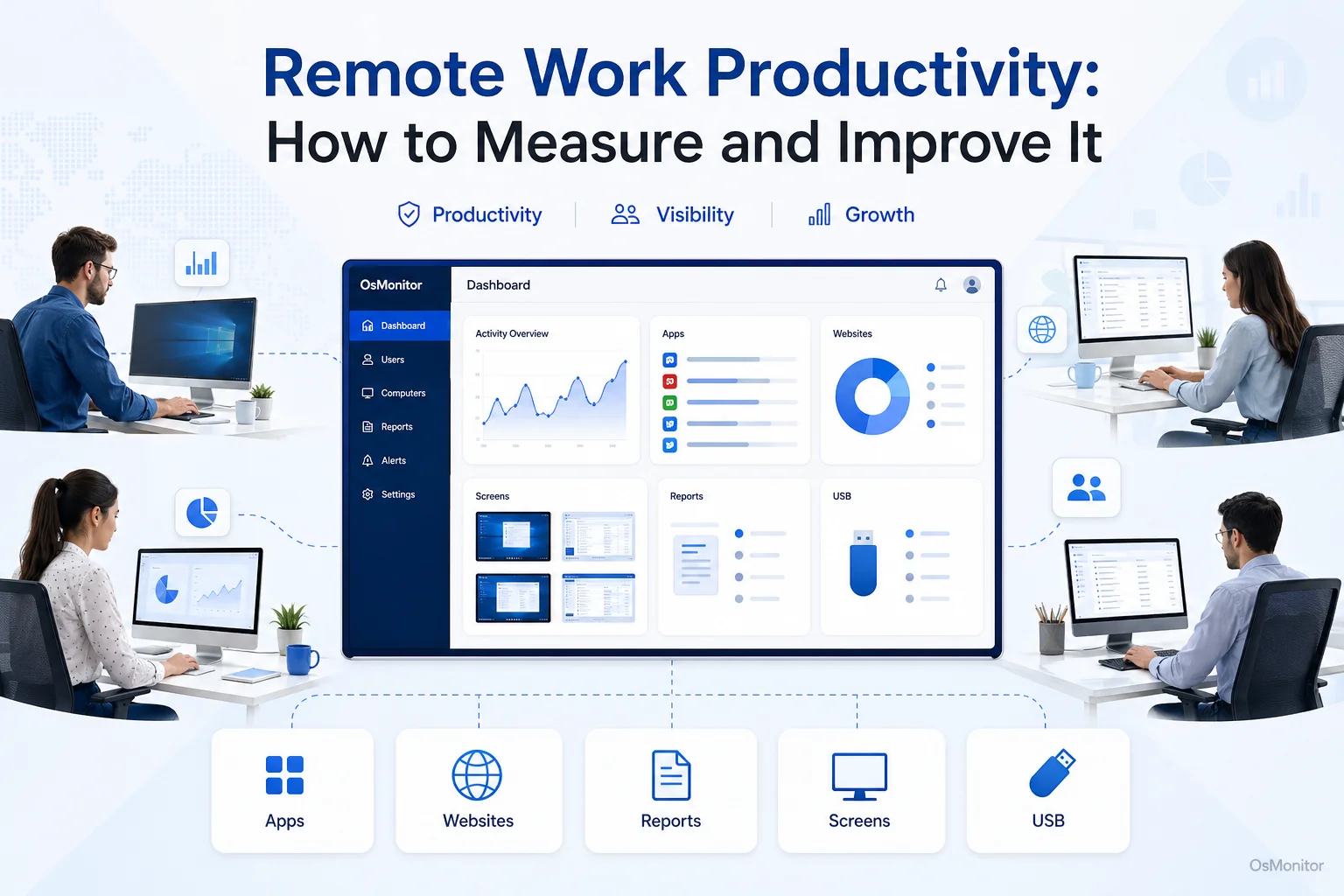
A practical overview of remote work productivity for workplace computer management.
What is Remote Work Productivity and Why is it Hard to Measure?
In simple terms, remote work productivity is the actual value and output an employee delivers while working outside the four walls of your office. It isn’t about how many hours they appear “active” on a chat app; it’s about the quality and volume of work they ship. The headache for many managers is that when people go off-site, the normal signals of engagement—like seeing a group collaborating at a whiteboard—simply vanish.
This visibility gap often causes a few classic problems:
- The Self-Reporting Trap: Most studies on remote work productivity show that relying on manual timesheets is a recipe for subjective and inconsistent data.
- The Metric Mismatch: You can’t measure a developer’s output the same way you measure a sales rep’s. A one-size-fits-all approach just doesn’t work.
- Conflating Presence with Performance: Just because someone is “online” doesn’t mean they are working.
To overcome these hurdles, businesses are turning to best solutions for evaluating hybrid work productivity that rely on objective data from computer activity. This creates a fair baseline for what a “good day” actually looks like for every specific role.
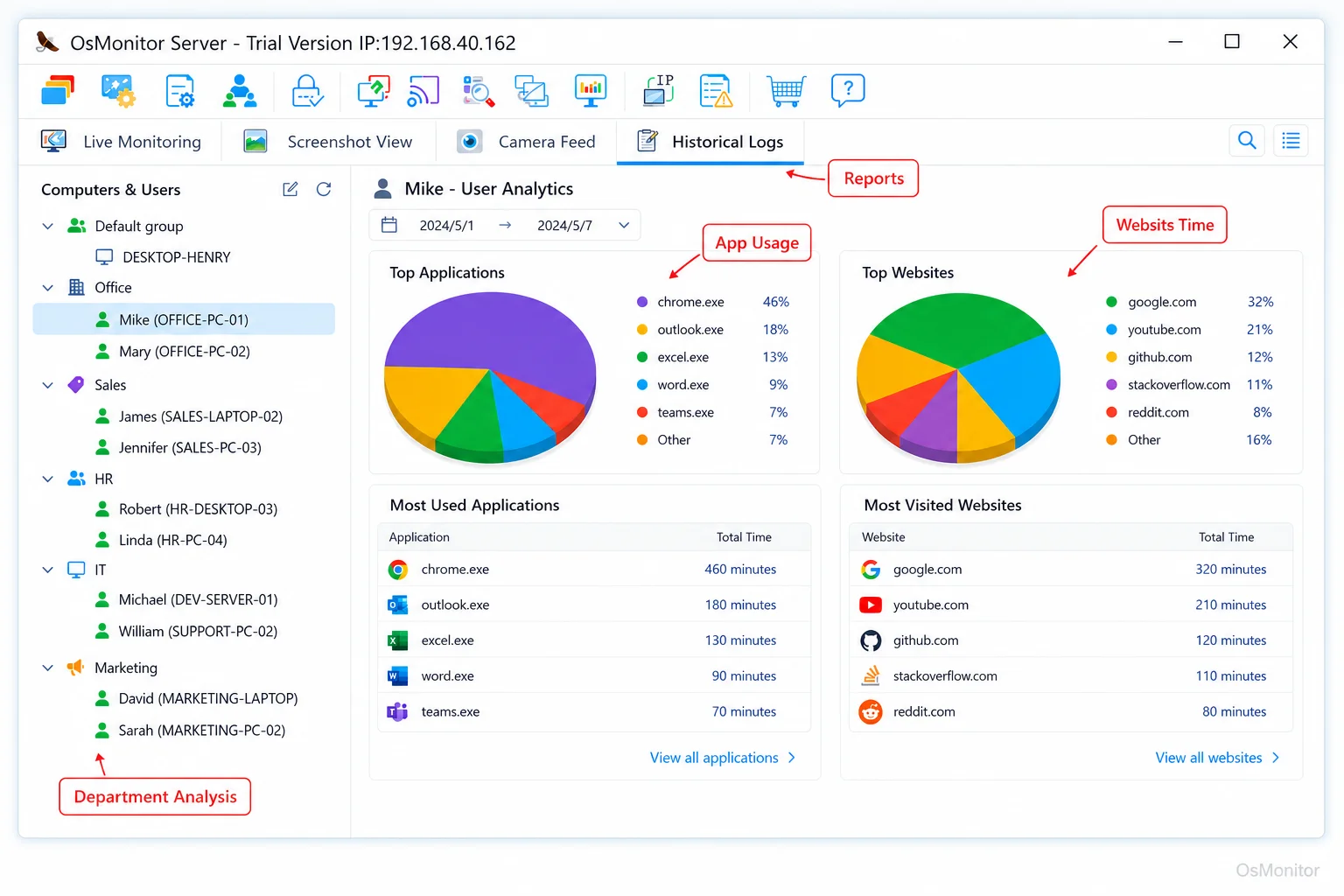
A real-product style screenshot highlighting application and productivity reports in OsMonitor.
Key Metrics for Evaluating Hybrid and Remote Work Productivity
A solid hybrid work productivity analysis requires a mix of quantitative “facts” and qualitative “context.”
Quantitative Metrics (The “What”)
These are the hard numbers you get from remote work productivity tracking:
- Application and Website Usage: This is your most honest signal. Seeing how much time is spent in core tools (like your CRM, CAD software, or IDE) versus non-work websites gives you a clear window into focus. For a deep dive into this, check out our guide on Application Usage Monitoring for Employee Computers & Tools.
- Task Completion Rates: Whether it’s tickets closed or milestones hit, output-based metrics are the gold standard.
- Active vs. Idle Time: While remote work productivity statistics show that breaks are essential, tracking long stretches of idle time can help you spot disengagement or, more importantly, burnout.
Qualitative Metrics (The “How”)
- Quality of Output: Code reviews, client feedback, and error rates tell you if the “productive” time was actually well-spent.
- Collaboration and Engagement: How responsive are they in the “virtual hallway”? Are they contributing to shared docs and showing up for video calls?
- Proactivity: The best remote work productivity hacks usually come from the employees themselves—are they suggesting better ways to work?
| Metric Type | In-Office Equivalent | Remote/Hybrid Equivalent |
|---|---|---|
| Activity | Walking past their desk | Active time in business software |
| Output | Handing in a physical file | Ticket/Task completion in the portal |
| Collaboration | Watercooler talk | Engagement in Slack/Teams/Zoom |
| Focus | “Do not disturb” sign | Long blocks of uninterrupted app time |
Tools and Strategies to Improve Remote Productivity
Boosting working from home productivity isn’t just about watching the clock; it’s about giving your team the infrastructure to win.
The Technology Stack
You need the right remote work productivity tools to bridge the distance:
- Communication & Project Management: Slack and Zoom keep the conversation alive, while tools like Jira or Asana keep the goals clear.
- Productivity Management Software: This is where a tool like OsMonitor fits in. As a dedicated Productivity Tracking Software for Workplace Teams, it gives you the hybrid work productivity metrics you need—like app usage and web history—so you can spot bottlenecks and support your team without micromanaging.
Policy and Culture
Tools are just the beginning. To truly increase employee productivity, you need a culture that supports it:
- Clear Goals: If they don’t know what success looks like, they can’t hit it. Use clear KPIs.
- Communication Norms: Guard your team’s time. Define when an email is better than a meeting to avoid “Zoom fatigue.”
- Trust and Autonomy: Use your remote work productivity tracking data to start helpful coaching sessions, not to hunt for mistakes.
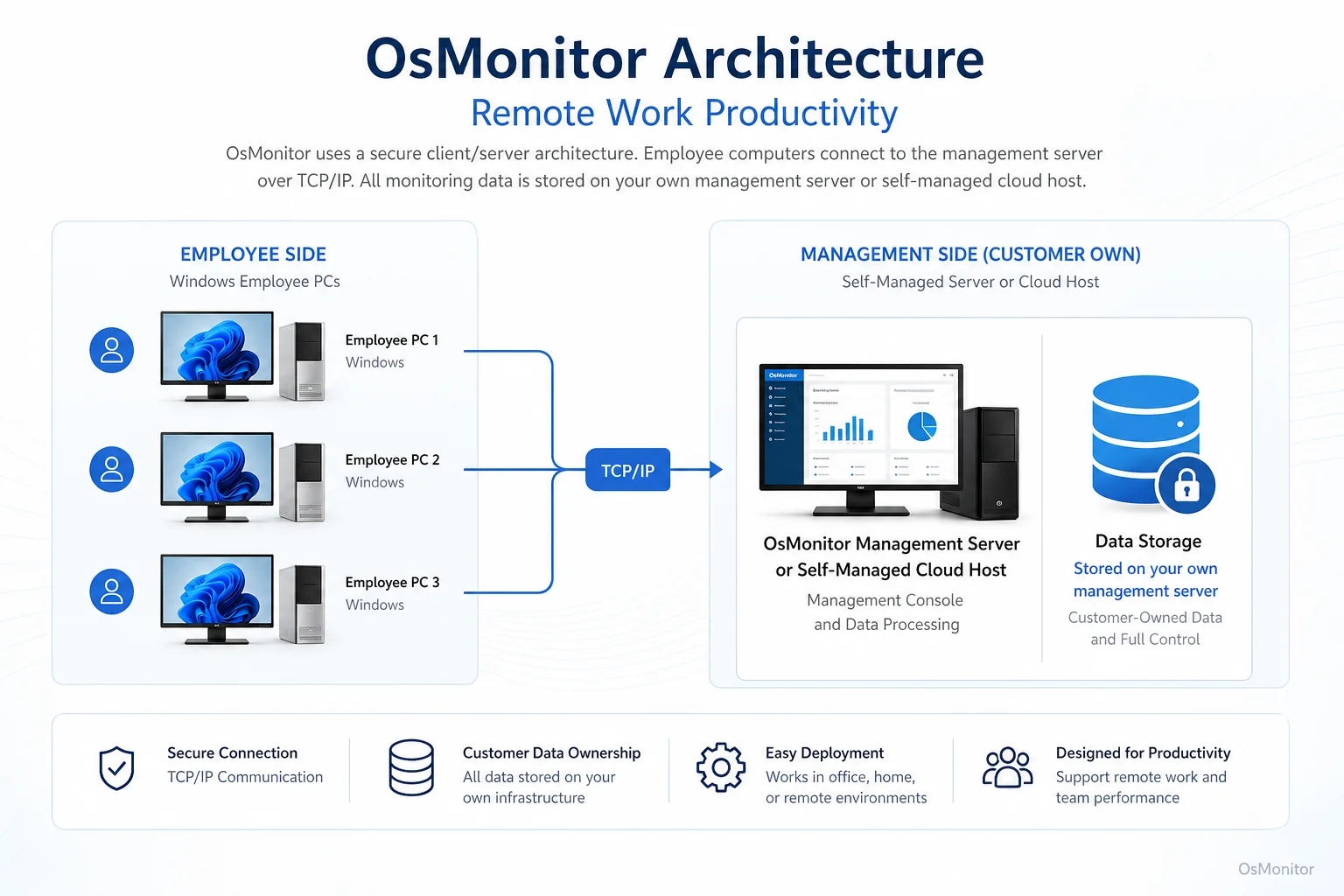
OsMonitor keeps monitoring data under the customer’s control on the management computer or self-managed server.
Implementing Productivity Analysis with Transparency
If you’re wondering how to track remote work productivity without being overbearing, the secret is 100% transparency.
- Write it Down: Create a clear policy that explains what is being monitored and, more importantly, why (security, workflow optimization, and fair resource allocation).
- Get the Team on Board: Ensure everyone understands the rules, staying compliant with your local labor laws.
- Look at the Big Picture: Use the data to fix team-level problems. If everyone is spending too much time in a clunky internal app, the app is the problem, not the people.
- Own Your Data: Don’t send your logs to a third-party cloud. OsMonitor’s on-premise setup ensures all your records stay on your server. You have total control.
Frequently Asked Questions (FAQ)
What do remote work productivity statistics 2024 tell us?
Recent remote work productivity studies suggest that productivity can actually be higher at home, but it’s highly dependent on the “focus environment” and having the right tools to stay connected to the team.
Is working from home productivity better than in-office?
Several studies on remote work productivity and in-office work vs remote work productivity studies show mixed results, but the consensus is that hybrid work productivity often hits the “sweet spot”—if the management has clear visibility into the digital workflow.
Does OsMonitor require a client on employee computers?
Yes, it’s a client/server setup. You install a lightweight client on each company Windows PC, and it reports back to your central console.
Where is the data stored?
It stays with you. All logs are stored on your hardware (server or management PC). We don’t use a vendor cloud, so your privacy is locked down.
Can OsMonitor work without internet?
Absolutely. It’s designed to run on your local network (LAN), so it doesn’t need an outside internet connection to function.
What versions of Windows are supported?
Everything from Windows 7 up to Windows 11 and Windows Server (32-bit and 64-bit).
If you’re ready to move past the guesswork and start supporting your team with hard data, a one-time purchase solution is a smart way to go. View OsMonitor Pricing to see how we can help you get the clarity you need.