Workforce Analytics: Definition, Metrics and Examples
A classic problem for any growing business: you want to reduce the time your team spends on games, video sites, and endless social media scrolling during work hours. But to do that effectively, you can’t just guess; you need a way to understand actual browsing habits and keep objective access records for review. When you start trying to solve this problem, you have officially stepped into the world of workforce analytics. It sounds like corporate jargon, but at its core, it’s just the practice of using actual employee behavioral analytics solutions in usa (and globally) to improve your bottom line and streamline operations.
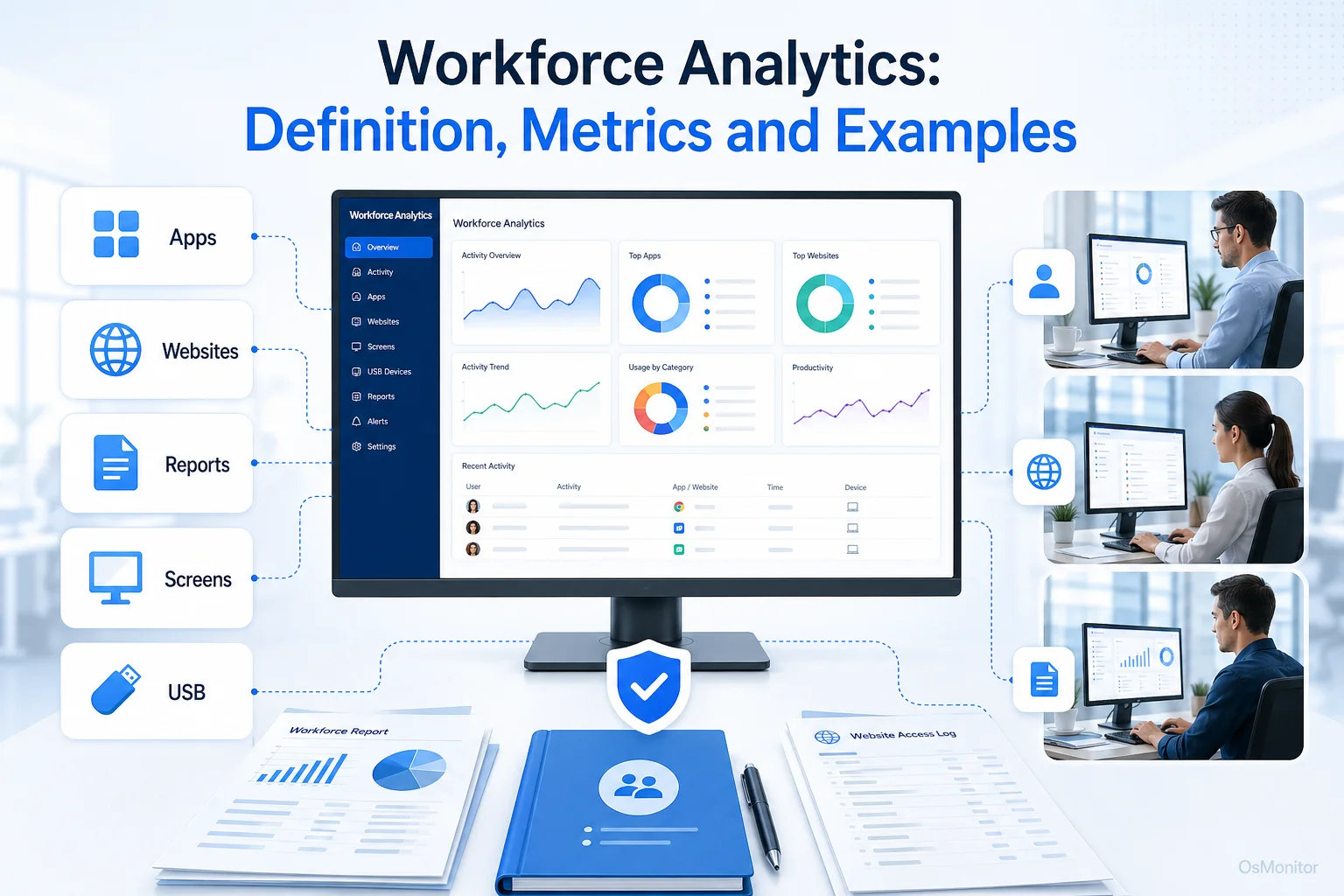
A practical overview of workforce analytics for workplace computer management.
What is Workforce Analytics?
So, what is the exact workforce analytics definition? It is the process of collecting, measuring, and analyzing data related to how your team operates to gain insights that drive better management decisions. It is absolutely not about micromanagement; it is about understanding how work actually gets done. The goal is to identify workflow patterns, measure true productivity, ensure compliance with IT policies, and optimize resource allocation.
Workforce data analytics is usually broken down into a few categories:
- Descriptive Analytics: What happened? This is the baseline. It involves looking at user activity monitor logs, such as the total time a department spent inside a specific CRM last week.
- Diagnostic Analytics: Why did it happen? This requires digging deeper into the workforce metrics and analytics to understand the root causes of trends—like figuring out why project velocity dropped by looking at increased non-work web browsing.
- Predictive Workforce Analytics: What is likely to happen? This uses historical employee data analytics to forecast future trends, such as anticipating when a team will need more software licenses.
For 95% of small and medium businesses, the journey begins with descriptive analytics—using a daily activity report software tool to gather a baseline of how company hardware is actually being utilized.
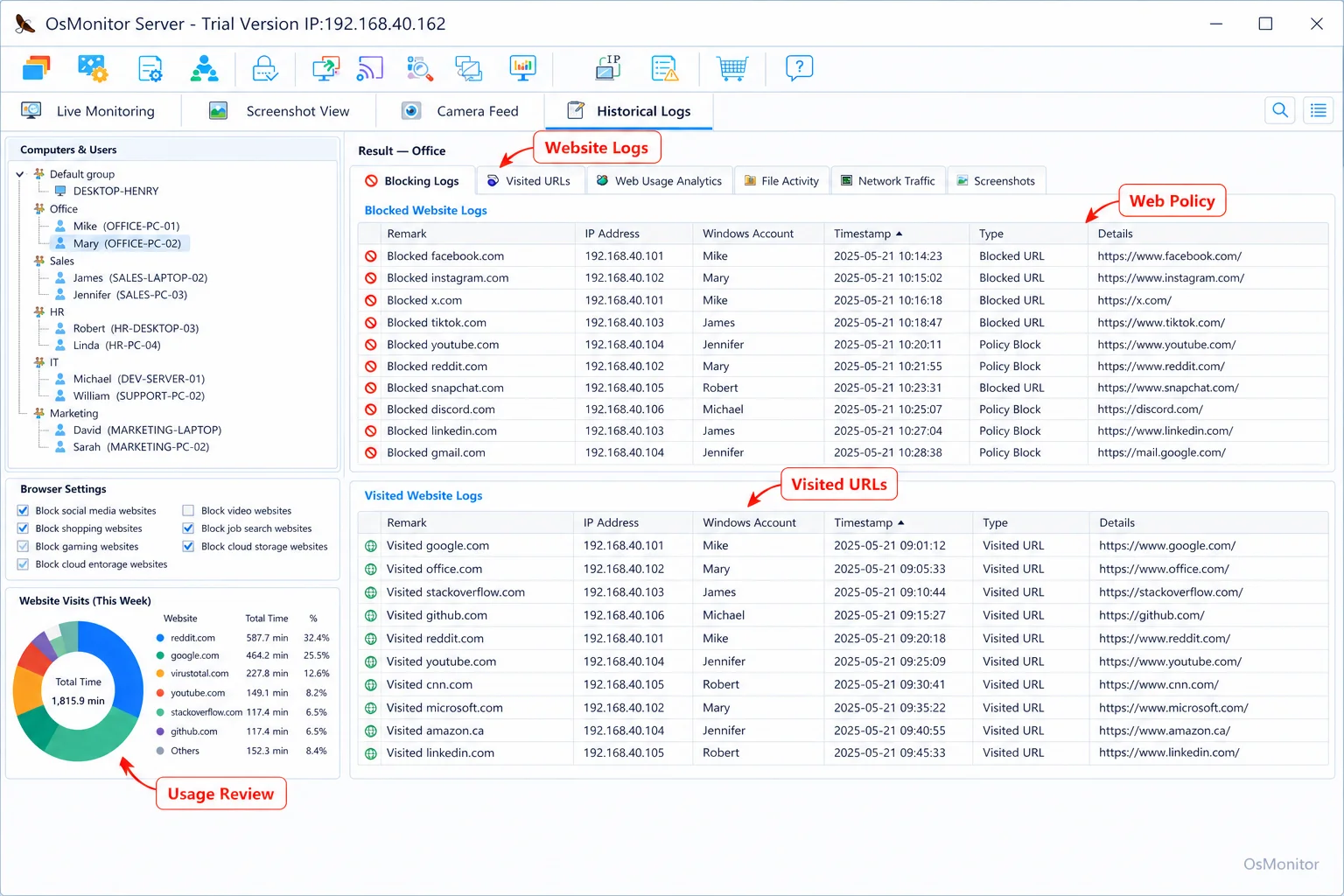
A real-product style screenshot highlighting website activity monitoring in OsMonitor.
Practical Workforce Analytics with OsMonitor
While enterprise-grade hr workforce analytics platforms can be incredibly complex, implementing practical workforce analytics doesn’t have to be. OsMonitor is a straightforward workplace productivity and computer activity management tool designed exactly for this. It gives HR, IT admins, and department heads the tools for anomaly detection in workforce behavior and trends they need, straight from company-owned Windows PCs.
OsMonitor is positioned as a reliable workforce analytics tool for legal, transparent efficiency management. It helps businesses answer critical questions using hard facts:
- Which software applications drive our business, and which expensive licenses are gathering dust?
- Exactly how much active work time is lost to non-productive websites?
- Are staff bypassing security rules regarding USB drive usage?
- What do the actual digital workflows look like across different departments?
By providing clear employee engagement insights and real-time data, OsMonitor turns vague goals like “work harder” into actionable, data-driven steps. It is a highly practical form of Employee Activity Monitoring Software focused on actual business outcomes.
How OsMonitor Collects Workforce Data
If you are looking at different workforce analytics companies, pay close attention to architecture. OsMonitor operates on a highly secure client/server model. You designate one machine in your office as the management server and install the main console. Then, a tiny, lightweight client is pushed to each employee endpoint you need to manage.
This setup offers massive advantages for workforce management analytics security:
- On-Premise Data Ownership: All your employee insights healthcare companies or finance firms generate—from website logs to application usage—are stored strictly on your management PC or your self-managed server. We do not use third-party vendor clouds. You own the data.
- LAN-Only Operation: For environments requiring strict online user activity management, OsMonitor can run flawlessly inside a closed Local Area Network (LAN) with zero internet connection.
- Lightweight and Efficient: The client is designed to have a near-zero impact on endpoint performance, ensuring monitoring user activity never slows down actual work.
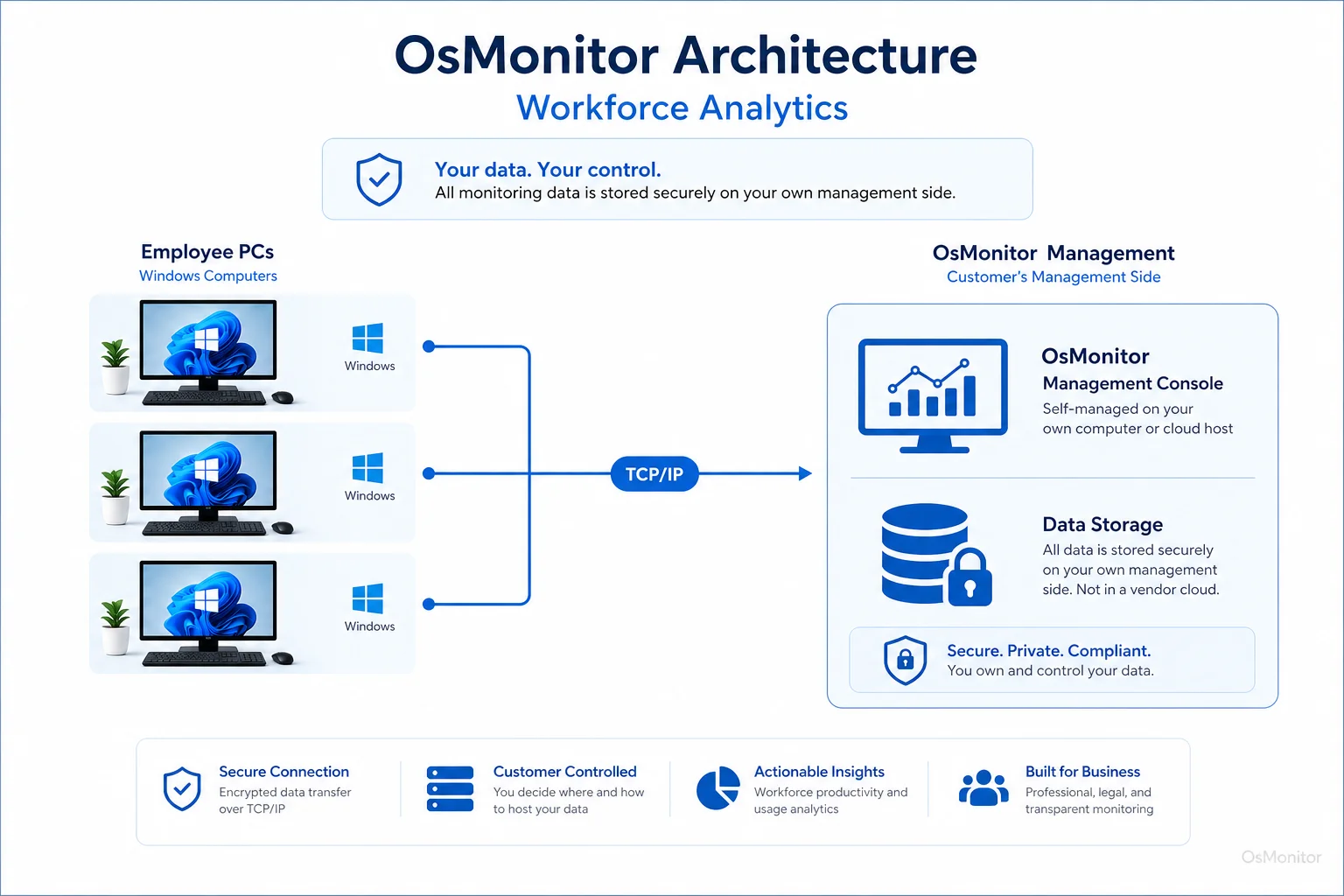
OsMonitor keeps monitoring data under the customer’s control on the management computer or self-managed server.
Key Workforce Metrics and Analytics You Can Track
To get the true benefits of workforce analytics, you have to track the right data points. OsMonitor provides detailed computer usage reports on a massive range of activities.
| Metric Category | Specific Metrics Tracked by OsMonitor | Business Insight |
|---|---|---|
| Website & App Usage | Exact active time on URLs/apps, idle time ratios, and violation counts for blocked sites. | Identify productivity drains, ensure software license compliance, and map actual digital workflows. |
| Productivity Trends | Individual activity timelines, department summaries, and bandwidth usage tracking. | Compare team output objectively and measure the impact of new IT policy changes. |
| Data Movement | USB connections, file copy/delete logs, document print records, and heavy download stats. | Monitor sensitive data handling, support workforce solutions analytics guard performance protocols, and maintain strict audit trails. |
| Communication | Records of chat application usage and active window titles. | Understand internal communication habits and ensure adherence to company AUPs. |
These employee behaviors metrics form the foundation for smart management. For example, by reviewing app usage, you might realize you are paying for 50 Adobe licenses when only 12 are ever actively used. Likewise, web logs might reveal the need to proactively block a new distracting social platform. This data is critical for distributed teams, making Remote Employee Monitoring Software for Work-from-Home Teams an absolute necessity for monitor user activity remotely.
Use Cases Across Different Business Environments
Enterprise workforce analytics tools like OsMonitor adapt perfectly to different business models:
- Small and Medium Businesses: Owners use the data to optimize operations, kill non-work distractions at the source, and ensure expensive hardware is used properly.
- Corporate Departments: Department heads generate reports to balance workloads fairly, spot bottlenecks, and provide data-backed coaching during performance reviews.
- Call Centers: Supervisors utilize user activities monitoring to verify agents are actively inside the CRM, track app uptime, and analyze workflows for efficiency.
- Educational Institutions: IT admins use software for session logs remote user activity to ensure students in computer labs stay focused on academics and off inappropriate sites.
Responsible Implementation and Limitations
Let’s be clear: implementing best workforce analytics tools requires transparency. You must establish a clear, written Acceptable Use Policy (AUP) informing staff exactly what is monitored and why.
Key Considerations for IT:
- Legal Compliance: Always consult local legal counsel to ensure your user activity tracking complies with regional privacy and labor laws.
- Focus on Company-Owned Devices: OsMonitor is built strictly for authorized business use on company-owned Windows PCs. Do not install this on personal (BYOD) hardware.
- Not a Cybersecurity Suite: While it helps enforce rules and track data movement, it is not a replacement for your enterprise antivirus or firewall platform.
Frequently Asked Questions (FAQ)
What are the types of workforce analytics in simple terms?
It generally breaks down into descriptive (what happened), diagnostic (why it happened), and predictive (what will happen). For most businesses, it starts with using software to gather objective data on app usage, web visits, and active time to improve efficiency and enforce IT policies.
Is using workforce analytics software legal?
In most jurisdictions, yes. Employers have the right to monitor the use of company-owned hardware. However, privacy laws vary heavily by region. You must maintain transparency, establish a written AUP, and consult local legal counsel before deployment.
How does OsMonitor monitor user activity? Does it need a client?
Yes. It uses a highly stable client/server architecture. A lightweight client application must be installed on each Windows endpoint you intend to manage.
Where is the monitoring data stored?
Your data stays with you. All logs and screen recordings are stored exclusively on your own management PC or your internal server. We never upload your sensitive logs to a vendor cloud.
Can OsMonitor work in a local network without an internet connection?
Absolutely. It is fully designed to operate perfectly within a closed Local Area Network (LAN) without any internet connection, which is vital for high-security environments.
What versions of Windows are supported by OsMonitor?
It supports Windows 7, 8, 10, and 11, along with Windows Server editions (both 32-bit and 64-bit).
If you want to move past the workforce analytics trends buzzwords and start getting real, actionable data on your team’s workflow, a self-hosted platform is the best choice. Download OsMonitor Free Trial to test its full capabilities securely within your own network.