Complete Screen & Activity Visibility
OsMonitor is a powerful employee activity monitoring software for Windows that helps businesses monitor employee screens, track website and application usage, review communication activity, and generate productivity insights. For organizations that also require deep system auditing and hardware tracking, we recommend exploring our dedicated computer monitoring software solution.
1. Real-time Screen Monitoring & Centralized Visuals
Visual evidence is the most direct way to establish workplace visibility. OsMonitor provides a high-performance, centralized viewing experience, allowing managers to monitor office PCs smoothly with near real-time updates based on configured refresh intervals.
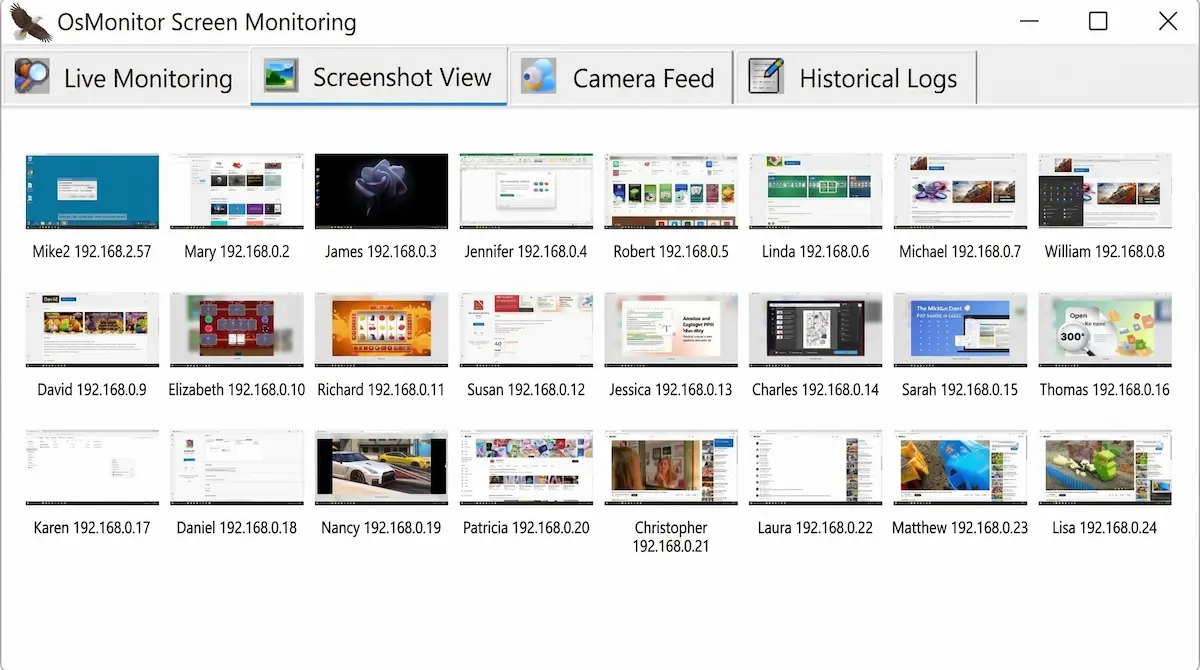
Multi-Screen Matrix View
Monitor your entire office’s digital activity from a single dashboard. The matrix view shows live thumbnails of all employee PCs simultaneously. Double-click any screen for a larger, detailed feed.
Historical Screen Playback
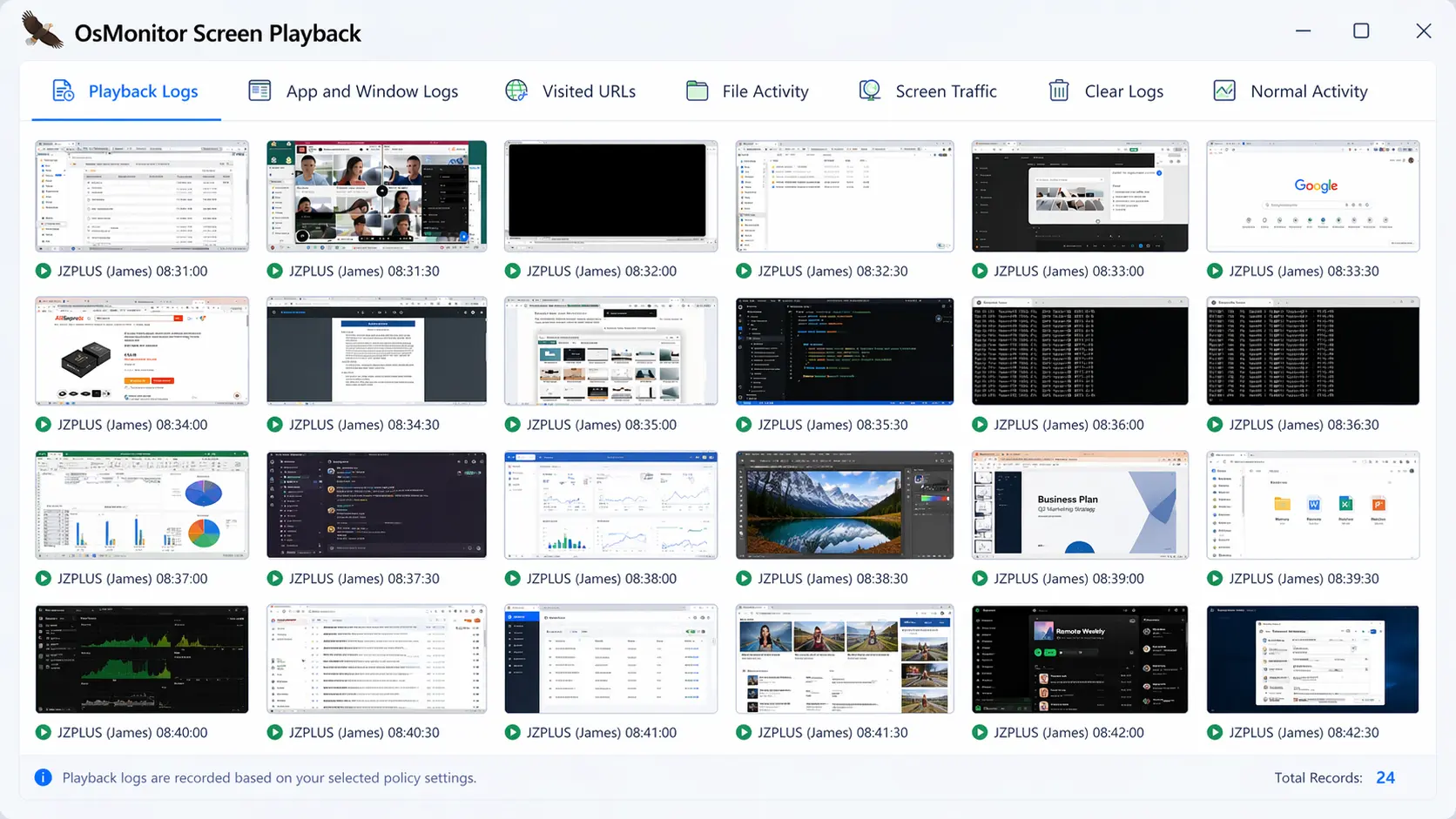
OsMonitor automatically captures screen history at configurable intervals (with a minimum of every 3 seconds) to balance detail and server storage. Administrators can review these past activities frame-by-frame as static images or play them back as a continuous animation to audit work progress or investigate incidents, ensuring complete workplace oversight.
2. WhatsApp & Teams Chat Logs: Business Compliance
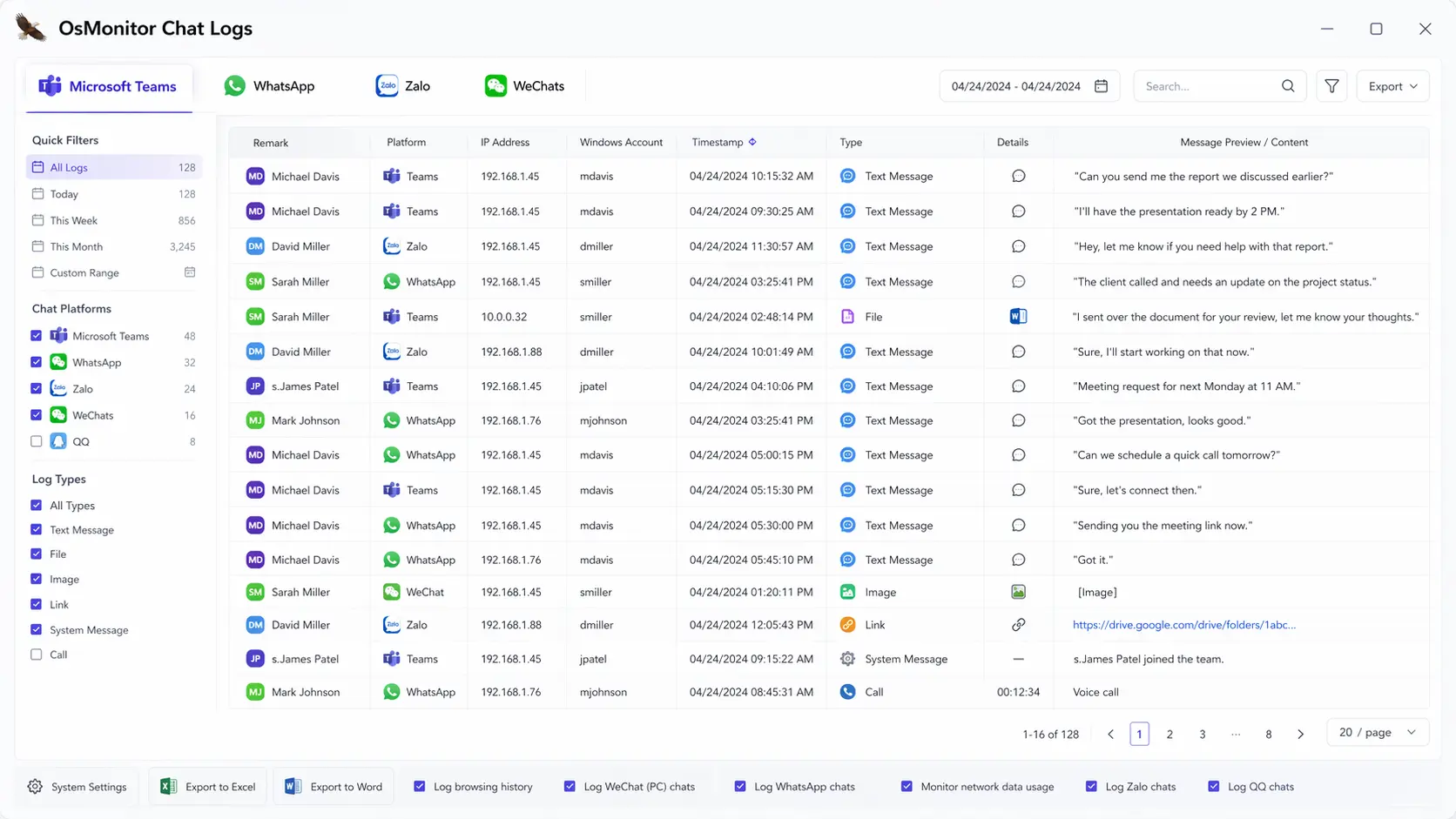
To ensure business compliance, tracking communication is a vital perspective of employee activity monitoring. Our software maintains detailed auditing logs across popular chat platforms.
- WhatsApp & Microsoft Teams: Complete logs of all messages, timestamps, and file operations.
- WeChat & Zalo Support: Full tracking for global communication tools used by international teams.
- Compliance Audit: All chat activity history is stored 100% locally on your server for easy legal auditing and administrator review.
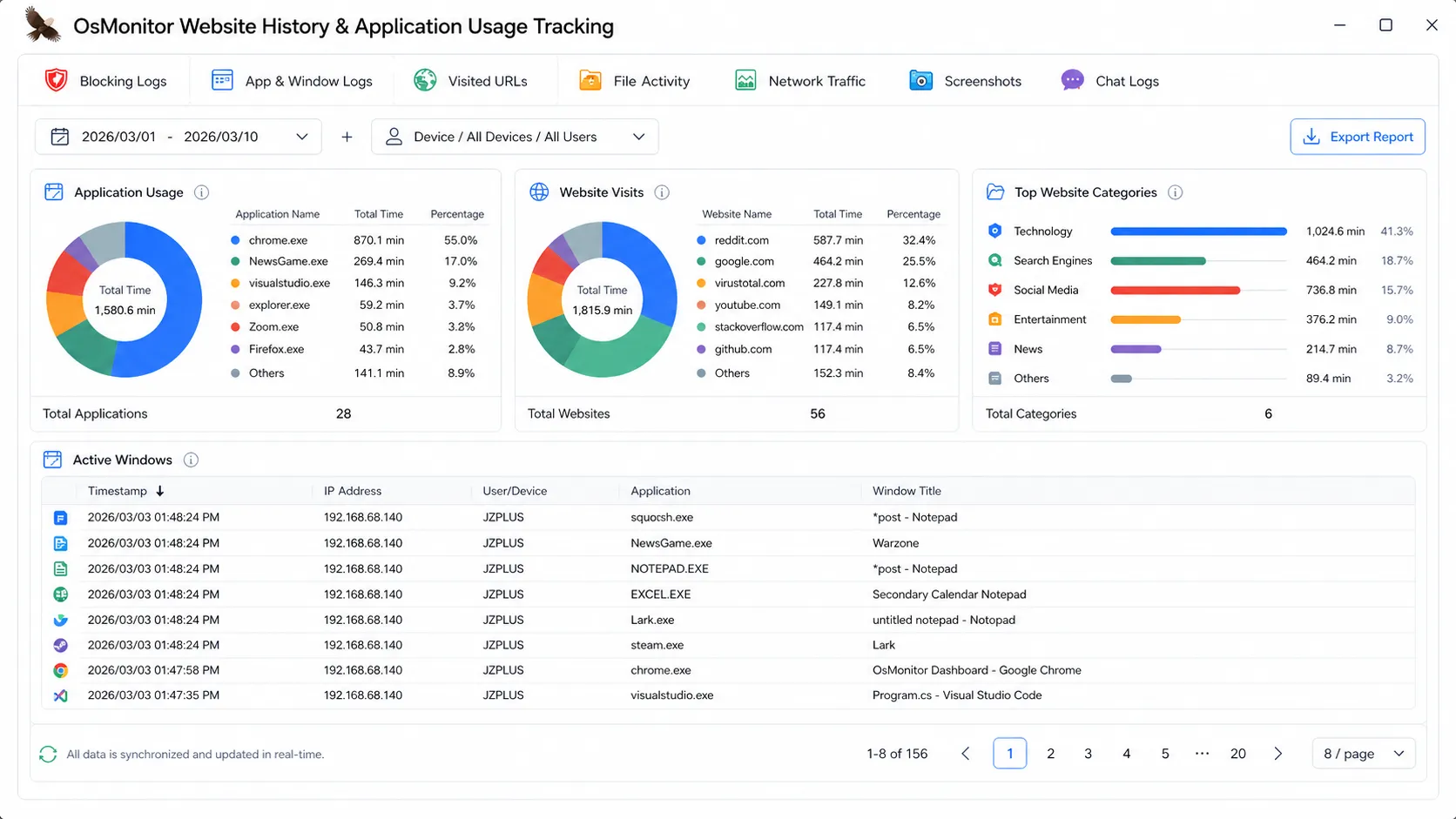
3. Website History & Application Usage Tracking
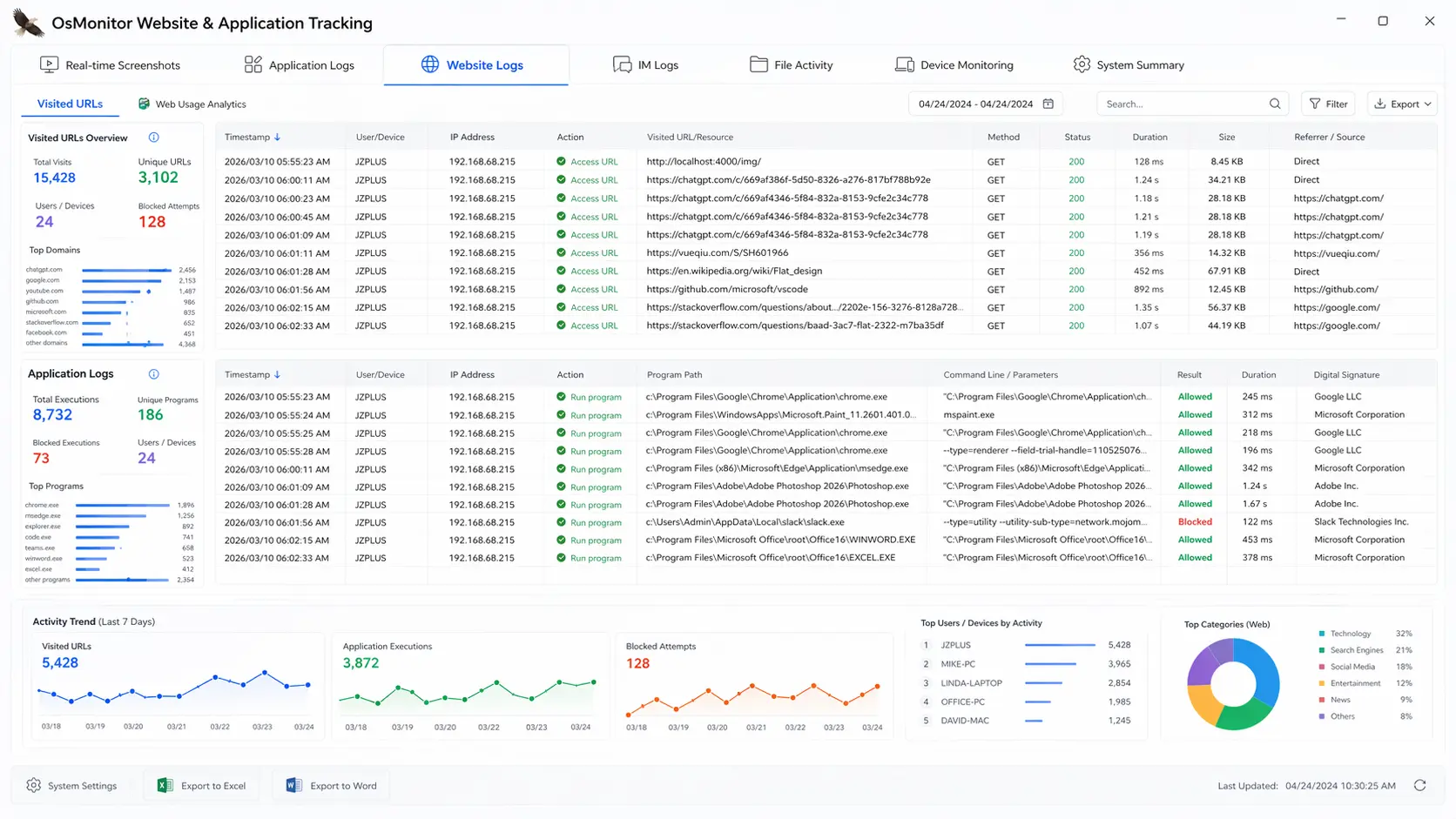
Reduce distractions and ensure focus. OsMonitor provides continuous workplace oversight by logging digital footprints and ensuring company resources are used appropriately.
- Website History: Records all URLs visited and page titles across different browsers to monitor web activity.
- App Window Logs: Tracks every active application window title and usage duration.
- Process Tracking: Logs the execution of every
.exefile to detect unauthorized software usage.
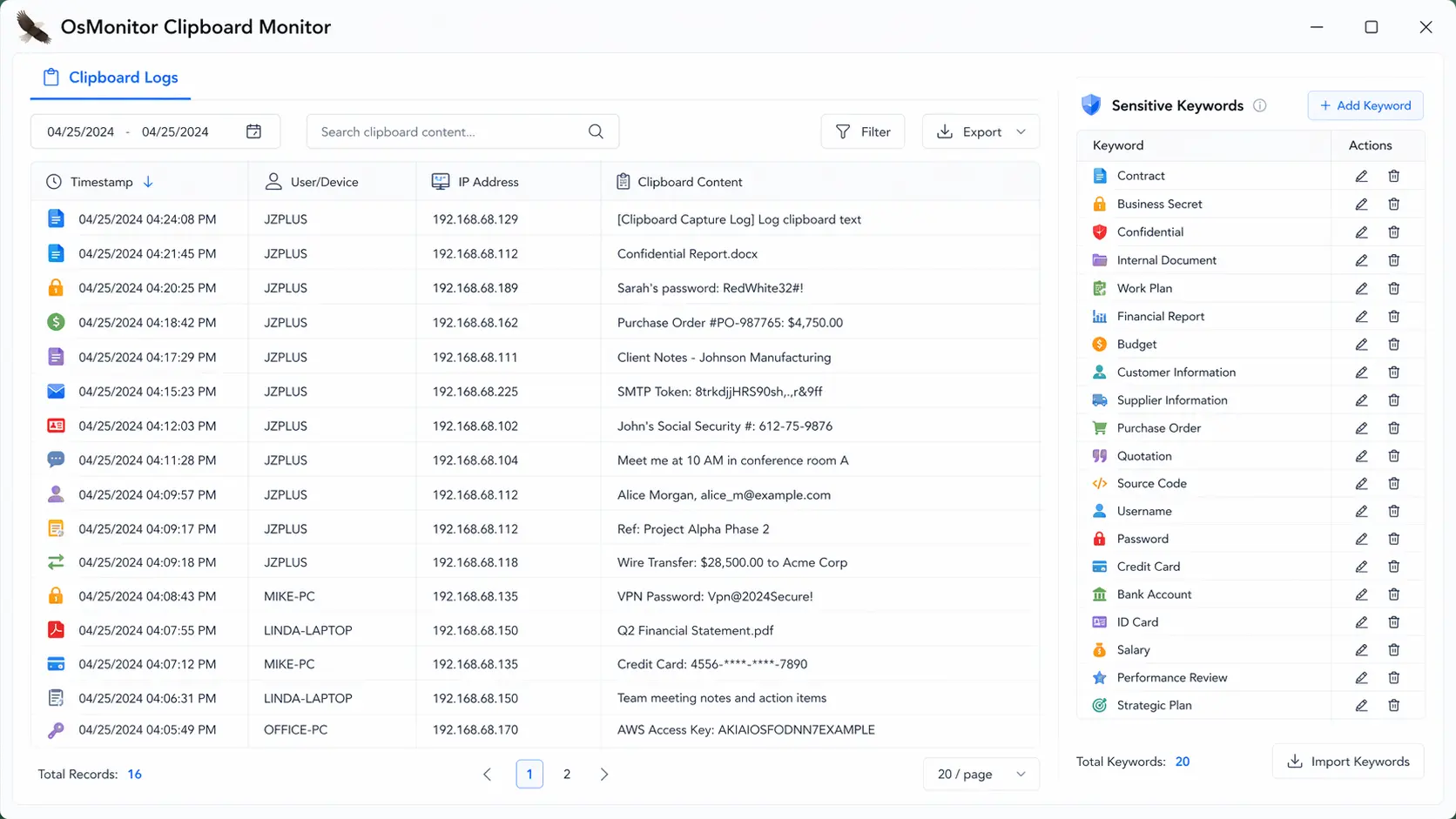
4. Clipboard Monitoring: Prevent Data Theft
Protect your company’s sensitive information by auditing every “Copy” activity. OsMonitor ensures that no client lists or intellectual property leave your network unnoticed.
- Content Logging: See exactly what text or content was copied to the clipboard.
- Screen Identification: Identify the computer screen at the moment of the copy action to see the full context of the activity.
- Data Leak Prevention: Monitor for suspicious bulk copying of sensitive business data.
5. Employee Productivity Reports & Performance Analytics
Transform raw employee activity logs into visual productivity reports. Use data-driven insights to identify your top performers and optimize business operations.
Key Management Insights:
- Top 10 Website Duration: See which websites consume the most office time.
- App Usage Rankings: A clear percentage-based view of productive vs. entertainment software.
- Workload Trends: Compare computer activity levels across different departments or shifts.
6. Software Inventory & Network Traffic Management
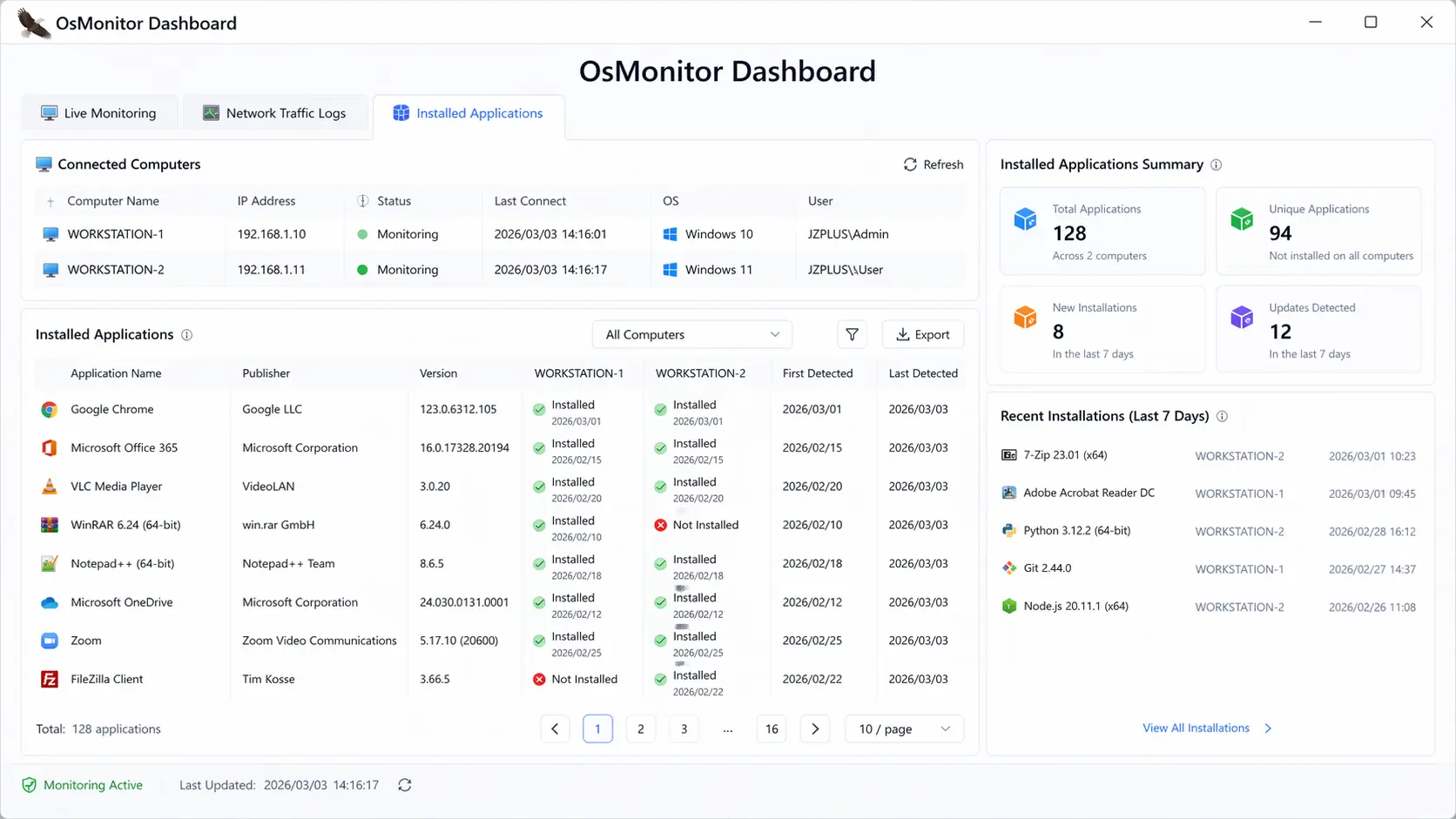
Knowing exactly what programs an employee installs is a direct way to audit their behavior. OsMonitor helps you manage software compliance, adding another essential layer to your employee activity monitoring strategy.
- Software Inventory: Maintain a live list of all installed software to discover unapproved tools and prevent illegal program usage.
- Network Bandwidth Tracker: Record real-time network traffic and identify computers consuming excessive bandwidth.
- Traffic Analysis: Monitor data usage activities to ensure network stability for critical business tasks.
7. Hardware Change Monitoring & IT Asset Security
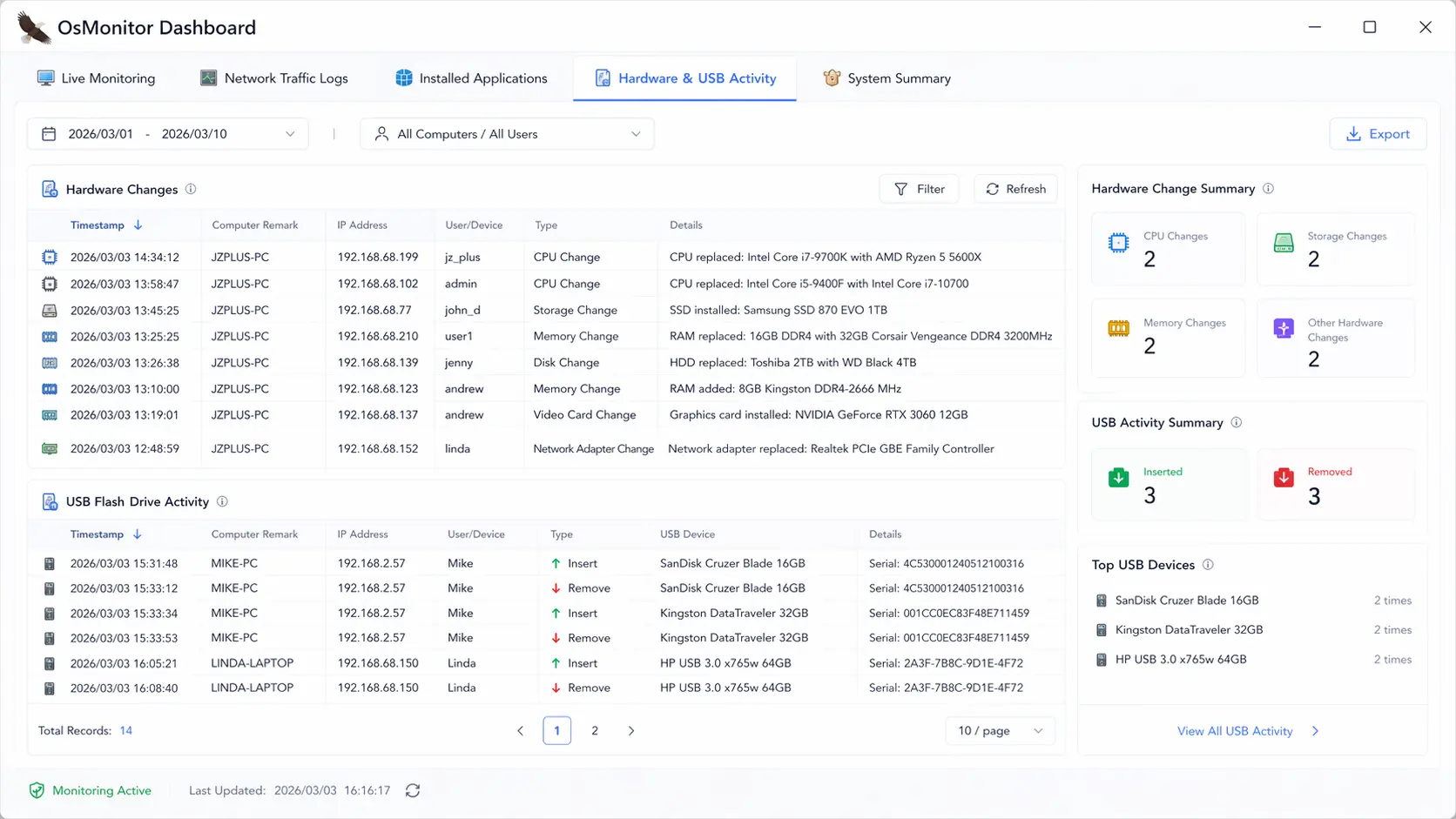
Hardware and USB events can also provide useful context during internal audits and incident reviews. OsMonitor automatically logs and alerts administrators to any unauthorized hardware modifications or USB device usage on company PCs.
- Hardware Audit: Records changes to CPU, RAM, Hard Drives, and other core components.
- USB Drive Tracking: Get notified immediately when a USB drive is plugged in or files are transferred.
- Asset Protection: Prevent hardware theft or unauthorized upgrades within your organization.
8. Workplace Environment: Webcam Monitoring
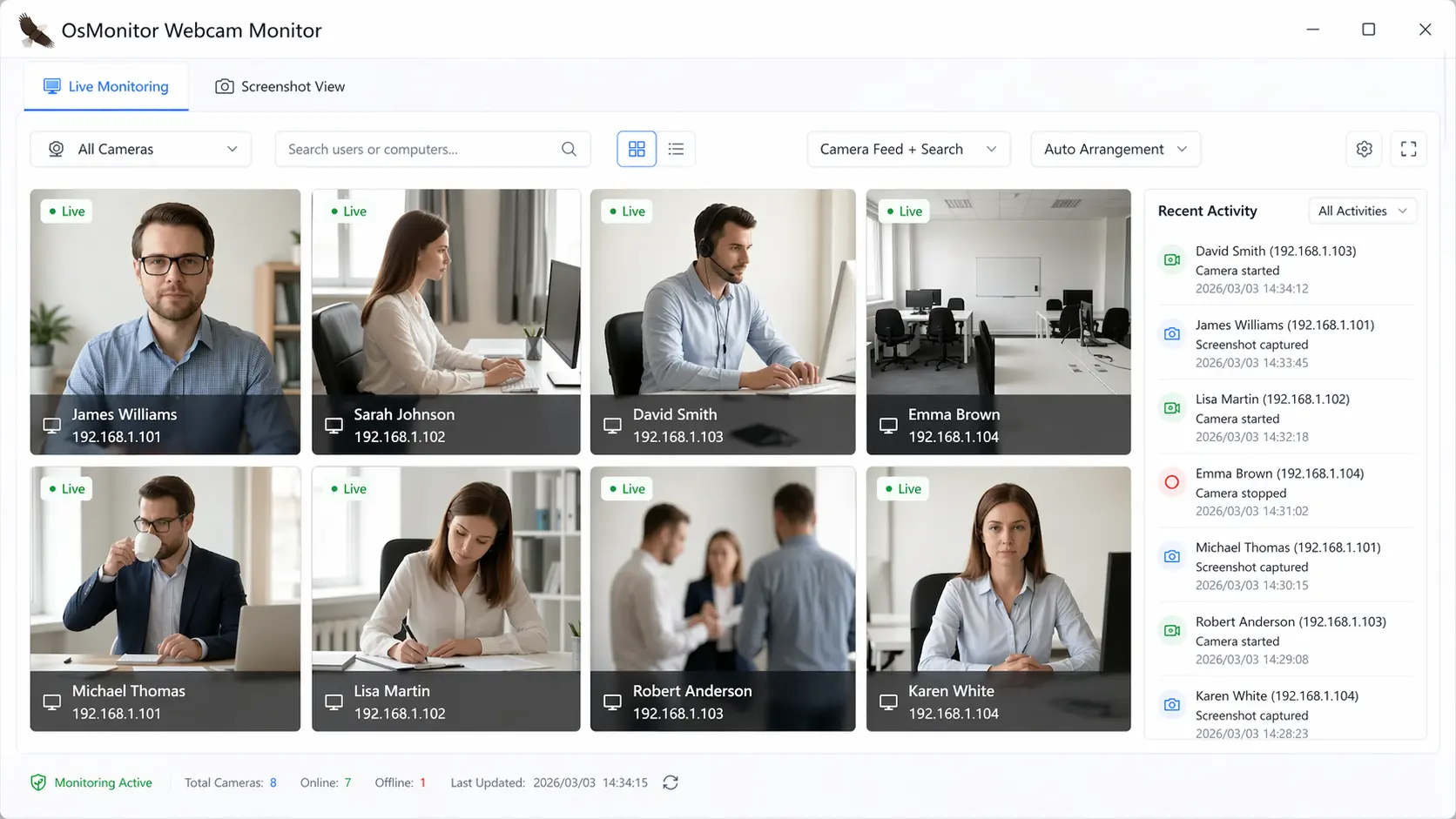
Sometimes, looking at the computer screen alone is not enough to fully understand employee behavior. By utilizing the built-in webcam, you add a physical dimension to your employee activity monitoring.
- Live Webcam View: Check the employee’s physical work environment remotely in real-time.
- Security Checks: Use visual verification to see if the team is desk-present and focused, beautifully supplementing digital activity logs.
❓ Frequently Asked Questions (FAQ)
What is employee activity monitoring software?
It is a business tool designed to provide visibility into how company computers are utilized during working hours. It helps management track application usage, website browsing, and overall productivity to ensure resources are used efficiently.
What employee activities can OsMonitor monitor?
OsMonitor provides comprehensive auditing for a wide range of activities, including live screen visuals, website history, software application usage, chat communications (like WhatsApp and Teams), file operations, and USB device usage.
Can I monitor unauthorized usage without blocking or notifying the employee?
Yes. You can configure OsMonitor to allow employees to run non-work programs or visit restricted websites without any warnings or blocking. The employee will not notice any changes, but the Server will silently log the violation and record exactly how much time was spent on that activity.
Can I send a manual custom message to an employee for a violation?
Yes. In addition to automatic system warnings, administrators can send personalized, manual text messages to any employee computer at any time to address specific issues or provide immediate guidance.
Does OsMonitor also monitor employee computer screens?
Yes, screen monitoring is a core feature. Administrators can view a multi-screen matrix of all connected Windows PCs and review historical screen playback for complete workplace oversight.
Why does your employee activity monitoring software include so many features, and does it violate privacy?
We provide comprehensive employee activity monitoring software features because different business risks require different auditing perspectives. For example, investigating a data leak often requires reviewing USB activity, clipboard logs, and screen history together to understand the full context. Regarding privacy, OsMonitor is a compliance tool strictly intended for company-owned devices. We strongly advise all organizations to establish clear computer use policies and transparently notify employees that their workplace activities are being monitored, ensuring compliance with local laws.
Can I track website and application usage?
Absolutely. The software automatically logs the URLs of visited websites, active application window titles, and the duration of use for each program, helping you generate accurate productivity reports.
Where is monitoring data stored?
OsMonitor is 100% on-premise. Your sensitive monitoring data never leaves your local network and is stored securely on your own server, ensuring absolute privacy and compliance.
Does it work on Windows 11?
Yes. OsMonitor is fully optimized for Windows business environments, supporting Windows 7, 10, and 11, as well as Windows Server editions from 2008 to 2025.
Ready to Gain Complete Workplace Visibility?
Download OsMonitor or check our affordable lifetime licenses today.