100% Data Privacy. Zero Cloud Storage.
When it comes to tracking employee computer activity, data security is your top priority. Uploading your company's screen recordings, chat logs, and confidential files to a third-party SaaS cloud is risky. That is why businesses worldwide choose self hosted employee monitoring software for secure local deployment.
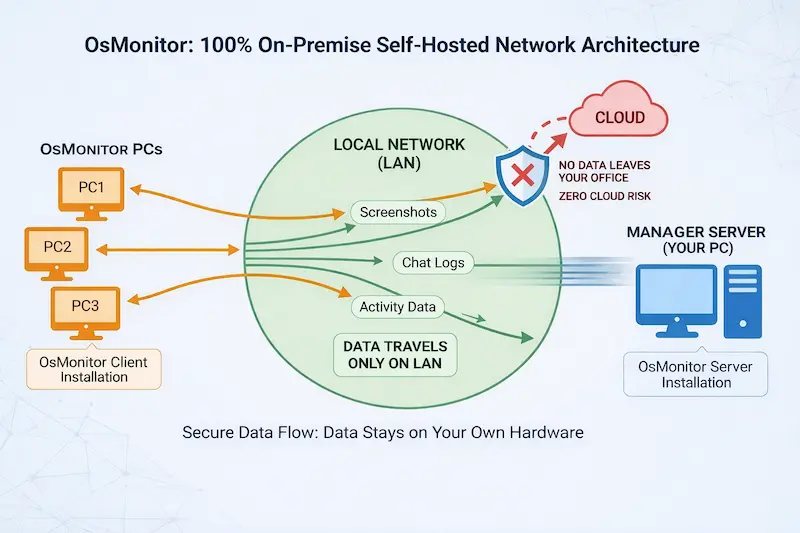
Architecture: 100% Local Network Deployment. No data leaves your office.
Hardware Requirements: Don't Be Scared by the Word "Server"
Many business owners think "self-hosted" means buying expensive hardware. That is not true with OsMonitor.
🖥️ Operating System: If you are monitoring fewer than 50 computers, you do not need a Windows Server OS. Any regular Windows 10 or Windows 11 PC in your office can run as the "Manager Server".
⚡ CPU & Memory (RAM): OsMonitor is an extremely lightweight software. The server program is only a few megabytes (MB) in size. Because of this, you do not need to worry about CPU or RAM requirements at all, no matter how many computers you monitor.
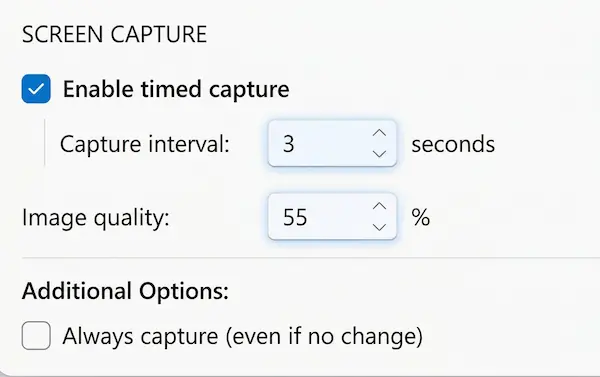
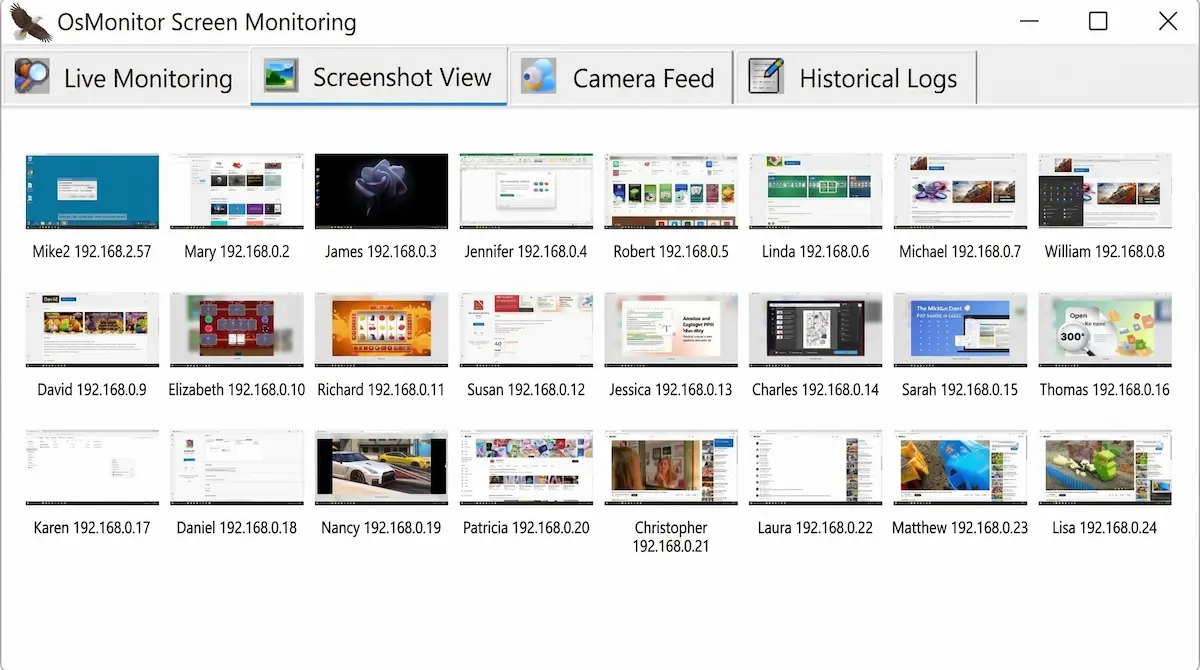
💾 Hard Drive Space: The only thing to consider is storage space. Each screen capture picture takes about 150KB (you can lower the image quality to save more space). OsMonitor also features a smart "Do not save identical screens" option and adjustable screen capture intervals. You can easily estimate the required hard drive space based on your computer count and capture frequency.
Why Self-Hosted is Safer Than the Cloud
- 🔒 Total Data Control: Your employee monitoring logs never leave your office. They are saved directly to your own hard drive. Nobody else can access them.
- 🔌 Works Offline (LAN): Does your company use a closed network without internet access for security reasons? No problem. OsMonitor works perfectly on a pure Local Area Network (LAN). Cloud SaaS tools simply stop working without the internet.
- 🛡️ Compliance Ready: Keep your business compliant with strict data protection laws by not sharing internal employee data with third-party cloud vendors.
On-Premise vs. Cloud SaaS Monitoring
| Feature | OsMonitor (On-Premise) | Cloud SaaS Tools |
|---|---|---|
| Data Storage | Your Local Machine / Cloud Server | Third-Party Vendor's Server |
| Ongoing Costs | One-time payment | Expensive monthly fees |
| Internet Required | No (Works perfectly on LAN) | Yes (Stops without Wi-Fi) |
Frequently Asked Questions
Q: Can I deploy this self hosted employee monitoring software on a private Cloud Server (like AWS or Azure)?
Yes, absolutely. "Self-hosted" does not mean you are forced to use a physical machine in your office. You can install the Manager Server on your own Windows Cloud Server. As long as your employee computers can connect to your server's IP address on TCP ports 7211, 7212, and 7213, it will work perfectly across different networks. Because you fully own and control this cloud server, your data remains 100% private. We have no access to your server.
Q: Does your on-premise employee monitoring software work on a closed network without internet?
Yes. It works 100% offline on a strict Local Area Network (LAN). You do not need an active internet connection to track computer activity, view screens, or check internal logs.
Q: How much hard drive space do I need to store the employee monitoring logs?
It depends on your screen capture settings. Each screen picture is about 150KB. You can save massive storage space by increasing the capture interval time, lowering the image quality, or turning on the "Do not save identical screens" feature. The text records (like chat and website history) take up almost no space.
Q: Do I need an IT team to maintain the self-hosted server?
No. The local manager server is just as easy to install and use as any regular Windows software. It is a simple "next, next, finish" setup process. You do not need to configure complex databases or web servers.
Ready to Deploy Your Local Monitoring Server?
Join thousands of companies who trust our on-premise employee monitoring software for ultimate data privacy. Check out our setup guide, view our one-time pricing, and test it on your network today.