No Cloud Required. Works on Both Connected and Closed Networks.
OsMonitor is a powerful LAN monitoring software for Windows that helps businesses monitor employee screens, applications, website activity, and bandwidth usage across a local network. Built for offices, factories, labs, and other closed environments, it works fully inside your internal network without relying on internet access or cloud services.
If you are looking for a reliable LAN monitor software for internal networks, OsMonitor gives administrators centralized visibility into employee PC activity while keeping deployment and data storage fully on-premise. This makes it a practical fit for organizations that need local area network monitoring software without sending sensitive logs to third-party cloud platforms.
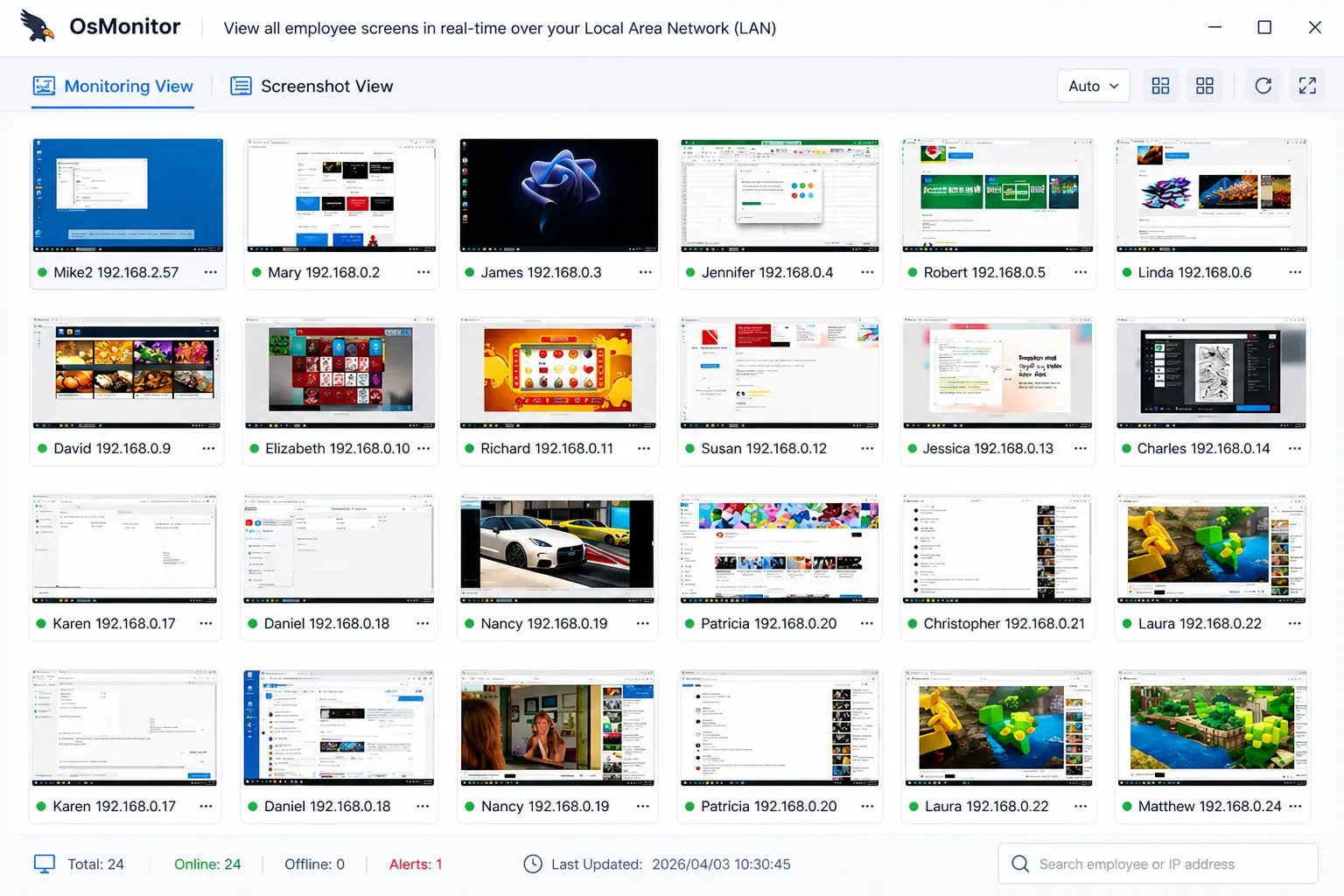
View all employee screens in real-time over your Local Area Network (LAN).
Why Businesses Use LAN Monitoring Software
Unlike cloud-first tools, LAN monitoring software is designed for environments where speed, control, and data locality matter. Monitoring traffic, screen activity, and application usage over the LAN usually provides faster response times and better control over where monitoring data is stored.
For IT teams, this means they can monitor computers on LAN, review activity logs, and troubleshoot internal network issues from a centralized manager server. For compliance-focused organizations, it also means internal monitoring can remain inside the company network instead of depending on external cloud infrastructure.
Key Features of Our LAN Monitoring Software
🖥️ Real-Time Screen Tracking
Watch multiple computer screens live across your LAN. Because data travels through your high-speed Gigabit local network, screen updates are fast, smooth, and responsive.
🛡️ USB Drive Blocking
On a closed network, USB flash drives are a major risk for data theft. OsMonitor lets you instantly block USB ports or switch them to read-only mode across the LAN.
📊 LAN Bandwidth Monitoring
If your internal network suddenly slows down, quickly identify which employee PC is downloading large files and consuming local bandwidth.
💬 App & Website History
Record application usage, website visits, and chat activity. Logs are sent to your local Manager Server for auditing, with no keylogging involved.
What Can You Monitor on a Local Area Network?
With the right local area network monitoring software, administrators can monitor employee screens, running applications, website visits, USB device usage, and bandwidth activity from one central location. This helps companies investigate incidents, improve productivity oversight, and identify suspicious behavior inside the network.
OsMonitor is especially useful when businesses need a Windows LAN monitor that works across employee PCs on the same office network, across subnets, or across VLAN-connected internal environments.
LAN Monitoring Software FAQ
LAN monitoring software helps administrators monitor employee computers, screens, application usage, website activity, and bandwidth across a local area network. OsMonitor is designed for Windows environments that need secure internal visibility without relying on cloud services.
Cloud monitoring tools usually depend on internet access and store data on remote infrastructure. LAN monitoring software is deployed inside your own network and keeps monitoring traffic and logs under your direct control, which is often better for closed networks and privacy-sensitive environments.
Yes. The Client PC simply connects to the Manager Server using an internal IP address (for example, 192.168.1.100). As long as employee computers can reach the server across your routers or VLANs on TCP ports 7211, 7212, and 7213, OsMonitor will work correctly. Read more about our on-premise employee monitoring deployment.
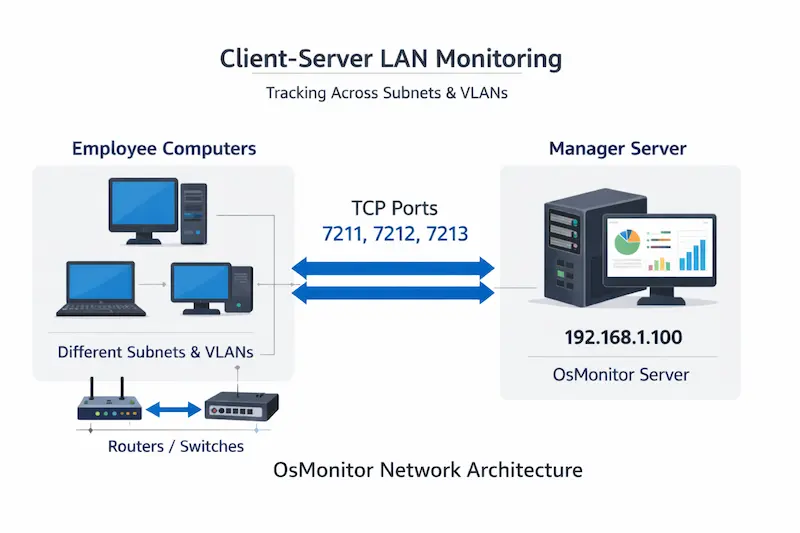
Yes. OsMonitor can be used on regular office networks that have internet access, as well as on isolated or closed LAN environments. The advantage of OsMonitor is that it does not depend on cloud connectivity, so it remains fully usable even when your internal network is not connected to the internet.
Yes. OsMonitor is built for offline and closed-network environments. All monitoring data stays inside your internal network, making it suitable for factories, laboratories, government offices, and other environments where internet access is restricted or unavailable.
Yes. OsMonitor is an on-premise solution, so monitoring data is sent to your local Manager Server instead of a cloud dashboard. This is often preferred by organizations that want offline LAN monitoring and tighter internal control.
By default, you can install the client manually on each PC using a standard installer. See our Quick Start Guide for details. For larger networks, advanced users can also mass-deploy the client silently through Active Directory (AD) Group Policy.
Start Monitoring Your Network
Ensure productivity, visibility, and data security on your closed network. See why IT teams choose our on-premise employee monitoring software.
Download Free Trial