Remote Employee Monitoring Software for Work-from-Home Teams
The hardest part about managing a distributed workforce isn’t the distance; it’s the lack of visibility. When your team is scattered across home offices and branch locations, it’s incredibly tough to know if company hardware is being used efficiently, if projects are moving, or if someone is stuck on a technical issue. You can’t just walk down the hall to check in. That’s why IT departments and business owners are turning to remote employee monitoring software. It gives you a centralized dashboard to manage company-owned Windows PCs, providing clear, actionable insights into daily workflows without forcing you to hand your sensitive data over to a third-party cloud service.
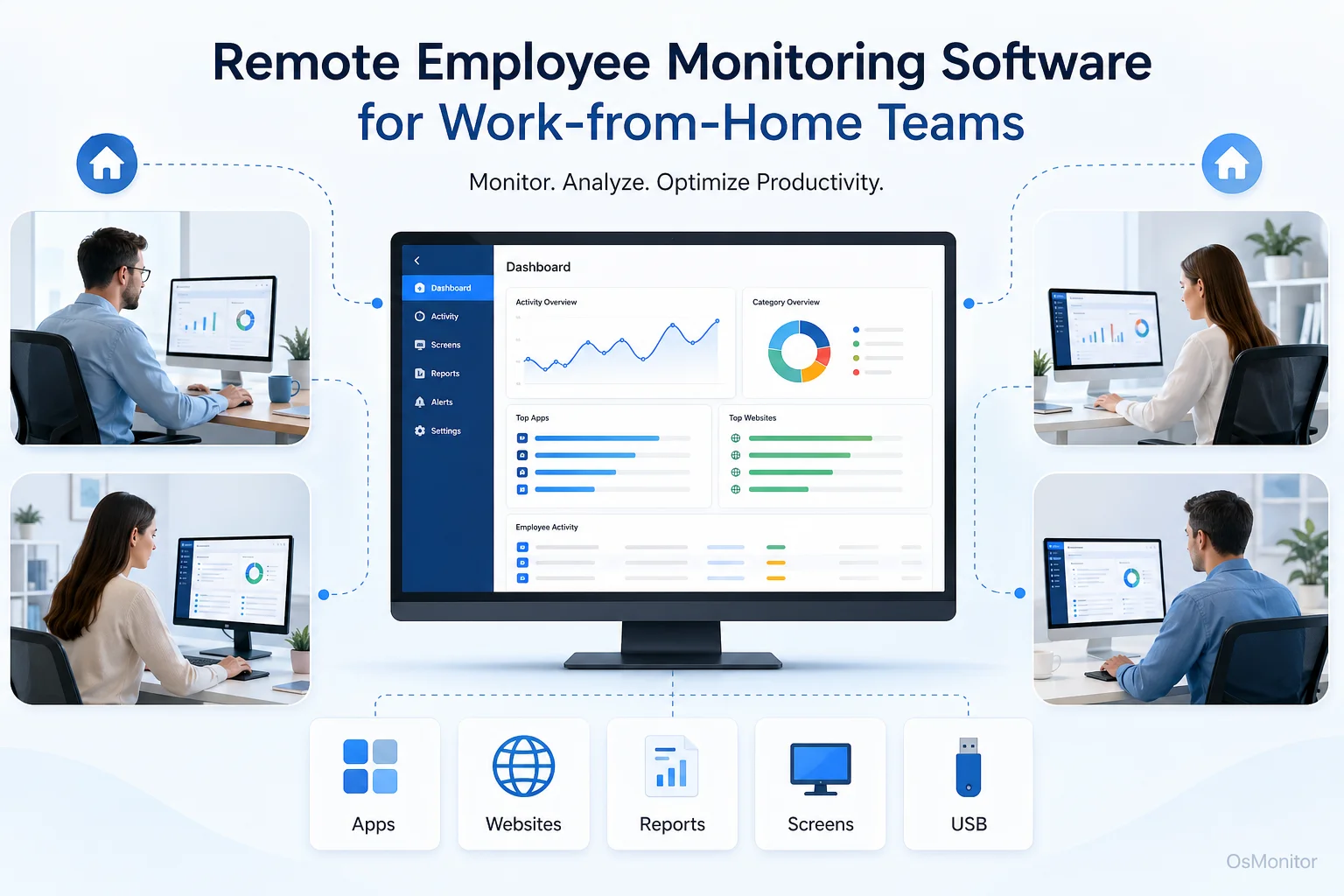
A practical overview of remote employee monitoring software for workplace computer management.
Why Businesses Need Software to Monitor Remote Employees
The shift to remote work threw traditional management out the window. Without physical oversight, managers desperately need tools to understand how work gets done off-site. The objective isn’t to micromanage every mouse click; it’s about maintaining the same level of operational awareness you’d have if everyone were in the same building.
Think about a manager trying to oversee a support team. Instead of constantly pinging people with “Are you busy?” messages, they just want a simple way to review multiple screens through a dashboard. This quick visual check lets them see who is on task, who is struggling with a ticket, and how the day is progressing.
This is exactly where software to manage remote employees proves its worth. It bridges the physical gap, providing hard data on computer-based work so you can lead your team effectively from anywhere. It’s the core of proper remote employee management software.
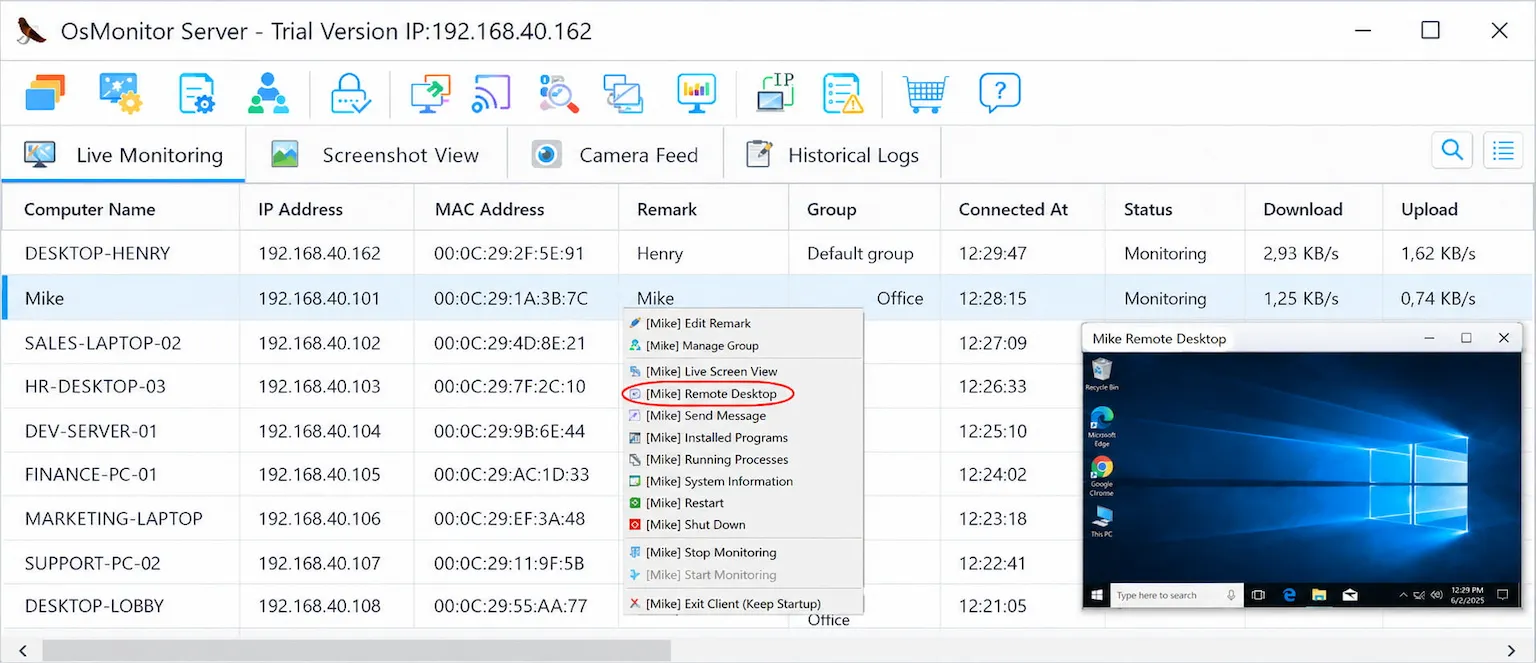
A real-product style screenshot highlighting centralized computer monitoring in OsMonitor.
Core Features of Remote Employee Productivity Monitoring Software
When you’re evaluating software for monitoring remote employees, you need more than just basic time tracking. You need a toolkit built for true IT administration, policy enforcement, and productivity analysis.
Centralized Activity and Productivity Reporting
If you want to monitor remote employee productivity, you need clear data on where the time goes. A solid remote employee tracking software suite logs activity and turns it into digestible reports.
Key functions you should look for include:
- Software and Website Usage Analysis: Knowing how much time is spent in specific apps versus browsing the web helps you understand which tools are essential and which sites are just distractions. This is a staple of monitoring productivity of remote employees.
- Department and Individual Reports: Generating department activity reports helps you spot productivity trends and bottlenecks over time, making resource planning much easier.
- Policy Violation Counts: You can configure rules for prohibited apps or sites. When someone breaks the rule, the system logs the violation, helping you enforce an acceptable use policy consistently across your distributed network.
- Download Statistics: Keeping an eye on files downloaded to company hardware helps manage bandwidth and mitigates basic security risks.
These features form the backbone of practical Employee Productivity Monitoring Software for Office PCs & Tools. They give managers the actual data they need to make smart decisions.
Real-Time Screen Monitoring for Distributed Teams
For jobs that require tight coordination, nothing beats real-time visibility. A centralized screen dashboard lets a manager view multiple desktops simultaneously. It’s incredibly useful for onboarding new hires, coordinating live projects, or ensuring customer support queues are being handled.
If you are trying to figure out how to monitor remote employee activity without being overly intrusive, a glance at a live screen wall is often the most efficient method.
Remote Assistance and IT Management
Remote workers face tech issues just like office workers, but fixing them is infinitely harder. A robust remote employee monitoring system almost always includes built-in remote assistance. IT administrators can:
- View and take control of a desktop to fix software issues immediately.
- Transfer files directly to push updates or pull important documents.
- Manage running processes and services to fix frozen machines.
This transforms your remote employee software from a simple logging tool into a vital piece of your IT support infrastructure, drastically reducing downtime.
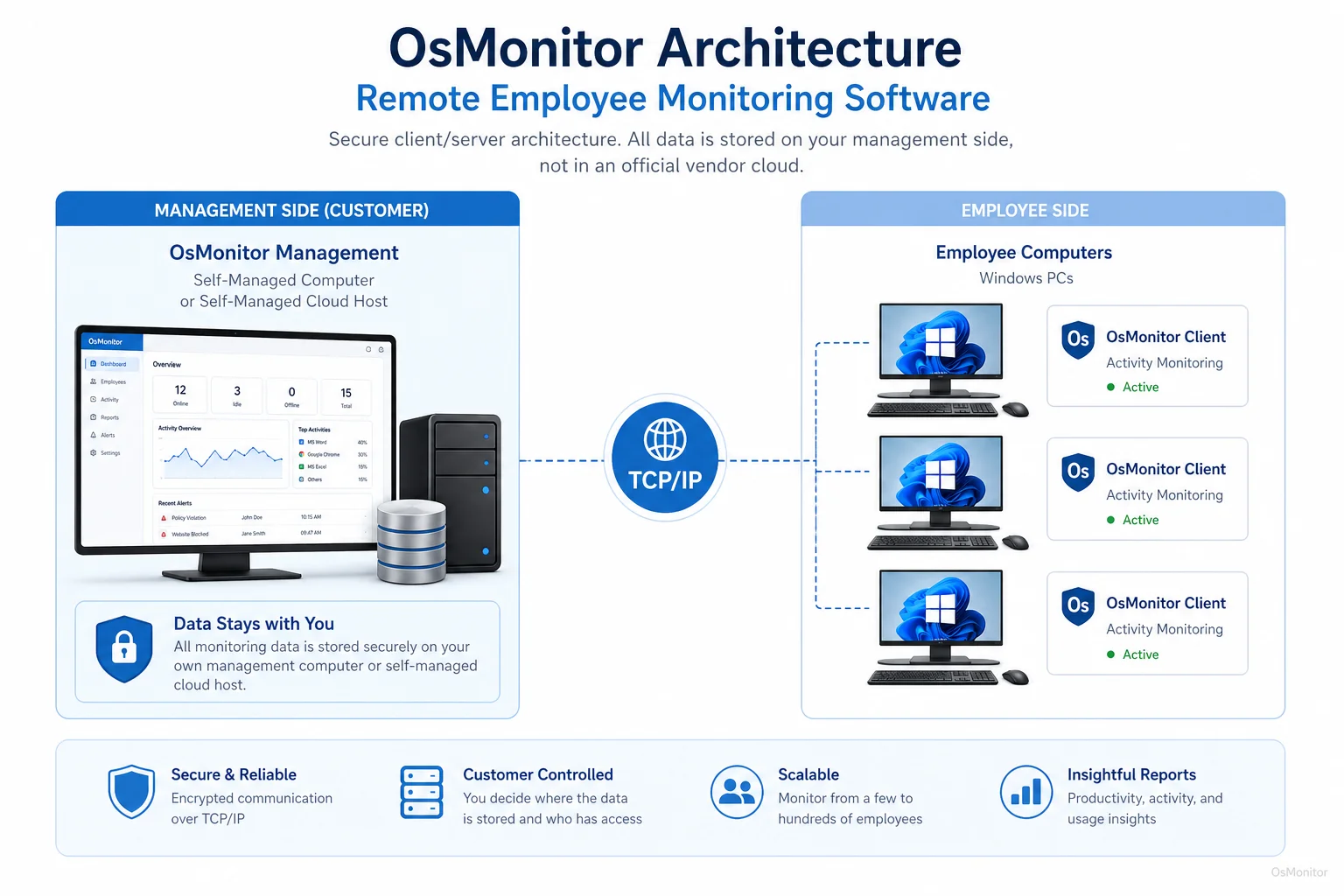
OsMonitor keeps monitoring data under the customer’s control on the management computer or self-managed server.
Deployment and Data Control for Remote Teams
Here is the most critical question when setting up remote employee tracking: who owns the data? Unlike most heavily marketed cloud SaaS platforms that store your internal logs on their vendor servers, OsMonitor uses a strict client/server architecture. Your data stays with you.
You install the management console on a server you control, and push a lightweight client to each remote Windows PC. This allows for two very flexible deployments:
- LAN-Based Monitoring: If you bring employees back into the office, the system can run entirely offline within your Local Area Network (LAN), ensuring absolute data privacy.
- Self-Hosted Server for Remote Teams: For true work-from-home setups, host the OsMonitor server on your own hardware with a public IP or a private cloud instance (like AWS or Azure). The remote clients connect back to your server via the internet, keeping your remote employee monitoring logs securely within your private environment.
This self-hosted design is the primary advantage of On-Premise Employee Monitoring Software, giving businesses total ownership of their operational data.
Implementing a Fair and Transparent Monitoring Policy
Deploying monitoring software for remote employees will inevitably raise questions. To maintain trust, transparency is non-negotiable. You must clearly communicate that the software is there to improve workflows, provide IT support, and secure company assets.
Here is a practical framework for an authorized workplace monitoring policy:
| Policy Area | Monitored Activity | Purpose of Monitoring |
|---|---|---|
| Application Usage | Time spent in work-related and non-work applications. | To ensure company software is used effectively and identify productivity patterns. |
| Website Visits | URLs of websites visited on company computers during work hours. | To enforce acceptable use policies and minimize distractions. |
| File Downloads | Names and sources of files downloaded from the internet. | To manage network bandwidth and mitigate security risks. |
| Screen Activity | Real-time screen view and scheduled screenshots. | To provide IT support, assist with training, and verify work on projects. |
Always verify your policy with local legal counsel to ensure your approach to tracking remote employees complies with regional labor and privacy laws.
Technical Requirements and Limitations
OsMonitor is built to be a lightweight, highly efficient tool for transparent workplace computer management.
System Compatibility
- Operating System: It supports everything from Windows 7 up to the latest releases, including Windows Server editions (both 32-bit and 64-bit).
- Hardware: The client is incredibly light. It won’t drag down the performance of older remote workstations.
Important Considerations
- Client Installation: You absolutely must install the client on every company-owned machine you want to manage. It cannot monitor a computer without that software present.
- Legal Compliance: When evaluating how to monitor remote employees, remember that privacy laws vary heavily by region. You are responsible for using the software legally, which typically requires written employee consent.
Frequently Asked Questions (FAQ)
What is remote employee monitoring software?
It is a business tool designed to manage and view computer activity on company-owned PCs used by work-from-home or branch office staff. It helps IT departments provide remote support, enforce company policies, and track productivity.
Some buyers search for “remote employee monitoring software behavior patterns tracking.” Is that what this does?
While some people use long, awkward search phrases like remote employee monitoring software behavior patterns tracking or remote employee tracking and data leak prevention, the industry term is simply remote employee monitoring. OsMonitor tracks application usage, websites, and file transfers to help you understand workflow patterns and secure basic data movement, but it is not a complex AI behavioral analytics engine or a full enterprise DLP system.
Is remote employee monitoring software legal for businesses?
In most jurisdictions, yes. Businesses generally have the right to monitor company-owned hardware. However, you must have a legitimate business reason, establish a clear policy, and notify your employees. Always consult local legal experts before deployment.
Does OsMonitor require a client on employee computers?
Yes. As a client/server system, you must install the lightweight client on each remote worker’s Windows PC so it can communicate with your central management console.
Where is OsMonitor monitoring data stored?
Your data stays on your own hardware. Whether you use a physical server in your office or your own private cloud instance, the data is never sent to our vendor servers.
Can OsMonitor work without internet in a LAN?
Absolutely. It can run perfectly on an offline Local Area Network, which is ideal for highly secure environments.
What Windows versions does OsMonitor support?
It is a dedicated Windows Employee Monitoring Software that supports Windows 7, 8, 10, 11, and Windows Server editions (32-bit and 64-bit).
Some search for “software for alert-based remote employee monitoring”. Do you have alerts?
Yes. OsMonitor allows administrators to set up violation alerts. If an employee opens a restricted application or visits a blocked website, the system logs the violation, allowing managers to handle it appropriately.
By providing clear insights and robust IT support tools, monitoring remote employees becomes a manageable, routine part of your business operations. If you are ready to see how it performs in your own environment, Download OsMonitor Free Trial to explore the full feature set.