Employee Tracking Software for Computer Activity and Productivity
If you are managing a busy team, you already know the pain of needing a quick status update without wanting to break everyone’s concentration. Constantly walking the floor or sending Slack messages asking “what are you working on?” is disruptive and inefficient. Imagine instead having the ability to glance at a central screen wall to see exactly who is deep into a spreadsheet, who is actively coding, and who might be stuck on an error message. That kind of seamless visibility is exactly what a solid employee tracking software suite provides. It offers a centralized view of your network, helping you enhance productivity, enforce your IT policies, and support your staff without hovering over their shoulders.
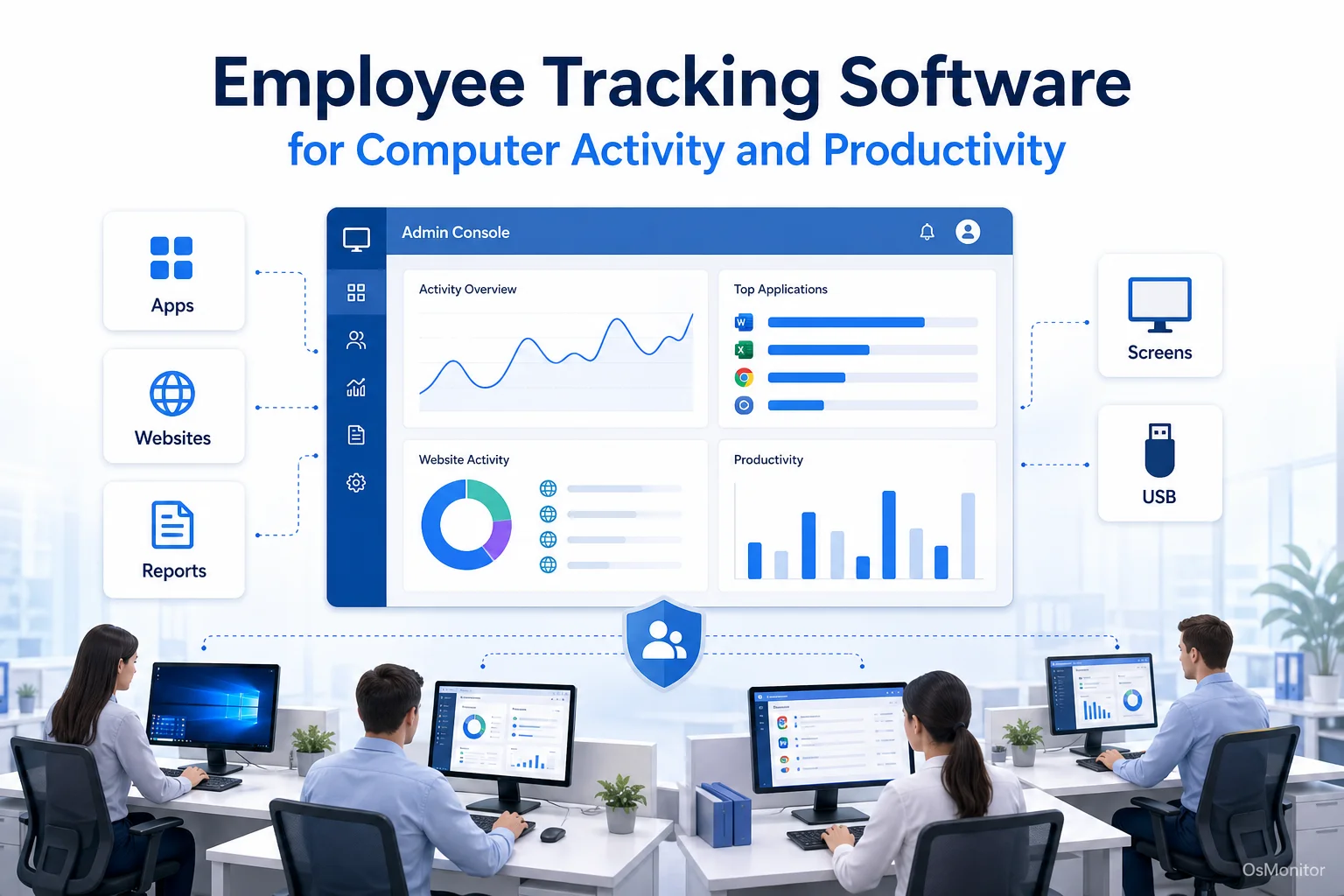
A practical overview of employee tracking software for workplace computer management.
What Is Employee Tracking Software and Who Needs It?
An employee tracking system is a dedicated IT tool built to manage and supervise computer activity on company-owned hardware. Let’s be clear: this isn’t about micromanagement. It’s about gaining objective insights into how company resources are utilized during the 9-to-5. It helps you understand actual workflows, pinpoint productivity bottlenecks, ensure your staff is adhering to acceptable use policies, and protect digital assets from walking out the door.
This type of employee tracking is incredibly valuable across a wide range of organizations:
- Small and Medium Businesses (SMBs): To verify that teams remain focused and that company hardware is used strictly for work-related purposes.
- Call Centers: To monitor agent on-screen activity for quality assurance and ensure strict compliance with customer data handling protocols.
- Educational Institutions: To lock down labs, prevent access to inappropriate content, and deploy remote assistance to students.
- Offices with Distributed Teams: Remote employee trackers are essential for maintaining visibility and cohesion across different locations, ensuring off-site staff have the same IT support as those in the building.
Essentially, if computer-based work is the core of your operations, a well-implemented employee tracking system will make your management team infinitely more effective.
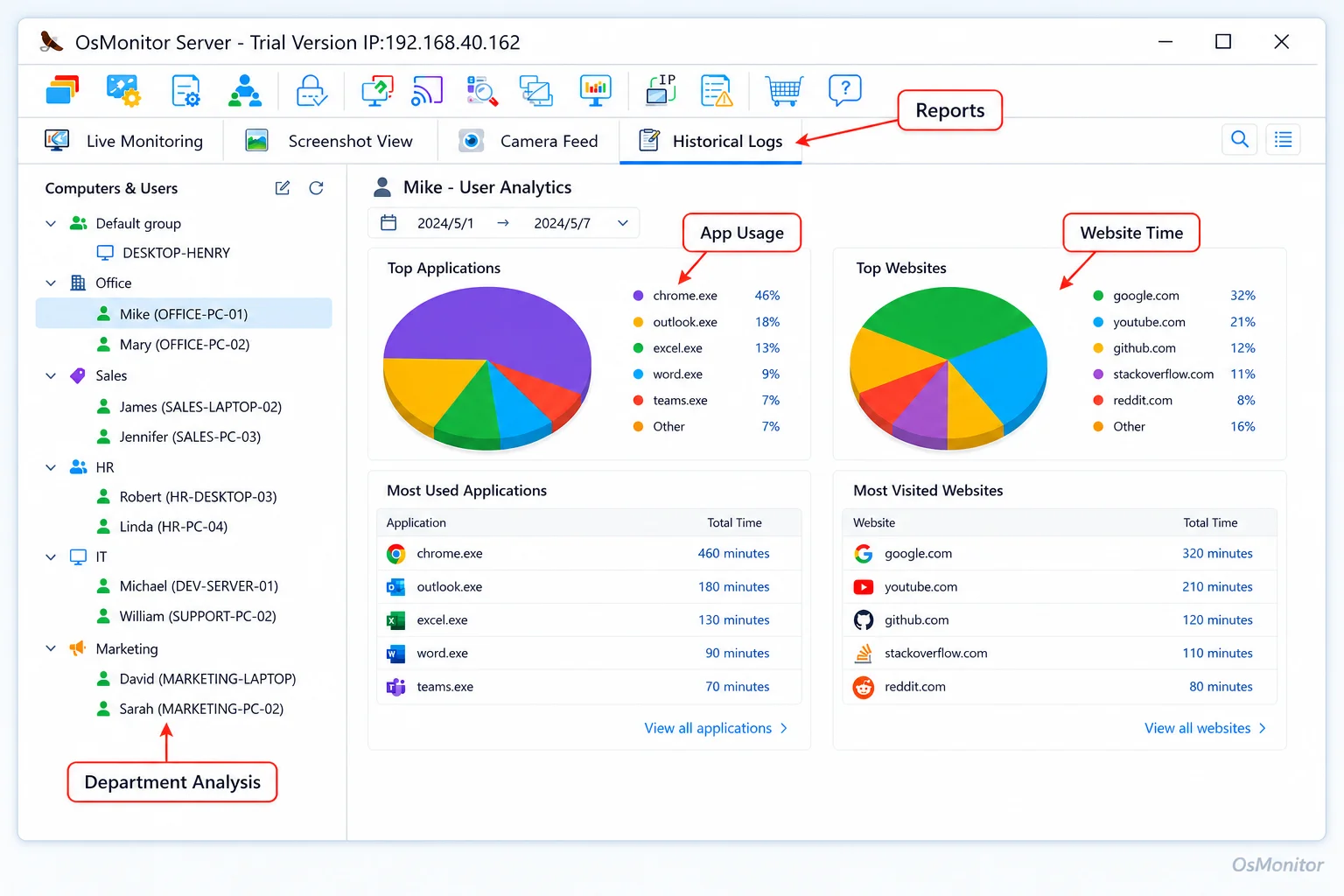
A real-product style screenshot highlighting application and productivity reports in OsMonitor.
A Focus on Legal and Transparent Workplace Management
Modern employee tracking systems are designed as workplace productivity and computer activity management tools. They are not built for unauthorized or secretive observation. OsMonitor is explicitly designed for legal business use on company-owned Windows computers, with a massive emphasis on transparent implementation. The goal is to build a highly productive environment, not a stressful one.
Because of this, you absolutely must establish clear internal policies regarding computer use. Informing your employees about the software’s presence and its purpose—as required by most local and regional laws—builds trust and ensures the tool is used responsibly. OsMonitor provides the technical framework to enforce your rules, but your company policy dictates the ethical application.
How OsMonitor’s Employee Tracking System Works
OsMonitor operates on a highly secure, straightforward client/server architecture. This is crucial because it gives your business complete ownership over its data.
The system consists of two main pieces:
- The Management Console (Server): You install this on a single PC, typically run by an IT admin or department head. This is your command center for viewing logs, tweaking settings, and pulling reports.
- The Client Application: A tiny, lightweight agent is pushed to each employee’s Windows machine. It runs quietly in the background, logging activity and securely transmitting that data back to your management console over the local network.
This setup ensures that all your sensitive monitoring logs are stored on your hardware. This is a massive distinction from the heavily marketed online employee tracking system SaaS products that force your internal data onto their vendor-controlled cloud servers.
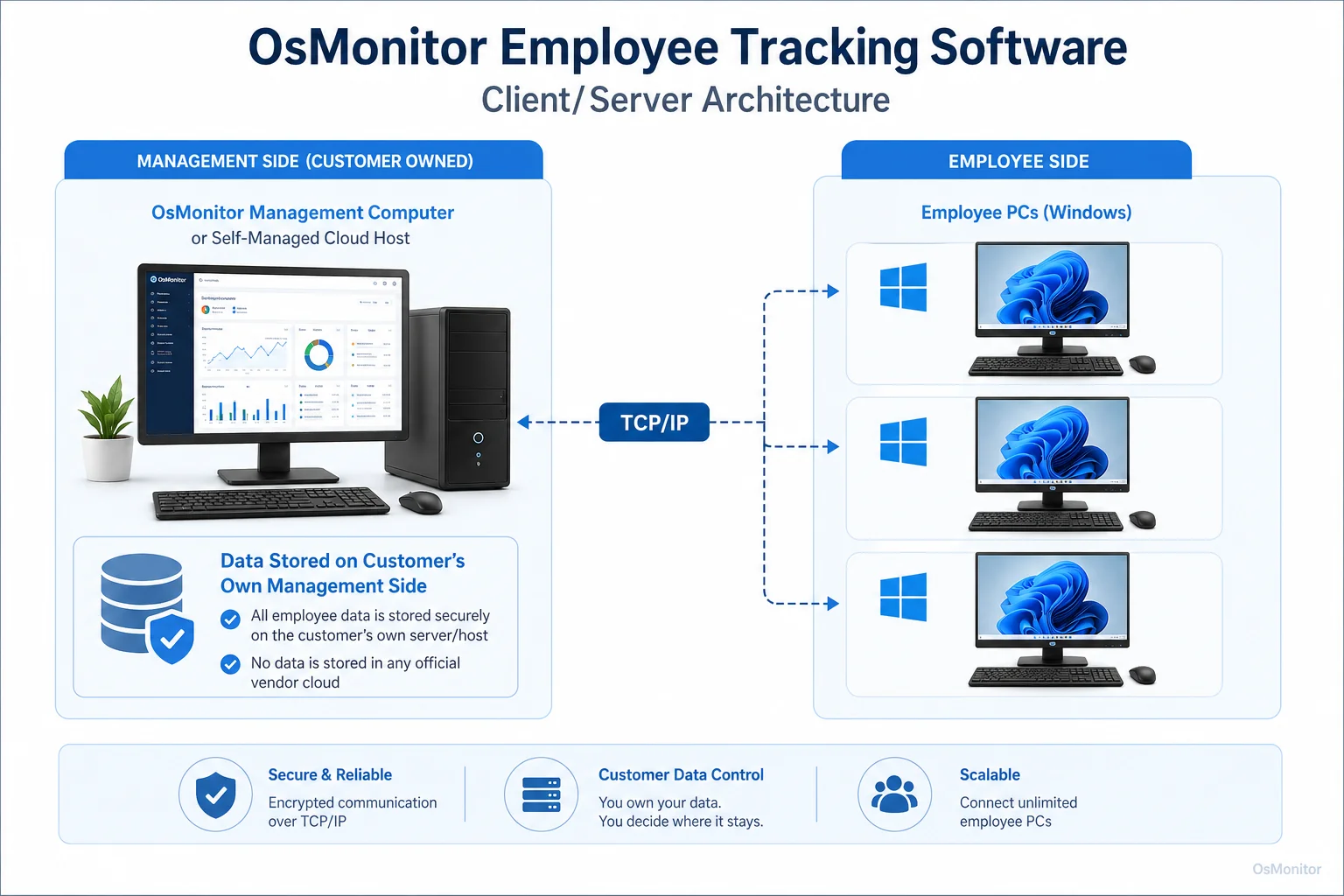
OsMonitor keeps monitoring data under the customer’s control on the management computer or self-managed server.
Core Features of a Comprehensive Employee Tracking System
The best employee tracking software will offer a balanced suite of features to handle everything from real-time helpdesk support to long-term workflow analysis.
Real-Time Screen Monitoring and History
Visual oversight cuts through the noise. Features like a multi-screen dashboard allow a manager to view dozens of live desktops simultaneously in a tiled grid. It provides an immediate read on who is active and what they are doing. For historical review, our Employee Screen Monitoring Software capabilities can record screen history, letting you play back past activity like a DVR to resolve workflow disputes or security incidents.
Application and Website Usage Control
If you want to boost productivity, you need to know where the time is going. OsMonitor tracks the exact time employees spend actively using specific applications and websites. But it goes beyond just logging; administrators can actively block access to non-work websites, social media platforms, or unauthorized executables, killing distractions at the source.
Device and Data Management
Protecting your data is non-negotiable. The system enforces security policies through strict USB device control. You can block thumb drives entirely, force them into read-only mode, or whitelist only specific, company-issued encrypted drives. It also logs file operations, creating an audit trail of data movement.
Detailed Reports and Alert Triggers
Data is only useful when it is accessible. OsMonitor generates clean, detailed reports on app usage, web history, and bandwidth consumption. Furthermore, if you are looking for employee tracking software with alert triggers, you can configure the system to notify management instantly if a user attempts to visit a blocked site or plug in an unauthorized USB drive.
Remote Assistance and Management
For IT, this software is a lifesaver. The remote desktop feature allows an admin to view and take control of an employee’s machine to resolve technical issues instantly, drastically reducing downtime. This is especially vital when supporting Remote Employee Monitoring Software for Work-from-Home Teams who don’t have an IT guy down the hall.
On-Premise Data Ownership: Your Data, Your Control
The primary advantage of OsMonitor is its on-premise deployment model. Your data is stored directly on your own management computer.
- Data Privacy and Security: You retain 100% ownership of your business logs. They are never transmitted to third-party vendor clouds.
- LAN-Only Operation: The software functions flawlessly within your local area network (LAN) without any internet connection, allowing for highly secure, air-gapped deployments.
- No Subscription Fees: As a self-hosted tool, OsMonitor is a one-time purchase. No endless monthly SaaS fees draining your IT budget.
- Flexibility for Remote Teams: You can host the server on your own private cloud instance (like AWS) or connect via VPN, giving you cloud-like accessibility without sacrificing data ownership.
Practical Use Cases for Employee Tracking Software
This software adapts perfectly to different business environments.
| Industry / Team | Common Use Case | Relevant OsMonitor Feature |
|---|---|---|
| Small Business Office | Ensure focus during work hours and prevent misuse of company internet. | Website Filtering, Application Usage Reports |
| Call Center | Monitor agent on-screen activity for quality assurance and training. | Real-Time Screen Monitoring, Screen History |
| Architectural/Design Firm | Track software license usage to optimize spending on expensive CAD tools. | Application Usage Monitoring |
| School Computer Lab | Prevent students from accessing games or inappropriate content. | Application/Website Blocking, Remote Assistance |
| Distributed/Remote Teams | Maintain visibility on work progress and provide remote IT support. | Multi-computer activity overview, Remote Desktop Control |
| Data Entry Department | Identify productivity patterns and provide targeted coaching. | Activity Reports, Active/Idle Statistics |
Limitations and Responsible Use Guidelines
It’s important to set expectations. OsMonitor is a powerful management and productivity tool, not a dedicated enterprise cybersecurity appliance (like a SIEM system). It provides features that drastically reduce risk, but it is not a replacement for your antivirus or firewall.
It is designed exclusively for Windows-based computers (Windows 7 and newer). It does not support Mac or Linux endpoints.
Most importantly, you must use it responsibly. Always consult with your local legal counsel to understand privacy laws regarding authorized workplace monitoring. A transparent policy, clearly communicated to your staff, is the absolute foundation of an ethical and successful deployment.
Frequently Asked Questions (FAQ)
What is employee tracking software?
It is a business IT tool used to manage computer activity, analyze workflow productivity, and enforce acceptable use policies on company-owned hardware. It provides actionable data on application and website usage, alongside real-time screen visibility.
Is employee tracking software legal for businesses?
In most jurisdictions, yes. Businesses have the legal right to monitor activity on company-owned assets, especially when a clear policy is in place. However, privacy laws vary heavily by region. You must consult local legal counsel to ensure your deployment is fully compliant.
Does OsMonitor require a client on employee computers?
Yes. To enable the monitoring and policy enforcement features, a lightweight client application must be installed on each endpoint. It communicates securely with your central management console.
Where is OsMonitor monitoring data stored?
Your data stays with you. All logs and screen recordings are stored on your own hardware—either your management PC or an internal server. We do not use vendor clouds.
Can OsMonitor work without internet in a LAN?
Absolutely. It is designed to operate perfectly within a closed Local Area Network (LAN) without needing an outside internet connection, making it ideal for high-security facilities.
What Windows versions does OsMonitor support?
It supports Windows 7, 8, 10, and 11, along with Windows Server editions (both 32-bit and 64-bit).
By establishing clear visibility and robust IT controls, employee tracking tools empower you to run a more secure, efficient business. To see how these features integrate into your network, View OsMonitor Pricing to explore our straightforward, one-time purchase options.