Productivity Tracking Software for Workplace Teams
I hear it all the time from business owners: “My team looks busy, but projects keep stalling out.” When you dive into the network logs, you usually find the culprit isn’t a lack of effort—it’s distraction. Staff members might be burning hours on gaming sites, streaming platforms, or endless social media scrolling. To fix this, you don’t need to lock down the entire network with an expensive, military-grade security suite. You just need a practical way to pull computer usage reports and enforce basic access rules. That is exactly what a reliable productivity tracking software does. It takes the guesswork out of management, giving you the hard data you need to keep your team aligned and focused.
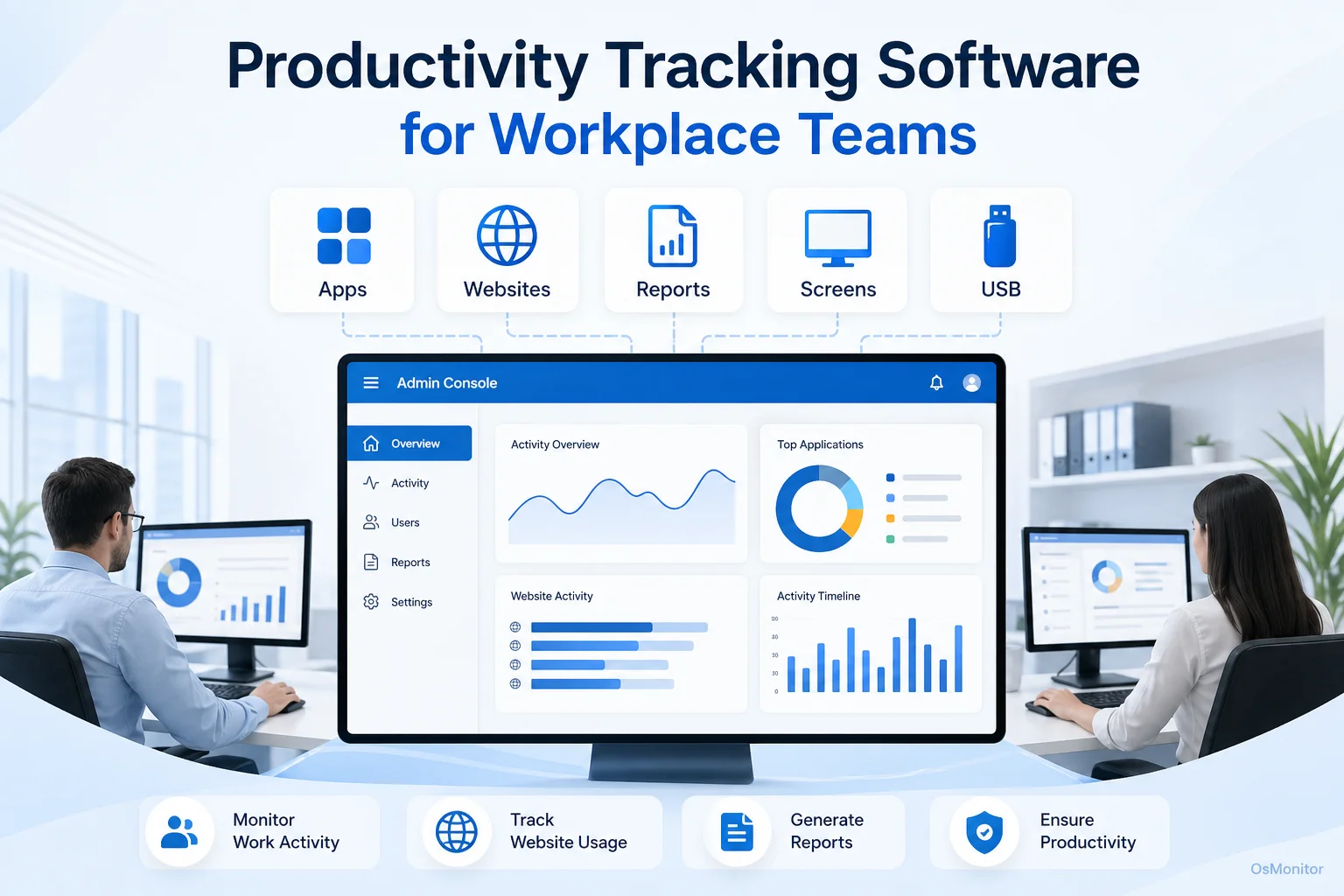
A practical overview of productivity tracking software for workplace computer management.
What is Productivity Tracking Software?
At its core, a productivity tracker is a tool that monitors and analyzes computer activity to measure genuine workplace efficiency. Forget about having your staff manually fill out an employee productivity tracker excel template at the end of the day—those are notoriously inaccurate. A proper productivity tracker software platform automatically collects objective data on how company-owned computers are actually being utilized.
A well-deployed employee productivity tracker is built to answer a few fundamental management questions:
- Which specific applications and websites dominate the workday?
- What is the true ratio of focused work time versus idle or distracted time?
- Are there workflow bottlenecks happening because of slow or inefficient software?
- Do certain individuals need more training to keep up with the team’s pace?
By automatically generating a productivity tracker summary productivity scores sheet and detailed reports, this software turns abstract goals into measurable facts. It helps organizations transition from managing by “gut feeling” to making data-driven decisions that immediately boost operational efficiency.
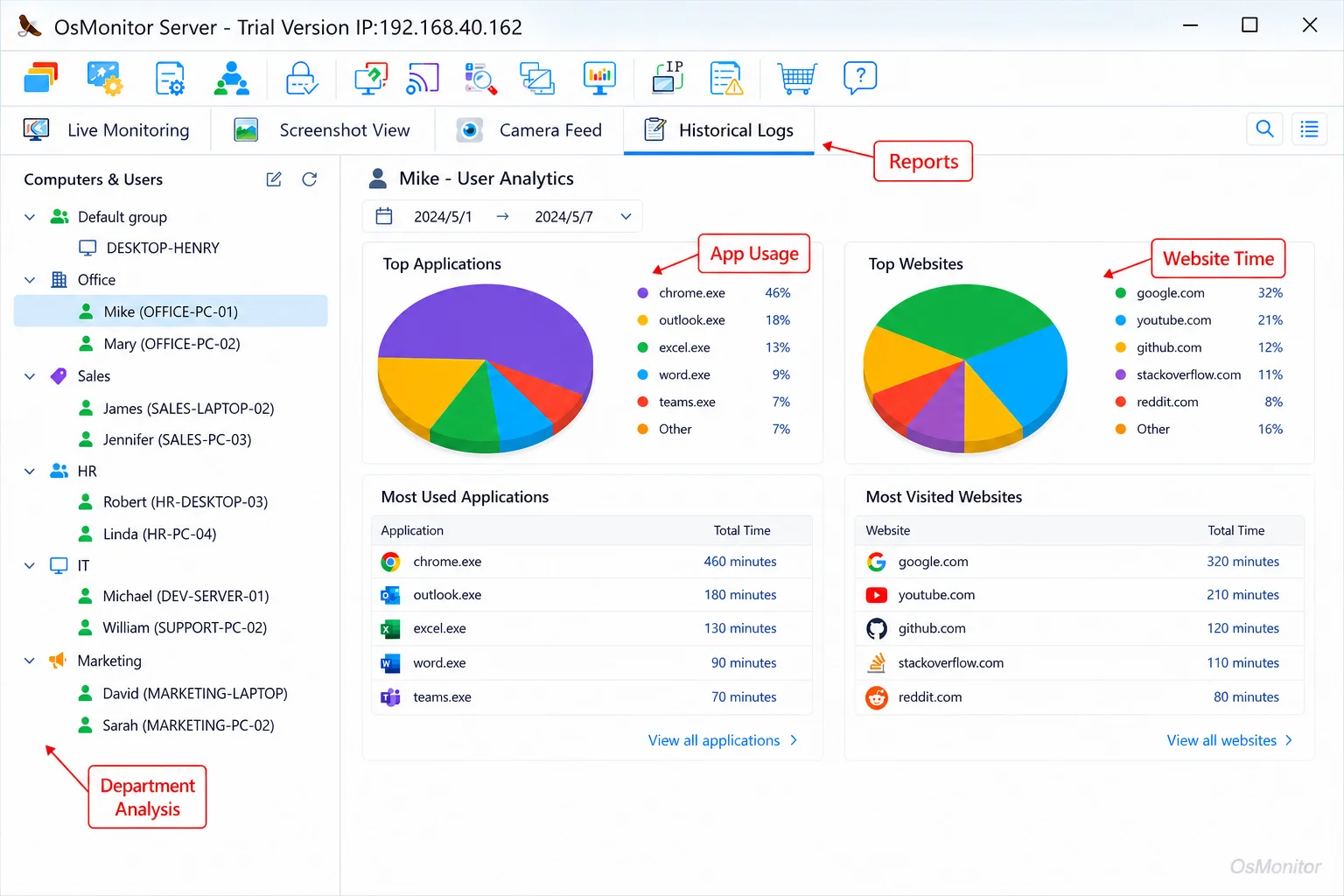
A real-product style screenshot highlighting application and productivity reports in OsMonitor.
A Practical Approach to Workplace Productivity with OsMonitor
Let’s clear up what OsMonitor is and isn’t. It is an employee productivity tracker software designed strictly for authorized workplace monitoring. It is not an enterprise cybersecurity platform or a formal compliance audit tool. Instead, it serves as a highly practical work productivity tracker that empowers managers to guide their teams with facts.
OsMonitor is laser-focused on efficiency management. Plus, for businesses that hate unpredictable IT budgets, OsMonitor is a one-time purchase. No endless monthly SaaS fees. It helps create a culture where productivity is supported by transparent data, not assumptions. The detailed logs generated by this type of Employee Activity Monitoring Software provide exactly the context you need to give constructive feedback.
How OsMonitor’s Client/Server Architecture Works
OsMonitor uses a classic client/server model. Why? Because it keeps all your sensitive data under your absolute control.
The system is split into two straightforward parts:
- The Server/Management Console: You install this on a single IT admin or manager’s PC. This is your command center where you collect data, adjust policies, and review reports.
- The Client Program: You push a lightweight agent to each employee computer you need to manage. This client runs quietly, logging activity and securely sending it back to your central server.
This architecture means it is completely on-premise. Your data stays on your hardware. It doesn’t get pushed to a third-party vendor’s cloud. For companies with strict privacy requirements, this is non-negotiable. Furthermore, OsMonitor can run entirely within a closed local area network (LAN) with zero internet access required.
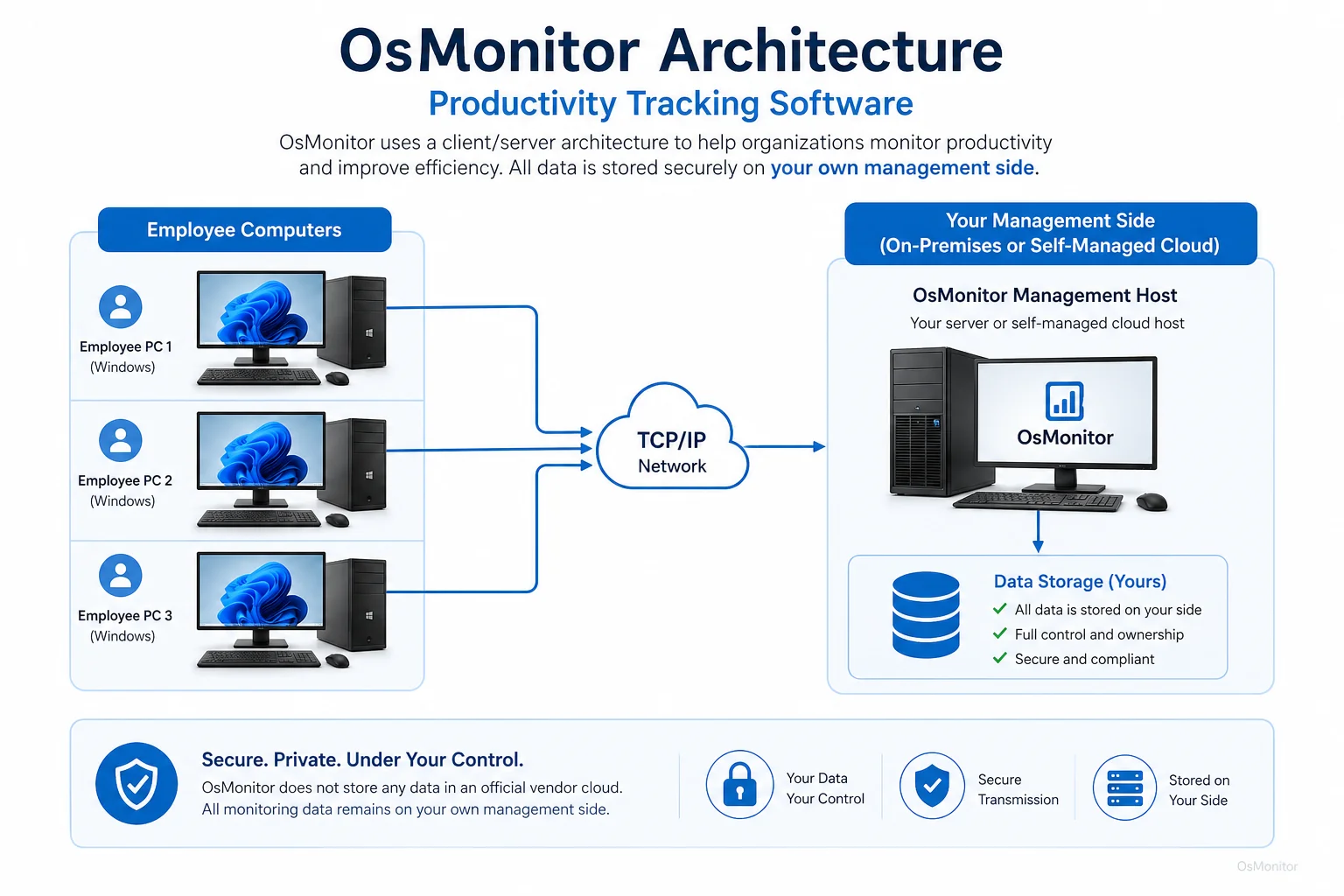
OsMonitor keeps monitoring data under the customer’s control on the management computer or self-managed server.
Core Features for Effective Productivity Tracking
A robust productivity tracker app or desktop suite has to go far beyond simple timestamps. OsMonitor is packed with features that give you a 360-degree view of how your digital resources are utilized.
Application and Website Usage Tracking
This software meticulously logs every application opened and every URL visited, recording the exact active duration for each. This is how you quickly see if a user spent four hours in Excel or four hours on YouTube. It allows you to productivity tracker identify unproductive time instantly. You can also build strict policies to block distracting sites entirely. To understand this capability fully, read our guide on Application Usage Monitoring for Employee Computers & Tools.
Detailed Productivity Reports
OsMonitor automatically crunches the raw data into highly readable reports. You can pull summaries for entire departments or drill down to individual users, viewing trends over time to establish a baseline of what a “good” day looks like. These department activity reports highlight top applications and idle periods, allowing you to address issues before they impact project deadlines.
Screen Monitoring and Historical Playback
If you are managing trainees or high-risk roles, OsMonitor’s screen monitoring is invaluable. You can view a live multi-screen wall of your team’s desktops or record the screens for historical playback. It provides immediate context—verifying if a spike in web traffic was legitimate industry research or just recreational browsing.
Device and Document Management
True productivity means your data is secure and properly handled. OsMonitor includes tools to restrict USB drives, preventing unauthorized data movement. It can also quietly back up essential work documents to the central server, ensuring a single hardware failure doesn’t wipe out a week of work.
Comparing Dedicated Software to Manual Templates
Some business owners try to get by searching for a free employee productivity tracker and ending up with a basic spreadsheet. Here is why that fails:
| Feature | OsMonitor Productivity Tracker | Manual Excel Template |
|---|---|---|
| Data Collection | Automatic, real-time | Manual, self-reported |
| Website Tracking | Detailed URL and time logs | Relies entirely on employee honesty |
| Application Monitoring | Tracks exact active/idle time | Impossible to measure manually |
| Reporting | Automated summary reports | Tedious manual data entry |
| Policy Enforcement | Can block sites/apps | Zero network control |
| Scalability | Manages hundreds of PCs | Becomes an administrative nightmare |
Use Cases for Modern Workplaces
A dedicated productivity tracker for employees is highly adaptable across different business environments:
- Small and Medium Businesses (SMBs): Owners use it to ensure a small team is maximizing output and staying focused on core objectives.
- Corporate Offices: IT and department heads analyze workflows to justify software licensing costs and ensure teams are adopting new tools.
- Call Centers: Supervisors monitor application usage to verify agents are adhering to SOPs and utilizing CRM platforms correctly.
- Educational Institutions: Lab admins ensure students are utilizing school hardware strictly for educational purposes.
- Distributed Teams: It provides crucial visibility for managers overseeing company-owned hardware deployed to remote workers.
Responsible Implementation and Limitations
To get the most out of an employee productivity tracker, it must be rolled out responsibly. You need a written policy that clearly outlines what is being monitored and why.
Key IT Considerations:
- Transparency: You should always inform your staff when policy-based computer management software is deployed on company hardware.
- Legality: Always consult with a local legal professional to ensure your approach to workplace monitoring complies with regional labor and privacy laws.
- Focus: Use the data to fix broken processes and reward high performers, not just to act as a disciplinarian.
- Platform Limits: OsMonitor is a dedicated Windows Employee Monitoring Software. It is not designed to manage Macs, Linux machines, or mobile phones.
Frequently Asked Questions (FAQ)
What is productivity tracking software?
It is a business tool that monitors how employees utilize their work computers. It logs application usage, websites visited, and active time, generating detailed reports that managers use to measure and enhance workplace efficiency.
Some buyers search for an “ai productivity tracker”. Does OsMonitor use AI?
While “AI” is a popular buzzword right now, OsMonitor relies on hard, objective, deterministic data collection (exact URL logs, exact active time) rather than predictive AI models, ensuring your reports are 100% factual and reliable for management decisions.
Is using an employee productivity tracker legal?
In most jurisdictions, it is perfectly legal for an employer to monitor the use of company-owned hardware. However, it requires transparency, clear policies, and often explicit notification. Always consult your local legal counsel before deployment.
Does OsMonitor require software on employee computers?
Yes. The client/server model requires a very lightweight client to be installed on each endpoint you intend to manage.
Where is the monitoring data stored?
Your data stays with you. It is stored on-premise on your management computer or a server you control. It never goes to a vendor cloud, ensuring absolute privacy.
Can OsMonitor work in a local network without internet?
Absolutely. It can run entirely inside a closed Local Area Network (LAN), making it ideal for high-security environments.
What versions of Windows does OsMonitor support?
It supports Windows 7, 8, 10, 11, and Windows Server editions (32-bit and 64-bit).
By implementing transparent, data-driven computer management, you can finally align your team’s daily actions with your business goals. Download OsMonitor Free Trial to test the features in your own network environment.