Workforce Management Software: Where Monitoring Fits
When a small business owner notices a dip in productivity, the usual suspect is often right on the screen: casual, non-work-related web browsing. It’s a common scenario. You need a way to reduce visits to games, video sites, and endless social media feeds during core hours. But you also need clear, objective records of this activity for fair management reviews. This highlights a very specific—and incredibly critical—component of modern workforce management software: understanding and guiding computer-based activity to keep your team aligned with business goals.
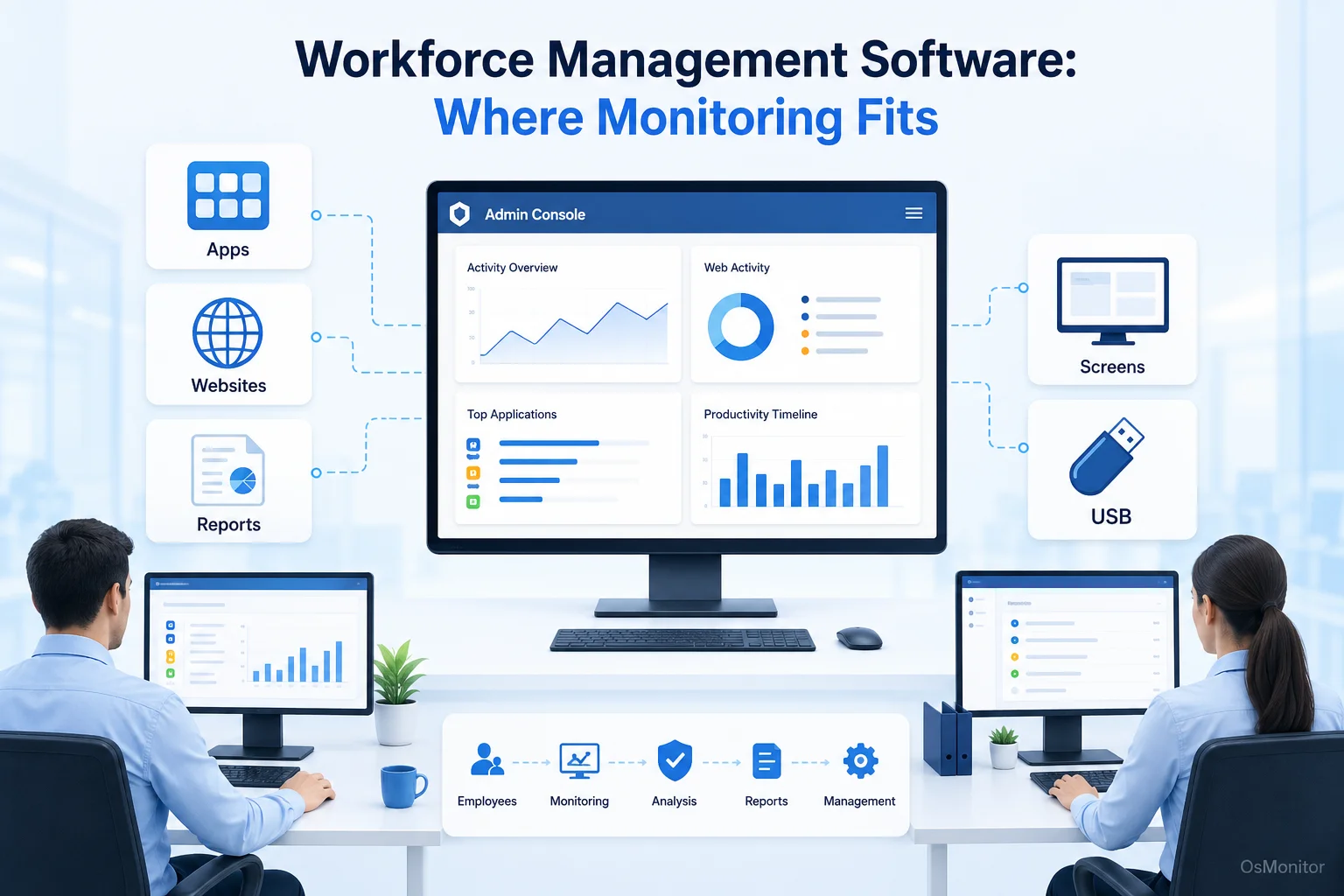
A practical overview of workforce management software for workplace computer management.
What is Workforce Management Software?
If you ask an HR director, “what is a workforce management system?“, they’ll likely describe a suite of tools for scheduling shifts, processing payroll, and tracking PTO. And they’d be right—traditional workforce management systems focus heavily on logistics. However, as the workplace has shifted to digital screens, the definition has had to expand.
For businesses where the “work” happens on a PC, a key part of the workforce management system is understanding how those digital resources are actually used. It’s no longer just about tracking clock-in times; it’s about ensuring the hours spent on company-owned devices are productive and secure.
This is exactly where specialized software for workforce management steps in. By providing deep visibility into application usage, website access, and overall digital workflows, this software offers the hard data that traditional, broad-stroke workforce management platforms completely miss.
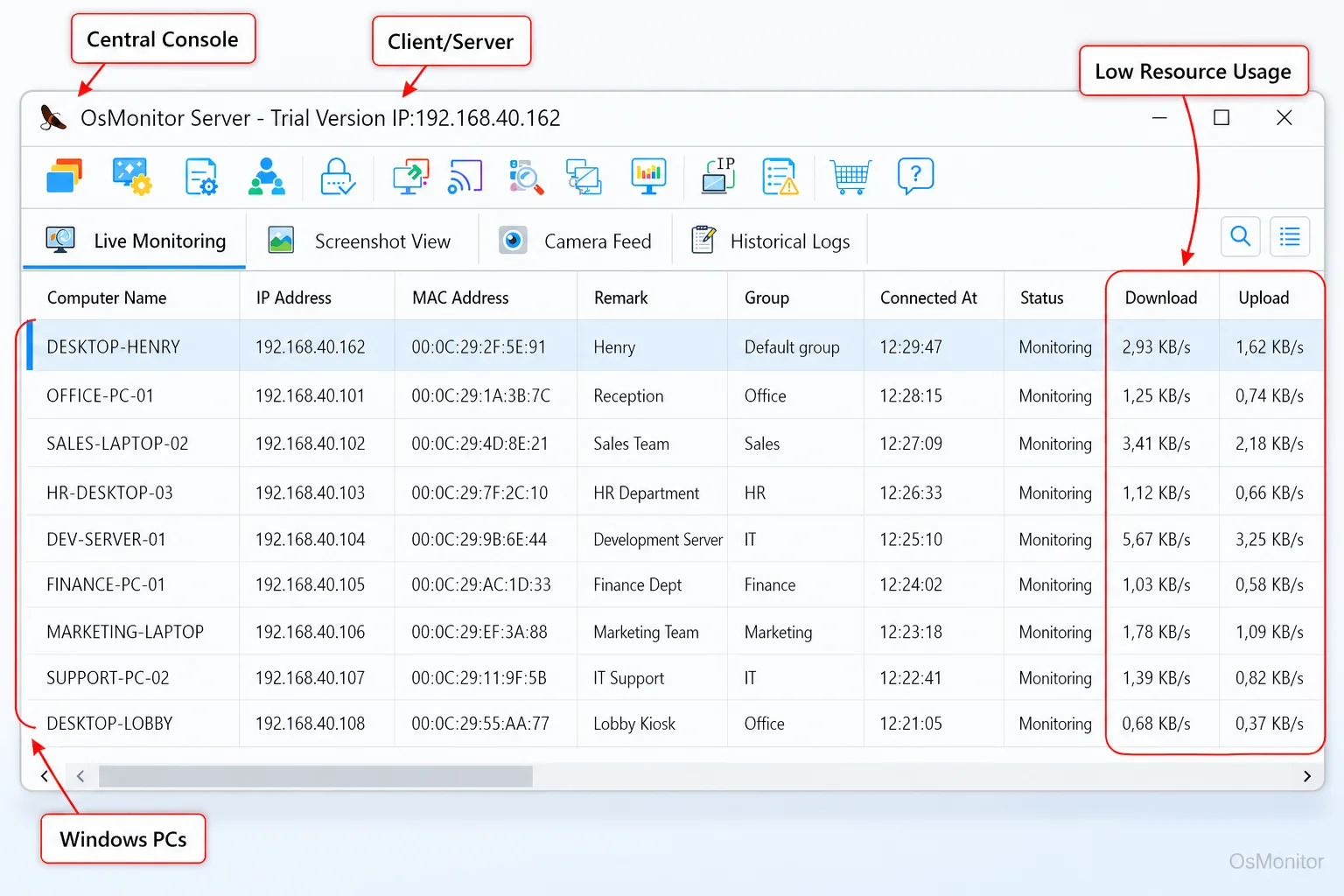
A real-product style screenshot highlighting centralized computer monitoring in OsMonitor.
OsMonitor’s Role: A Focus on Productivity and Computer Management
While some massive workforce management software companies try to build all-in-one platforms that cover every aspect of HR, OsMonitor takes a different path. It is a highly specialized workforce management software solution focused entirely on computer activity. It is built as a practical, daily tool for IT administrators and managers overseeing company-owned Windows PCs.
Let’s be clear about its positioning: it is workplace productivity and computer activity management software. It is not a heavy cybersecurity suite or a forensic audit tool. Its purpose is to provide the exact tools you need for legal, transparent management of your computer network. It improves efficiency, enforces internal policies, and maintains clear records of digital activity. This laser focus makes it one of the best workforce management software choices for companies that need direct, undeniable insight into on-screen work.
How OsMonitor’s Client/Server Architecture Works
When evaluating the top workforce management software, architecture matters. OsMonitor operates on a straightforward client/server model, which is the gold standard for maintaining data control and privacy.
The setup involves two simple components:
- The Management Console (Server): You install this on a single IT or management PC. This is your command center. All logs are received, stored, and viewed here, and all your blocking rules are configured from this single interface.
- The Client Agent: A tiny, lightweight agent is pushed to each employee’s Windows endpoint. It runs silently in the background, logging activity and enforcing the rules you set on the server.
This architecture means the entire system can run flawlessly within a closed Local Area Network (LAN) without any internet connection. All communication happens directly between the clients and the server, ensuring your sensitive operational data never leaves your building.
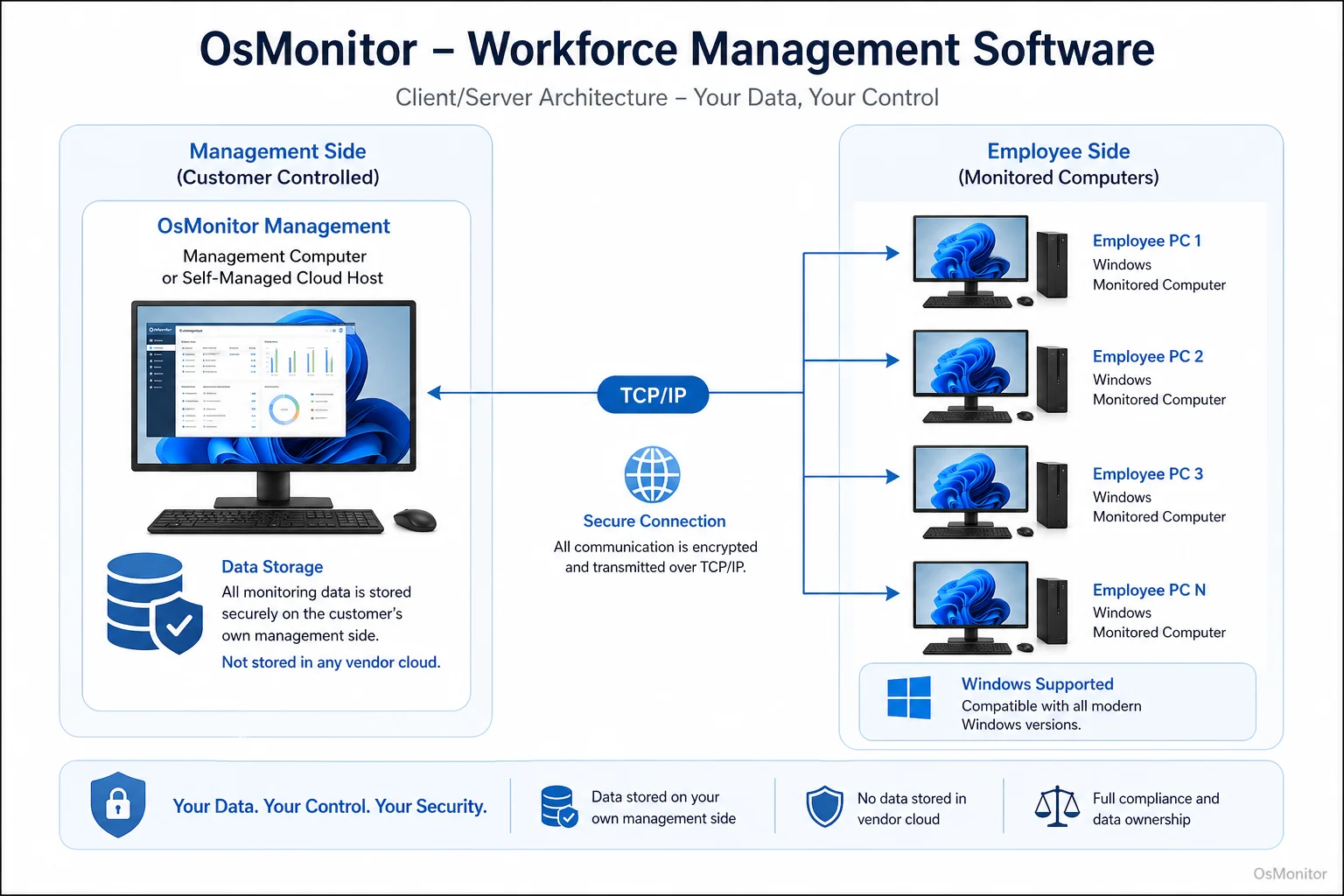
OsMonitor keeps monitoring data under the customer’s control on the management computer or self-managed server.
Core Features for Effective Workforce Management
The best workforce management software solutions provide features that solve actual business headaches. OsMonitor includes a highly focused toolkit to help managers guide productivity and lock down company assets.
| Feature | Description | Business Benefit |
|---|---|---|
| Real-Time Screen Monitoring | View live screens individually or in a multi-screen grid. | Provides immediate visibility into workflow, allowing managers to spot bottlenecks or offer instant help. |
| Website & Application Blocking | Deploy strict blacklists to block distracting sites and unauthorized apps. | Instantly enforces your Acceptable Use Policy, killing digital distractions at the source. |
| Activity Logs & Reports | Generates detailed reports on app active time and URL histories. | Replaces “gut feeling” performance reviews with objective, data-driven insights. |
| USB Device & Printer Control | Lock down USB ports entirely or set them to read-only. | Drastically reduces the risk of data theft or malware introduction via thumb drives. |
| Remote Assistance | Securely take control of an employee’s mouse and keyboard. | Streamlines IT support, allowing admins to fix issues instantly without leaving their desks. |
| Automated Document Backup | Quietly backs up specified file types directly to the server. | Protects critical work from accidental deletion or sudden hardware failure. |
These features combine to create a comprehensive Employee Activity Monitoring Software solution, giving you the power to actually enforce your workplace policies.
On-Premise Data Ownership: Your Data Stays Yours
Right now, the market is obsessed with cloud based workforce management software. OsMonitor offers a critical, secure alternative: strict on-premise data storage. All logs collected by the client agents are sent directly to your management computer. Your data is never uploaded to a vendor’s cloud.
This approach provides massive security advantages:
- Complete Data Control: You own the data. There is no third-party vendor access, making compliance much easier for regulated industries.
- Enhanced Security: Keeping logs inside your own network significantly reduces your exposure to external cloud breaches.
- No Internet Required: The system functions perfectly in an offline LAN environment, which is vital for high-security facilities.
- Predictable Costs: Unlike SaaS tools that charge monthly per-user fees, OsMonitor is an On-Premise Employee Monitoring Software sold as a one-time purchase. This provides a highly predictable, and usually much lower, total cost of ownership.
If you have distributed teams, OsMonitor fully supports deployment on your own self-managed cloud instance (like AWS), giving you cloud accessibility without sacrificing data ownership.
Compatibility and Lightweight Deployment
If you are looking for the best workforce management software 2025, it needs to play nicely with your existing hardware. OsMonitor is fully compatible with all major versions of Windows—from Windows 7 to Windows 11, including Server editions (both 32-bit and 64-bit architectures).
The client agent is incredibly lightweight. It consumes minimal system resources and won’t drag down older workstations. The deployment is straightforward, allowing IT to roll out the system across an entire office without needing specialized, expensive hardware appliances.
Practical Use Cases for Businesses and Organizations
A flexible workforce management system software adapts to your specific environment:
- Small and Medium Businesses (SMBs): Keep a small team highly focused, track project hours objectively, and protect sensitive client files.
- Corporate Offices: Department heads use activity reports to optimize software licenses, identify training gaps, and enforce basic IT rules.
- Call Centers: Supervisors monitor agent screens to ensure adherence to scripts, provide QA coaching, and track active time in the CRM.
- Educational Institutions: Lab admins prevent access to inappropriate content and ensure expensive hardware is used for academics.
- Distributed and Remote Teams: By hosting your server on a private cloud or connecting via VPN, you gain centralized visibility into all remote company-owned PCs.
Limitations and Responsible Use Guidelines
OsMonitor is a powerful IT management tool intended for legal and transparent business use on company-owned Windows computers. It is not designed for personal devices (BYOD) or for secretive surveillance.
We strongly recommend establishing a clear, written Acceptable Use Policy and informing your staff that company hardware is monitored. Always consult with local legal counsel to ensure your deployment complies with all applicable labor and privacy laws in your region.
Frequently Asked Questions (FAQ)
What is workforce management software used for?
Broadly, it optimizes employee productivity. In the context of computer-based work, it involves monitoring application usage, managing website access, and generating activity reports to ensure work hours align with business objectives.
Is using a workforce management system for monitoring legal?
In most jurisdictions, yes. Employers have the right to monitor the use of company-owned hardware. However, privacy laws vary heavily by location. You must maintain transparency, have a clear internal policy, and consult a local legal expert to ensure compliance.
Does this software require installation on each employee’s computer?
Yes. OsMonitor operates on a highly stable client/server model. A lightweight client agent must be installed on each company-owned Windows endpoint you intend to manage.
Where is the monitoring data from the software stored?
Your data stays with you. All monitoring data is stored exclusively on your management computer or internal server. We do not use third-party vendor clouds.
Can this workforce management software solution work without an internet connection?
Absolutely. OsMonitor is designed to function perfectly within a closed Local Area Network (LAN) without any internet connection, which is crucial for high-security environments.
If you are ready to stop guessing and start managing your digital workflow with hard data, a self-hosted solution is the most secure path forward. View OsMonitor Pricing to explore our straightforward, one-time purchase options.