Free Employee Monitoring Software: What You Can and Cannot Get
Every business hits a point where they need better visibility into daily computer operations, but the IT budget is already stretched thin. Naturally, you start looking for employee monitoring software free of charge. But before you deploy anything to your network, you need to know exactly what “free” means in this industry. Usually, you’re looking at a time-bound free trial, a heavily restricted freemium plan, or a complex open-source project. If your end goal is secure, transparent workplace computer management rather than just basic clock-ins, a free trial of a professional tool will give you a much clearer picture of your network than a permanently limited free app.
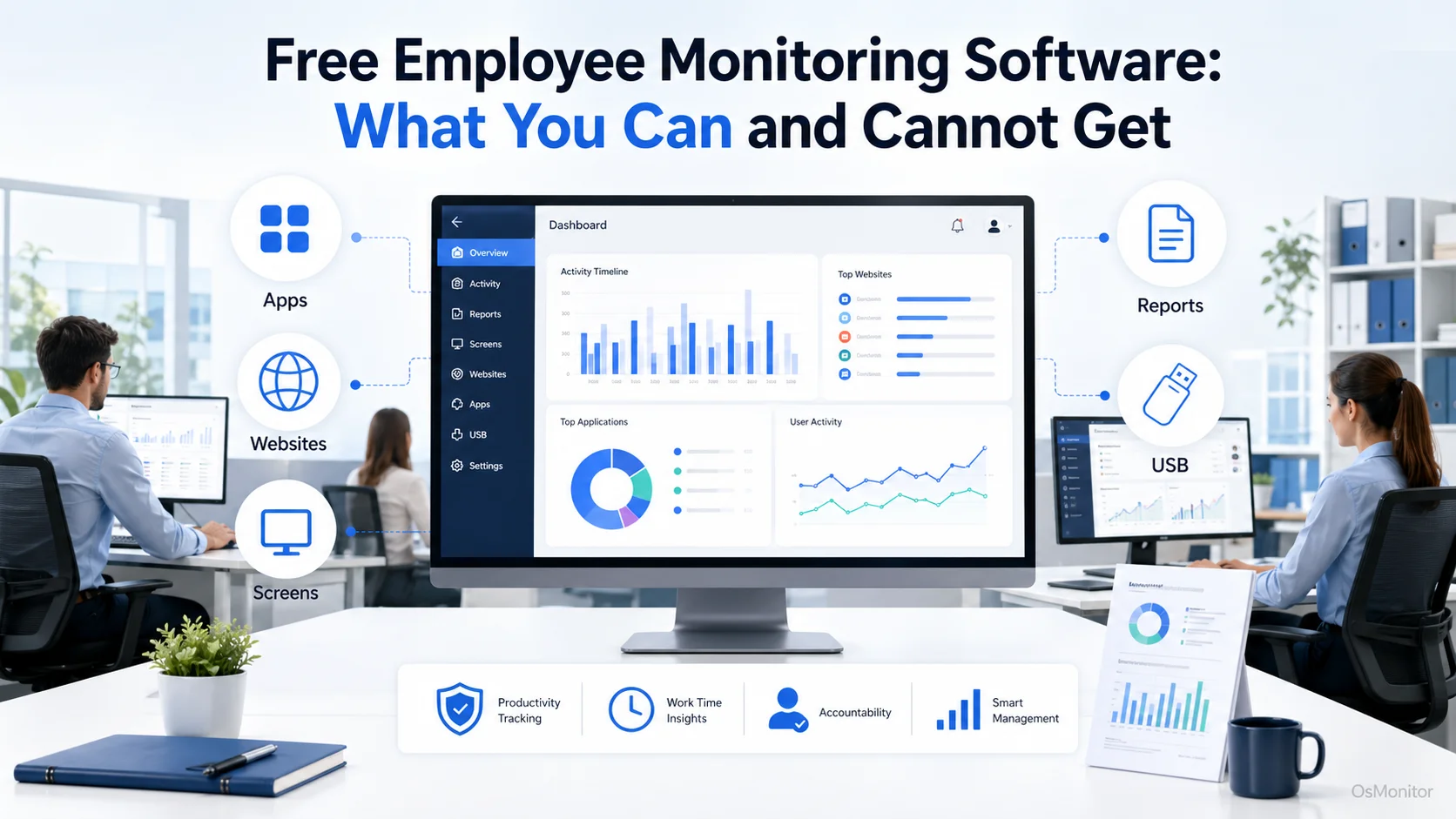
A practical overview of employee monitoring software free for workplace computer management.
Understanding the “Free” Software Landscape
The market for free employee tracking software is massive, but it generally breaks down into three distinct buckets. Knowing these differences will save you a lot of deployment headaches and set realistic expectations for what you can achieve without a budget.
1. Free Trials
This is the standard offering from commercial vendors. You get a short window (usually 7 to 30 days) of free employee monitoring. It’s the smartest way to test drive proper productivity review features, check policy enforcement, and see if the system fits your infrastructure before committing to a purchase.
2. Freemium Plans
These are the permanently free employee monitoring software tiers, but they come with strict guardrails.
- User Caps: You might get time tracking software for employees free, but the license usually caps out at two or three users.
- Feature Restrictions: Advanced capabilities like remote desktop control, USB restrictions, or website blocking are almost always reserved for paid tiers.
- Data Limits: Cloud-based freemium tools will strictly cap the amount of historical data you can retain.
It’s fine for a tiny startup needing a free employee time tracking tool, but it won’t hold up for active, growing networks. People searching for a permanently employee tracking software free option usually outgrow these limits within months.
3. Open-Source Software
Yes, there are open-source employee computer monitoring software free options available. The catch? You pay in IT labor. You handle the deployment, the server maintenance, the security patching, and the troubleshooting. For most businesses without a dedicated internal IT team, that “free” license ends up costing a fortune in administrative hours.
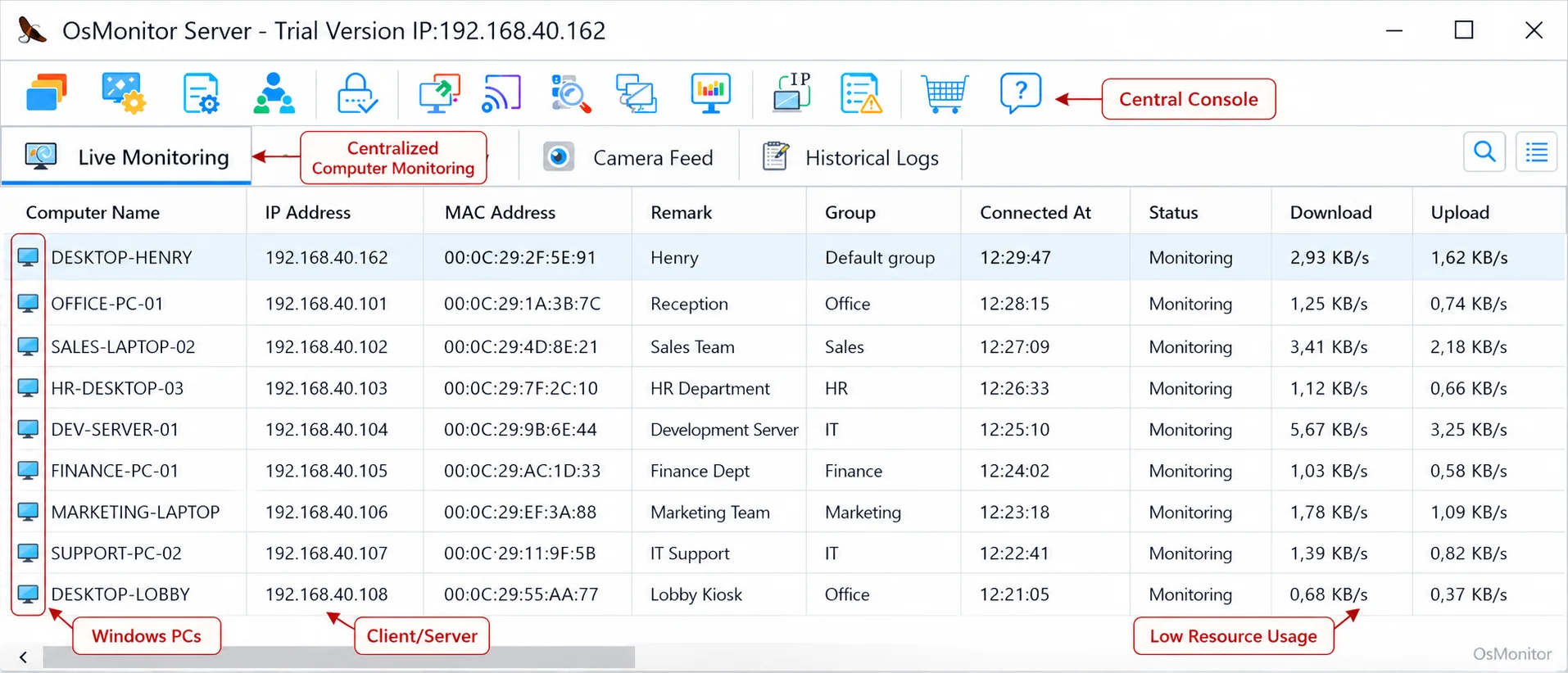
A real-product style screenshot highlighting centralized computer monitoring in OsMonitor.
What Features Can You Expect from Free Tools?
So, what do you actually get with these zero-cost tools? Mostly, they focus on the absolute basics of timestamps and high-level activity.
Basic Time Tracking
The most reliable feature you’ll find is simple clock-in functionality. Many managers search for an employee time tracking software free or an employee time tracking software freeware solution just to get digital timesheets. It logs total work hours, which provides a bit of free time tracking for employees, but it rarely differentiates between productive focus time and an idle workstation.
Limited Activity Monitoring
Freemium apps might give you a surface-level glance at usage.
- Application and Website Usage: You might see a raw list of websites visited. Folks looking for
how to monitor employee internet usage freeoften end up with cluttered lists of URLs lacking any real context. - Activity Levels: Basic metrics based on mouse and keyboard movement to show an “active” status.
- Basic Screenshots: Some tools offer sporadic, low-res images. However, if you are looking for true, real-time
employee screen monitoring software freeof charge, you are almost always going to hit a paywall.
For genuine insight into application usage and policy-based computer management, you really need a dedicated Employee Activity Monitoring Software setup.
What You Typically Cannot Get for Free
Here is where the limitations bite. If you need robust policy enforcement or data security, a free employee monitor won’t cut it.
Advanced Controls and Policy Enforcement
Free tools are passive. They report on activity, but they don’t allow you to manage it. You won’t find features to actively block distracting websites or restrict unauthorized applications. More importantly, things like USB device controls—which are critical for data security—are practically non-existent in an employee pc monitoring software free download.
Data Ownership and On-Premise Deployment
Almost every free remote employee monitoring software platform is a cloud-based SaaS. This means your sensitive employee activity records are sitting on someone else’s server. For businesses that require strict data privacy and compliance, this is a dealbreaker. The ability to host the data on your own hardware is the main reason IT departments move to paid, On-Premise Employee Monitoring Software.
Comprehensive Reporting and Analytics
A free employee tracking app might show that someone had a browser open for four hours. A professional tool breaks down whether that was productive industry research or browsing social media. Detailed department activity reports are premium features built to give you actionable business intelligence.
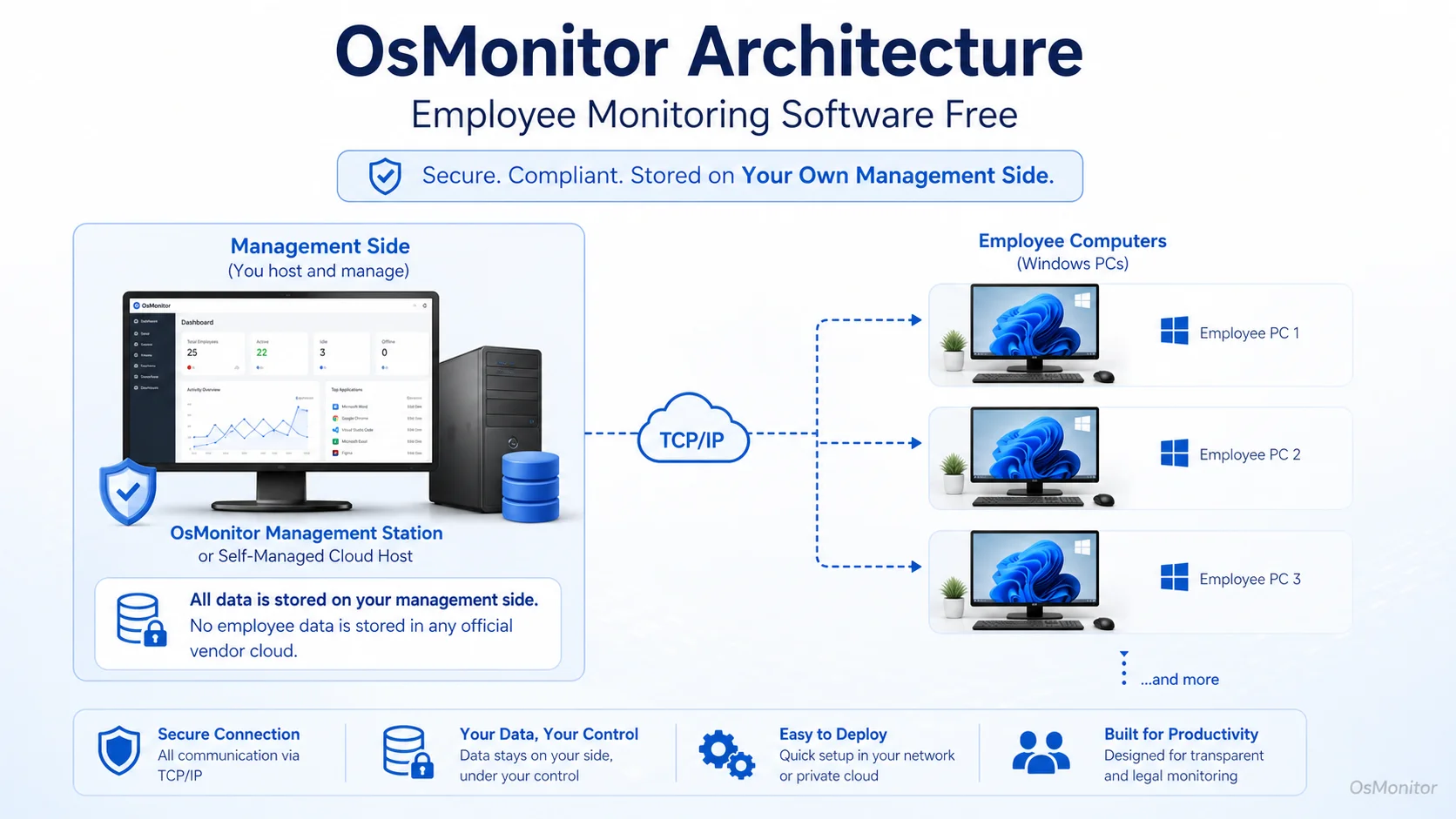
OsMonitor keeps monitoring data under the customer’s control on the management computer or self-managed server.
Where OsMonitor Fits: A Self-Hosted, Full-Featured Alternative
OsMonitor isn’t a stripped-down freemium app; it’s a client/server-based platform built for IT professionals who want complete control over their network and data. However, we do offer a full-featured trial, allowing you to test a professional-grade system instead of settling for limited employee monitoring software freeware.
It stands apart from typical cloud-based employee time tracking free tools in several key ways:
- Self-Hosted Deployment: Your data stays on your management computer or server. It can even run purely on a local LAN with no internet access.
- One-Time Purchase: No SaaS subscriptions. You buy it once, which makes budget planning much easier than hoping a free employee computer monitoring software doesn’t suddenly change its pricing tiers.
- Comprehensive Feature Set: You get the real-time screen walls, remote assistance, and USB controls that you simply can’t find when searching for a way to
monitor employee computer activity free.
Feature Comparison: Free Tools vs. On-Premise Software
| Feature | Typical Free/Freemium Tool | On-Premise Software (OsMonitor) |
|---|---|---|
| Data Storage | Vendor’s Cloud Server | Customer’s On-Premise Server |
| Real-Time Screen Monitoring | Not Available or Very Limited | Multi-Screen Wall, Real-Time View |
| Website/App Blocking | Not Available | Yes, with Customizable Policies |
| USB Device Control | Not Available | Yes, Block or Set Read-Only |
| Detailed Reports | Basic Dashboards | Comprehensive, Customizable Reports |
| Dedicated Support | Community Forum or Email Only | Yes, Included with Purchase |
| Pricing Model | Limited Free Plan, Monthly SaaS | One-Time Purchase, No Subscription |
Frequently Asked Questions (FAQ)
What is employee monitoring software free?
When business owners search for terms like employee monitor free or employee monitor software free, they typically find either heavily restricted freemium models (good for basic timesheets for a few users) or time-limited trials of professional software. A fully featured, completely free business management tool in this space is extremely rare.
Is employee monitoring software free legal for businesses?
Yes, authorized workplace monitoring is legal in most jurisdictions when performed on company-owned hardware. You must establish a clear computer usage policy and ensure you comply with local privacy and labor laws before deployment.
Does OsMonitor require a client on employee computers?
Yes. It uses a reliable client/server architecture. You install a lightweight client on the Windows machines to manage policies and gather usage reports, while the management console sits securely on your PC.
Where is OsMonitor monitoring data stored?
It stays with you. All data is saved on your own hardware—either your management PC or an internal server. We don’t use vendor cloud servers, giving you total data ownership.
Can OsMonitor work without internet in a LAN?
Absolutely. It operates perfectly offline within your Local Area Network, which is ideal for environments with high security requirements.
What Windows versions does OsMonitor support?
It supports Windows 7 and newer, including Windows 10, Windows 11, and Windows Server editions.
Ultimately, while a free employee tracking tool or an employee training tracking software free option might work for day one, growing businesses need robust controls. Test driving a comprehensive, self-hosted system shows you what true network visibility looks like.
To see how a fully featured, on-premise solution can benefit your organization, Download OsMonitor Free Trial and explore its full range of capabilities on your own hardware.