How to Improve Operational Efficiency With Workplace Visibility
To improve operational efficiency, a business first needs to understand where time and resources are being wasted. For a small office, the issue may be very practical: employees are spending too much work time on games, video sites, entertainment websites, shopping sites, or other non-work browsing during business hours.
Managers may feel that productivity is slipping, but feelings are not enough. They need clear website access records, application usage reports, and computer activity data that can be reviewed fairly.
Operational efficiency is not about pressuring people every minute. It is about seeing how work actually happens, removing avoidable waste, improving workflows, and making sure company-owned computers support business goals.
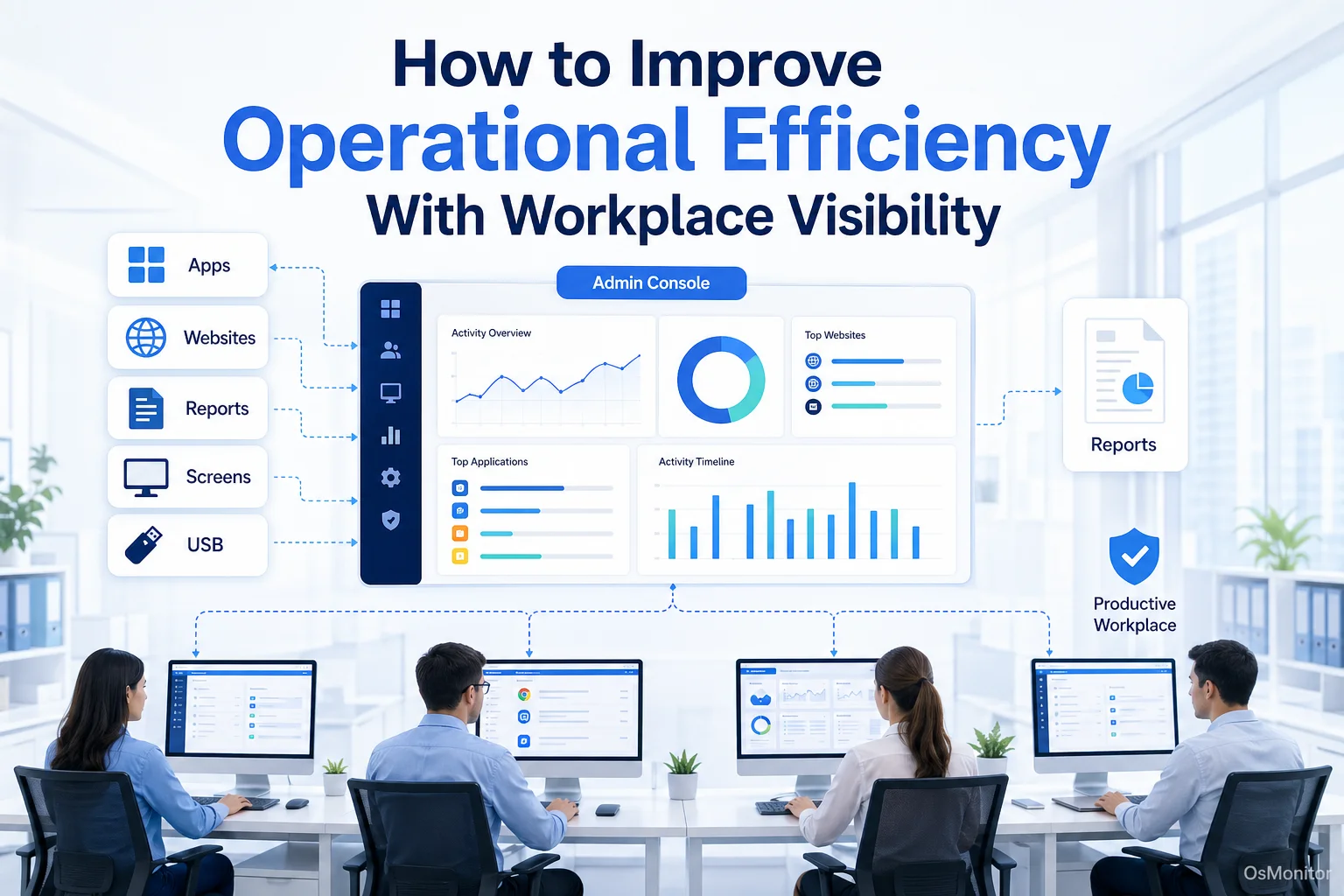
A practical overview of improve operational efficiency for workplace computer management.
What Does It Mean to Improve Operational Efficiency?
To improve operational efficiency means getting better results from the time, tools, people, money, and systems your business already uses. In a computer-based workplace, that often means reducing wasted time, improving software usage, removing workflow bottlenecks, and keeping employees focused on core business tasks.
For example, if a team keeps missing deadlines, the cause may not be laziness. It may be unclear priorities, poor software, too many manual steps, repeated IT issues, or too much time spent on non-work websites during office hours.
Improving operational efficiency and effectiveness means looking at both sides:
- Efficiency: Are we using time and resources well?
- Effectiveness: Are we producing the right results?
A team can be efficient at the wrong work, or busy without producing enough value. That is why visibility matters. Managers need to know which applications are used, which websites consume time, where idle time appears, and whether company computer policies are being followed.
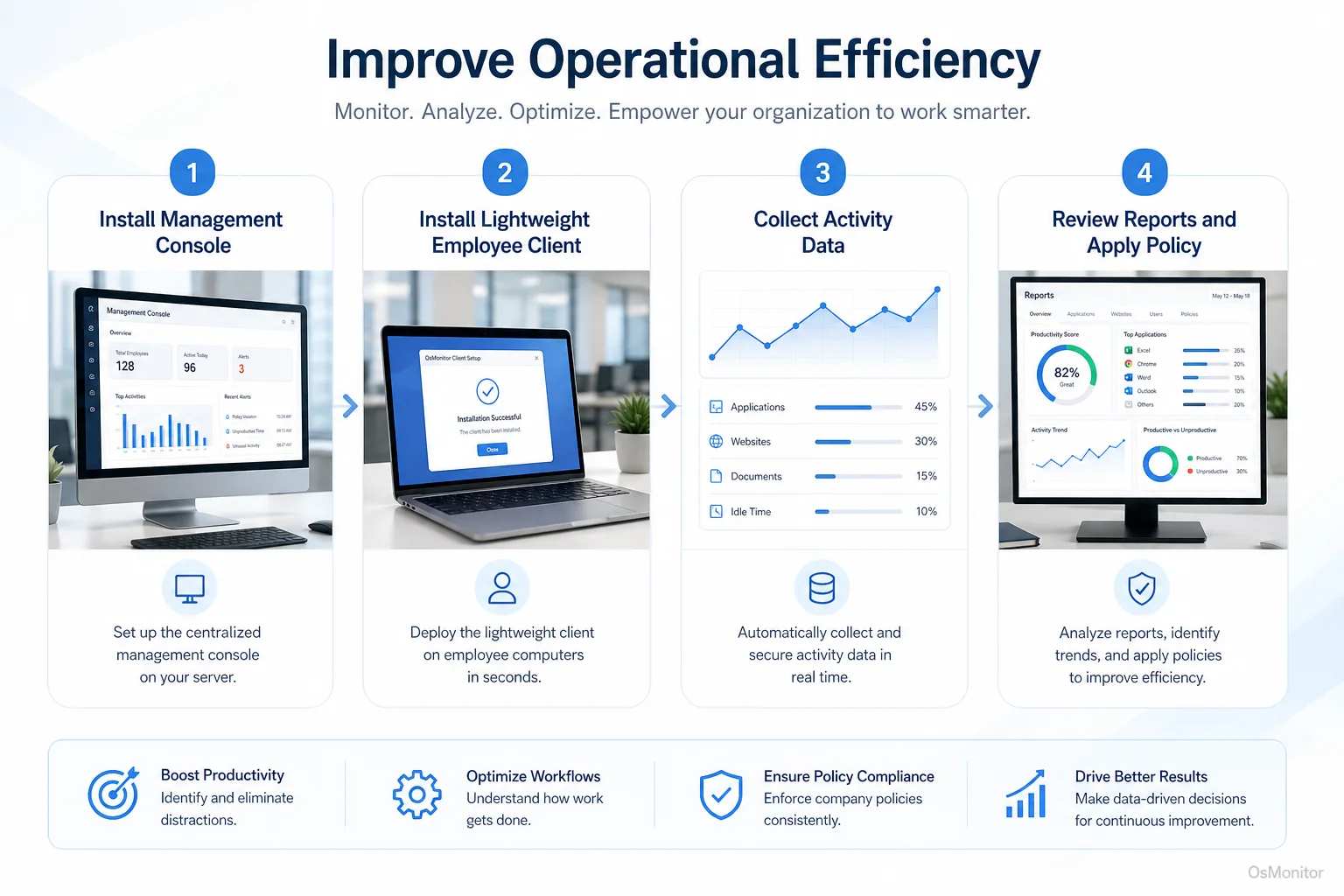
A simple workflow showing how workplace signals can support improve operational efficiency.
Why Businesses Focus on Increasing Operational Efficiency
Businesses search for how to increase operational efficiency because small leaks can become expensive. A few wasted hours per employee each week can turn into missed deadlines, higher labor costs, slower customer response, and weaker team output.
Common reasons businesses want to increase operational efficiency include:
Productivity Gaps: The team is working many hours, but output does not match the time spent. Managers need to understand whether the issue is distraction, workload, process, training, or poor tools.
Resource Misallocation: Software licenses, computers, bandwidth, and employee time all cost money. If expensive tools are unused or computers are used mostly for non-work activity, the business needs to know.
Workflow Bottlenecks: Employees may be losing time switching between too many applications, waiting for approvals, repeating manual steps, or struggling with outdated systems.
Policy Enforcement: A written computer usage policy is only useful if it can be applied consistently. Website and application records help managers review policy issues more fairly.
IT Support Delays: If employees are stuck because of software or computer problems, remote assistance and activity reports can help identify support needs faster.
Understanding these issues is part of Operational Efficiency: How to Find Wasted Time in Workflows. The goal is to move from assumptions to informed action.
Practical Metrics for Measuring Workplace Computer Activity
To improve operational efficiency in business, managers need measurable signals. Workplace productivity and employee computer activity management software can provide data that shows how company-owned Windows PCs are used during the workday.
These metrics should be used to understand patterns, not to judge every small action.
| Metric | What It Reveals | Potential Action |
|---|---|---|
| Application Usage Time | Which software is used most often and how long employees spend in each tool. | Identify underused software, training needs, or overcomplicated workflows. |
| Website Visit History | Which websites are visited and how much time is spent on each. | Review non-work browsing patterns and update computer usage policies. |
| Active vs. Idle Time | The balance between active computer use and inactive periods. | Identify possible blocked work, unclear tasks, low workload, or support needs. |
| Bandwidth Usage | Which computers or activities consume the most network traffic. | Find large downloads, streaming activity, or network slowdowns affecting the office. |
| File Access Records | Records of file access, changes, copying, or movement on managed computers. | Support document workflows, backup policies, and internal data management. |
For example, if reports show that a department spends large blocks of time in CRM, accounting software, design tools, or ticketing systems, that may support a positive productivity review. If reports show repeated time on entertainment sites during core hours, managers can address the pattern with clearer expectations or policy controls.
The value is not only in finding wasted time. The value is also in finding workflow problems that employees may not report directly.
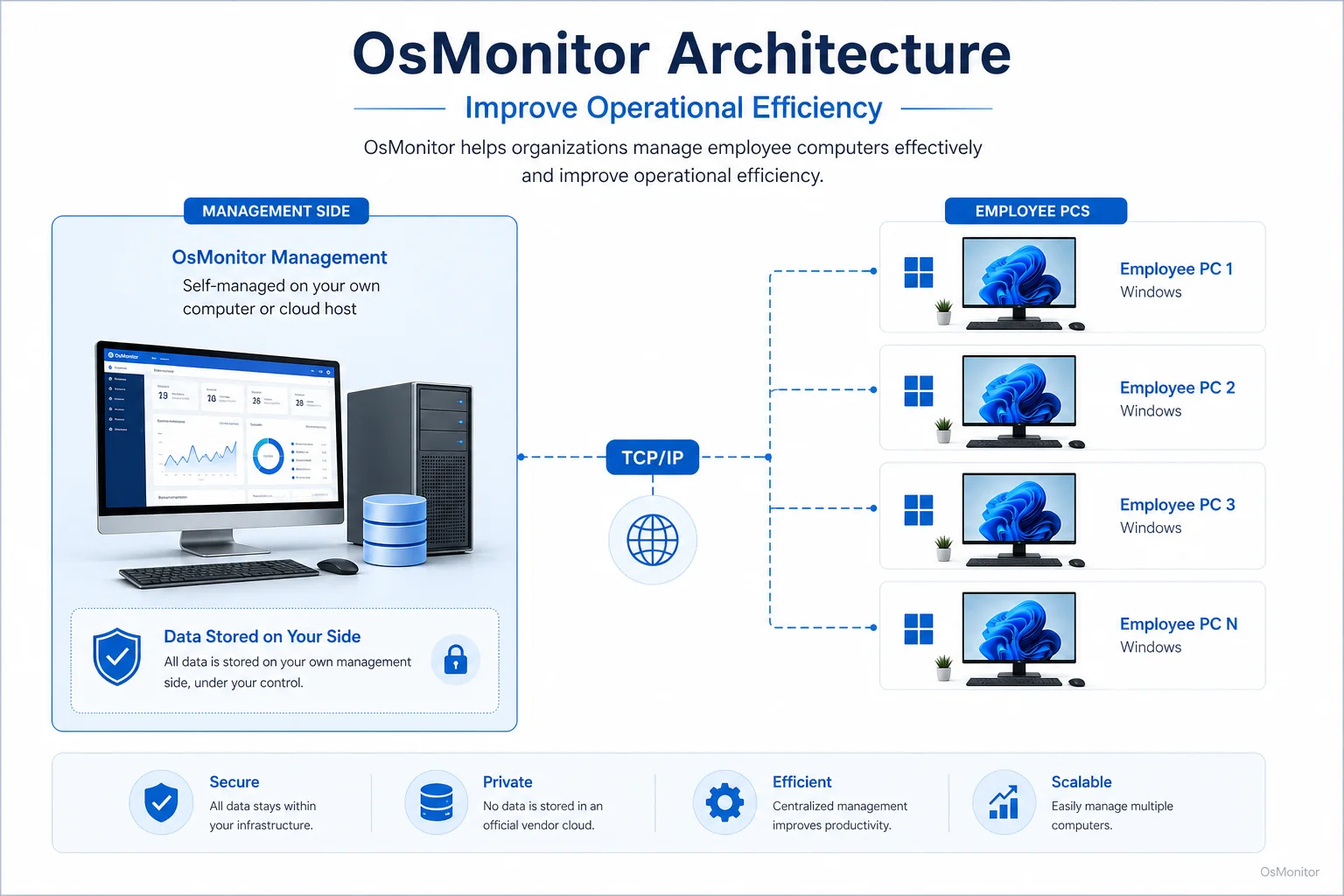
OsMonitor keeps monitoring data under the customer’s control on the management computer or self-managed server.
When to Use Software vs. When to Adjust Policy
Software can show what is happening. It cannot always explain why it is happening. The best operational efficiency strategy combines tools, policy, and management judgment.
Software helps when you need to:
Gather Objective Data: OsMonitor can provide reports on website activity, application usage, active time, idle time, bandwidth usage, and file activity.
Apply Policies Consistently: Managers can block specific websites or applications according to company policy, reducing repeated distractions without relying only on reminders.
Create Historical Records: Activity records can support productivity review, IT troubleshooting, workload discussions, and policy review.
Identify Patterns Across Teams: Department-level reports can show whether an issue is limited to one person or appears across the whole team.
Policy and process changes matter when you need to:
Address Root Causes: If employees are idle because they are waiting for approvals, the solution is not more reporting. The process needs to be fixed.
Set Clear Expectations: A written computer and internet usage policy helps employees understand what is acceptable on company-owned computers.
Improve Workflows: If a task requires five applications and repeated manual copying, the better answer may be software integration, training, or process redesign.
Support Employees: If reports show low activity or unusual patterns, managers should ask whether the employee is blocked, overloaded, underused, or needs help.
Using Employee Activity Monitoring Software provides the visibility needed to make better decisions about both policy and process.
A Note on Transparency and Legal Use
Any workplace computer activity management system should be used transparently and responsibly. Employees should understand what data is collected, why it is collected, who can review it, and how it will be used.
OsMonitor is designed for legal business use on company-owned Windows computers. It helps businesses review productivity, support IT management, apply policies, and protect company resources.
Best practices include:
- Create a clear written computer and internet usage policy.
- Inform employees that company-owned computers may be managed and reviewed.
- Use reports for legitimate business purposes, such as productivity review, IT support, policy consistency, and workflow improvement.
- Limit report access to authorized managers or IT staff.
- Review activity patterns with context instead of judging isolated events.
- Protect stored data with proper access controls.
- Consult qualified legal counsel to ensure compliance with local employment and privacy laws.
The goal should be responsible workplace computer management, not unfair pressure. Better visibility should help improve operational efficiency while keeping management fair and professional.
Frequently Asked Questions
What does it mean to improve operational efficiency?
To improve operational efficiency means to reduce waste and get better results from the time, people, tools, money, and systems a business already uses. In an office environment, this often includes improving workflows, reducing distractions, using software better, and reviewing computer activity patterns.
How can a business increase operational efficiency?
A business can increase operational efficiency by identifying wasted time, simplifying workflows, setting clear policies, improving software training, reducing repeated manual work, reviewing application and website usage, and providing faster IT support when employees are blocked.
How can computer activity data improve operational efficiency?
Computer activity data can show which applications are used, which websites consume time, where idle time appears, which computers use the most bandwidth, and how files are handled. These reports help managers find distractions, workflow bottlenecks, software issues, and support needs.
Is using software to improve operational efficiency legal for businesses?
In many regions, businesses may manage and review activity on company-owned computers for legitimate business purposes when employees have been properly notified and a clear policy is in place. However, laws vary by country, state, province, and industry. Businesses should consult qualified legal counsel before implementing computer activity monitoring.
Does OsMonitor require a client on employee computers?
Yes. OsMonitor uses a client/server architecture. A lightweight client program must be installed on each employee Windows computer that the business wants to manage. The central management console runs on a manager’s computer or self-managed server.
Where is OsMonitor monitoring data stored?
OsMonitor stores collected data on the customer’s own management computer or self-managed server. Normal monitoring data is not uploaded to an OsMonitor vendor cloud, giving the business direct control over its workplace activity records.
Can OsMonitor work without internet in a LAN?
Yes. OsMonitor can work inside a local area network without requiring internet access for its core monitoring, reporting, and management functions.
What Windows versions does OsMonitor support?
OsMonitor supports Windows 7 and later versions, including Windows 10, Windows 11, and Windows Server editions. It supports both 32-bit and 64-bit systems.
Improving operational efficiency starts with visibility. Once managers understand how company computers are used, they can reduce wasted time, improve policies, fix workflow problems, and support employees more effectively.
Used transparently and responsibly, OsMonitor can help businesses improve operational efficiency with application usage reports, website activity records, bandwidth monitoring, file activity records, policy controls, and on-premise data storage. To get started with OsMonitor, Read the Quick Start Guide to learn more about its features and setup.