Workplace Productivity: Metrics, Problems and Practical Improvements
Understanding exactly where your team’s hours go is the non-negotiable first step to improving business productivity. I regularly speak with business owners who know their output is lagging, but they can’t pinpoint why. Usually, it boils down to finding a reliable way to reduce casual visits to games, streaming sites, and social media during core work hours. The challenge isn’t just dropping a firewall to block distractions; it’s about maintaining clear, objective records of website access. You need a data-driven foundation to have fair performance discussions and actually move the needle on workplace productivity.
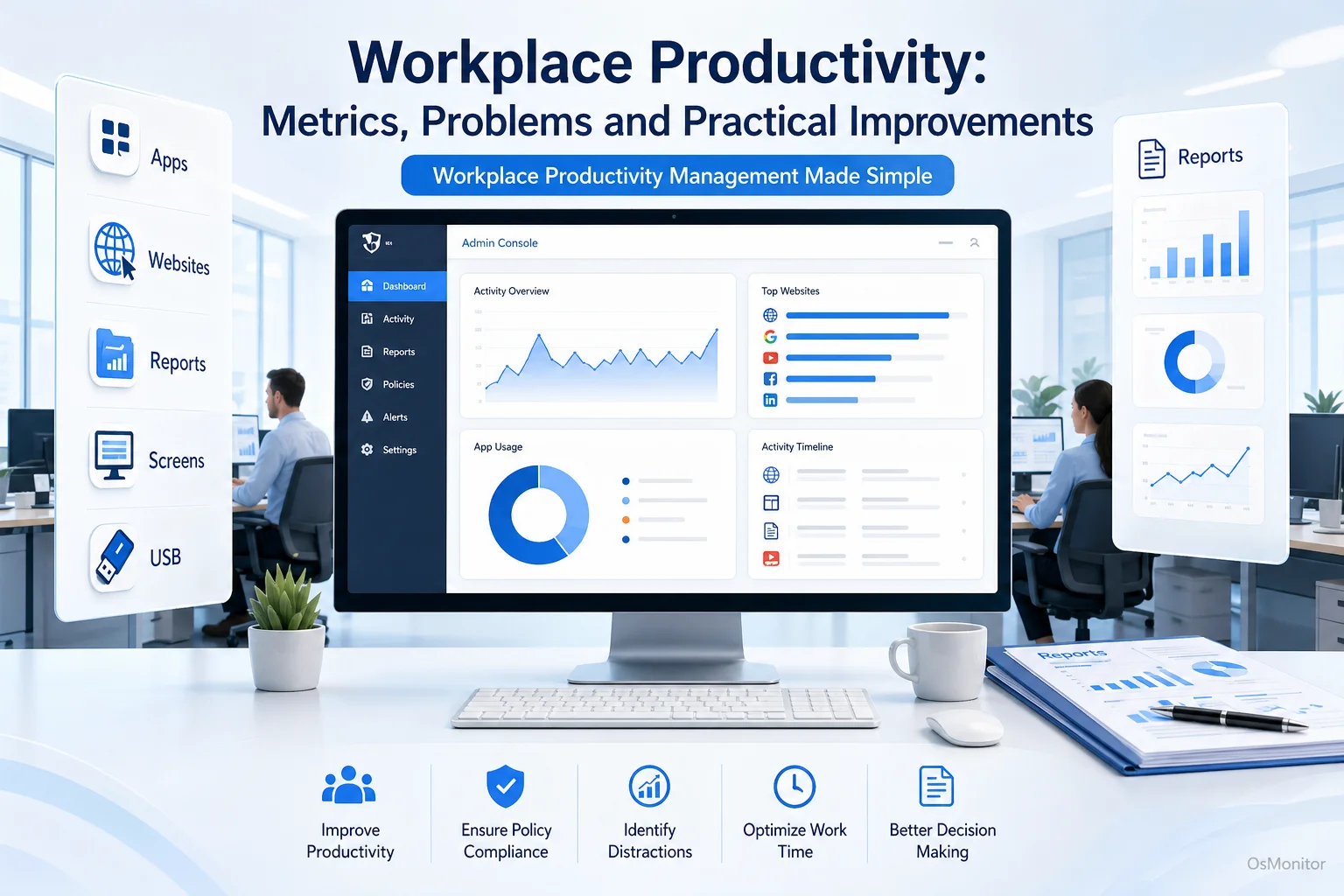
A practical overview of workplace productivity for workplace computer management.
What is Workplace Productivity and How Do You Measure It?
At its core, workplace productivity is simply the measure of how efficiently your team converts their time and tools into actual business output. While the definition is simple, accurately measuring it in a modern office is incredibly complex. Vague, “gut-feeling” metrics lead to terrible management decisions. Concrete data empowers you to make targeted, effective improvements.
If you are wondering how do you measure productivity in the workplace, you need to look at specific digital behaviors. Clear examples of productivity in the workplace that can be tracked include:
- Application Usage: Are they spending 6 hours in the CRM and CAD software, or 3 hours in a web browser playing casual games?
- Website Activity: What is the actual ratio of work-related research versus scrolling social media or shopping on Amazon?
- Active vs. Idle Time: Tracking genuine keyboard and mouse input throughout the day highlights true engagement levels.
By utilizing a team productivity tracker to log these metrics, managers move from guessing to knowing. This baseline data is the only way to figure out how to improve workplace productivity realistically.
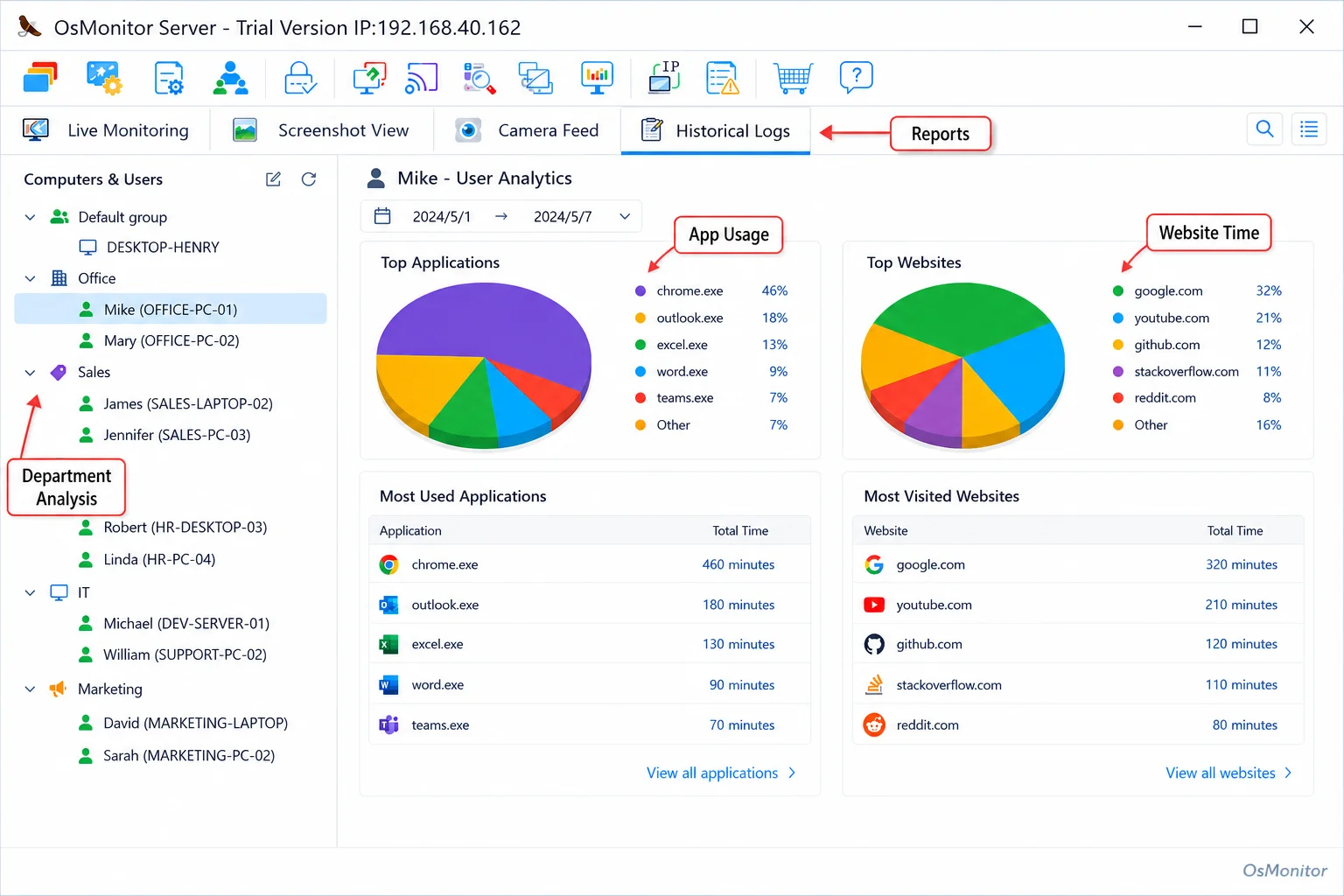
A real-product style screenshot highlighting application and productivity reports in OsMonitor.
Common Obstacles to Improving Productivity in the Workplace
Before you can figure out how to boost productivity in the workplace, you have to identify the barriers holding your team back. Most businesses struggle with the same core efficiency killers.
- Digital Distractions: The internet is essential, but it is also a massive distraction machine. Unrestricted access to news aggregators, streaming video, and social media quietly consumes massive chunks of the workday.
- Inefficient Workflows: If you can’t see how tasks are performed on a screen, you can’t spot broken processes. You might think a team is slow, when in reality, they are fighting with outdated software.
- Lack of Clear Data: When managers feel that team productivity is low but lack the hard data to prove it, they resort to micromanagement. This creates anxiety instead of solutions.
- Misuse of Company Resources: It isn’t just about time; it’s about infrastructure. Heavy personal streaming chokes your office bandwidth, slowing down critical cloud applications for everyone else.
Solving these issues requires IT tools that provide clear visibility and control. This is exactly why deploying dedicated business productivity software is essential for increasing productivity in the workplace.
A Practical Approach: How OsMonitor Enhances Business Productivity
Let’s look at practical business productivity solutions. OsMonitor is a highly focused workplace productivity and computer activity management tool designed for legal, transparent business use. It is not an enterprise cybersecurity audit tool. It is a daily management suite for IT admins and department heads who need to understand and improve how company-owned Windows PCs are utilized.
The system relies on a rock-solid client/server model. You install a single management console on an IT PC or office server. Then, a tiny, lightweight client is pushed to each employee endpoint. This architecture gives you centralized control over your entire network. The biggest advantage? OsMonitor can operate flawlessly entirely within your Local Area Network (LAN) without any internet connection, ensuring your sensitive operational logs remain entirely private.
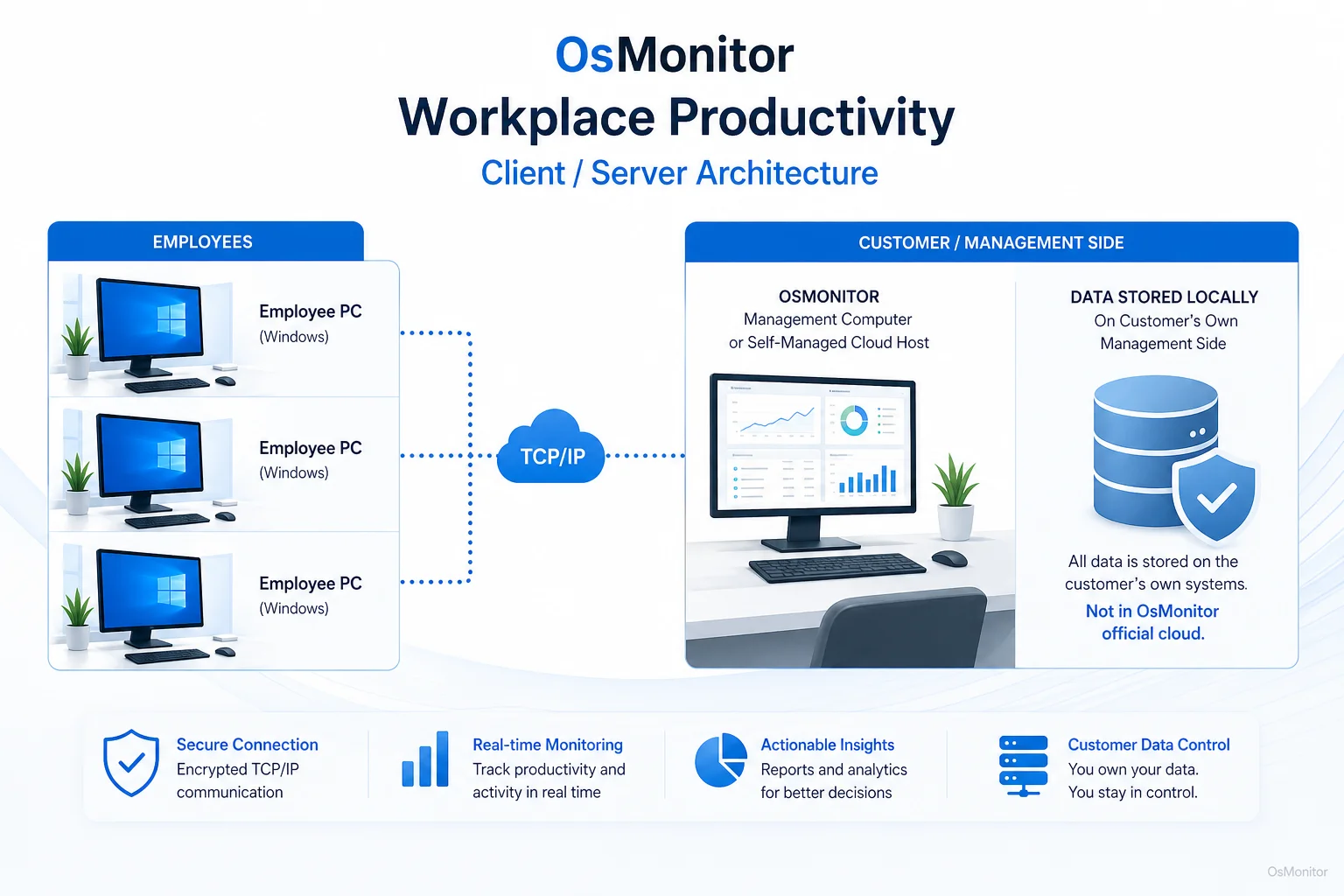
OsMonitor keeps monitoring data under the customer’s control on the management computer or self-managed server.
Core Features for Increasing Workplace Productivity
If you are looking for actionable workplace productivity hacks, you need the right feature set. OsMonitor provides the exact tools required for increasing workplace productivity.
Website and Application Controls
Stop distractions before they start. You can deploy strict blacklists to block specific non-work URLs or unauthorized applications entirely. You can also set alerts so IT is notified if a user repeatedly tries to bypass the blocks. For a deeper look at tracking this usage, read our guide on Application Usage Monitoring for Employee Computers & Tools.
Detailed Productivity Reports
The software aggregates raw data into easy-to-read reports showing exact active times for software and websites. You can pull summaries for individuals or whole departments, giving you a clear breakdown of productive focus versus non-productive browsing.
Transparent Activity Records
OsMonitor maintains an undeniable log of computer activity: app usage, URL histories, file transfers, and print jobs. This visual data, combined with Employee Screen Monitoring Software capabilities, provides the context you need to review workflows and offer targeted coaching.
Device and Document Management
It isn’t just about time; it’s about asset protection. OsMonitor lets you lock down USB drives to prevent data theft and automatically backs up critical documents from employee PCs directly to your server.
Manual vs. Automated Productivity Tracking
If you are searching for small business productivity tools, you have to abandon manual tracking. Here is why an automated team productivity software approach always wins.
| Aspect | Manual Tracking (Timesheets) | Automated Tracking (OsMonitor) |
|---|---|---|
| Data Accuracy | Relies on memory; highly prone to error and bias. | Pinpoint accuracy based directly on OS activity logs. |
| Time Investment | Drains hours from staff and managers weekly. | Runs silently in the background; zero administrative effort required. |
| Scalability | Impossible to manage fairly beyond a few employees. | Easily scales from 5 to 500 endpoints from a single console. |
| Insight Quality | “I worked on the design project for 4 hours.” | “Active in AutoCAD for 2 hours; active on YouTube for 2 hours.” |
Responsible Use and Legal Considerations
If you want to learn how to increase efficiency and productivity in the workplace, you must deploy these business productivity apps responsibly. OsMonitor is built for authorized use on company-owned hardware. We strongly recommend writing a clear Acceptable Use Policy (AUP) and informing your staff that their machines are monitored. Transparency builds trust. Always consult local legal counsel to ensure your deployment complies with regional labor and privacy laws.
Frequently Asked Questions (FAQ)
What is the definition of workplace productivity?
It is the measure of how efficiently your team uses their time and digital tools to produce valuable business output. It is best measured by tracking active time spent in core applications versus time lost to digital distractions.
How do you increase productivity in the workplace legally with software?
In most jurisdictions, employers have the right to monitor company-owned hardware. You increase productivity by using software to objectively track app/web usage, block known distractions, and use the data to optimize workflows. You must maintain transparency and consult local legal counsel to ensure compliance.
Does OsMonitor require software to be installed on employee computers?
Yes. It uses a highly stable client/server architecture. A lightweight client must be installed on each Windows endpoint you intend to manage.
Where is the monitoring data from OsMonitor stored?
Your data stays with you. All logs are stored exclusively on your own management computer or internal server. We do not use third-party vendor clouds.
Can OsMonitor function in an office LAN without an internet connection?
Absolutely. It is fully designed to operate flawlessly within a closed Local Area Network (LAN) without any internet access, which is crucial for high-security environments.
What versions of Windows does OsMonitor support?
It supports Windows 7, 8, 10, and 11, along with Windows Server editions (both 32-bit and 64-bit).
If you are ready to stop guessing and start improving productivity in the workplace with hard data, a self-hosted management suite is the way to go. Download OsMonitor Free Trial to test these features securely on your own network.