Productivity Software: Types, Examples and Business Use Cases
Every IT manager and business owner hits this wall eventually: you notice the team’s focus drifting. Project timelines stretch, and when you glance at the network logs, you see a sharp uptick in bandwidth going to video streaming, gaming sites, and online shopping. The problem isn’t that you have a bad team; the problem is you don’t have the data to understand the scope of the distraction, nor a centralized way to enforce access policies. This is exactly the gap that dedicated productivity software fills. It gives you the tools to measure computer usage accurately and turn vague assumptions into actionable management insights.
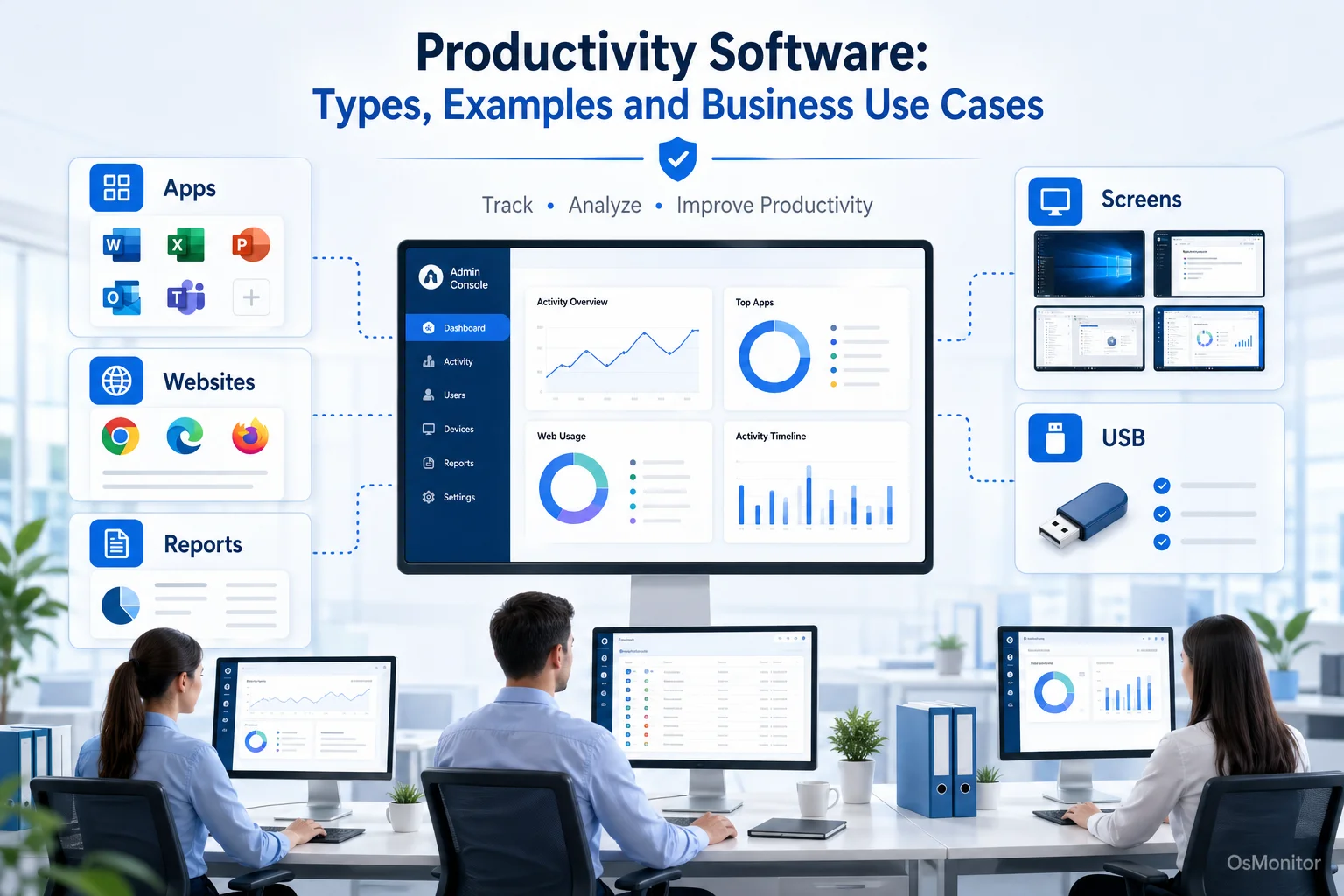
A practical overview of productivity software for workplace computer management.
What is Productivity Software and Who Needs It?
When people ask what is a productivity software, they usually think of tools like Microsoft Word, Slack, or project management boards. But there is another, arguably more critical subcategory for IT and management: workforce productivity software focused on analytics and computer activity management. These work productivity tools help organizations understand exactly how company-owned hardware and digital resources are utilized during the 9-to-5.
This specific type of productivity software meaning applies to:
- Business Owners & Managers: Who need to ensure expensive company resources are focused on business tasks and are looking for ways to increase productivity at workplace.
- IT Administrators: Who are tasked with enforcing acceptable use policies, locking down unauthorized software, and securing company devices from malicious downloads.
- HR Departments: Who need objective productivity metrics to conduct fair performance reviews and spot when an employee might be struggling and need training.
By providing clear, undeniable data, these productivity programs answer the questions that keep managers up at night: Which applications drive our business? How much time is bleeding into non-work websites? Are there workflow bottlenecks we can fix today?
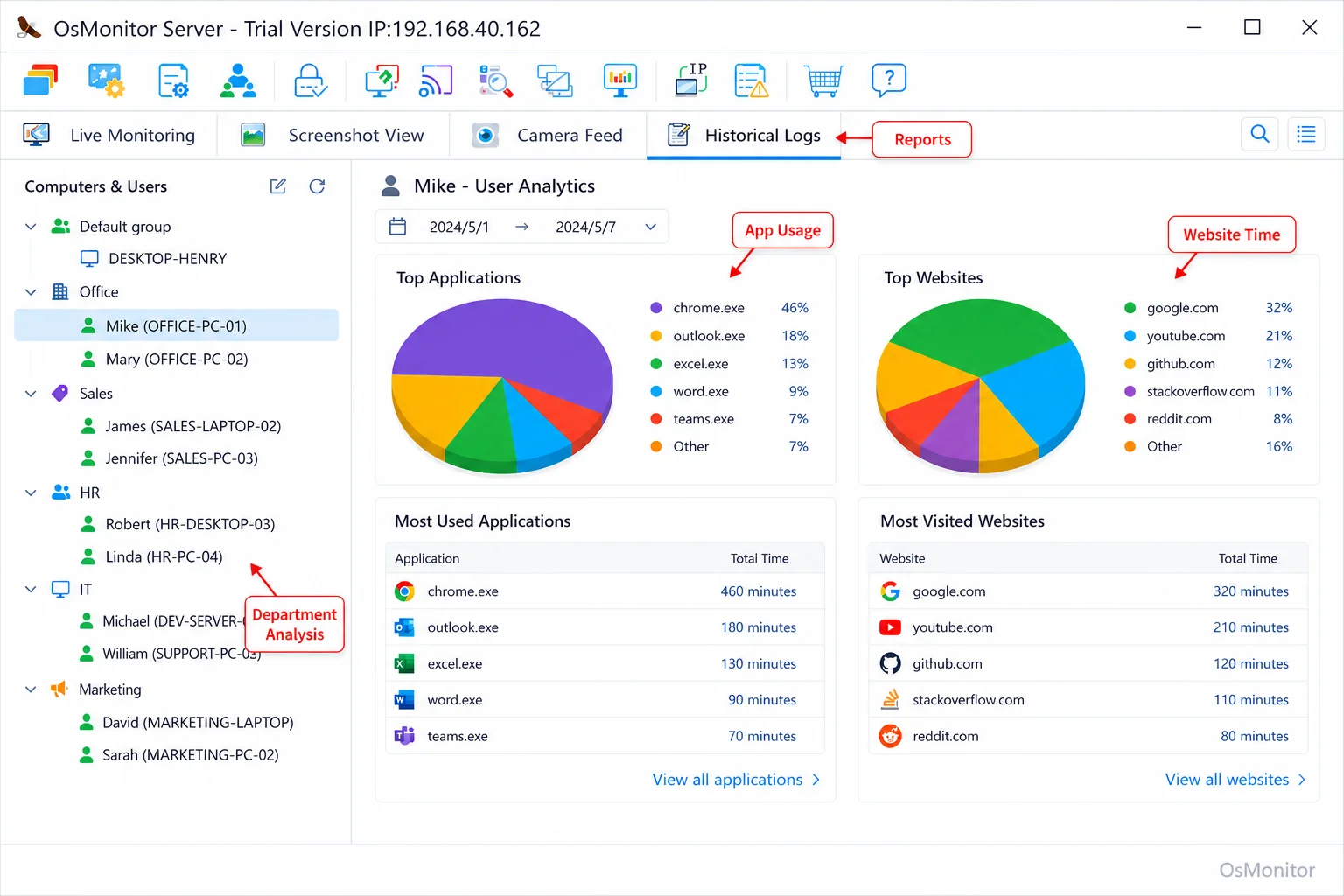
A real-product style screenshot highlighting application and productivity reports in OsMonitor.
OsMonitor: Focused on Productivity, Not Just Security
Let’s clarify OsMonitor’s position. It is an office productivity software designed purely for transparent, legal workplace management. Its goal is simple: give you the visibility necessary to increase workforce productivity. It is not a massive, complex cybersecurity appliance or a forensic audit tool. It is a highly practical productivity platform built for efficiency management.
It helps you establish a baseline. You can see how your hardware is being used, and then deploy policies to guide employees toward focused work. The system generates a detailed productivity report for every user and department, outlining exactly which apps were used, the URLs visited, and the active time spent. This data-driven approach removes the emotion from performance reviews. If you need a reliable way to handle measuring employee productivity, this is a foundational tool. For more on this, check out our guide on Employee Productivity Monitoring Software for Office PCs & Tools.
How OsMonitor’s Client-Server Architecture Works
If you are looking at companies using multiple software daily enterprise productivity tools, you will notice a trend: the best systems rely on stable, self-hosted architectures. OsMonitor uses a straightforward client-server model.
The system is split into two straightforward parts:
- The Management Console (Server): You install this on a single IT or management PC. This is your command center where you view the productivity dashboard, set rules, and generate reports.
- The Lightweight Client: You push a tiny client application to each employee’s Windows PC. It runs quietly in the background, logging activity and securely sending that data back to your management console over the local network.
This architecture is vital because it ensures all your employee productivity analytics stay strictly on your own hardware, giving you 100% data ownership.
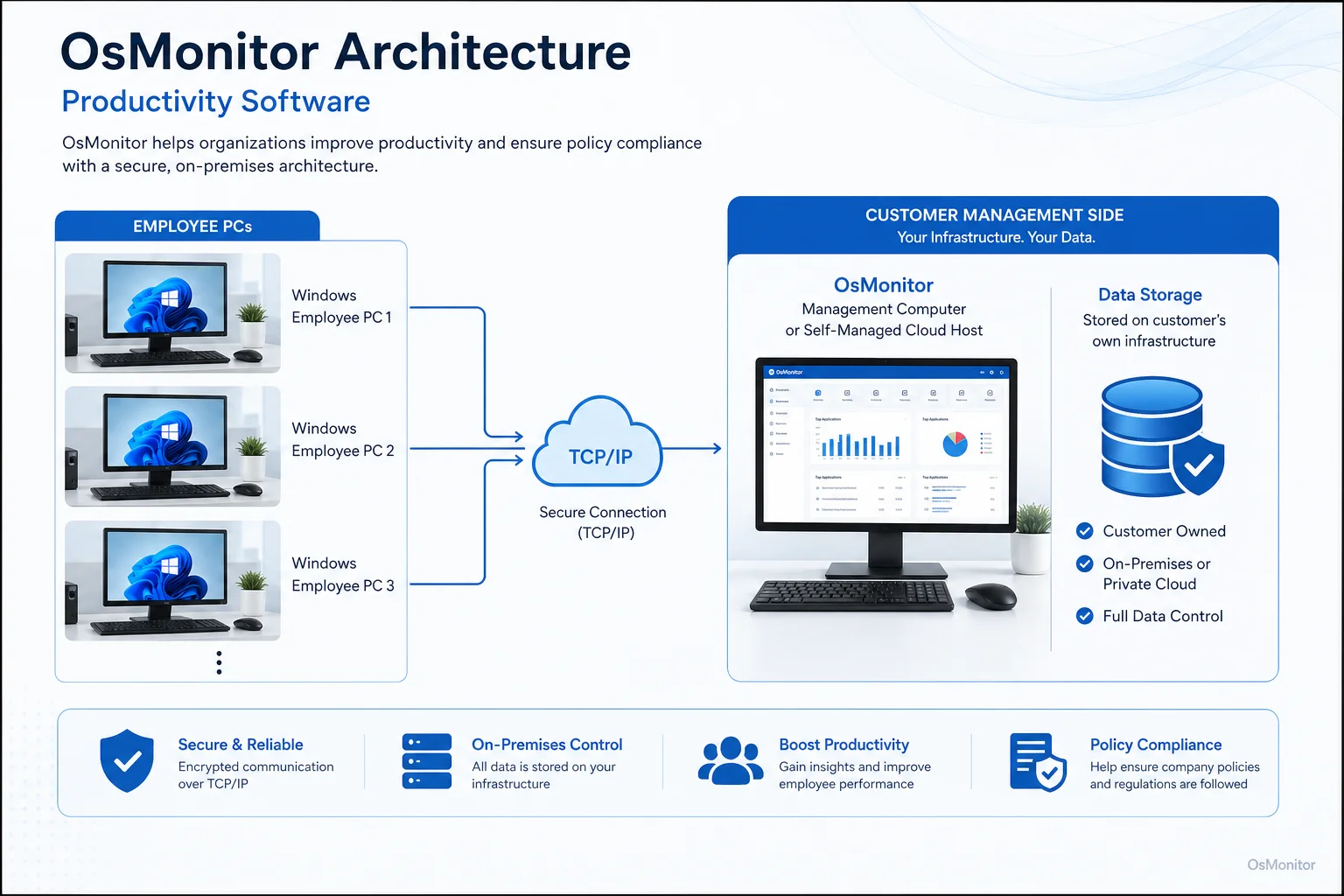
OsMonitor keeps monitoring data under the customer’s control on the management computer or self-managed server.
Core Features for Measuring and Improving Productivity
A reliable productivity program needs features that go beyond simple time tracking to deliver genuine productivity analytics.
Application and Website Usage Tracking
If you want to boost employee productivity, you have to know where the time is going. The software logs every application run and every website visited, tracking the exact duration of active use. Managers can instantly spot heavy reliance on non-productive sites and see which business tools are actually being utilized. This is the cornerstone of effective Application Usage Monitoring for Employee Computers & Tools.
Policy Enforcement (Blocking & Controls)
Tracking is great, but management requires action. OsMonitor allows you to actively block specific applications or distracting websites. Furthermore, it includes strict hardware controls, allowing IT to block USB drives entirely or set them to read-only, ensuring your productivity management efforts also protect company data.
Productivity Analytics and Reporting
The central productivity dashboard gives you an immediate read on team activity. You can pull detailed employee productivity metrics for individuals or departments, customized to show:
- Total active time in core software versus idle or non-work sites.
- A chronological timeline of daily workstation activity.
- Bandwidth consumption to spot massive, non-work downloads.
- Running counts of policy violations.
These sales productivity metrics and general workflow reports are indispensable for strategic planning.
Document and File Operation Records
To support your IT security, the software tracks file operations across local and network drives (copy, delete, rename). It also features a quiet document backup system that saves copies of vital files directly to your central server, protecting against accidental data loss.
On-Premise Data Control: Your Data Stays Yours
Right now, the market is flooded with the latest cloud powered productivity platform, but OsMonitor takes a different, highly secure approach: total data ownership. All your logs are stored on your management PC within your local area network (LAN). The system functions flawlessly without an internet connection, ensuring your sensitive operational data never leaves the building.
If you manage remote teams, you can host the server on a self-managed cloud instance (like AWS) or connect via VPN, giving you cloud accessibility without sacrificing data ownership. This makes it an elite On-Premise Employee Monitoring Software choice for privacy-conscious businesses.
Use Cases Across Different Business Environments
Productivity solutions for business must adapt to different environments. Here is how OsMonitor fits in.
| Business Type | Primary Challenge | How OsMonitor Helps |
|---|---|---|
| Small & Medium Business | Ensuring focus and preventing misuse of company time and resources. | Provides clear reports on website and application usage; blocks distracting sites. |
| Call Center | Maintaining agent focus on CRM and communication tools. | Tracks time spent in core applications; provides a live screen wall for QA. |
| Design/Engineering Firm | Verifying software license usage; protecting intellectual property. | Reports on heavy software usage for license optimization; logs sensitive file transfers. |
| Educational Institution | Keeping students on-task in computer labs. | Blocks games and social media; provides a real-time screen view for instructors. |
Responsible Use and Implementation Guidelines
If you are researching how to measure employee productivity, you must also consider the human element. Productivity tracking tools must be rolled out transparently.
We strongly recommend:
- Create a Clear Policy: Write a formal Acceptable Use Policy (AUP) explaining what company hardware is for, and that it is monitored.
- Obtain Consent: Always ensure your productivity measurement practices comply with local labor laws, which usually require employee notification.
- Focus on Productivity: Use the data to fix broken workflows and support your team, not just to act as a disciplinarian.
- Limit Access: Only authorized management and IT staff should have access to the monitoring console.
Frequently Asked Questions (FAQ)
What is productivity software?
In this context, it refers to IT management tools that track computer activity, analyze workflows, and provide hard data to help businesses improve office productivity and enforce acceptable use policies on company hardware.
Is productivity software legal for businesses?
In most jurisdictions, yes. Employers have the right to monitor company-owned hardware for legitimate business reasons. However, privacy laws vary heavily by region. You must maintain transparency and consult local legal counsel before deploying any productivity monitoring tools.
Does OsMonitor require a client on employee computers?
Yes. To properly collect activity logs and enforce your blocking rules, a lightweight client application must be installed on each Windows PC you intend to manage.
Where is OsMonitor monitoring data stored?
Your data stays with you. All logs and screen recordings are stored directly on your own management computer or internal server. We do not use vendor clouds.
Can OsMonitor work without internet in a LAN?
Absolutely. It is designed to function perfectly inside a closed Local Area Network (LAN) without any internet connection, which is vital for high-security facilities.
What Windows versions does OsMonitor support?
It supports Windows 7, 8, 10, and 11, along with Windows Server editions (both 32-bit and 64-bit).
If you are ready to stop guessing and start leading with data, a self-hosted tool is the most secure path forward. Download OsMonitor Free Trial to test the full suite of features inside your own network.