Productivity Calculator for Workplace Teams
A productivity calculator is useful when a manager needs to turn a vague productivity concern into numbers that can actually be reviewed. Maybe the team feels busy, but projects still fall behind. Maybe too much time is going into games, video sites, entertainment websites, or other non-work browsing during office hours. Or maybe the business simply needs a fairer way to understand how work computers are being used.
Without clear records, productivity discussions become uncomfortable and subjective. With computer usage reports, managers can review application time, website activity, active time, idle time, and policy events more consistently.
That is where a practical productivity calculator can help. It does not replace good management, but it gives managers the activity data they need to understand work patterns, reduce distractions, and support more focused team performance.
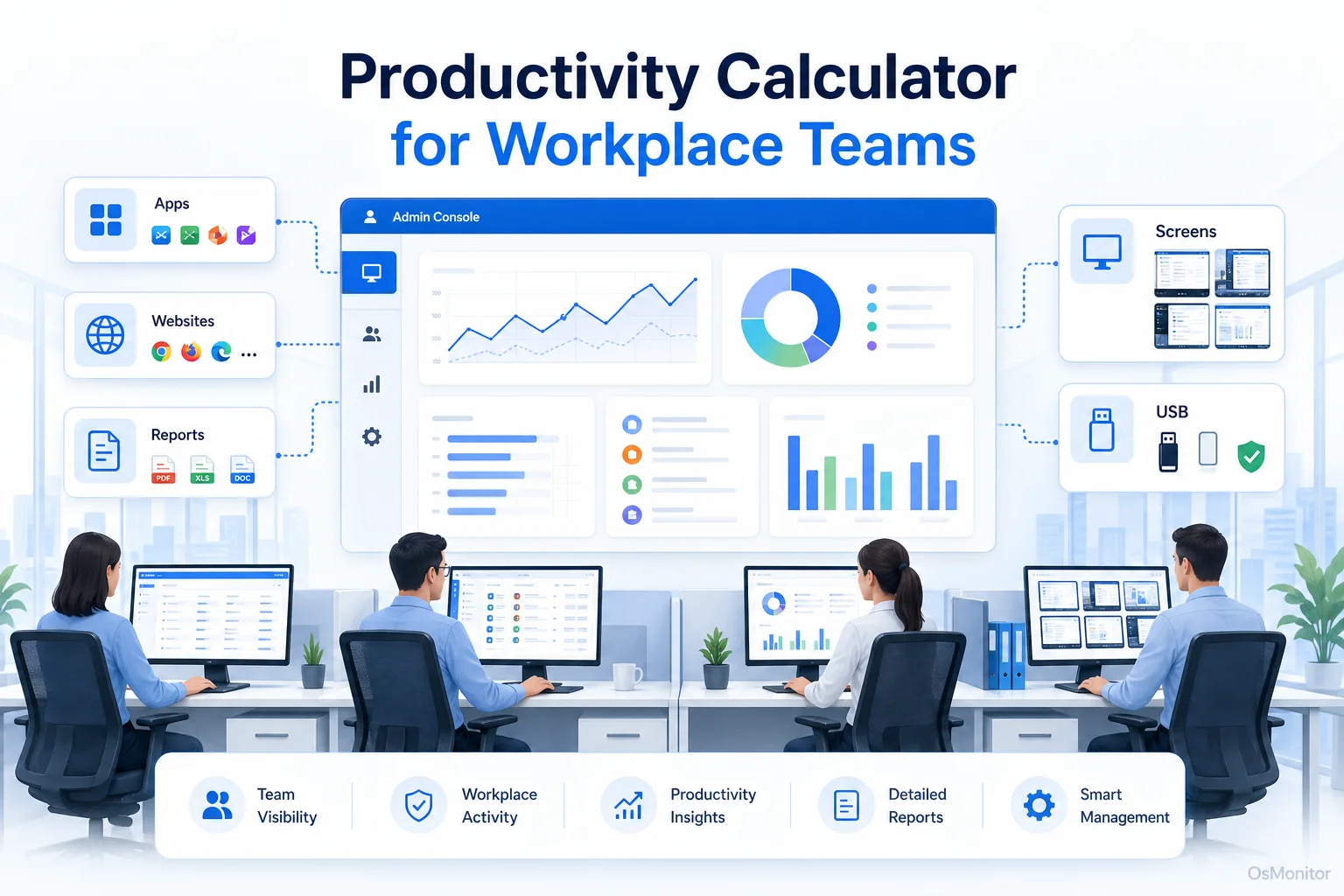
A practical overview of productivity calculator for workplace computer management.
What is a Productivity Calculator and Who Needs It?
A productivity calculator is a tool that helps businesses measure how work time is being used. In an office computer environment, that usually means reviewing application usage, website visits, active time, idle time, and productivity reports from company-owned PCs.
A simple spreadsheet can calculate output per hour. A time tracker can record working hours. But for computer-based teams, managers often need more context. They need to know which applications employees use, which websites consume time, whether business software is being used properly, and whether company computer policies are being followed.
A workplace productivity calculator is useful for:
- Small and Medium Businesses: Owners and managers who need to keep limited staff time focused on core business work.
- Team Leaders and Department Heads: Supervisors who need practical data before discussing productivity issues.
- IT Administrators: Staff responsible for enforcing acceptable use policies for company computers and network resources.
- Call Centers and Data Entry Teams: Teams where computer-based work directly affects output, response time, and service quality.
- Remote or Branch Office Teams: Managers who need consistent computer usage reports across different locations.
The goal is not to reduce every employee to a score. Real productivity depends on job role, workload, tools, training, and context. But a productivity calculator can make the discussion more factual by showing where time goes on company-owned computers.
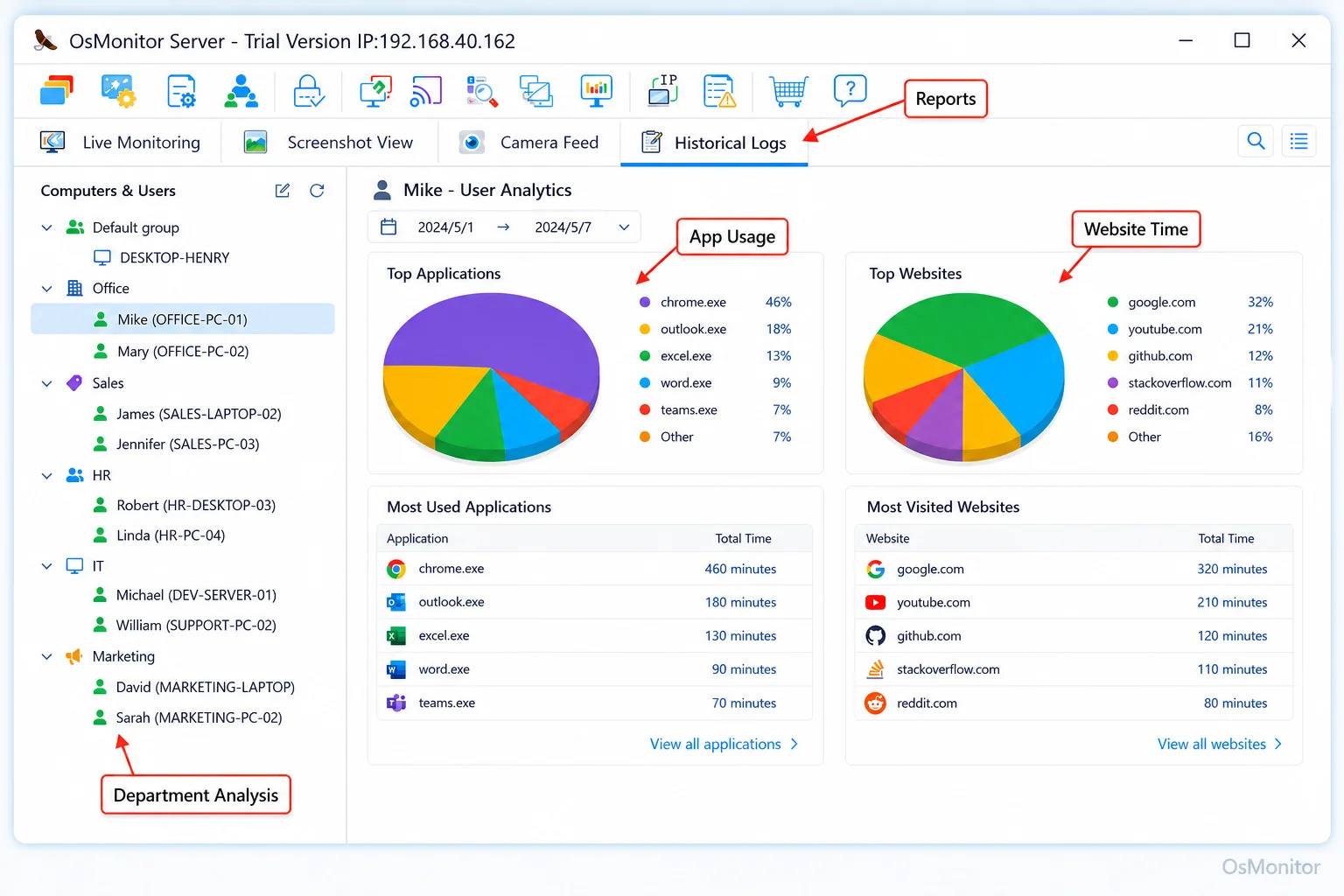
A real-product style screenshot highlighting application and productivity reports in OsMonitor.
How OsMonitor Functions as a Practical Productivity Calculator
OsMonitor is workplace productivity and employee computer activity management software for company-owned Windows PCs. It can function as a practical productivity calculator by collecting computer usage data and turning it into readable reports.
The system uses a client/server structure. A lightweight client is installed on each employee Windows computer that the company wants to manage. The management console is installed on a manager’s PC, administrator’s computer, or self-managed server. Activity records are collected centrally, where authorized managers can review reports, configure policies, and understand usage patterns.
OsMonitor can help calculate and review productivity-related signals such as:
- Application Usage Time: See how much active time is spent in business software, communication tools, design programs, accounting systems, browsers, or other applications.
- Website Usage Time: Review websites visited and time spent, helping managers understand whether work hours are being used appropriately.
- Individual and Department Reports: Compare computer usage patterns by employee, group, or department while keeping job roles and context in mind.
- Policy Event Counts: Review attempts to access blocked websites or restricted applications, which can help measure whether policies are working.
- Download and File Activity Statistics: Understand file downloads, transfers, and related activity according to company policy.
This helps managers move from “I think productivity is low” to “Here are the work patterns we need to discuss.” For a deeper look at application usage data, see Application Usage Monitoring for Employee Computers & Tools.
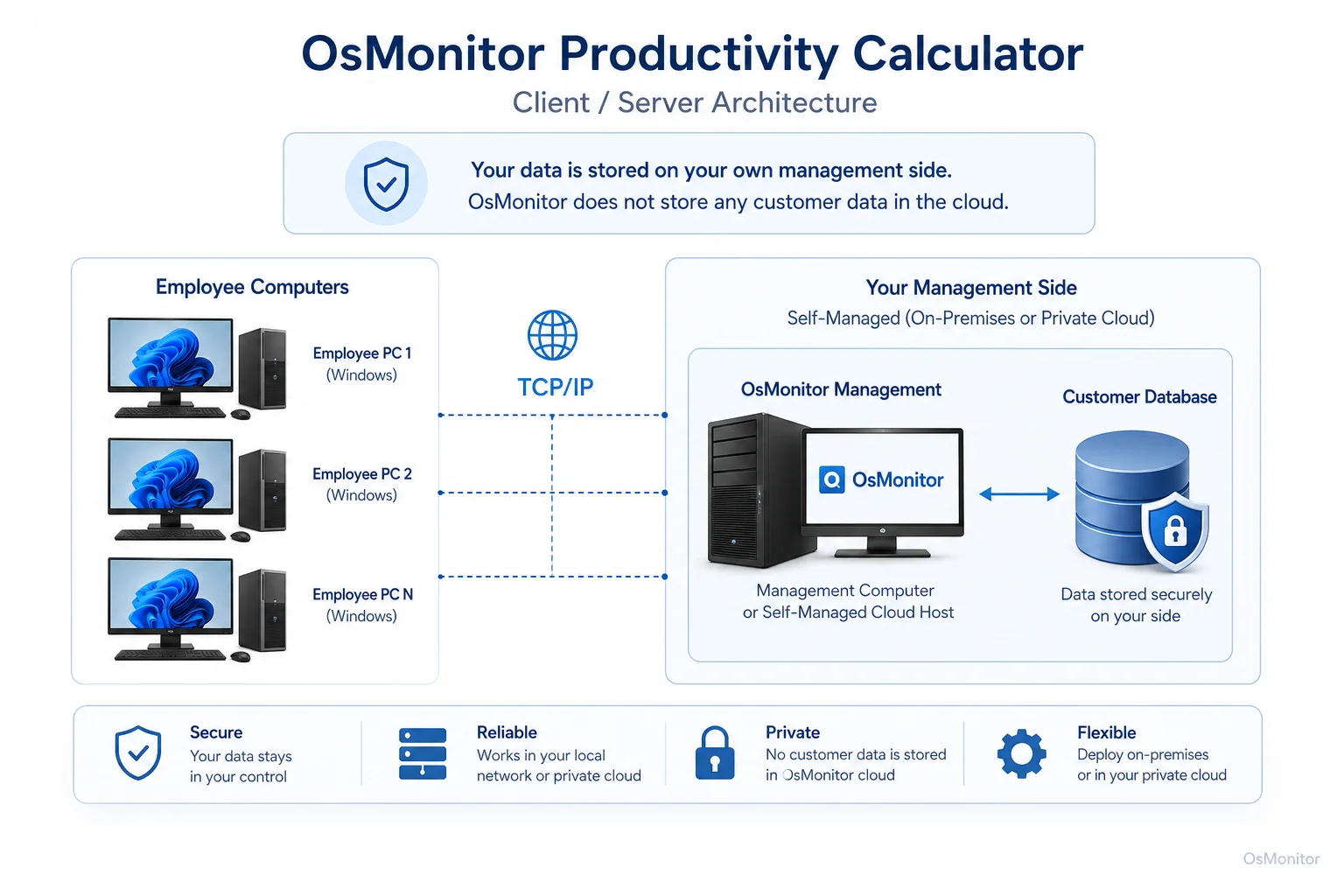
OsMonitor keeps monitoring data under the customer’s control on the management computer or self-managed server.
Key Features for Calculating and Improving Team Productivity
A useful productivity calculator should do more than produce a single number. It should help managers understand the reasons behind productivity patterns and take practical action.
| Feature | Description | Productivity Benefit |
|---|---|---|
| Application Usage Tracking | Records active time spent in each application. | Shows which tools are used heavily, lightly, or not at all. |
| Website Browsing History | Records visited websites and time spent. | Helps identify non-work browsing patterns and review policy needs. |
| Productivity Reports | Generates reports by user, department, or time period. | Gives managers clearer data for productivity review and coaching. |
| Website & App Blocking | Restricts access to non-work websites or applications according to policy. | Reduces distractions and applies workplace rules consistently. |
| Real-time Screen Monitoring | Provides authorized live views of employee computer screens. | Adds immediate context for support, training, or activity review. |
These tools work together as a practical system for measuring and improving workplace computer use. Reports show what is happening, while policy controls help reduce recurring distractions.
This approach is a core part of Productivity Tracking Software for Workplace Teams because it connects productivity measurement with real computer activity records.
On-Premise Data Control and System Compatibility
Productivity data can be sensitive. It may include website activity, application usage, screen activity, and policy records. For that reason, many businesses prefer to keep this information under their own control.
OsMonitor is an on-premise software system. Monitoring data is stored on the customer’s own management computer or self-managed server. Normal activity records are not stored on an OsMonitor vendor cloud.
This model offers several practical benefits:
- LAN-Only Operation: OsMonitor can work inside a local area network without requiring internet access for its core functions.
- Data Control: Activity logs, reports, and screen records stay on your own hardware or self-managed environment.
- Predictable Cost: OsMonitor uses a one-time purchase model instead of ongoing subscription fees.
- Simple Deployment: The software is designed for normal Windows office environments and does not require special hardware.
OsMonitor supports Windows 7 and later versions, including Windows 10, Windows 11, and Windows Server editions, with both 32-bit and 64-bit compatibility.
Limitations and Responsible Use
A productivity calculator should be used carefully. Computer activity data is useful, but it should not be treated as the whole story. A designer, accountant, support agent, developer, and sales assistant may all have very different “productive” work patterns.
OsMonitor is designed for legal and transparent business use on company-owned Windows computers. It is a workplace productivity and computer activity management tool, not a replacement for antivirus software, endpoint protection, or a full enterprise security platform.
For responsible implementation, businesses should:
- Develop a clear written computer and internet usage policy.
- Inform employees that company-owned computers may be managed and reviewed.
- Explain what data is collected and how it will be used.
- Limit report access to authorized managers or IT staff.
- Review patterns with context instead of judging isolated activity.
- Consult qualified legal counsel to ensure compliance with local employment and privacy laws.
Transparency matters. When employees understand that productivity reports are used to improve focus, support fair policy enforcement, and protect company resources, the system is easier to manage and easier to explain.
Frequently Asked Questions (FAQ)
What is a productivity calculator?
A productivity calculator is a tool that helps measure how work time is being used. In a workplace computer environment, it may calculate or report application usage, website activity, active time, idle time, and policy-related activity from company-owned PCs.
How does a productivity calculator help a business?
It helps managers replace guesswork with clear activity records. Instead of relying only on impressions, managers can review which applications and websites are used, how much time is spent in key tools, and whether company computer policies are being followed.
Is using a productivity calculator legal for businesses?
In many regions, businesses may manage and review activity on company-owned computers for legitimate business purposes when a clear policy is in place and employees have been properly notified. However, laws vary by country, state, province, and industry. Businesses should consult qualified legal counsel before implementing computer activity monitoring.
Does OsMonitor require a client on employee computers?
Yes. OsMonitor uses a client/server model. A lightweight client must be installed on each employee Windows computer that the company wants to manage, and the management console collects activity records for authorized review.
Where is OsMonitor monitoring data stored?
OsMonitor stores collected data on the customer’s own management computer or self-managed server. Normal activity records are not stored on an OsMonitor vendor cloud, giving the business direct control over its productivity reports and computer usage records.
Can OsMonitor work without an internet connection?
Yes. OsMonitor can work entirely inside a local area network without requiring internet access for its core monitoring, reporting, and management functions.
What Windows versions does OsMonitor support?
OsMonitor supports Windows 7 and later versions, including Windows 10, Windows 11, and Windows Server editions. It supports both 32-bit and 64-bit systems.
A productivity calculator is most valuable when it helps managers understand work patterns, not when it turns people into simple numbers. Used responsibly, computer usage data can support better productivity reviews, fairer policy enforcement, faster IT support, and a more focused work environment.
To see how these features can work for your team, you can Download OsMonitor Free Trial and start reviewing workplace productivity with clearer computer activity data.