How to Improve Employee Productivity With Better Visibility
I hear the same frustration from business owners every week: “My team is missing deadlines, but everyone looks busy when I walk past their desks.” They suspect that games, streaming sites, and endless social media feeds are eating up the workday. The fundamental problem here is a lack of visibility. Without hard data, you can’t quantify the distraction, and you certainly can’t have a fair, constructive conversation about performance. If you are researching how to improve employee productivity, the first step is gaining a clear, objective view of how company hardware is actually being utilized, allowing you to reduce non-work activity and maintain accurate access records.
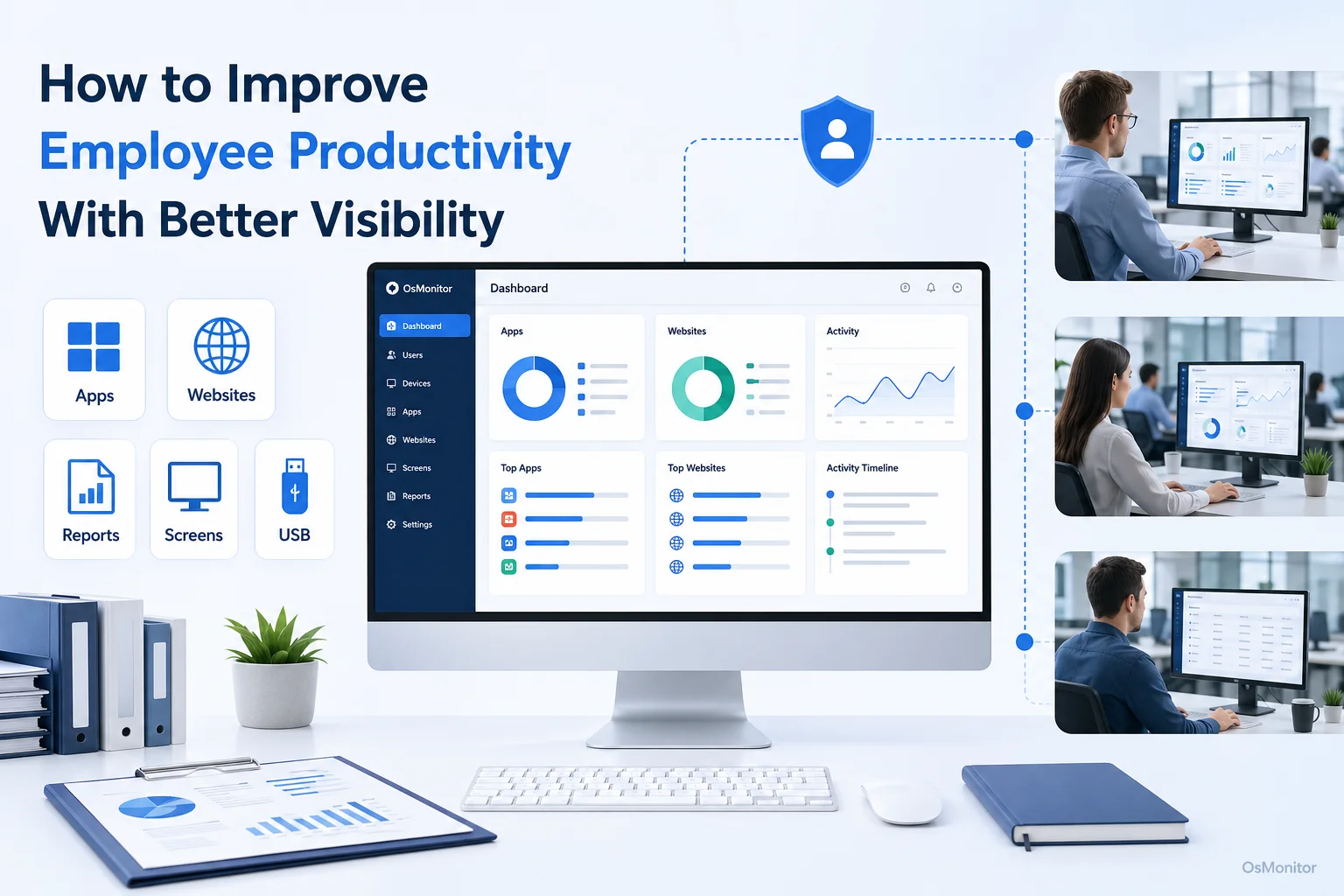
A practical overview of how to improve employee productivity for workplace computer management.
Understanding the Root Causes of Low Productivity
Before you look for ways to improve employee productivity, you have to understand what is dragging it down. Sure, clunky processes and unclear management play a role, but the most measurable drain in any modern office is digital distraction. The internet is built to steal attention.
Common digital productivity killers include:
- Social Media: The constant urge to scroll fragments focus and destroys deep work.
- Streaming Services: Background Netflix or Twitch streams consume massive amounts of both employee time and company bandwidth.
- Online Shopping: What starts as a “quick check” during work hours often spirals into an hour of lost time.
- Gaming Websites: Browser-based games are an incredibly common, quiet distraction.
If you are asking how to increase productivity in the workplace, understand that you cannot fix what you cannot see. Guesswork leads to poor management decisions. The absolute first step is gathering objective data. This is why deploying a workplace productivity and computer management tool is essential.
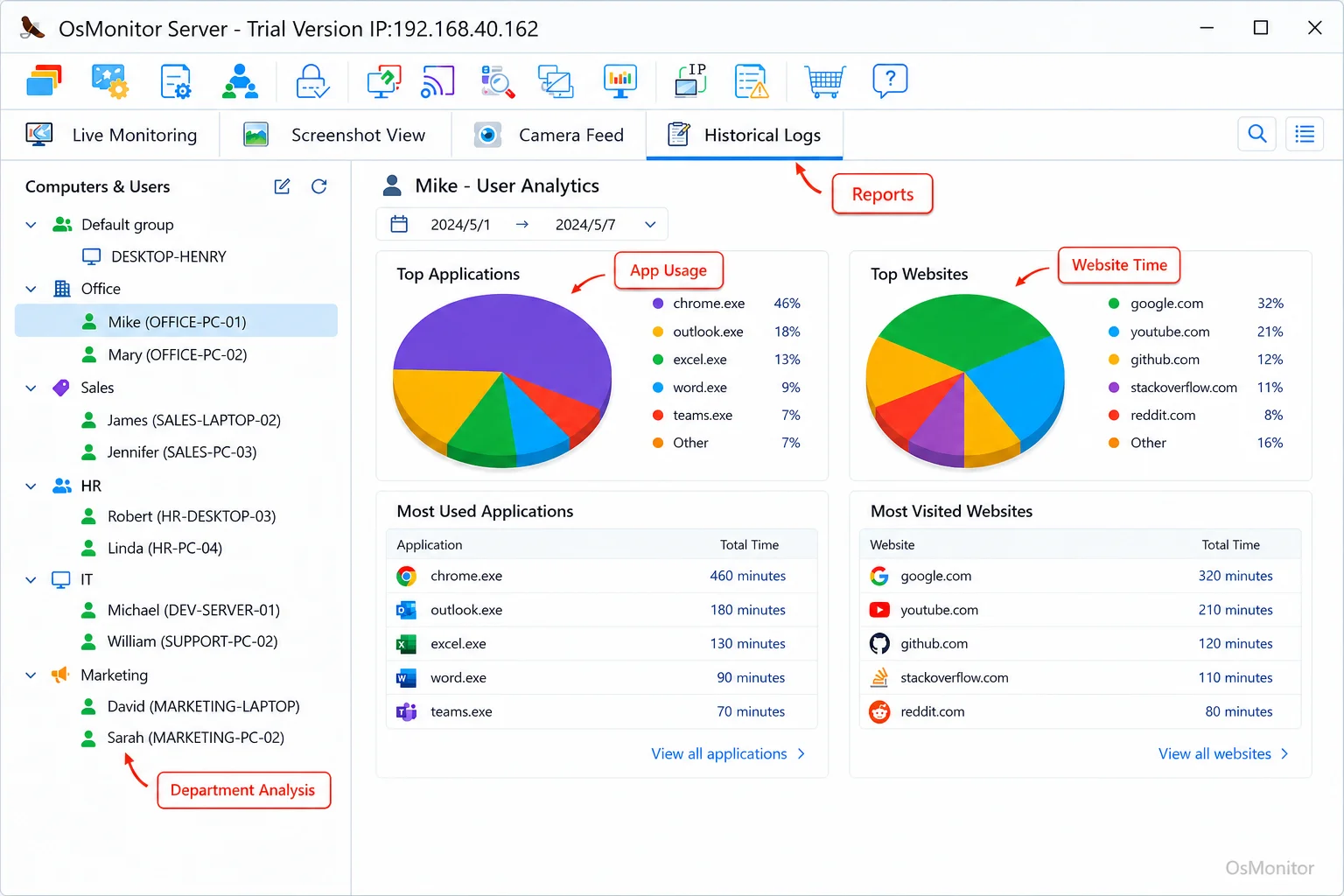
A real-product style screenshot highlighting application and productivity reports in OsMonitor.
Gaining Visibility: The Foundation for Improvement
You can’t manage effectively on assumptions. To truly improve employee productivity, you need concrete facts on how your company-owned PCs are used during the 9-to-5. A data-driven approach removes emotion and bias, providing a factual baseline for improvement.
Here are the key metrics you need to track:
- Application Usage: Are they living in the CRM and Excel, or are they running Discord and Steam?
- Website Visit History: What are the most frequented URLs? You need to separate the hours spent on industry research from the hours burned on Reddit.
- Active vs. Idle Time: Tracking actual keystrokes and mouse movement helps identify total disengagement.
- Bandwidth Consumption: A sudden spike in bandwidth is usually a red flag for massive personal downloads or heavy video streaming.
A robust management tool like OsMonitor translates these raw metrics into clean reports. A manager can pull an Application Usage Monitoring for Employee Computers & Tools summary and instantly see if a department is wasting ten hours a week on a non-sanctioned app, providing a clear path to fix the issue.
From Data to Action: Practical Ways to Increase Employee Productivity
Once you have visibility, you can act. If you want to know how to increase employee productivity effectively, remember that the goal is not to become a micromanager; the goal is to build a focused work environment.
1. Establish and Communicate a Clear Acceptable Use Policy (AUP)
Software enforces your rules; it doesn’t invent them. Before deploying any tool to increase employee productivity, write a formal AUP.
Your policy must explicitly state:
- What personal use is allowed (e.g., checking personal email on a lunch break).
- Which categories of websites are strictly prohibited during work hours.
- That company-owned hardware is monitored for security and efficiency.
- The consequences of bypassing IT controls.
Have your team sign it. Transparency is critical to maintaining a healthy office culture.
2. Block Access to Distracting Websites and Applications
If you are looking for immediate ways to increase employee productivity, start blocking. Use your monitoring data to identify the top time-wasting sites. OsMonitor allows administrators to deploy strict blacklists for specific URLs or entire categories like “Gaming” or “Social Media.” You can also stop unauthorized executables from launching. This removes the temptation entirely and forces focus.
3. Use Reports for Constructive Management
When you are figuring out how to improve productivity in the workplace, remember that data should guide conversations, not just trigger punishments.
If a report shows an employee spending three hours a day on a news aggregator, pull them into a private meeting. Don’t accuse them; ask them about their workload. Perhaps they are burnt out, or perhaps a project is stalled and they literally have nothing to do. The data simply opens the door to fixing the root cause. Utilizing an Employee Productivity Monitoring Software for Office PCs & Tools gives you the objective facts required for these crucial management talks.
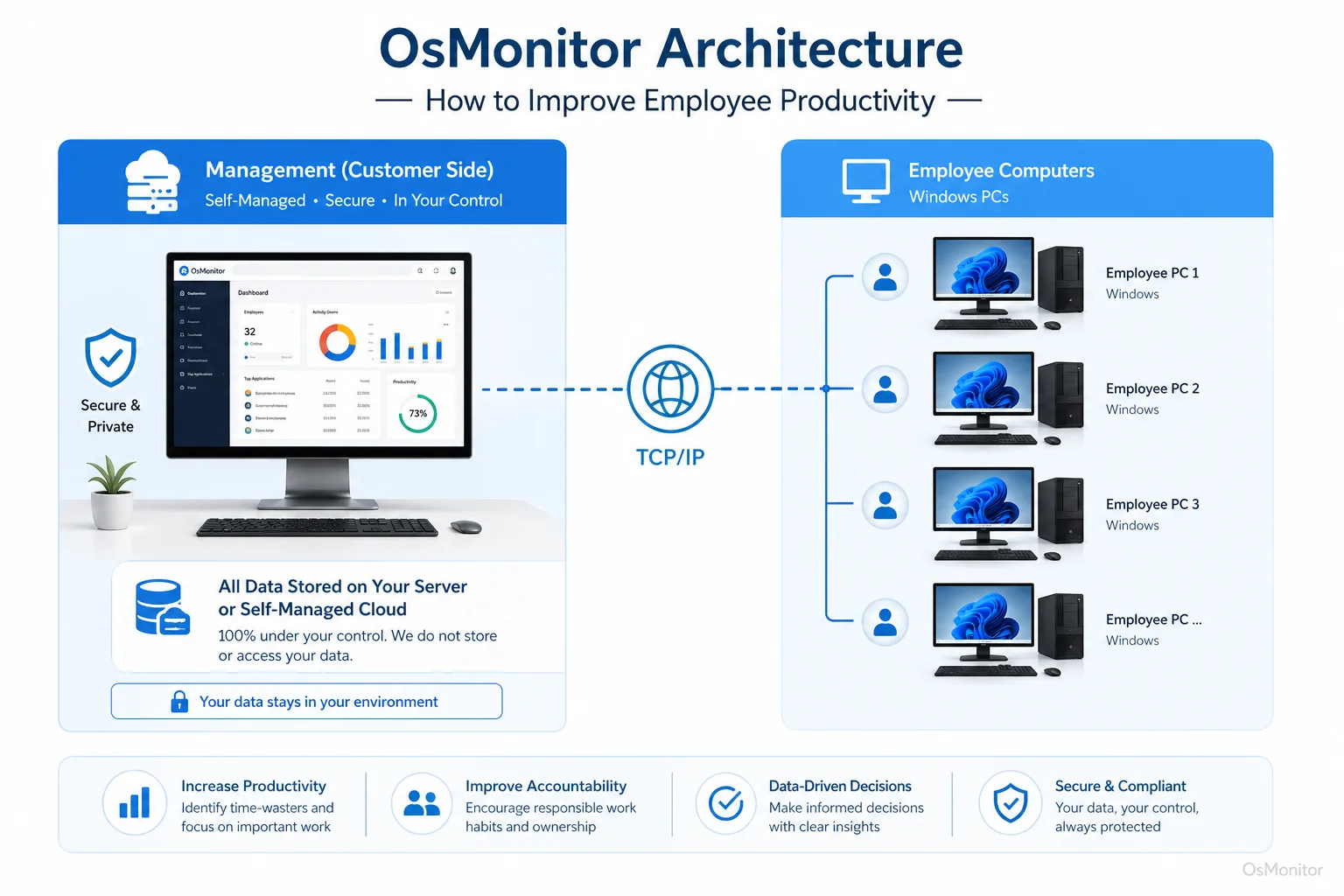
OsMonitor keeps monitoring data under the customer’s control on the management computer or self-managed server.
4. Optimize Workflows and Resource Allocation
To increase employee productivity long-term, look for workflow inefficiencies. Are staff spending hours jumping between clunky legacy apps? By analyzing application active time, you can spot where your team is struggling with bad tools, signaling a need for better software or deeper training.
| Strategy | Description | Best For | Potential Drawbacks |
|---|---|---|---|
| Policy Only | Relying on the honor system with an AUP. | Highly disciplined, tiny teams. | Impossible to enforce; zero objective data for reviews. |
| Manual Checks | Managers physically walking the floor to look at screens. | Tiny, single-room offices. | Highly disruptive, inefficient, and creates severe anxiety. |
| Productivity Software | Using IT tools to log usage, report data, and enforce blocking. | Any business needing a factual, data-driven management approach. | Requires transparent communication with staff before rollout. |
| Project Management Tools | Tracking task completion (e.g., Asana). | Project-based teams focused strictly on output. | Ignores how time is spent and doesn’t secure the network. |
Implementing Monitoring with Transparency and Trust
When implementing software to improve efficiency, transparency is non-negotiable. You want to build a culture of accountability, not a surveillance state.
Always inform your team that monitoring is in place to:
- Ensure expensive company hardware is used for business.
- Kill network distractions and optimize bandwidth.
- Give managers the data they need to balance workloads fairly.
- Protect the network from malware found on non-work sites.
OsMonitor is a rock-solid, client/server-based IT management tool built for transparent workplace use. Because it is a strict on-premise solution, your data stays on your server, ensuring you never hand sensitive logs to a cloud vendor. We always recommend consulting local legal counsel to ensure your policies align with regional privacy laws.
By pairing a strong, clear policy with the right IT tools, you can transform your team’s output. Download OsMonitor Free Trial to see how actionable visibility changes everything.
FAQ
What is the main goal of improving employee productivity?
The goal is to maximize efficiency and output during paid work hours. This means utilizing IT tools to kill digital distractions, enforce acceptable use policies, and ensure company hardware is focused entirely on business objectives.
Is it legal for businesses to monitor employee computer usage?
In most jurisdictions, yes. Employers generally have the right to monitor their own property. However, privacy laws vary heavily by region. You must maintain transparency, establish a written policy, and consult local legal counsel before deployment.
Does OsMonitor require a client on employee computers?
Yes. OsMonitor utilizes a highly stable client/server architecture. A lightweight client application must be installed on each Windows endpoint to collect data and enforce your blocking rules.
Where is OsMonitor monitoring data stored?
Your data stays with you. All logs and screen recordings are stored exclusively on your own management computer or your internal server. We do not use third-party vendor clouds.
Can OsMonitor work without an internet connection in a LAN?
Absolutely. It is fully designed to operate perfectly within a closed Local Area Network (LAN) without any internet connection, making it ideal for high-security environments.
What Windows versions does OsMonitor support?
It supports Windows 7, 8, 10, and 11, along with Windows Server editions (both 32-bit and 64-bit).