What Is Employee Engagement? Meaning, Metrics and Warning Signs
When managers search for “what is employee engagement,” they are usually trying to understand why some employees care deeply about their work while others only seem to go through the motions. In a small business, the signs may show up in very practical ways: slower projects, less initiative, weaker communication, or more time spent on games, video sites, entertainment websites, and other non-work browsing during office hours.
The first step is not to jump to blame. Managers need clear website access records, application usage reports, and enough context to understand what is happening. More importantly, they need to understand the reason behind the behavior.
Employee engagement is not just about whether people look busy. It is about whether employees feel connected to their work, understand the company’s goals, and are willing to put real effort into doing good work.
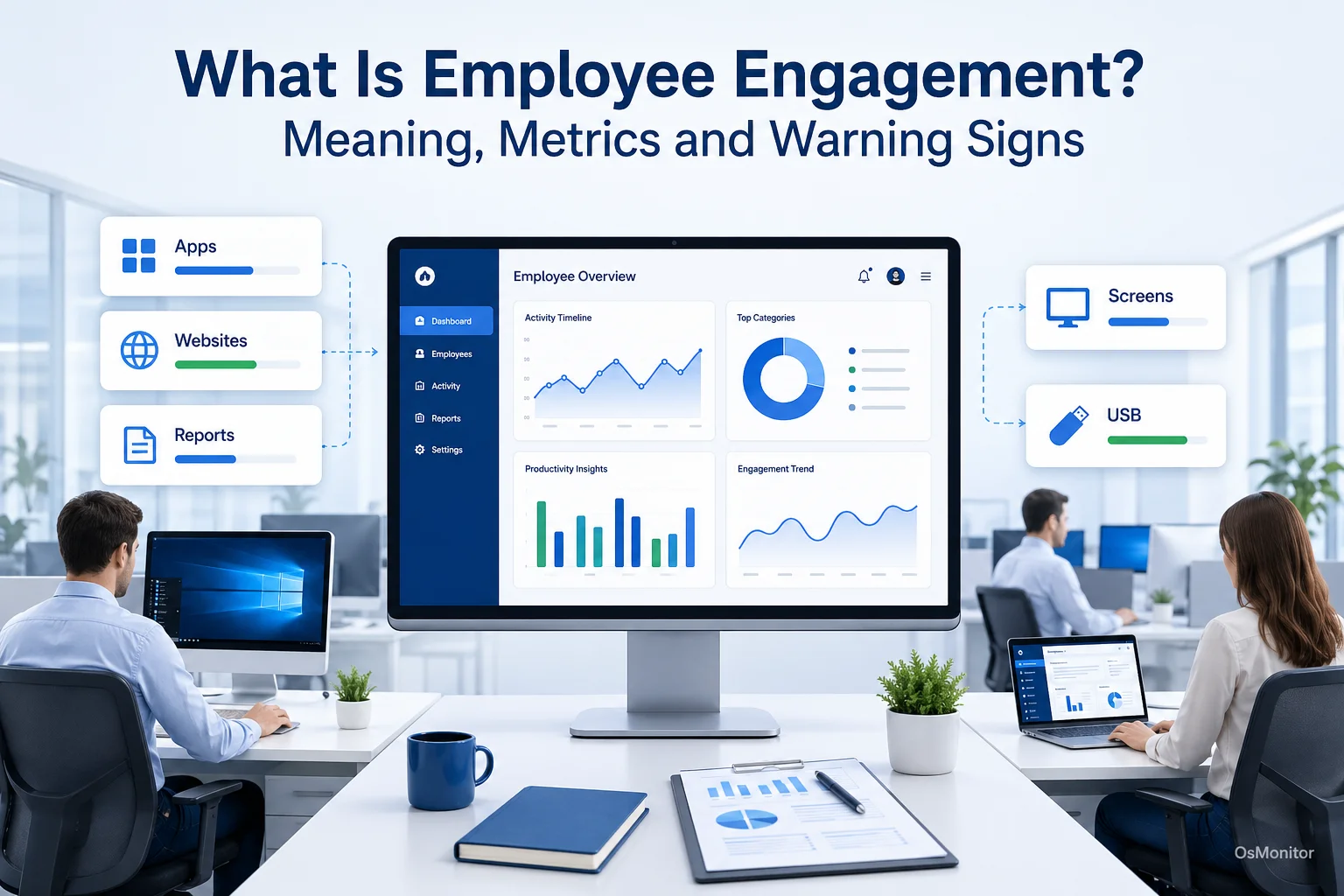
A practical overview of what is employee engagement for workplace computer management.
What Is Employee Engagement, Really?
Employee engagement is the level of emotional commitment, focus, and ownership an employee brings to their work. An engaged employee does not just complete tasks mechanically. They care about the outcome, pay attention to quality, communicate when problems appear, and usually try to help the team succeed.
This is different from simple job satisfaction. A satisfied employee may be comfortable with the job, pay, or schedule, but still do only the minimum. An engaged employee is more invested. They are more likely to take initiative, solve problems, support customers well, and stay with the company longer.
A disengaged employee may still show up every day, answer messages, and complete basic tasks. But the energy is different. They may avoid extra responsibility, stop contributing ideas, spend less time in core work tools, or drift into unrelated browsing during work hours.
This is sometimes connected to quiet quitting, where an employee does only the minimum required and pulls back from broader team or company goals. That does not mean every employee who protects personal time is disengaged. Healthy boundaries are normal. The warning sign is a pattern of reduced effort, lower quality, weaker communication, or less connection to the work.
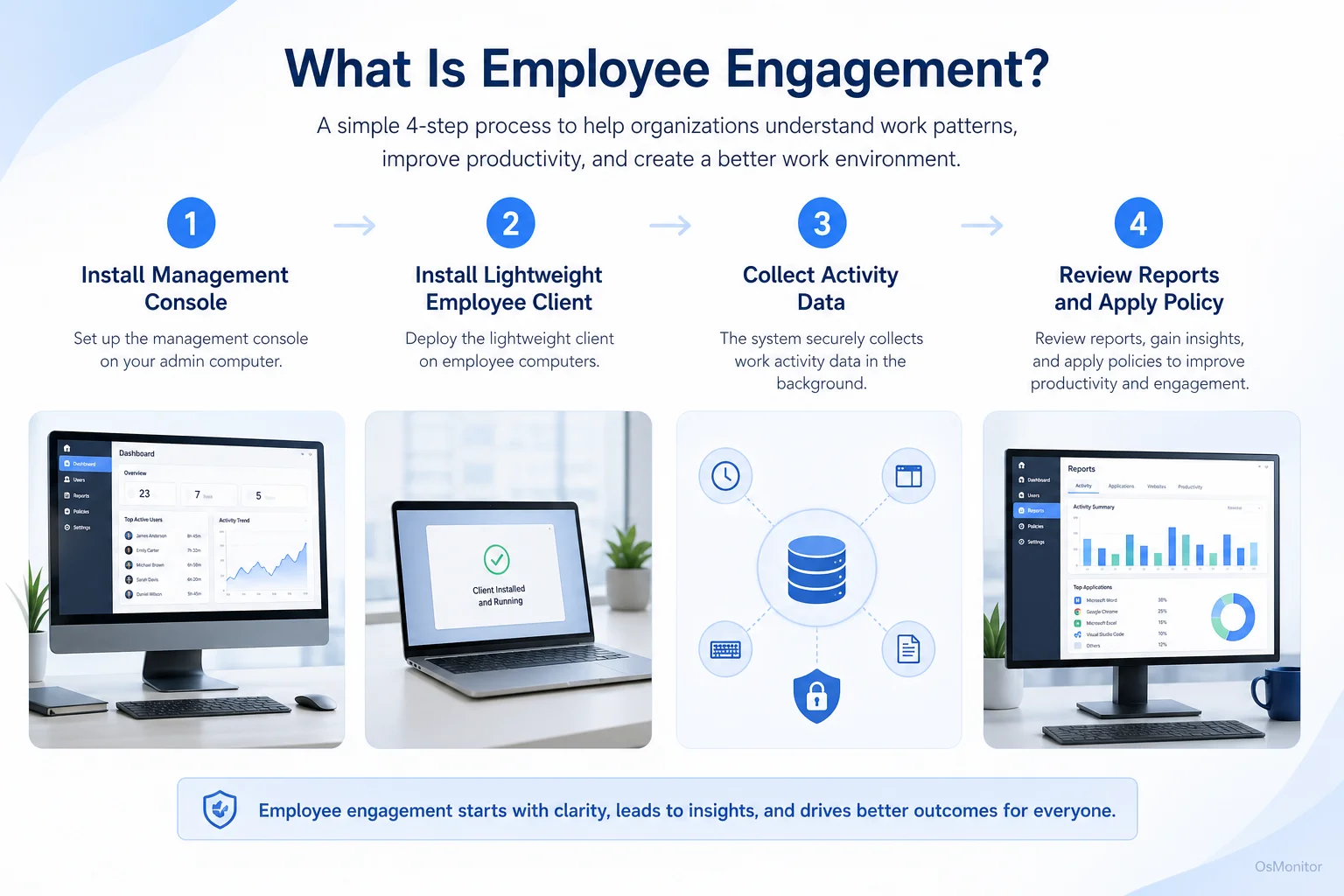
A simple workflow showing how workplace signals can support what is employee engagement.
Why Low Engagement is a Critical Business Problem
Businesses care about employee engagement because it affects real results. Low engagement is not only an HR concern. It can affect productivity, customer service, team morale, retention, and daily operations.
Common business problems caused by low engagement include:
- Lower Productivity: Disengaged employees may work more slowly, avoid difficult tasks, or spend more time on distractions.
- Weaker Work Quality: Less ownership often leads to more mistakes, less attention to detail, and more rework.
- Higher Turnover Risk: Employees who feel disconnected are more likely to leave when another opportunity appears.
- Lower Team Morale: When engaged employees feel they are carrying the workload for others, frustration can spread.
- Poor Customer Experience: Employees who do not care about the work are less likely to deliver thoughtful service.
- More Management Effort: Managers spend more time following up, reminding, correcting, and reassigning work.
Surveys and one-on-one conversations are important for understanding engagement. But in computer-based workplaces, activity data can also provide useful signals. An Employee Activity Monitoring Software tool can help managers review how company-owned computers are being used and spot changes in work patterns over time.
The goal is not to reduce engagement to a single number. The goal is to use practical data to ask better questions.
Practical Metrics and Warning Signs from Computer Activity
Software cannot directly measure motivation, loyalty, or emotional commitment. It cannot tell you what an employee feels. But it can show work patterns that may suggest engagement, disengagement, overload, unclear priorities, or policy issues.
The key is to look for trends, not isolated events. One slow afternoon does not mean an employee is disengaged. A repeated pattern over several weeks is more useful.
| Metric/Signal | Potential Indication of Low Engagement | How Software Can Help |
|---|---|---|
| High Non-Work Website Use | Boredom, lack of challenging work, distraction, unclear priorities, or burnout. | Provides reports on time spent by website or category. |
| Low Core Application Use | Avoiding key responsibilities, reduced focus, poor tool adoption, or quiet quitting. | Tracks active time in business-critical applications. |
| Irregular Work Patterns | Disconnection from team schedule, low motivation, blocked work, or workload stress. | Shows activity timelines, idle periods, and general work patterns. |
| Reduced Document Output | Lower contribution, task avoidance, or reduced project involvement. | Logs file activity and document-related work patterns. |
Managers should use these signals carefully. For example, high browser use may be normal for sales, marketing, purchasing, research, or customer support roles. Video websites may be legitimate for training or marketing work. Idle time may reflect meetings, phone calls, or work away from the computer.
Useful questions include:
- Is the employee spending enough time in the tools required for the role?
- Has the person’s activity pattern changed compared with earlier weeks?
- Is the issue individual, or does the whole department show the same pattern?
- Are non-work websites being used occasionally or repeatedly?
- Is the employee underloaded, overloaded, blocked, or disengaged?
- Are company policies clear enough?
This is how computer activity data becomes useful for engagement review. It gives managers a starting point for a better conversation.
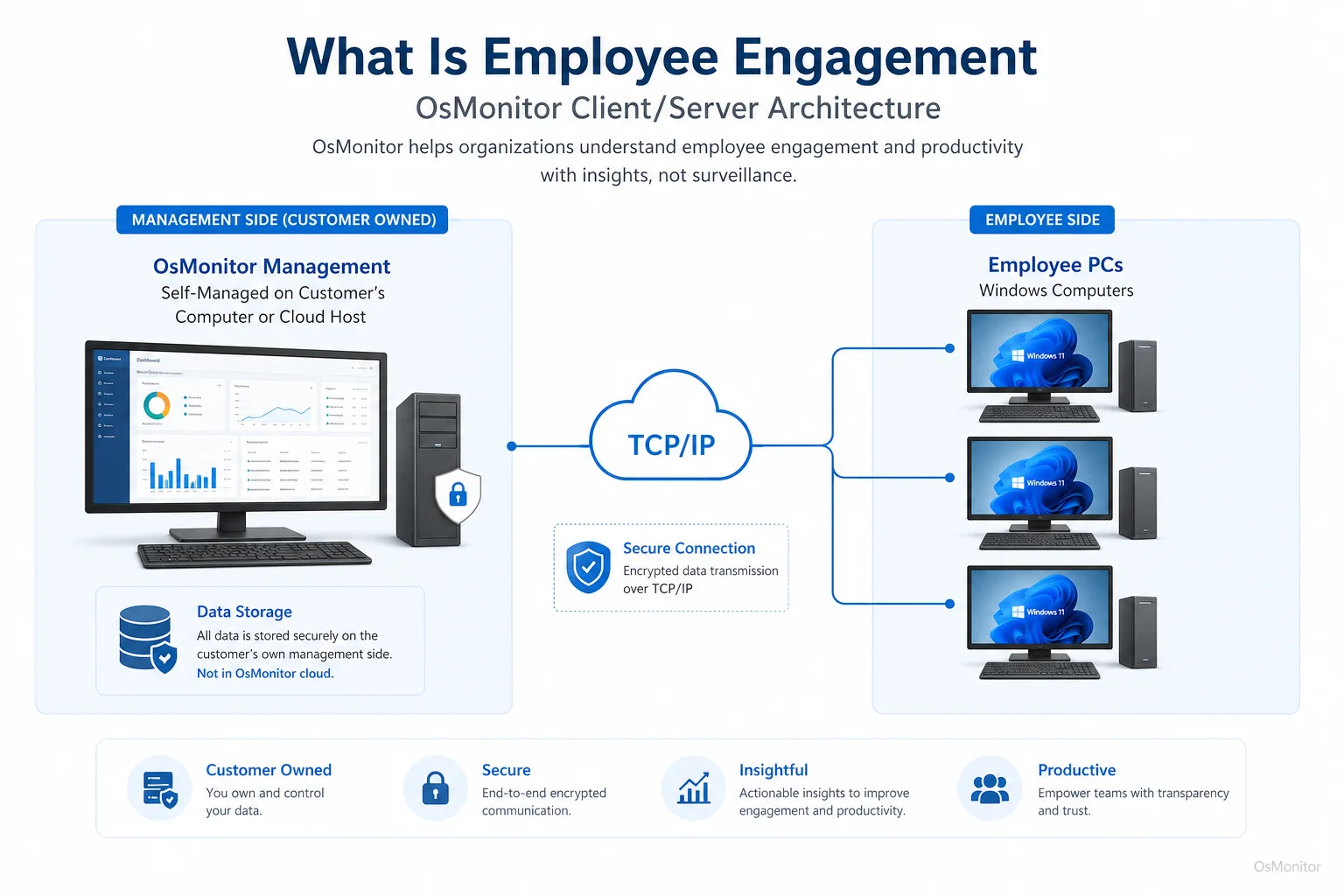
OsMonitor keeps monitoring data under the customer’s control on the management computer or self-managed server.
When to Use Software vs. When to Focus on Policy and Culture
Understanding employee engagement requires both data and management judgment. Software can show patterns. It cannot repair a weak culture, unclear expectations, poor leadership, or lack of recognition by itself.
Where Software Helps
Workplace productivity and employee computer activity management software can help with practical visibility.
It is useful for:
- Gathering Activity Data: Reports can show application usage, website activity, active time, idle time, and department-level trends.
- Finding Repeated Distractions: Managers can see whether non-work browsing is occasional or becoming a recurring issue.
- Establishing Baselines: Normal activity patterns make it easier to notice meaningful changes.
- Supporting Fair Policy Review: Website and application records help managers apply computer usage rules consistently.
- Identifying Support Needs: Low activity may mean the employee is blocked, confused, overloaded, or waiting for help.
OsMonitor is workplace productivity and employee computer activity management software for company-owned Windows PCs. It uses a client/server model and provides reports that can help managers understand daily work patterns.
Where Policy and Culture are Essential
Low engagement is often caused by things software cannot fix alone.
Common root causes include:
- Unclear expectations.
- Poor communication from managers.
- Lack of recognition.
- Heavy workload or burnout.
- Limited career growth.
- Poor tools or inefficient workflows.
- Feeling undervalued.
- Lack of trust in leadership.
- Repetitive work with no sense of purpose.
If reports show high social media use or reduced time in core tools, the best first response is not always immediate blocking. A better approach is to ask what is happening. Is the employee bored? Underloaded? Overloaded? Unclear about priorities? Frustrated with tools? Disconnected from the team?
Software provides the signal. Managers still need to have the conversation.
In some cases, visual context can help with training, workflow review, or policy support. Tools like Employee Screen Monitoring Software can provide that context, but they should be used transparently and only for legitimate business purposes.
A Note on Transparency and Legal Use
Any computer activity management system should be introduced clearly and responsibly. Employees should understand what is collected, why it is collected, who can review it, and how the data will be used.
Best practices include:
- Create a clear written computer and internet usage policy.
- Inform employees that company-owned computers may be managed and reviewed.
- Use data for productivity review, IT support, policy consistency, and workplace improvement.
- Limit report access to authorized managers or IT staff.
- Review patterns with context instead of judging isolated events.
- Avoid collecting unnecessary personal information.
- Consult qualified legal counsel to ensure compliance with local employment and privacy laws.
OsMonitor is designed for legal business use on company-owned Windows computers. Monitoring data is stored on the customer’s own management computer or self-managed server, giving the business direct control over activity records instead of storing normal data on a vendor-controlled cloud.
The purpose should be responsible workplace computer management, not unfair micromanagement. Trust matters, especially when the goal is improving employee engagement.
FAQ: Understanding Employee Engagement
What is a simple definition of employee engagement?
Employee engagement is the level of commitment, focus, and emotional connection an employee has toward their work and organization. Engaged employees care about work quality, understand company goals, and usually show more initiative.
How is employee engagement different from job satisfaction?
Job satisfaction means an employee is generally content with the job, pay, schedule, or work environment. Employee engagement goes deeper. It means the employee is actively invested in doing good work and helping the organization succeed.
What are common signs of low employee engagement?
Common signs include lower productivity, weaker work quality, reduced communication, less initiative, more non-work browsing, less use of core work tools, missed deadlines, and withdrawal from team activities. These signs should be reviewed as patterns, not isolated events.
Can computer activity data measure employee engagement directly?
No. Computer activity data cannot measure feelings or motivation directly. It can show behavior patterns, such as application usage, website activity, active time, idle time, and changes in work habits. Managers should use that data as a conversation starter, not as final proof.
Is monitoring employee computer activity for engagement legal?
In many regions, businesses may manage and review activity on company-owned computers for legitimate business purposes when employees have been properly notified and a clear policy is in place. However, laws vary by country, state, province, and industry. Businesses should consult qualified legal counsel before implementing computer activity monitoring.
Does OsMonitor require software installation on employee PCs?
Yes. OsMonitor uses a client/server architecture. The management console is installed on a manager’s computer or self-managed server, and a lightweight client program must be installed on each employee Windows computer the business wants to manage.
Where is the data from OsMonitor stored?
OsMonitor stores collected data on the customer’s own management computer or self-managed server. It is not a cloud SaaS product, and normal monitoring data is not stored on an OsMonitor vendor cloud.
Can OsMonitor be used in an office without an internet connection?
Yes. OsMonitor can work inside a local area network without requiring internet access for its core monitoring, reporting, and management functions.
What versions of Windows does OsMonitor support?
OsMonitor supports Windows 7 and later versions, including Windows 10, Windows 11, and Windows Server editions. It supports both 32-bit and 64-bit Windows systems.
Understanding what is employee engagement is the first step toward building a more focused, motivated, and stable team. Engagement is shaped by leadership, communication, recognition, workload, tools, and culture.
Used transparently and responsibly, OsMonitor can provide useful computer activity data to support engagement discussions, productivity review, policy consistency, and workplace improvement. To see how OsMonitor can provide the data you need to support your engagement initiatives, Read the Quick Start Guide to learn more about its features.