Remote Workforce Management: Practical Ways to Manage Distributed Teams & Tools
Managing a remote workforce introduces a whole new set of headaches, especially when it comes to data security and operational visibility. I was consulting with a manufacturing firm recently, and their biggest fear was sensitive CAD drawings and financial Excel files being casually copied to personal USB drives by their distributed engineering team. This highlights the core problem for any IT manager today: how do you maintain strict control over company assets and verify productivity when your staff isn’t sitting in a central office? Effective remote workforce management requires IT tools that provide clear oversight without bottlenecking your team’s workflow.
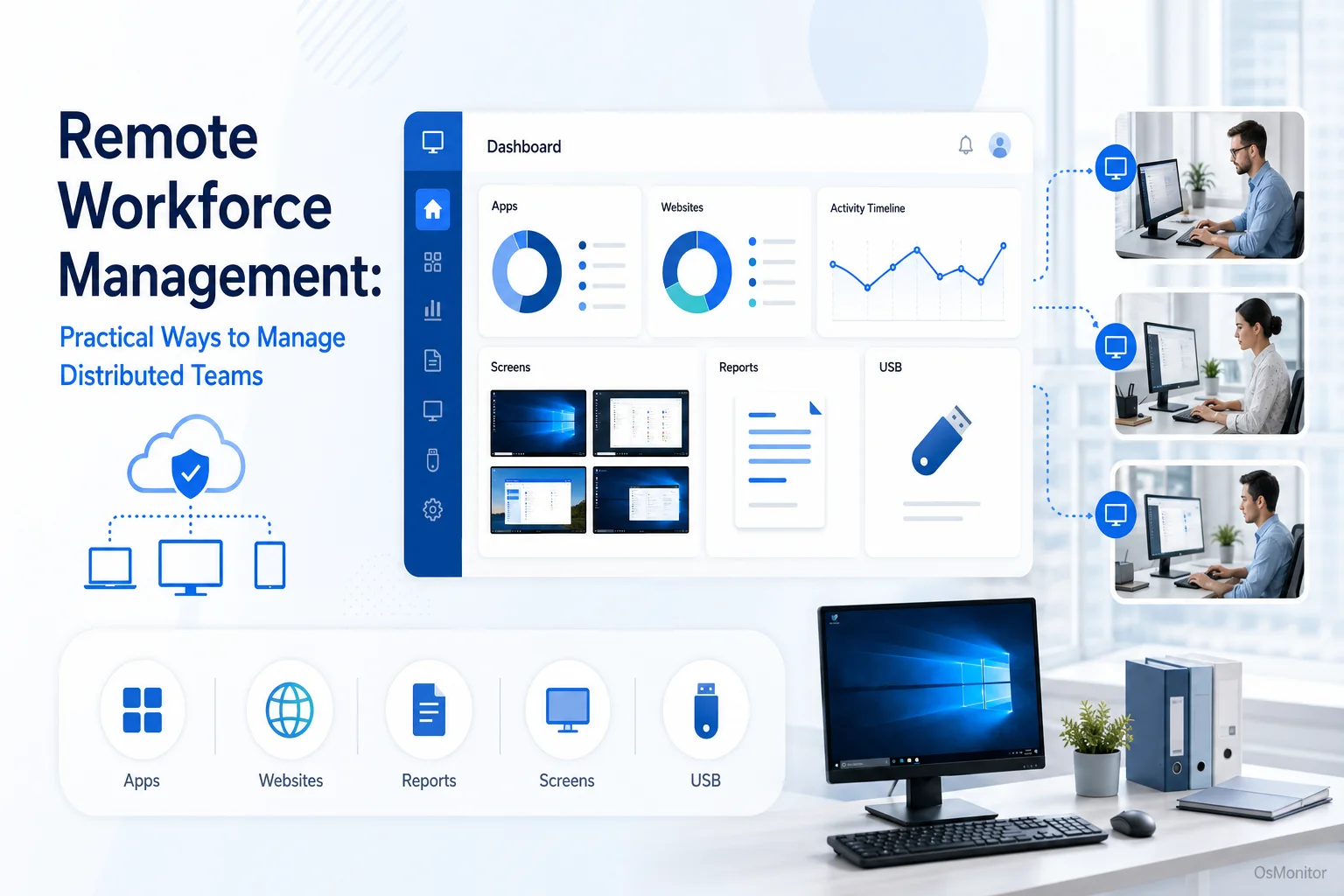
A practical overview of remote workforce for workplace computer management.
Understanding Remote Workforce Management
When someone asks, “what is a remote employee?“, they usually picture someone working from their kitchen table. But a remote workforce also includes staff in tiny branch offices, field agents, and hybrid employee models. Remote workforce management is the IT framework—the policies and the tools—you use to secure and support these distributed teams. As companies expand beyond four walls, the demand for rock-solid remote monitoring & management software has exploded.
The primary IT challenges of managing a distributed team include:
- Data Security: Locking down sensitive company files on hardware sitting outside the main office firewall.
- Productivity Oversight: Verifying that off-site employees are engaged and using business applications effectively.
- IT Support: Delivering instant helpdesk assistance to a remote worker without physical access to their laptop.
- Policy Enforcement: Ensuring your Acceptable Use Policy is applied consistently, no matter where the PC is located.
Success hinges on deploying the right remote workforce tools to bridge the physical gap. This is why specialized software for remote monitoring is no longer optional; it is a mandatory asset for IT administrators and department heads.
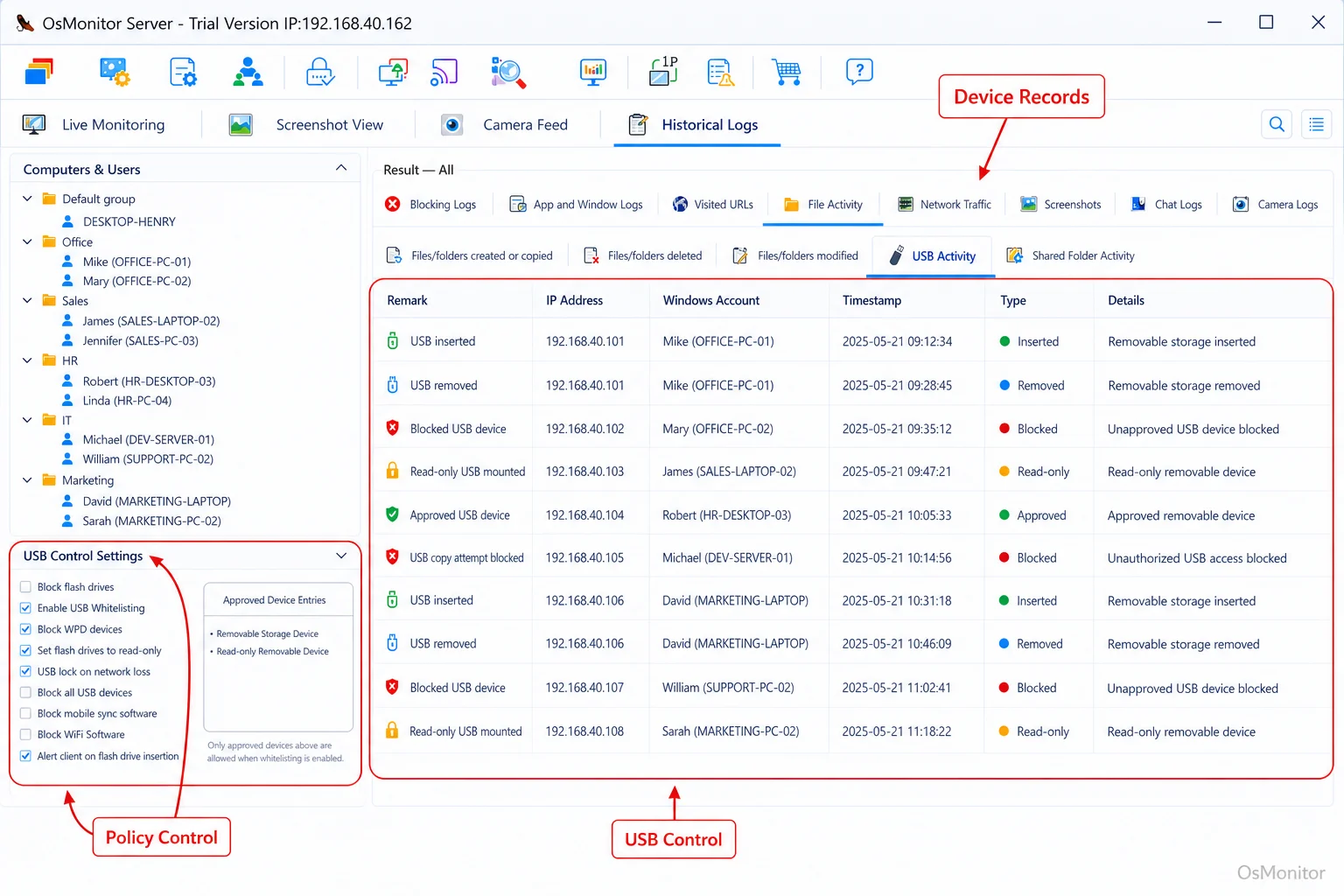
A real-product style screenshot highlighting usb and device control in OsMonitor.
A Practical Approach to Remote IT Management
OsMonitor is an incredibly stable workplace productivity and computer management suite built specifically for businesses that need practical oversight of their remote teams. Let’s be clear: it is not a bloated, overpriced enterprise SIEM platform. It is a highly focused tool for legal remote work monitoring and efficiency management. It gives IT admins direct insights into how company-owned Windows PCs are utilized, enforcing policies and improving workflows.
The software runs on a proven client/server model. You install the server console on a single management PC, which then connects with a tiny, lightweight client pushed to each remote worker’s machine. This architecture is the gold standard for remote site monitoring. It centralizes all data and controls in one place, accessible via your corporate VPN or a self-managed cloud server. This guarantees that your sensitive logs remain entirely under your company’s control.
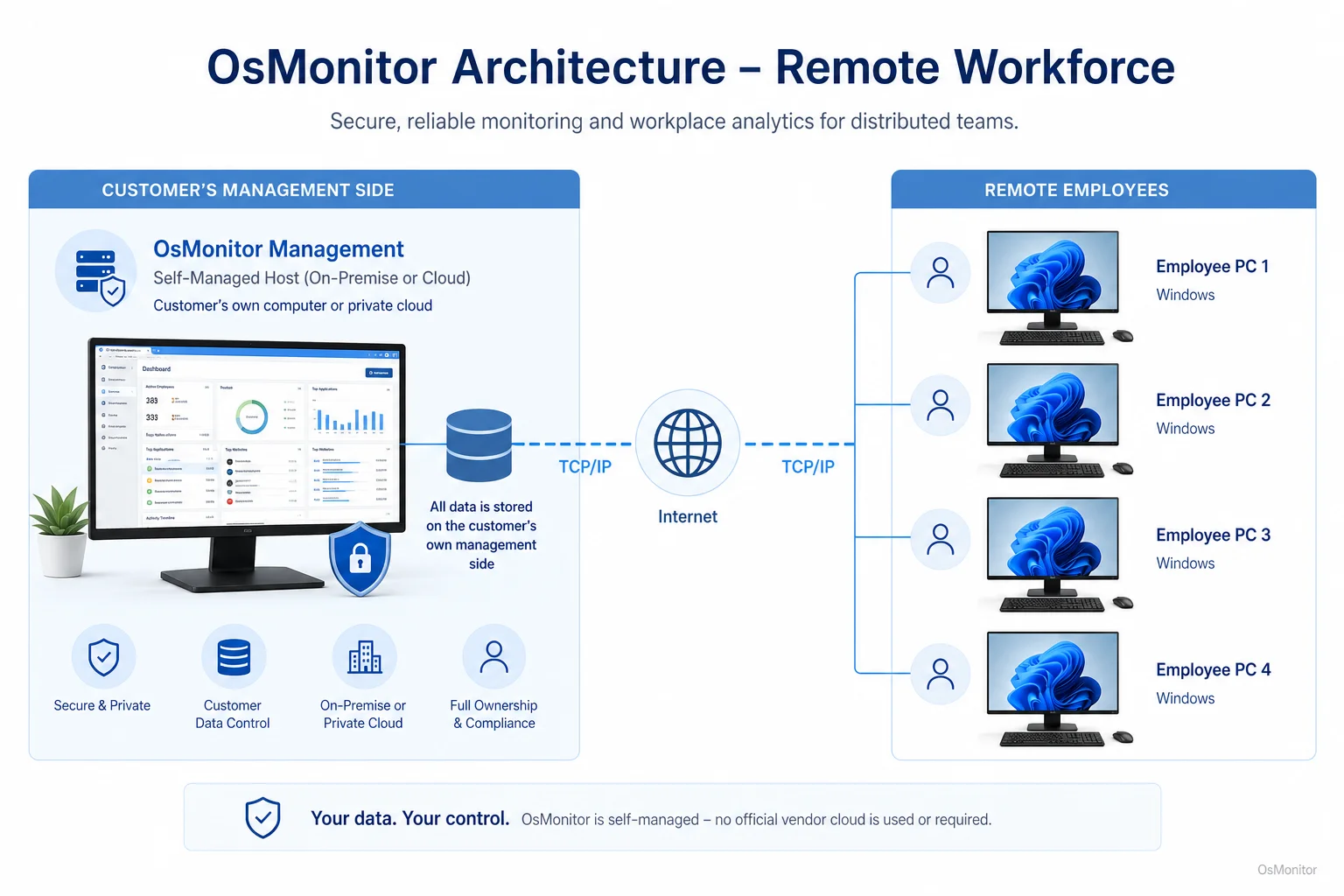
OsMonitor keeps monitoring data under the customer’s control on the management computer or self-managed server.
Core Features for Managing a Remote Workforce
A comprehensive remote work monitoring software suite must solve multiple problems at once. Here is how OsMonitor equips you to manage distributed Windows PCs.
Securing Data with Device and USB Controls
Going back to that manufacturing company’s problem: preventing unauthorized data transfer is paramount. OsMonitor tackles this directly with aggressive hardware controls:
- USB Port Blocking: Completely disable USB storage ports to stop physical data theft dead in its tracks.
- Read-Only Mode: Allow a remote worker to open files from a thumb drive, but prevent them from saving any company data back onto it.
- Device Logging: Build a strict audit trail by logging every instance a USB drive is plugged into a company machine.
- File Operation Records: Track file creation, deletion, and copying to external drives, giving you a clear history of document movement.
These are non-negotiable features for any business handling IP or financial data.
Enhancing Productivity with Activity Monitoring
If you want to know how to manage remote workers, you have to know how they spend their time. OsMonitor provides objective remote work time tracking based on actual OS activity, not manual stopwatches. Managers can pull reports on application and URL usage, clearly identifying productive focus time versus non-work browsing. This helps optimize workflows. For a deeper look at this, read our guide on Application Usage Monitoring for Employee Computers & Tools.
Maintaining Visibility with Screen Monitoring
For roles requiring tight QA or real-time collaboration, you need visual context. OsMonitor features live screen monitoring, allowing managers to view remote screens in real-time, just like walking past a desk in a physical office. It’s an incredibly powerful tool for training or verifying workflow, provided it is deployed transparently according to your HR policies.
Streamlining Remote Support and Communication
Technical issues destroy remote productivity. OsMonitor includes built-in remote access device monitoring and control. IT staff can securely take over an employee’s mouse and keyboard to troubleshoot issues instantly. This eliminates the agonizing back-and-forth phone calls and gets your team back to work faster.
On-Premise Data Control for Your Remote Team
Here is the biggest differentiator: unlike the endless wave of SaaS solutions, OsMonitor keeps your monitoring data entirely within your own infrastructure. Your logs are stored on your management PC or your self-managed server—never on a vendor’s cloud.
This on-premise model means the system functions flawlessly offline within a Local Area Network (LAN). For a remote workforce, you deploy it over a VPN, creating a highly secure, private channel for remote it management software without exposing your sensitive logs to the public internet. This makes it an elite On-Premise Employee Monitoring Software choice for organizations prioritizing data sovereignty.
Use Cases for Remote Workforce Tools
This software adapts perfectly to the specific demands of different business models.
| Industry/Team Type | Key Challenge | How OsMonitor Helps |
|---|---|---|
| Manufacturing | Protecting IP (CAD drawings, specs) | USB read-only/blocking, file operation logs, document backup. |
| Small Business | Managing a remote team with limited IT | Application/website usage reports, instant remote assistance. |
| Remote Call Center | Tracking on-task agent performance | Real-time screen viewing, active app tracking, strict website filtering. |
| Design Agency | Securing large client project files | Document backup, device control, precise activity logs for billing. |
| Financial Services | Enforcing strict compliance policies | Undeniable activity records, URL blocking, heavy data transfer controls. |
Responsible Use and Implementation
If you want to successfully build a remote team, trust is essential. You must be transparent. We strongly advise writing a clear Acceptable Use Policy detailing exactly what is monitored on company hardware. OsMonitor is built for authorized, legal business use on company-owned PCs. Always consult local legal counsel to ensure your remote worker management software deployment complies with regional privacy laws.
Frequently Asked Questions (FAQ)
What is a remote workforce?
It encompasses any employee performing their duties outside a centralized corporate office. This includes full-time WFH staff, hybrid employees, satellite office teams, and field agents.
Is monitoring a remote workforce legal?
In most jurisdictions, yes. Businesses have the right to monitor the use of company-owned hardware for legitimate reasons (security, productivity). However, privacy laws vary heavily by region. You must maintain transparency and consult local legal counsel before deployment.
Does remote work monitoring software require installation on employee PCs?
Yes. Robust remote monitoring and management tools like OsMonitor utilize a secure client/server model. A lightweight client must be installed on each endpoint to enforce policies locally.
Where is the monitoring data stored?
Your data stays with you. All logs and screen captures are stored exclusively on your own management computer or your self-managed server. We do not use third-party vendor clouds.
Can OsMonitor work in a local network without internet?
Absolutely. It is fully designed to operate flawlessly within a closed Local Area Network (LAN) without any internet connection, which is vital for high-security environments.
What Windows versions does this remote IT management software support?
It supports Windows 7, 8, 10, and 11, along with Windows Server editions (both 32-bit and 64-bit).
If you need a secure, reliable remote monitoring solution to manage your distributed team, a self-hosted platform is the best path forward. Download OsMonitor Free Trial to test the full suite of features securely on your own network.