What Is Productivity Software? Definition and Examples
I had a call recently with a founder whose project deadlines were constantly slipping. He suspected the root cause was excessive time spent on games, video streaming, and social media during work hours. The problem? He had no proof. He wanted to reduce these distractions and keep a clear record of web access for management review, but he didn’t know where to start. If you are in the same boat, you’ve probably started Googling, trying to figure out exactly what is productivity software and how it can help.
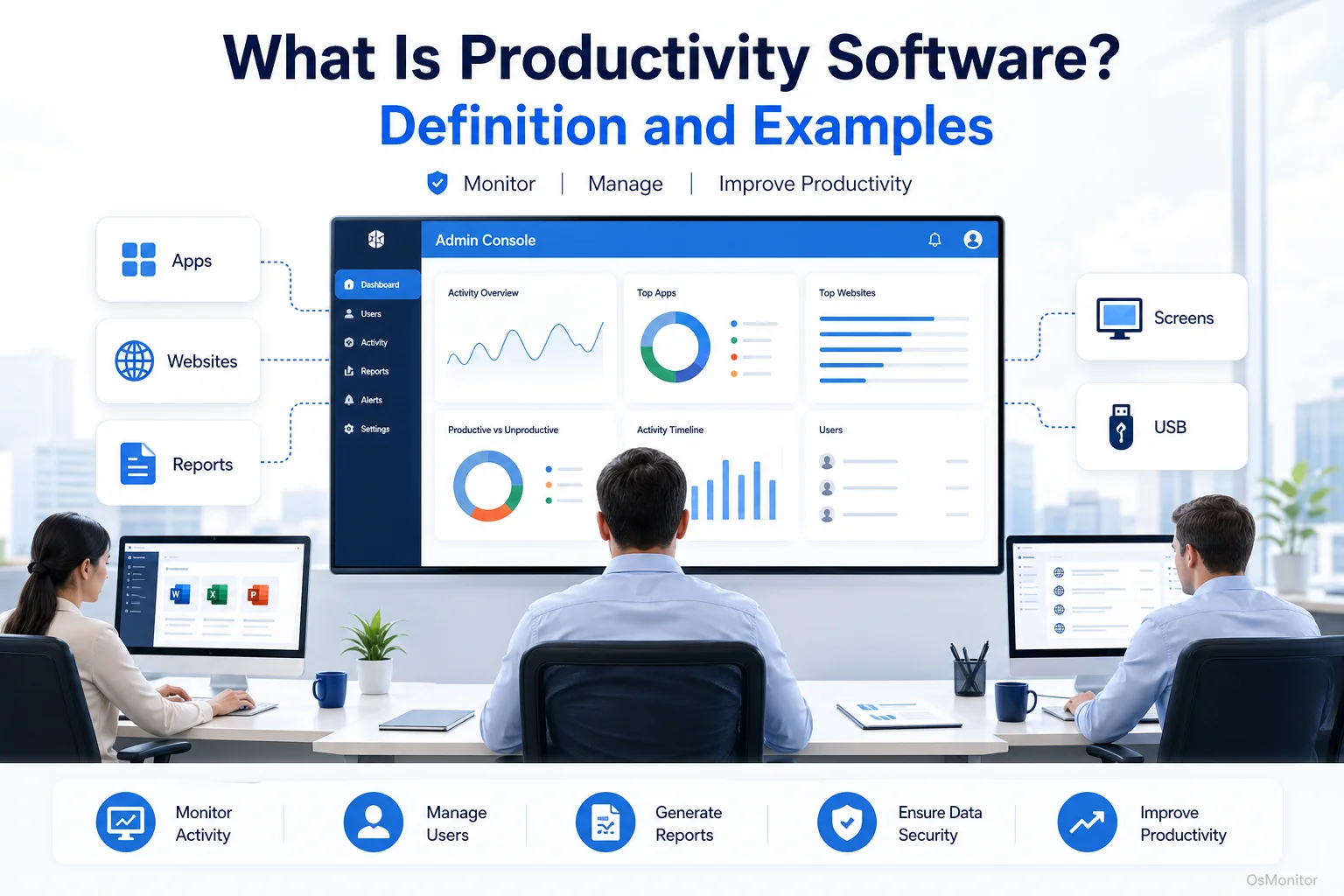
A practical overview of what is productivity software for workplace computer management.
Understanding the Productivity Software Definition
In the business world, the productivity software definition is split into two very different categories. The first category includes the tools you use every day to create work—think Microsoft Word, Excel, or Slack. If you ask a consumer what are productivity programs, this is usually their answer.
However, when IT managers and business owners search for a productivity software definition and examples, they are almost always looking for the second category: IT management tools designed to measure, analyze, and manage how company computers are utilized. This type of software gives you objective data on application and website usage, helping you understand where the hours go and enforce acceptable use policies. This article focuses strictly on this second, management-oriented definition.
These tools are not built to micromanage; they are built to give you clarity. They answer the questions you can’t solve on your own:
- Are expensive company hardware resources actually being used for business?
- Which applications and websites are dominating my team’s workday?
- Are there patterns of non-work activity directly correlating with missed deadlines?
By providing undeniable, data-driven answers, this software allows management to make smart decisions that improve operational efficiency.
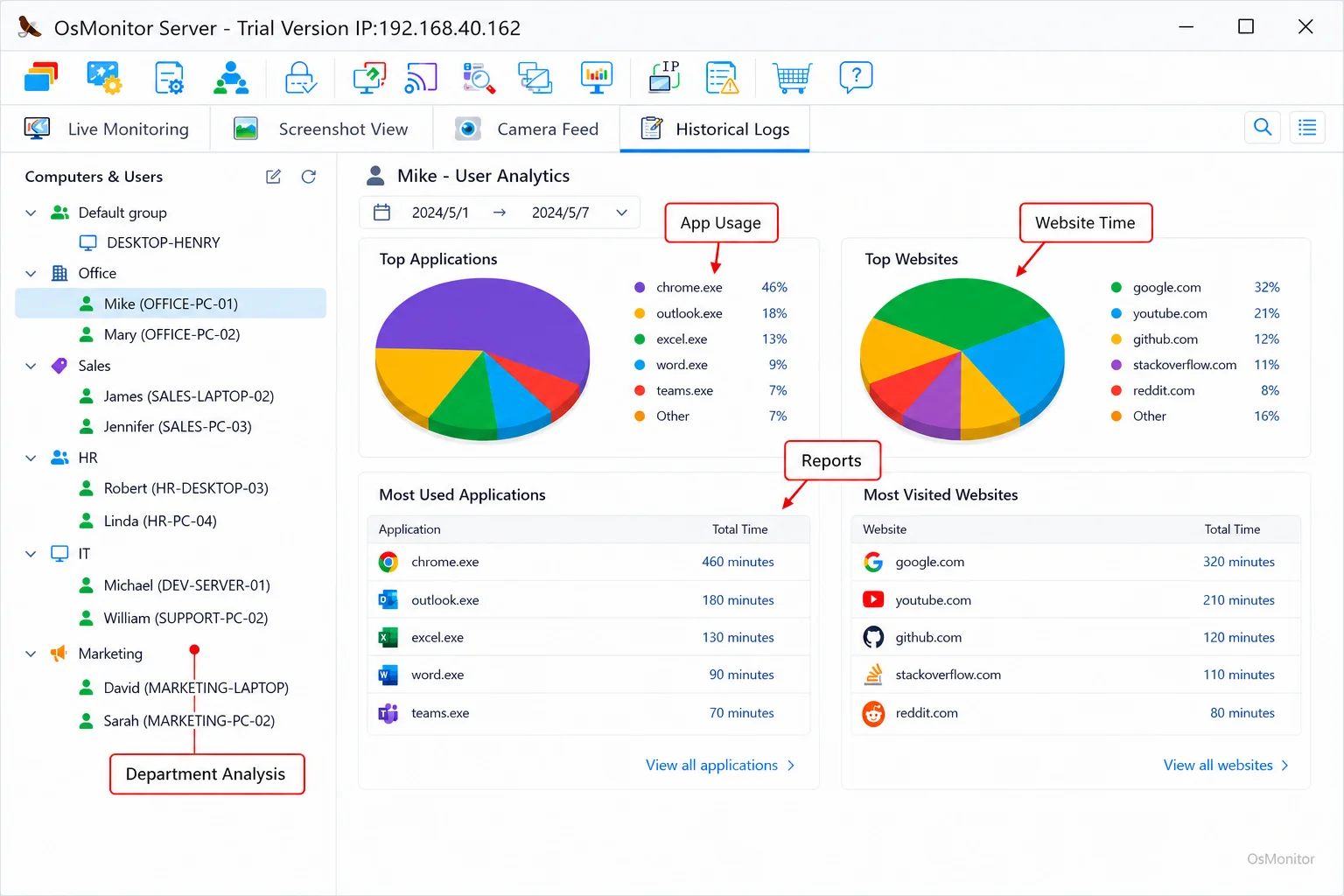
A real-product style screenshot highlighting application and productivity reports in OsMonitor.
What Problems Does This Software Solve?
Businesses don’t invest in workplace management tools out of sheer curiosity. They invest to solve specific, tangible challenges that drag down the bottom line.
Lack of Visibility into Resource Use
Without objective data, you simply cannot know how company-owned computers or software licenses are being utilized. You might not realize that twenty hours a week are lost to non-productive browsing, or that your expensive Adobe Creative Cloud subscriptions are sitting idle. Tools like Employee Activity Monitoring Software provide the objective data needed to spot these inefficiencies instantly.
Inconsistent Policy Enforcement
Almost every company has an Acceptable Use Policy (AUP). The problem is that manual enforcement is impossible. You can’t stand behind everyone’s desk all day. Productivity software automates enforcement by actively blocking access to prohibited websites and applications, ensuring your rules apply equally to everyone on the network.
Unfair Workload Distribution
Data often reveals hidden workload imbalances. If your logs show one team member consistently working late inside your core CRM, while another’s logs show massive idle time or heavy non-work browsing, you have a clear indicator that tasks need to be redistributed before burnout happens.
Security and Bandwidth Concerns
Heavy use of video streaming, online games, or unauthorized file-sharing apps consumes massive network bandwidth, grinding critical business operations to a halt. Furthermore, those sites are prime vectors for malware. Monitoring and controlling access mitigates these significant IT risks.
Key Metrics and Features of Workplace Productivity Software
When looking for what is productivity software examples, the best tools move beyond simple screenshots to provide actionable insights. They achieve this through a core set of features.
- Application Usage Monitoring: Logs exactly what executables are running and tracks the active time. This lets you distinguish instantly between hours spent in a CRM versus hours spent in a video game.
- Website Browsing History: Logs every URL visited, page titles, and the active duration of the visit. This is your primary tool for identifying non-work-related internet use.
- Productivity Reports: Aggregates massive amounts of raw data into clean reports for individuals or departments. These highlight top activities and provide a factual basis for performance discussions.
- Real-Time Alerts and Blocking: Allows IT admins to set strict rules blocking specific sites or unauthorized apps, immediately enforcing the Acceptable Use Policy.
Here is a simple framework for classifying common computer activities:
| Activity Category | Productive Examples | Non-Productive Examples |
|---|---|---|
| Applications | CRM, CAD software, IDEs, Microsoft Office | PC games, media players (for entertainment) |
| Websites | Company intranet, industry news, research | Social media, video streaming, online shopping |
| File Transfers | Uploading work files to a secure server | Downloading personal movies or large game files |
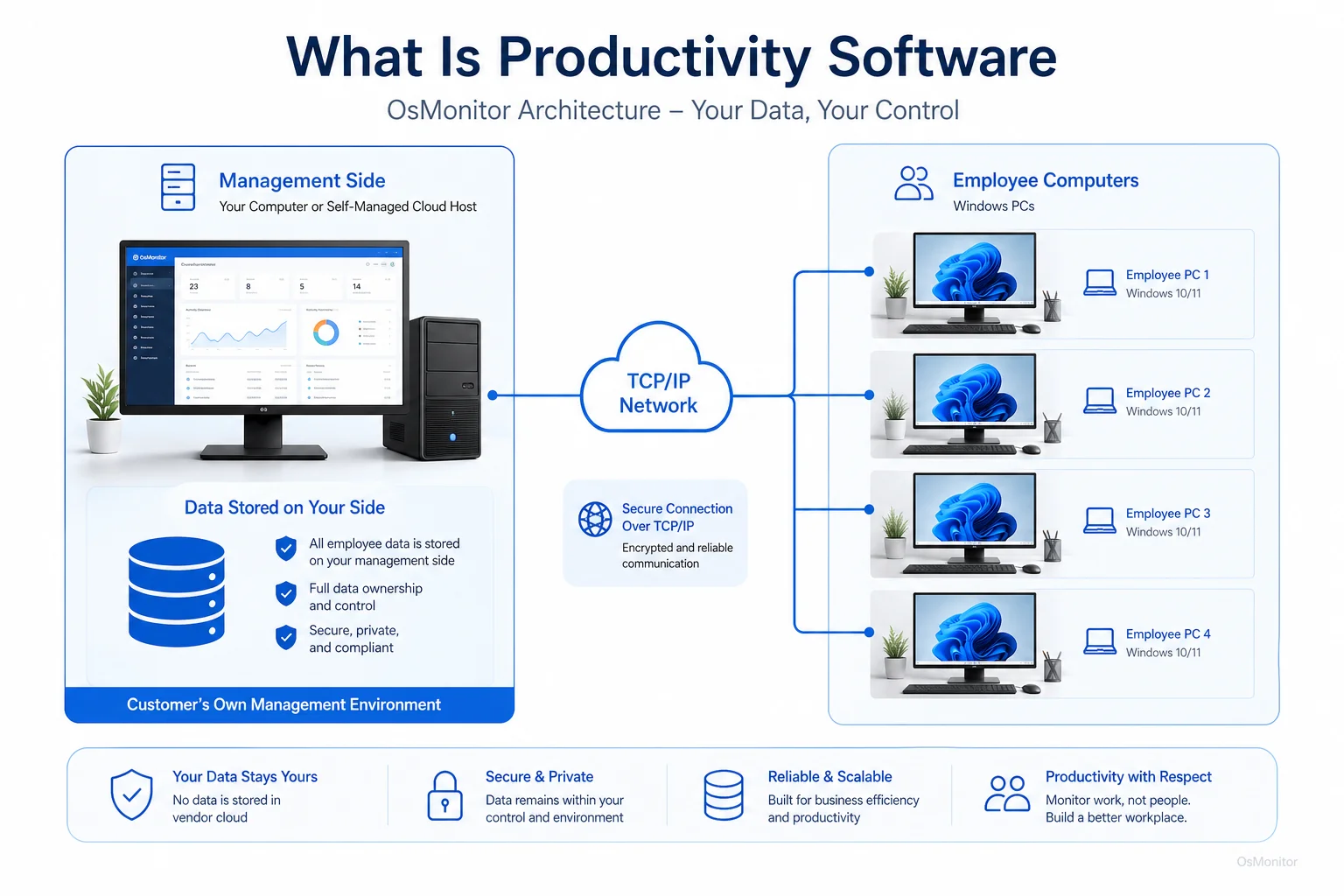
OsMonitor keeps monitoring data under the customer’s control on the management computer or self-managed server.
Software as a Tool, Not a Replacement for Management
It is vital to understand that this software is a tool to support good management, not replace it. Raw data without context can be misleading. The goal is to foster a more efficient work environment, not a culture of anxiety.
Focus on Policy First: Before deploying any software, write a clear, formal policy on computer and internet usage. Your staff must know exactly what is expected of them.
Use Data for Conversations: If a report shows heavy non-productive activity, don’t just send a warning email. Use it to start a constructive conversation. There might be a legitimate issue, like a bottleneck waiting for another department, or a lack of assigned work.
Combine with Other Metrics: Computer activity logs are just one piece of the puzzle. They should be reviewed alongside project completion rates and sales figures. Effective Productivity Tracking Software for Workplace Teams gives you the missing data you need to make fully informed decisions.
A Note on Transparency and Legal Use
When implementing any IT management tool, transparency is non-negotiable. It is an industry best practice—and in many jurisdictions, a strict legal requirement—to inform employees that company-owned hardware is subject to monitoring. Put it clearly in your employee handbook.
OsMonitor is built specifically for authorized, legal business use on company-owned Windows computers. We strongly advise that you consult local legal counsel to ensure your deployment complies with all applicable regional privacy and labor laws.
Frequently Asked Questions (FAQ)
What is productivity software?
In IT management, it refers to software suites that track, analyze, and manage how employees utilize company-issued computers. It gathers objective data on application and website usage to ensure hardware is used securely and efficiently for business purposes.
Is using productivity software legal for businesses?
In most jurisdictions, yes. Employers generally have the legal right to monitor the use of their own hardware. However, laws vary heavily by region. You must maintain transparency, establish a written policy, and consult local legal counsel before deployment.
Does OsMonitor require a client on employee computers?
Yes. It uses a secure client/server model. A lightweight client application must be installed on each endpoint you intend to manage so it can communicate with your central server console.
Where is OsMonitor monitoring data stored?
Your data stays with you. All logs and screen recordings are stored directly on your own management computer or internal server. As a strict On-Premise Employee Monitoring Software, we never store your data on our vendor clouds.
Can OsMonitor work without internet in a LAN?
Absolutely. It is fully designed to operate flawlessly within a closed Local Area Network (LAN) without any internet connection, making it ideal for high-security environments.
What Windows versions does OsMonitor support?
It supports Windows 7, 8, 10, and 11, along with Windows Server editions (both 32-bit and 64-bit).
If you are ready to stop guessing and start managing your team with clear, objective data, a robust management suite is the way forward. Download OsMonitor Free Trial to explore these features securely within your own network.