Employee Wellbeing and Burnout: What Workplace Data Can and Cannot Tell You
When managers search for signs of burnout at work, they are usually not looking for a medical checklist. They are trying to understand whether a change in behavior is just a normal dip in focus, a workload problem, or an early warning sign that someone is struggling.
For example, a small business may notice more time being spent on games, video sites, entertainment websites, or other non-work browsing during office hours. The first reaction may be to block those websites. Sometimes that is appropriate. But a better manager will also ask a second question: is this only a policy issue, or is it connected to disengagement, overload, unclear work, or poor employee wellbeing?
Workplace data cannot diagnose burnout. It can, however, show patterns that deserve attention. Website access records, application usage reports, active time, idle time, and changes in computer activity can help managers ask better questions before small problems become bigger ones.
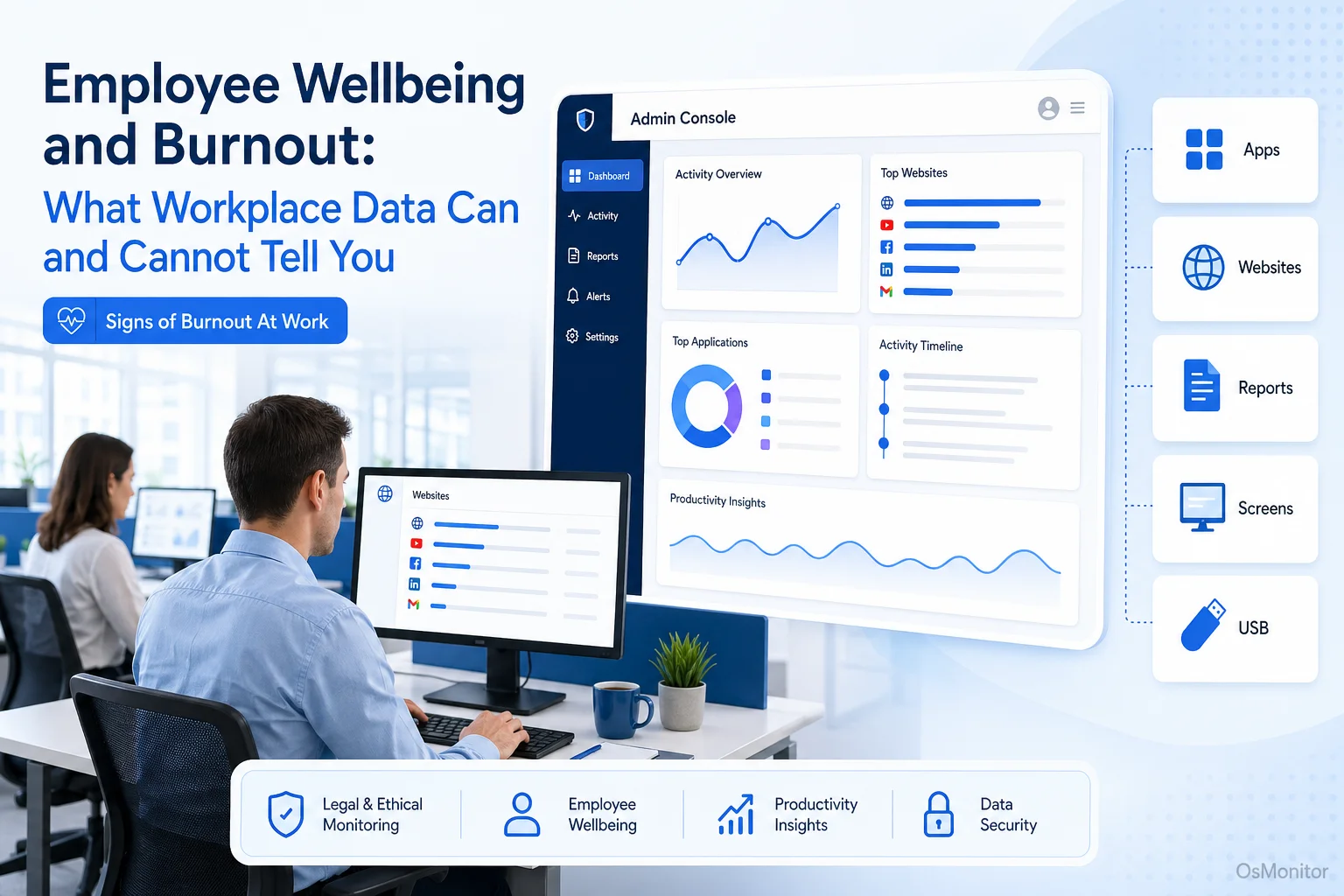
A practical overview of signs of burnout at work for workplace computer management.
Understanding the Digital Signals of Employee Burnout
Employee burnout is often described as long-term physical, emotional, and mental exhaustion caused by ongoing workplace stress. In real business terms, it may show up as lower focus, reduced output, emotional distance from work, more mistakes, slower responses, or a noticeable change in work habits.
Common signs of employee burnout may include:
- Lower energy and reduced motivation.
- More frequent mistakes or missed deadlines.
- Withdrawal from team communication.
- Loss of focus during normal work hours.
- Working unusually long hours for extended periods.
- Strong swings between intense activity and long inactive periods.
- Increased distraction or avoidance behavior.
- Reduced use of core work tools.
In a digital workplace, some employee burnout signs may appear in computer usage patterns. For example, a person who normally works steadily in business applications may start switching between tools constantly, spending more time on unrelated websites, or working late into the night to catch up.
These patterns do not prove burnout. They are signals, not conclusions. But they can help managers notice when something has changed.
Employee wellbeing in the workplace should not be treated as a soft HR topic only. It affects productivity, retention, quality of work, customer service, and team morale. The benefits of employee wellbeing include better focus, healthier workloads, stronger engagement, and fewer avoidable performance problems.
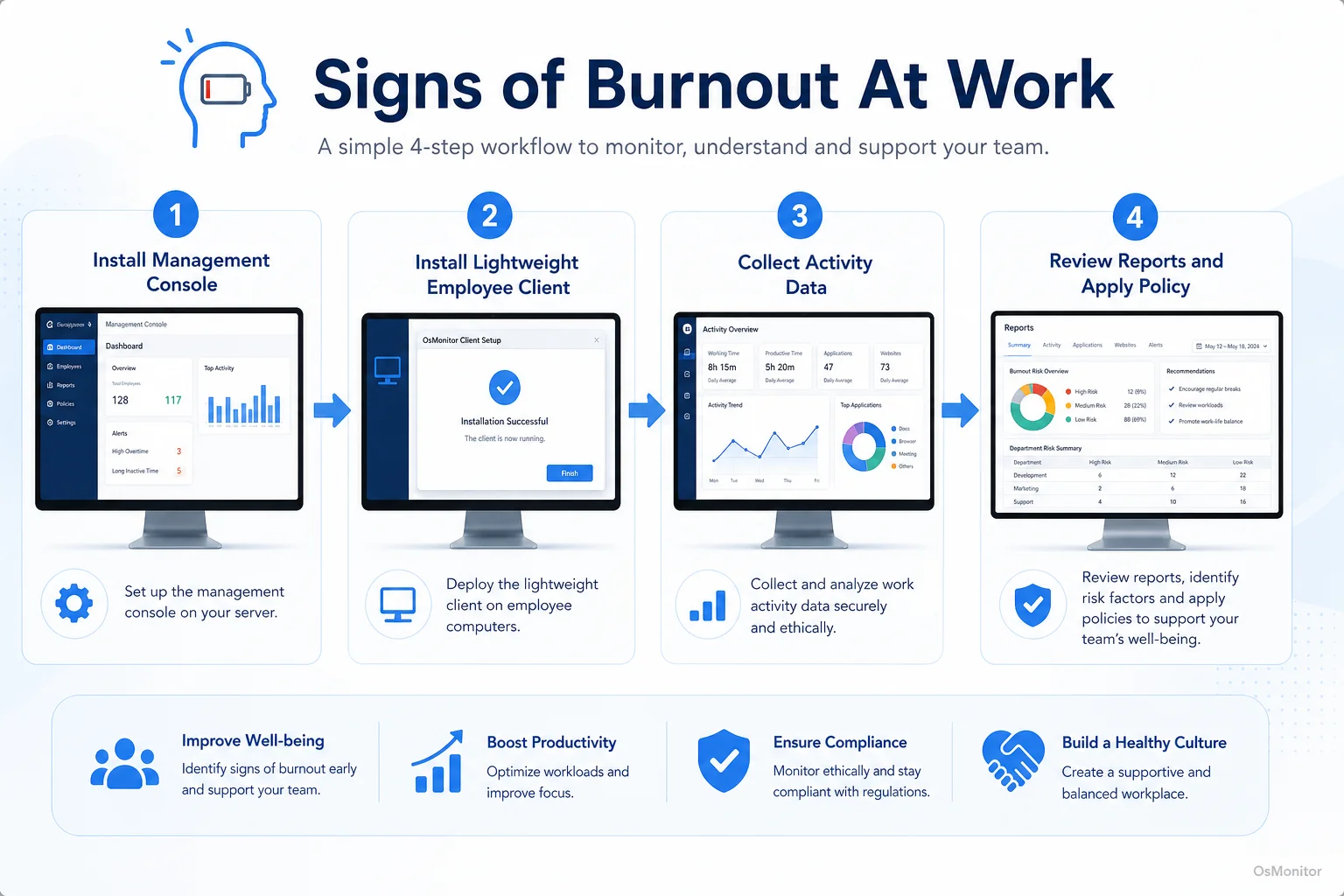
A simple workflow showing how workplace signals can support signs of burnout at work.
What Workplace Data Can (and Cannot) Reveal
Workplace computer activity data can be useful, but it must be interpreted carefully. Good managers use data as a starting point for support, not as a final judgment.
What Data Can Show
Computer activity data can help managers see trends that are hard to notice through casual observation. An Employee Activity Monitoring Software solution like OsMonitor can provide reports on website activity, application usage, active time, idle time, screen activity, and department-level patterns on company-owned Windows PCs.
| Observable Digital Signal | Potential Underlying Cause Related to Burnout |
|---|---|
| Increased time on social media, news, or entertainment sites | Mental disengagement, avoidance, or a need to escape overwhelming tasks. |
| Frequent switching between applications | Difficulty concentrating, unclear priorities, or too many competing tasks. |
| Consistently working late into the night | Heavy workload, unrealistic deadlines, or pressure to catch up after interruptions. |
| Reduced use of collaboration or core work tools | Withdrawal from the team, low motivation, or unclear direction. |
| Long periods of idle time | Blocked work, low motivation, unclear tasks, or possible exhaustion. |
This kind of data can support measuring employee wellbeing at a team level. For example, if one department shows a sudden rise in late-night activity, increased non-work browsing, and lower use of core business software, the issue may not be individual laziness. It may be workload pressure, unclear priorities, poor tools, or weak management support.
Some people search for phrases such as “measuring team burnout risk with performance metrics” or “tools to detect early signs of employee burnout.” A clearer way to think about it is this: workplace data can help identify risk patterns, but managers still need human conversations to understand the cause.
What Data Cannot Show
Workplace data cannot show an employee’s emotional state. It cannot tell whether someone is exhausted, anxious, frustrated, dealing with personal stress, or simply having a difficult week.
It also cannot prove the causes of employee burnout. A spike in entertainment website visits might suggest disengagement, but it might also mean the employee is taking short breaks after intense tasks. Late-night work could mean overload, but it could also reflect a flexible schedule that the employee prefers.
Data shows patterns. It does not explain the whole person.
This is why employee burnout prevention should never rely only on dashboards. Reports can help managers notice changes, but they must be paired with communication, fair workload review, realistic deadlines, and a culture where employees can ask for help.
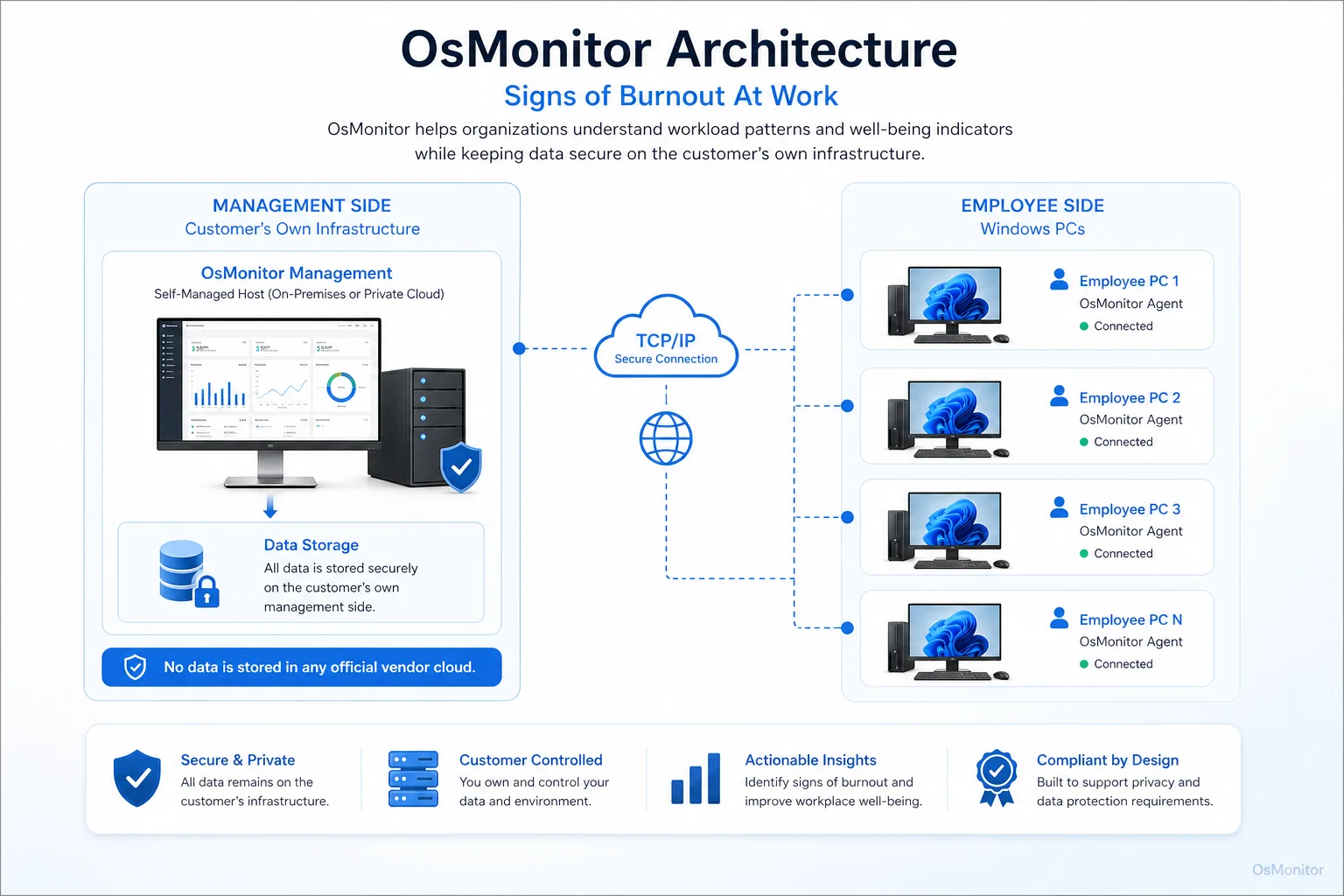
OsMonitor keeps monitoring data under the customer’s control on the management computer or self-managed server.
Balancing Technology with Human-Centric Solutions
Technology can help flag possible issues, but employee burnout solutions are usually human and organizational. Managers need to look at workload, deadlines, staffing, tools, communication, and team culture.
When Software Helps:
- Establishing Baselines: Understand normal application usage, website activity, active time, idle time, and work patterns for different roles.
- Identifying Trends: Spot changes across a team or department that may indicate overload, disengagement, or workflow friction.
- Starting Better Conversations: Use reports to ask practical questions such as “Is the workload manageable?” or “Are these tools slowing the team down?”
- Reviewing Policy Patterns: Understand whether company computer and internet usage policies are being followed consistently.
- Supporting Remote and Hybrid Teams: Help managers understand work patterns when employees are not all in the same office.
When Policy and Process Changes Are Needed:
- Addressing Root Causes: If reports show constant overwork, the answer is not more reporting. The answer may be better staffing, clearer priorities, adjusted deadlines, or improved tools.
- Improving Psychological Safety: Employees should feel safe raising workload concerns before burnout becomes serious.
- Protecting Work-Life Balance: Encourage reasonable working hours, breaks, vacation use, and after-hours boundaries.
- Training Managers: Many employee burnout causes and cures are connected to management quality, workload planning, and communication.
- Providing Wellbeing Resources: Employee wellbeing programs, mental health resources, and workload support can help reduce long-term stress.
Some search terms, such as “hybrid employee wellbeing platform,” “remote employee wellbeing platform,” “remote employee well-being vendor,” or “hybrid employee well-being companies,” usually refer to broader wellbeing or HR platforms. OsMonitor is not a wellbeing platform in that HR sense. It is a workplace computer activity management tool that can provide useful operational signals for companies that want to support employee wellbeing with clearer data.
For example, a hybrid employee wellbeing program may include surveys, manager training, flexible work policies, health resources, and workload reviews. OsMonitor can support the data side by showing computer usage patterns on company-owned Windows PCs.
OsMonitor, as an On-Premise Employee Monitoring Software, keeps collected data on the customer’s own management computer or self-managed server. That gives the business more direct control over how workplace activity records are stored, accessed, and used.
Implementing Monitoring with Transparency and Trust
Any computer activity management system should be introduced carefully. If employees feel that data is being used unfairly, trust will suffer. If the system is explained clearly and used responsibly, it can support better workload conversations, fairer policy enforcement, and stronger employee wellbeing.
Before deploying workplace computer management software, businesses should:
Create a Clear Policy: Explain what may be reviewed, why it is reviewed, who can access reports, and how long records are kept.
Notify Employees: Make sure employees understand that company-owned computers may be managed and reviewed for legitimate business purposes.
Focus on Company-Owned Devices: Keep monitoring limited to business computers and business use cases.
Use Data Responsibly: Look for patterns and support needs. Avoid punishing employees for isolated breaks or single activity records without context.
Limit Report Access: Only authorized managers or IT staff should be able to view sensitive activity records.
Combine Data with Conversations: If a report shows possible overload or disengagement, follow up with a respectful conversation.
Consult Legal Counsel: Employment and privacy laws vary by country, state, province, and industry. Businesses should get qualified legal advice before implementing any monitoring or wellbeing-related data program.
This is also how to create a burnout-resistant workplace culture using data analytics: use data to identify workload problems earlier, not to blame employees faster.
Preventing burnout at work requires both evidence and empathy. Data can show when work patterns change. Managers must still listen, understand, and act.
Frequently Asked Questions (FAQ)
What are signs of burnout at work?
Signs of burnout at work may include exhaustion, reduced motivation, lower productivity, increased mistakes, missed deadlines, withdrawal from team communication, cynicism, and difficulty focusing. In computer-based work, possible digital signals may include increased distraction, unusual work hours, reduced use of core business tools, or unstable activity patterns.
What is employee wellbeing?
Employee wellbeing means the overall physical, mental, emotional, and work-related health of employees. In the workplace, it includes manageable workload, psychological safety, healthy work-life boundaries, useful tools, fair policies, and access to support when employees need help.
How can workplace data help prevent employee burnout?
Workplace data can show changes in work patterns, such as long hours, frequent idle time, increased non-work browsing, reduced use of core applications, or heavy activity with few breaks. These signals can help managers start supportive conversations, review workloads, improve tools, and adjust policies before problems become worse.
Can software diagnose employee burnout?
No. Software cannot diagnose burnout or explain an employee’s emotional state. It can only show activity patterns. Managers should treat data as a starting point for careful review and human conversation, not as proof of burnout.
Is monitoring for signs of employee burnout legal?
In many regions, businesses may review activity on company-owned computers for legitimate business purposes when there is a clear policy and employees have been properly notified. However, laws vary by country, state, province, and industry. Businesses should consult qualified legal counsel before implementing computer activity monitoring or employee wellbeing data programs.
How can managers reduce employee burnout?
Managers can reduce employee burnout by setting realistic workloads, clarifying priorities, improving staffing where needed, reducing unnecessary interruptions, supporting breaks and time off, providing useful tools, and encouraging employees to speak up when work becomes unmanageable. Activity reports can help identify possible workload problems, but the solution usually requires management action.
Does OsMonitor require a client on employee computers?
Yes. OsMonitor uses a client/server model. The management console runs on a manager’s computer or self-managed server, and a lightweight client must be installed on each employee Windows computer that the business wants to manage.
Where is OsMonitor monitoring data stored?
OsMonitor stores collected data on the customer’s own management computer or self-managed server. Normal activity records are not uploaded to an OsMonitor vendor cloud, giving the business direct control over workplace computer activity data.
Can OsMonitor work without internet in a LAN?
Yes. OsMonitor can work inside a local area network without requiring internet access for its core monitoring, reporting, and management functions.
What Windows versions does OsMonitor support?
OsMonitor supports Windows 7 and later versions, including Windows 10, Windows 11, and Windows Server editions. It supports both 32-bit and 64-bit Windows systems.
Employee wellbeing is not something a report can fully measure. But workplace activity data can help managers notice changes earlier, understand workload patterns better, and start more useful conversations.
Used transparently and responsibly, OsMonitor can support employee burnout prevention by providing application usage reports, website activity records, activity timelines, remote assistance, and on-premise data control. To see how OsMonitor can provide the data needed for better workplace conversations, Read the Quick Start Guide to learn more about its features.