Best Employee Time Tracking Software for Small Business: Finding the Truth Behind the Screen
When most owners search for the best employee time tracking software for small business, they are often met with a frustrating reality: almost every modern tool is sold as a “SaaS” (Software as a Service) subscription. This means you never truly own the software; you simply rent it, paying a recurring fee for every employee, every month, forever.
Before you commit to a monthly “subscription tax” that stores your business’s sensitive data on a third-party cloud, it is critical to understand how the right software should actually work. To find the truth behind the screen, you need to ask three fundamental questions:
- Cost: Why pay “monthly rent” for a management tool you will use for years, instead of owning it as a permanent company asset?
- Accuracy: If the software relies on a simple manual “clock-in” button, how do you know it isn’t recording “active time” while the employee is actually scrolling through their phone?
- Security: Why should your team’s daily activity logs and project details be stored on a vendor’s server instead of your own local network?
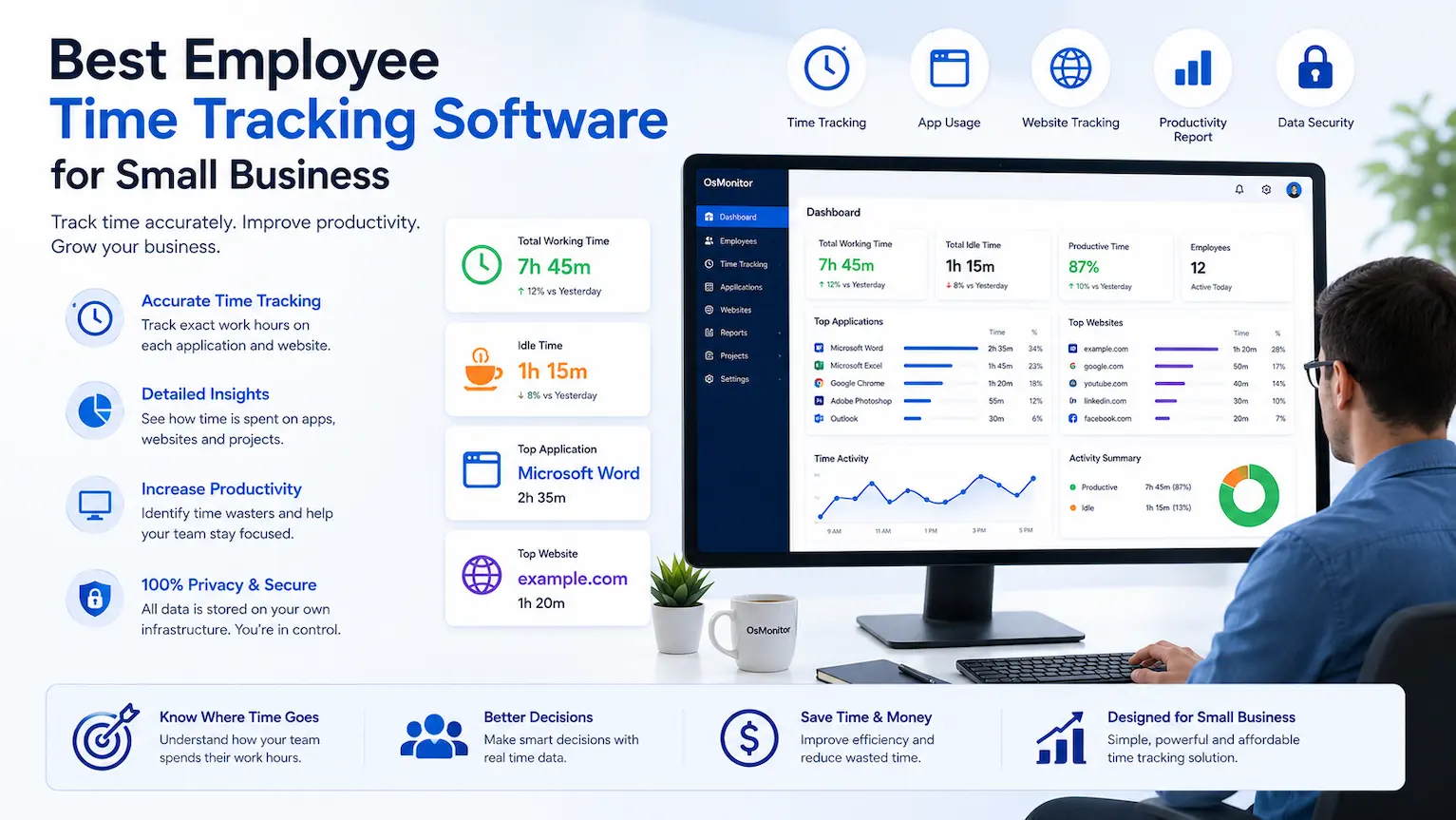
A smart approach to employee time tracking for small businesses focusing on ownership and verifiable productivity.
Identifying “Fake Work” with the Best Employee Time Tracking Software for Small Business
The biggest flaw in traditional time tracking is the reliance on manual input. An employee can easily open a Word document, click “Start,” and then walk away or play with their smartphone. To a basic timer, they look 100% productive. To your business, that is a direct loss of efficiency.
The best employee time tracking software for small business must be able to see through these “fake work” tactics. Instead of a simple stopwatch, professional solutions like OsMonitor use active-window detection and intelligent idle-time analysis. If a document is minimized or left in the background while the employee is distracted, the software automatically reclassifies that time. This shift from “reported time” to “verifiable activity” is what allows a small business to move from guessing to knowing.
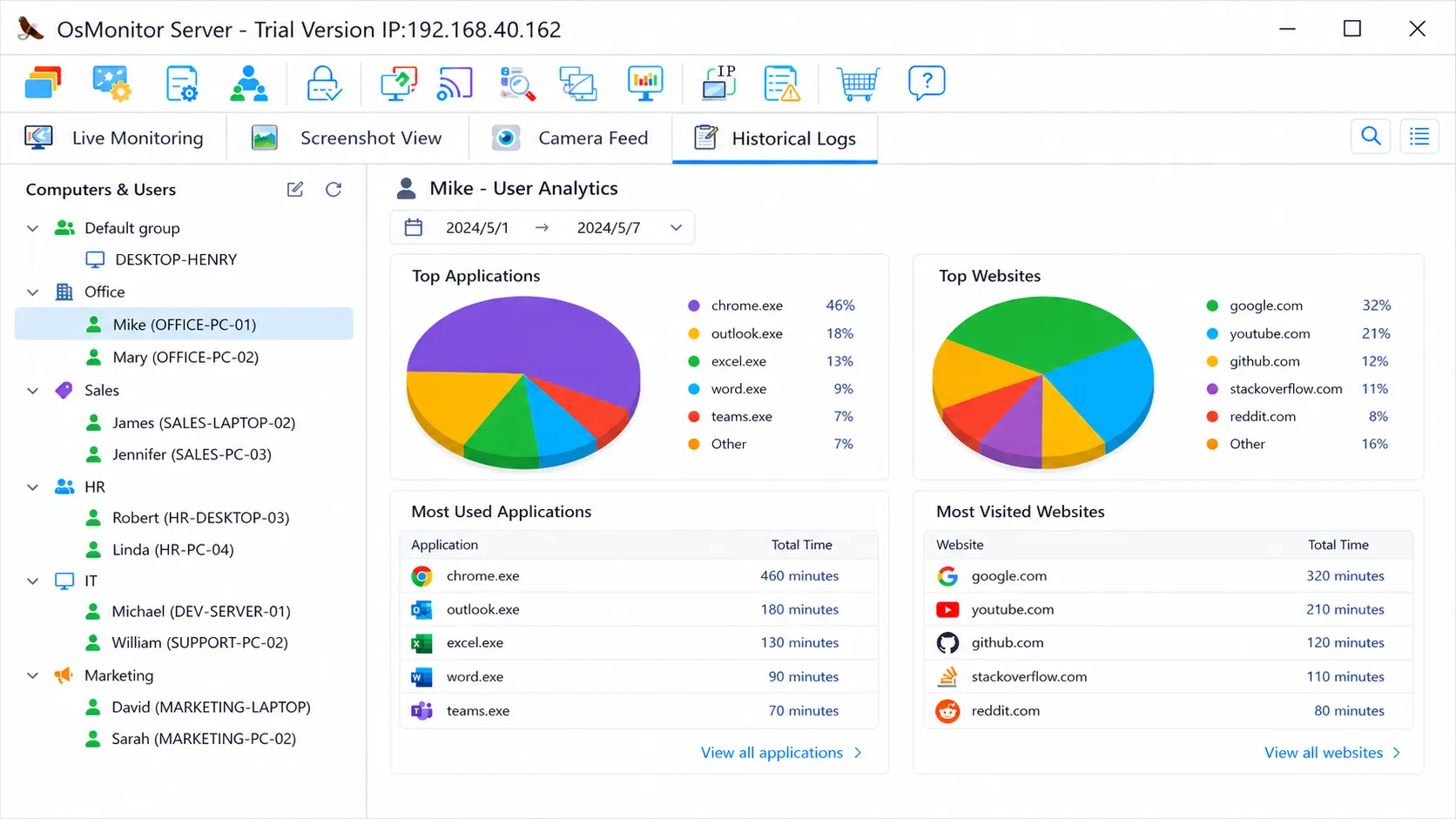
Productivity Analytics Dashboard: See the actual ratio of productive apps versus idle time or distractions.
Ownership vs. The “SaaS Tax”
Small businesses operate on tight margins. Paying $15 per user per month might seem small initially, but for a team of 15, that is $2,700 every year—a cost that never ends.
By choosing a one-time purchase, on-premise solution, you keep that capital in your business. You aren’t renting your productivity data; you own the software and the records it generates. Furthermore, because the data never leaves your Local Area Network (LAN), you eliminate the privacy risks associated with third-party cloud storage.
(Curious why automated insights beat manual timers every time? Read our deep dive on Time Tracking Software vs. Computer Activity Monitoring.)
Visual Proof for Total Clarity
Management is about clarity, not micromanagement. When a gap appears between “hours logged” and “work produced,” you need visual evidence to understand the cause. High-performance software provides a live screen matrix, allowing you to see the entire office’s progress in a single glance.
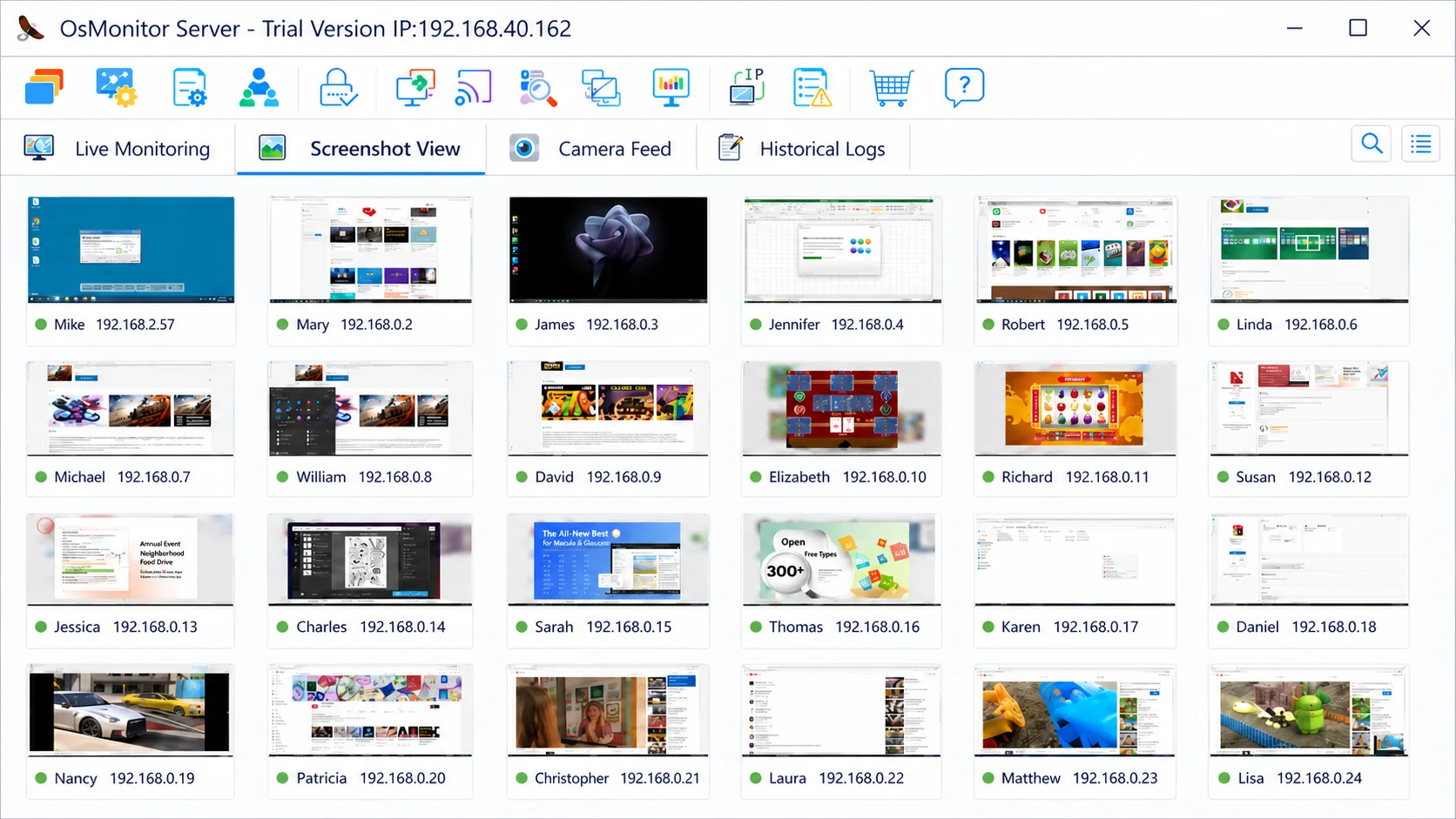
Live Screen Matrix: Replace manual timesheets with real-time visual verification.
(For a full breakdown of features your business needs, check out our guide on the Best Employee Time Tracking Software.)
Frequently Asked Questions
What environment is required to run the best employee time tracking software for small business?
One of the reasons OsMonitor is considered the best employee time tracking software for small business is its extreme simplicity. It does not require professional IT knowledge or any additional server hardware. It runs on any Windows 7 or newer PC (including Windows 10 and 11) and the installation package is incredibly lightweight (under 6MB). It is a “plug-and-play” solution designed for business owners who want results without technical complexity.
Will time tracking be inaccurate if an employee leaves a Word window open but plays on their phone?
No. Reliable employee time tracking software for small business must distinguish between a static window and active work. OsMonitor features configurable “Idle Time” detection. If there is no keyboard or mouse activity for more than 5 minutes (default), the software automatically reclassifies that period as “Idle” rather than “Active Work.” This ensures that playing with a phone while a document is open will not be counted as productive time.
Does this employee time tracking software for small business count time for minimized windows?
No. OsMonitor tracks the “active window” currently in use. If an employee minimizes Word or Excel to browse the web, the software stops counting time for the office application immediately. Your reports will always reflect what was actually active on the screen.
Can I generate reports for a specific Group or Department?
Yes. You can flexibly define Groups (e.g., Accounting, Sales, Developers) within the management console. This allows you to track and compare the collective productivity of an entire department over any period, helping you identify macro-level efficiency trends.
Where is the tracking data stored?
All logs and screen recordings are stored locally on your own management computer or internal server. OsMonitor is 100% on-premise, ensuring your company’s data remains private and secure within your own building.
If you are ready to own your tools instead of renting them, Download the OsMonitor Free Trial today. It takes less than 5 minutes to set up and requires no expert IT skills.