PC Monitoring Software for Office Computer Management
As an IT manager, when you need to get a handle on what’s happening across your office network, you usually face two bad choices: buy a massive, overly complex hardware appliance, or hand all your internal company data over to a third-party cloud platform and pay them forever. But there is a much more direct approach. You just need a lightweight, client/server-based pc monitoring software that runs quietly on your existing infrastructure. This type of self-hosted solution gives you total control over your activity logs, ditches the recurring subscription fees, and gives you a highly practical way to manage workplace productivity, enforce your IT policies, and provide remote support without overhauling your entire network.
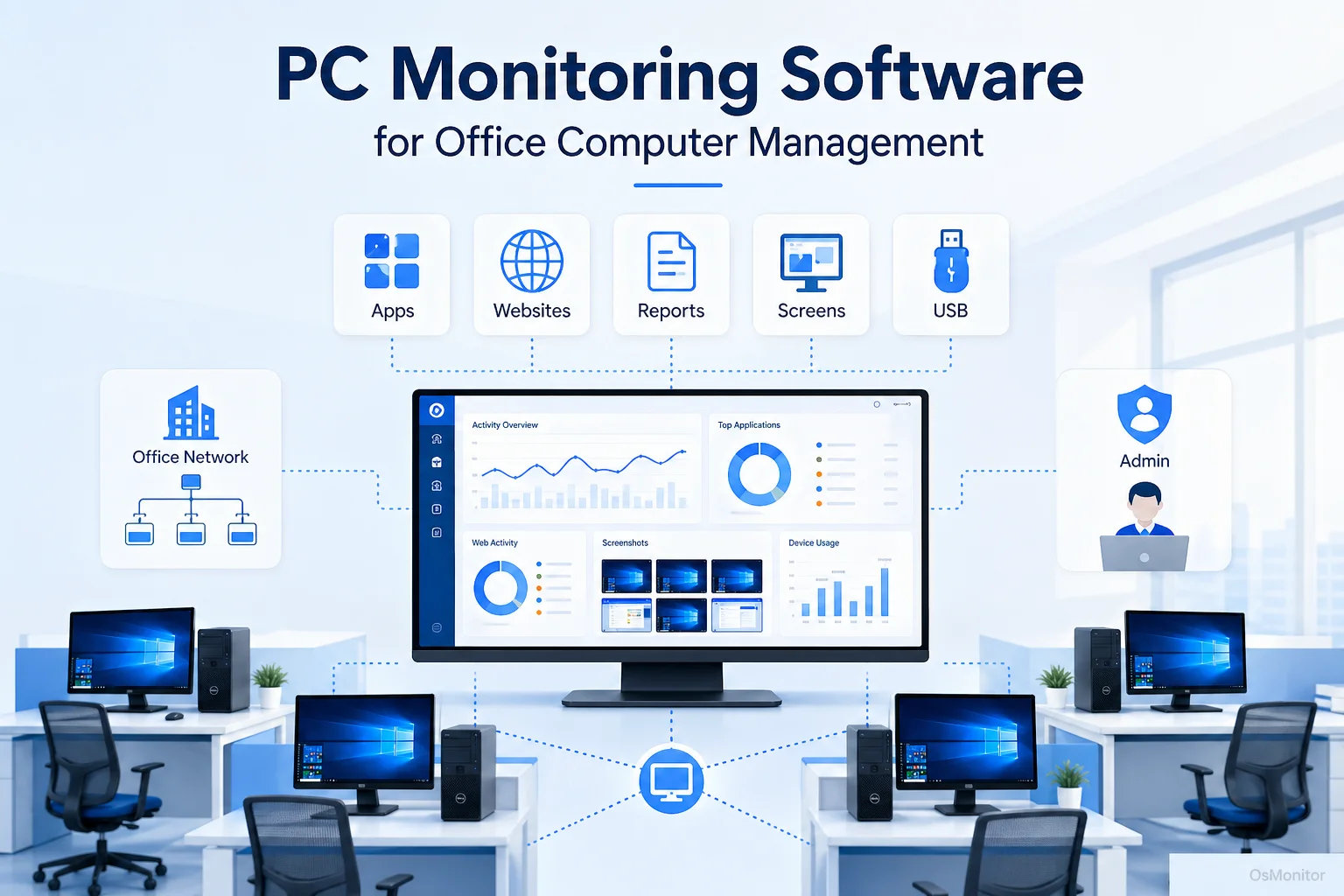
A practical overview of pc monitoring software for workplace computer management.
What is PC Monitoring Software and Who Needs It?
At its core, pc monitoring is simply a tool designed to help businesses supervise and manage company-owned hardware. Let’s be clear: this isn’t a cybersecurity tool like an antivirus or a firewall. Its true purpose is transparent workplace computer management and operational efficiency. It allows IT administrators and department heads to see exactly how company resources are utilized, ensure staff are adhering to internal policies, and spot workflow bottlenecks before they impact the bottom line.
A good pc monitoring software suite is particularly useful for:
- Small and Medium Business Owners: To gain objective insight into daily operations and verify that staff are focused on core tasks.
- IT Managers: To enforce strict computer usage policies, track software license usage, and deploy fast remote assistance.
- Team Leaders and Department Heads: To review accurate team activity reports and manage workloads effectively.
- Educational Institutions: To lock down labs and ensure school hardware is used strictly for academics.
OsMonitor is built specifically as a legal employee pc monitoring software platform. It is designed for transparent management on Windows computers, helping you improve efficiency and secure your digital assets through clear, automated policy enforcement.
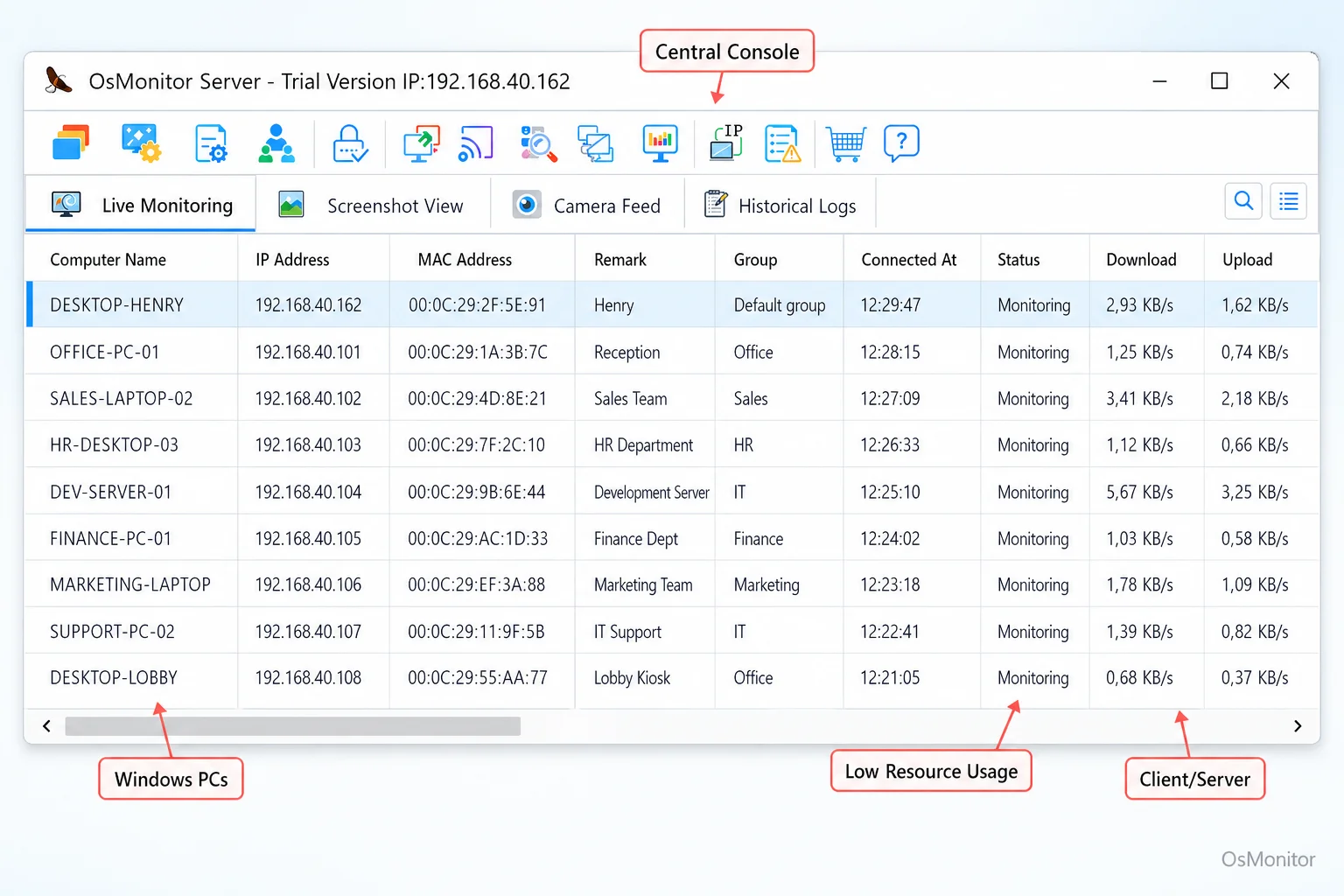
A real-product style screenshot highlighting centralized computer monitoring in OsMonitor.
How OsMonitor’s Client/Server Architecture Works
If you are searching for a pc monitoring tool that prioritizes data security, you need to look past the heavily marketed cloud SaaS products. OsMonitor operates on a highly secure client/server model. This architecture is perfect for businesses that demand total data control and want a system that runs flawlessly inside their network—even completely offline.
Here is how the personal computer monitoring deployment works:
- Management Console (Server): You drop the OsMonitor server program onto a single machine. This can be your own IT workstation or a dedicated server in your closet. This machine becomes the central command hub for all your logs and management controls.
- Lightweight Client: A tiny client application (under 2MB) is deployed to each endpoint you want to manage. This client runs efficiently in the background, logging activity and enforcing the rules you set on the console.
- Direct Communication: The clients talk directly to your server over your Local Area Network (LAN). All your employee pc monitoring data is transmitted and stored exclusively on your hardware.
This self-hosted approach cuts out the middleman. You eliminate external vendor servers and the endless monthly fees associated with cloud subscriptions, making it an incredibly cost-effective and secure choice when evaluating pc monitoring software for business.
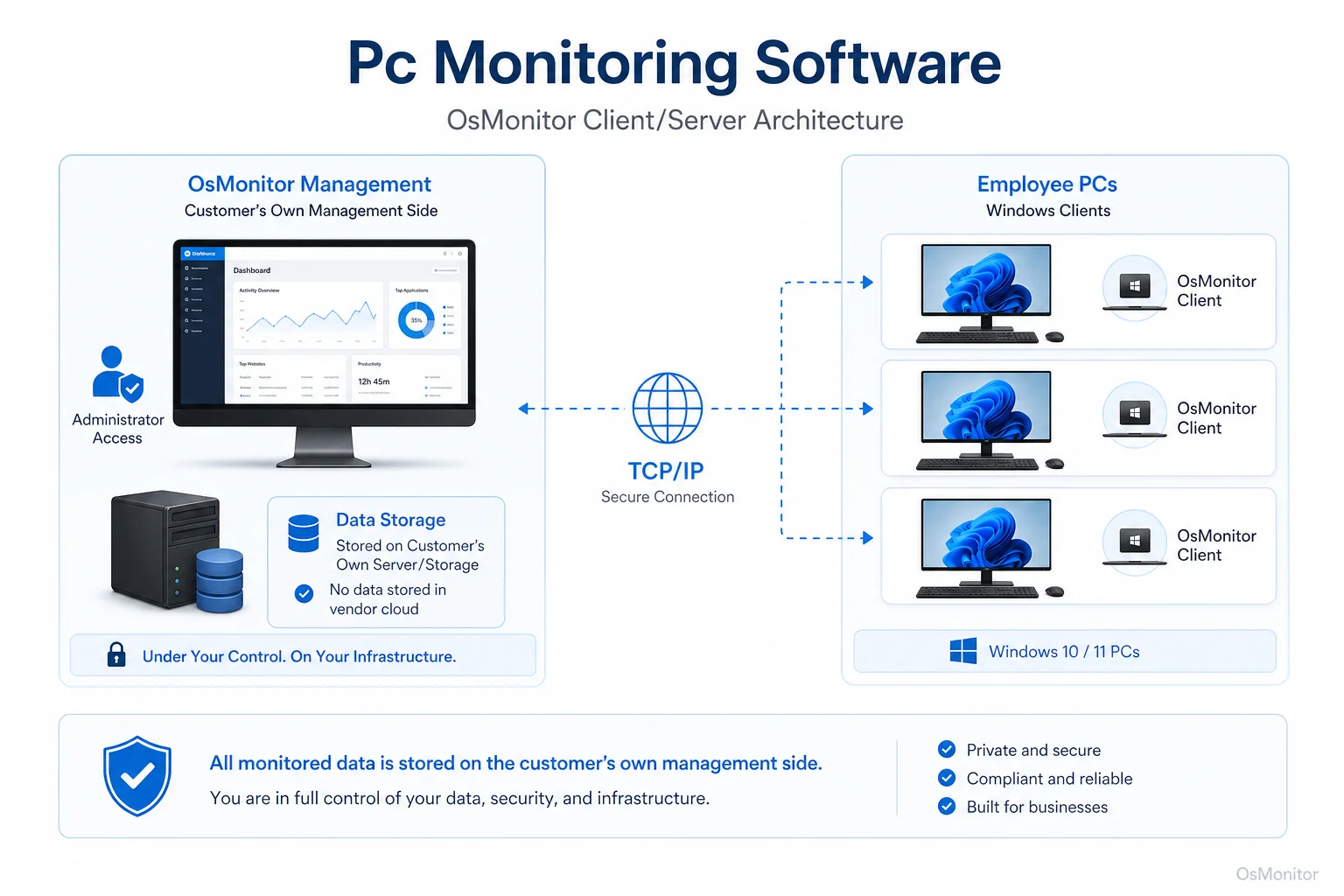
OsMonitor keeps monitoring data under the customer’s control on the management computer or self-managed server.
Core Features of Good PC Monitoring Software
Any comprehensive set of pc monitoring tools must offer a balanced suite of features to handle productivity, security, and day-to-day IT administration. OsMonitor covers all these bases.
Real-Time and Historical Screen Monitoring
Sometimes you just need to see what’s happening. OsMonitor provides a live, multi-screen wall so you can view employee desktops in real-time. It’s an invaluable feature for onboarding, providing instant helpdesk support, and verifying workflow. Plus, it records screen history for later review. For a deep dive into how this works, check out our guide on Employee Screen Monitoring Software.
Website and Application Controls
You need to ensure company time is spent on company business. OsMonitor allows you to actively block non-productive websites and unauthorized applications, stopping access to games or streaming media during work hours. It also logs every URL visited and app launched, giving you precise computer usage reports.
USB and Device Controls
Data leaks happen fast. You can protect your network by managing peripheral devices directly from the console. You can completely block USB drives, set them to read-only, or configure the system to only accept specific, company-authorized thumb drives.
Activity Reports and Records
Data drives good management. OsMonitor automatically generates detailed application and website usage records, file operation logs, and bandwidth consumption statistics. These reports help managers spot productivity trends and address policy violations immediately.
Remote Assistance and Management
This is where the software pays for itself in IT hours saved. The built-in remote control allows administrators to jump onto an employee’s computer to troubleshoot software, kill frozen tasks, or transfer vital files—all without leaving their desk.
Document Backup
Hardware fails and users accidentally delete things. The system can be configured to quietly back up specified file types from the endpoints to your central server, ensuring your critical documents are always recoverable.
On-Premise Data Ownership and Deployment Flexibility
The biggest selling point of OsMonitor is data sovereignty. Every log, screenshot, and file is stored on your own management PC or a server you explicitly control.
| Feature | OsMonitor (Client/Server) | Typical Cloud SaaS |
|---|---|---|
| Data Storage | On customer’s PC or self-managed server | On vendor’s cloud servers |
| Internet Requirement | Not required for LAN use | Required for all functionality |
| Pricing Model | One-time purchase | Recurring subscription (monthly/yearly) |
| Deployment | Install server console and clients | Sign up and install clients |
| Control & Privacy | Full control over data | Data managed by vendor policy |
This self-hosted model offers unmatched privacy. If you run a high-security environment, OsMonitor functions perfectly on a closed network with zero internet access. If you manage a remote team, you can host the server on your own private cloud instance (like AWS) or connect via VPN. You get remote management capabilities without ever surrendering data ownership. This is the definition of true On-Premise Employee Monitoring Software.
Limitations and Responsible Use
These tools are powerful, and they must be deployed responsibly. OsMonitor is built strictly for legal business use on company-owned hardware. We always advise IT departments to draft a clear, transparent Acceptable Use Policy (AUP) and ensure employees are fully aware of the monitoring. You must consult with your local legal counsel to guarantee your setup complies with regional privacy and labor laws.
Keep in mind, OsMonitor is an IT management tool, not a dedicated cybersecurity suite. It does not replace your firewall, antivirus, or enterprise DLP systems. It is designed to run alongside them to enhance productivity and enforce internal IT policies.
Frequently Asked Questions (FAQ)
What is pc monitoring software?
It is a business management tool used by IT and department heads to supervise activity on company-owned computers. It logs app and web usage, enforces security policies, and provides remote IT support capabilities.
Is pc monitoring software legal for businesses?
In most jurisdictions, yes, provided it is deployed on company-owned hardware and you have a legitimate business reason. However, privacy laws vary heavily. You must establish a clear written policy, notify your employees, and consult a legal professional before deployment.
Some managers search for “pc monitoring software free” or “pc monitoring software freeware”. Are those safe?
Searching for entirely free software in this category is risky. Truly free tools often lack security, offer zero support, or worse, monetize by selling your internal data. Professional IT departments rely on secure, paid solutions like OsMonitor that guarantee data ownership.
Does OsMonitor require a client on employee computers?
Yes. To properly monitor the machine and enforce policies, a very lightweight client application must be installed on the endpoint to communicate with your server.
Where is OsMonitor monitoring data stored?
Your data stays with you. It is stored exclusively on your own management computer or a self-managed server. It never touches OsMonitor’s vendor servers.
Can OsMonitor work without internet in a LAN?
Absolutely. It is designed to function perfectly on a closed Local Area Network (LAN) without any internet connection, which is essential for high-security environments.
What Windows versions does OsMonitor support?
It supports Windows 7, 8, 10, and 11, along with Windows Server editions (both 32-bit and 64-bit).
If you are ready to take back control of your network and understand exactly how your hardware is being used, a self-hosted solution is the way to go. Download OsMonitor Free Trial to test its full suite of features securely within your own environment.