Employee Performance Monitoring: Track Work Activity Without Guesswork
If you manage a small or medium-sized business, you’ve probably faced this frustration: deadlines are slipping, but whenever you walk the floor, everyone looks busy. You suspect significant time is being drained by games, video streaming, or endless scrolling on entertainment websites during work hours. Without hard data, fixing this productivity sinkhole relies entirely on guesswork, leading to uncomfortable conversations and assumptions. The goal shouldn’t be to play “gotcha.” You just need to ensure company resources are focused on the business and keep clear website access records for management review. This is where dedicated employee performance software steps in to provide a structured, objective solution.
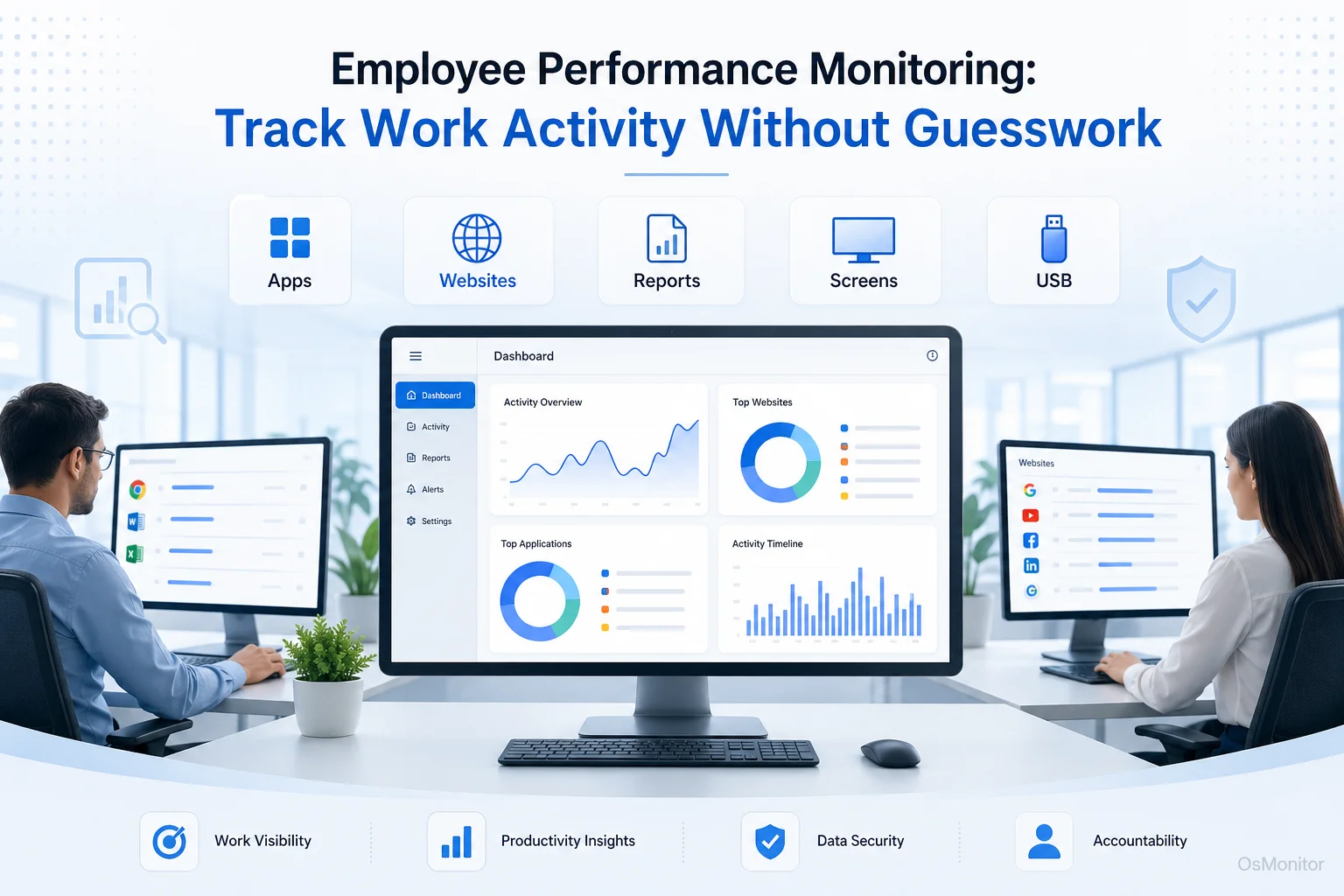
A practical overview of employee performance software for workplace computer management.
How Employee Performance Software Provides Clear Insights
The most effective methods of monitoring employee performance completely replace subjective “gut feelings” with objective data. Instead of scratching your head over why a project is stalled, you can pull concrete reports on application and website usage. OsMonitor handles this by operating as a highly reliable client/server-based office computer management tool. It quietly collects activity data from the endpoints and consolidates it into one central management console on your desk.
This approach allows managers to see exactly how much time is being dedicated to productive applications versus non-work distractions. The software acts as a robust employee performance tracking system that logs active computer usage, giving you a factual basis for your next 1-on-1 meeting. By tracking employee performance with real, hard numbers, you can spot workflow patterns, address digital distractions, and guide your teams toward better focus without resorting to micromanagement.
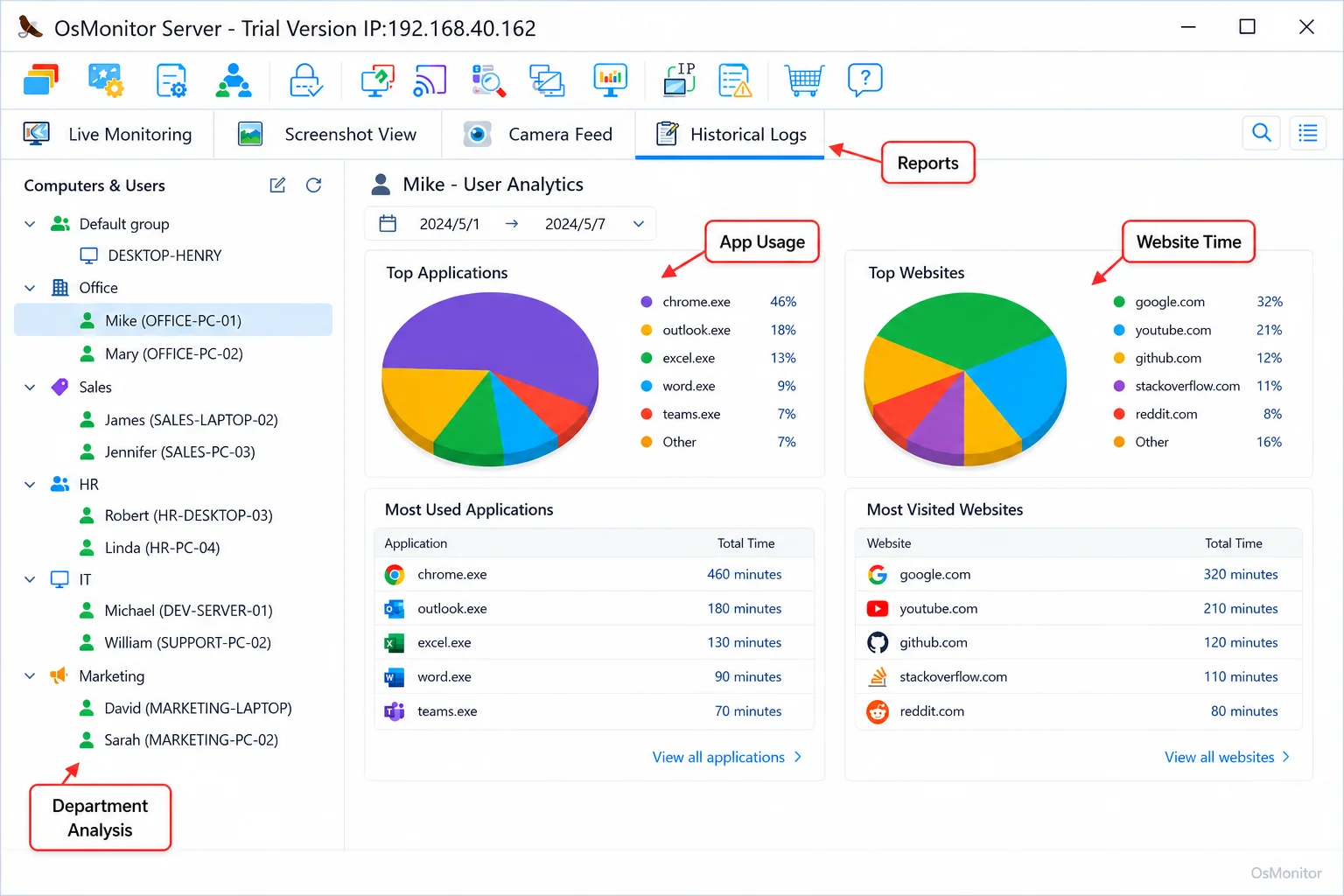
A real-product style screenshot highlighting application and productivity reports in OsMonitor.
Key Features for Tracking Employee Performance
When you look for the best employee performance management software, you need a practical suite of tools that provides a comprehensive view of workplace activity. Here is what matters most when managing company-owned Windows PCs.
Software and Website Usage Time Analysis
You can’t fix productivity if you don’t know where the time goes. An essential feature of any employee performance monitoring software is the ability to track exactly how long employees spend actively using specific applications and websites. This data is aggregated to show which software is driving your business, how much time is spent in core tools like Excel or your CRM, and how much is bleeding away into non-work browsing. This is a massive part of effective Application Usage Monitoring for Employee Computers & Tools.
Department and Individual Performance Reports
A proper employee performance tracking software suite should generate detailed reports that you can filter by individual, by department, or company-wide. These reports give managers both a high-level overview and the ability to drill down. For example, if you are figuring out how to monitor employee performance effectively, you could compare the application usage patterns of your fastest-moving team against a team that is consistently behind schedule. This instantly highlights workflow inefficiencies or areas where more training is needed.
Policy Violation Alerts and Counts
Writing IT policies is easy; enforcing them is the hard part. Good employee performance monitoring tools automatically track and count policy violations. You define the rules—like blocking access to social media or restricting specific game executables—and the software logs every attempt to bypass them. This automated record is far more consistent and reliable than manual IT oversight.
File and Download Statistics
If you are serious about employee performance monitoring, you also need to ensure network resources aren’t being abused. This feature tracks massive file downloads, documents being copied to external USB drives, and bandwidth usage. It provides a clear audit trail to ensure compliance with your data handling policies and helps spot unusual activity that might be a security risk.
Implementing Performance Monitoring Policies in Your Office
Deploying employee performance tracking tools is most effective when it’s paired with a crystal-clear, transparent workplace policy. A well-defined IT strategy ensures your staff understands the purpose of the monitoring and that the data will be used constructively, not punitively.
Here is a typical IT workflow I recommend:
- Define the Policy: Write a clear acceptable use policy for company hardware, outlining the rules for internet access, approved software, and data handling.
- Communicate Transparently: Inform your employees that their employee performance tracking metrics are being monitored for productivity and security purposes, aligning with local labor regulations.
- Gather Data: Let the software run quietly and collect objective data on computer usage.
- Review Reports: Have managers regularly check the performance reports to identify trends, productivity gaps, and policy violations.
- Provide Constructive Feedback: Use the data to have informed, fact-based conversations rather than relying on assumptions.
This structured approach integrates Employee Activity Monitoring Software into your daily management practices in a way that is fair, objective, and focused on team improvement.
| Policy Area | Example Rule | Monitoring Function |
|---|---|---|
| Website Access | Access to streaming video and social media sites is prohibited during work hours. | Website visit logs, time tracking, and violation counts. |
| Application Use | Only company-approved software may be installed and used on work computers. | Application usage reports and new application alerts. |
| Data Handling | Copying sensitive company files to personal USB drives is not allowed without approval. | File transfer logs and USB device activity records. |
| Work Hours | Employees are expected to be focused on work-related tasks during their scheduled hours. | Active/idle time tracking and productivity reports. |
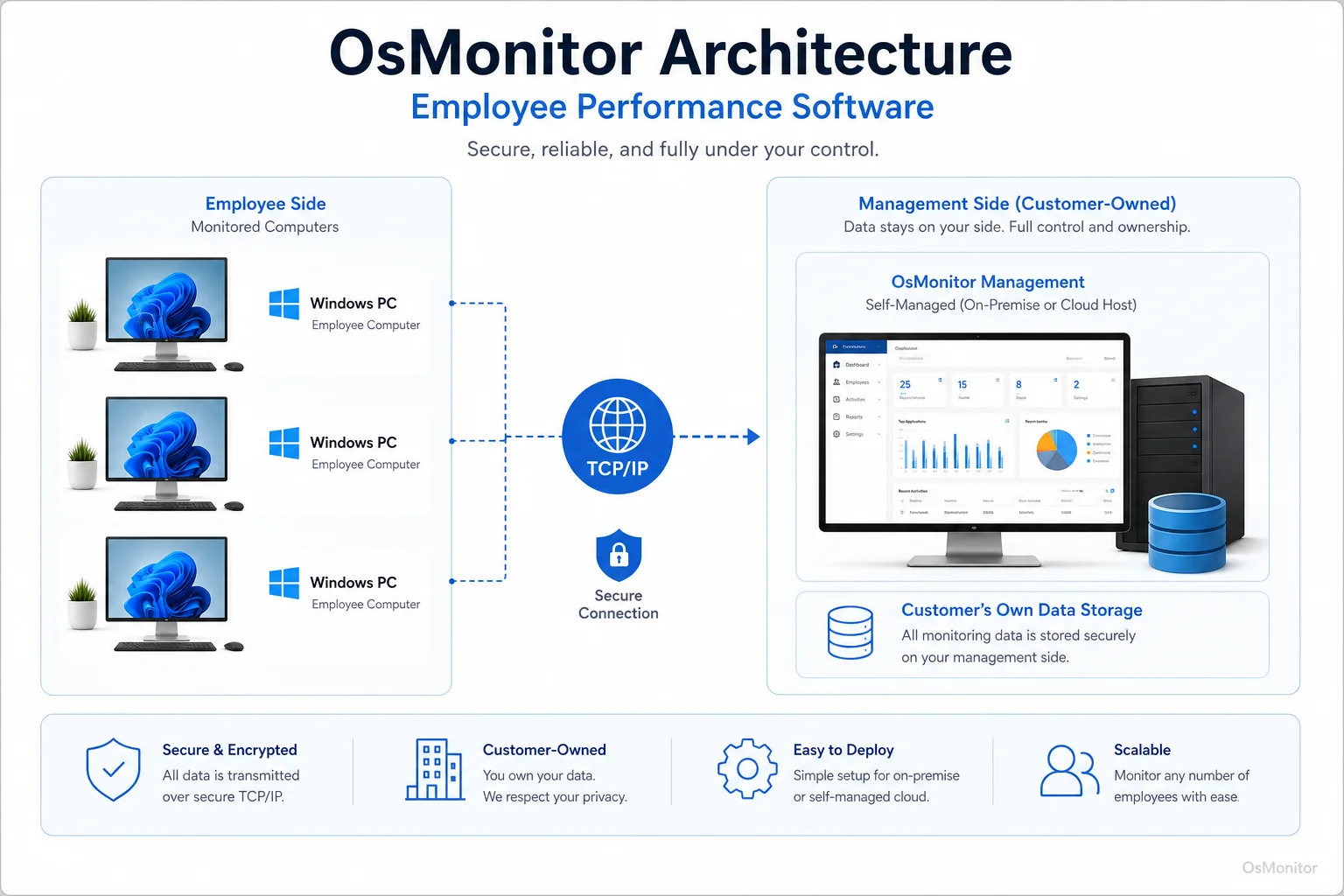
OsMonitor keeps monitoring data under the customer’s control on the management computer or self-managed server.
Data Control, Deployment, and System Requirements
Data privacy is a massive concern for modern businesses. Unlike heavily marketed cloud SaaS solutions, OsMonitor is designed from the ground up to keep your data entirely under your control.
On-Premise Data Storage
All your monitoring data is stored directly on your own management computer or a self-managed server within your network. No sensitive business information is ever sent to OsMonitor’s vendor servers or any third-party cloud service. This on-premise approach is absolutely critical for businesses with strict data privacy requirements.
LAN-Only Operation
If your business requires it, OsMonitor can operate entirely within a closed local area network (LAN) without needing any internet connection. This makes it an incredibly secure choice for environments with restricted internet access.
Windows Compatibility and Lightweight Client
OsMonitor is a dedicated Windows-native solution, supporting Windows 7 and all later versions, including Windows Server editions. It functions purely as software—no expensive proprietary hardware is needed. You simply push a lightweight client to each employee computer, and it runs efficiently in the background without dragging down system performance.
Important Considerations and Limitations
When you implement monitoring employee performance protocols, you need to be aware of the technical requirements and the legal landscape.
First, OsMonitor requires the client application to be installed on each endpoint to collect activity data. It is not an agentless system; it does not operate without this client installed on the target machine.
Second, and most importantly, it is the responsibility of the business to comply with all applicable local, state, and federal laws regarding workplace privacy. You must consult with your legal counsel to ensure your monitoring policies are lawful and that you are informing your employees in accordance with local legal requirements. This software is built for legal, authorized workplace monitoring on company-owned assets.
Frequently Asked Questions (FAQ)
What is employee performance software?
It is a business management tool used by IT and department heads to track and analyze computer activity on company-owned hardware. It measures productivity, enforces acceptable use policies, and gathers objective data on application usage and website visits to aid in performance reviews.
Is employee performance software legal for businesses?
In most jurisdictions, monitoring activity on company-owned hardware is legal, especially for legitimate business reasons like ensuring network security and productivity. However, privacy laws vary heavily by location. You must consult a legal professional to ensure your policies comply with relevant labor laws and notification requirements.
Does OsMonitor require a client on employee computers?
Yes, it relies on a highly stable client/server architecture. A lightweight client application must be installed on each Windows PC to enable monitoring and management from the central server console.
Where is OsMonitor monitoring data stored?
Your data stays with you. All data is stored on-premise on your own management computer or self-managed server. We do not upload your data to OsMonitor vendor servers or third-party clouds, ensuring you maintain absolute control.
Can OsMonitor work without internet in a LAN?
Absolutely. It is designed to function flawlessly within a local area network (LAN) without requiring an outside internet connection.
What Windows versions does OsMonitor support?
It supports Windows 7 and all subsequent versions, including Windows 8, 10, and 11, along with Windows Server editions (both 32-bit and 64-bit).
With the right tools and a transparent, policy-driven approach, you can effectively manage workplace productivity and stop guessing where your company’s time is going. View OsMonitor Pricing to see how a predictable, one-time purchase model can benefit your IT budget.