Employee Analytics Software for Workplace Activity Data
As an IT manager, one of the biggest challenges I hear from department heads is understanding true team productivity without becoming a micromanager. Nobody wants to interrupt their staff every hour for a manual status update—it destroys focus. Instead, managers need a way to review multiple workstations simultaneously through a centralized screen wall, giving them a real-time, silent overview of project progress. This isn’t just about watching screens; it’s about utilizing employee engagement analytics to gather objective data on workplace activity. By moving away from guesswork and relying on hard numbers, you can drastically improve efficiency and resource management.
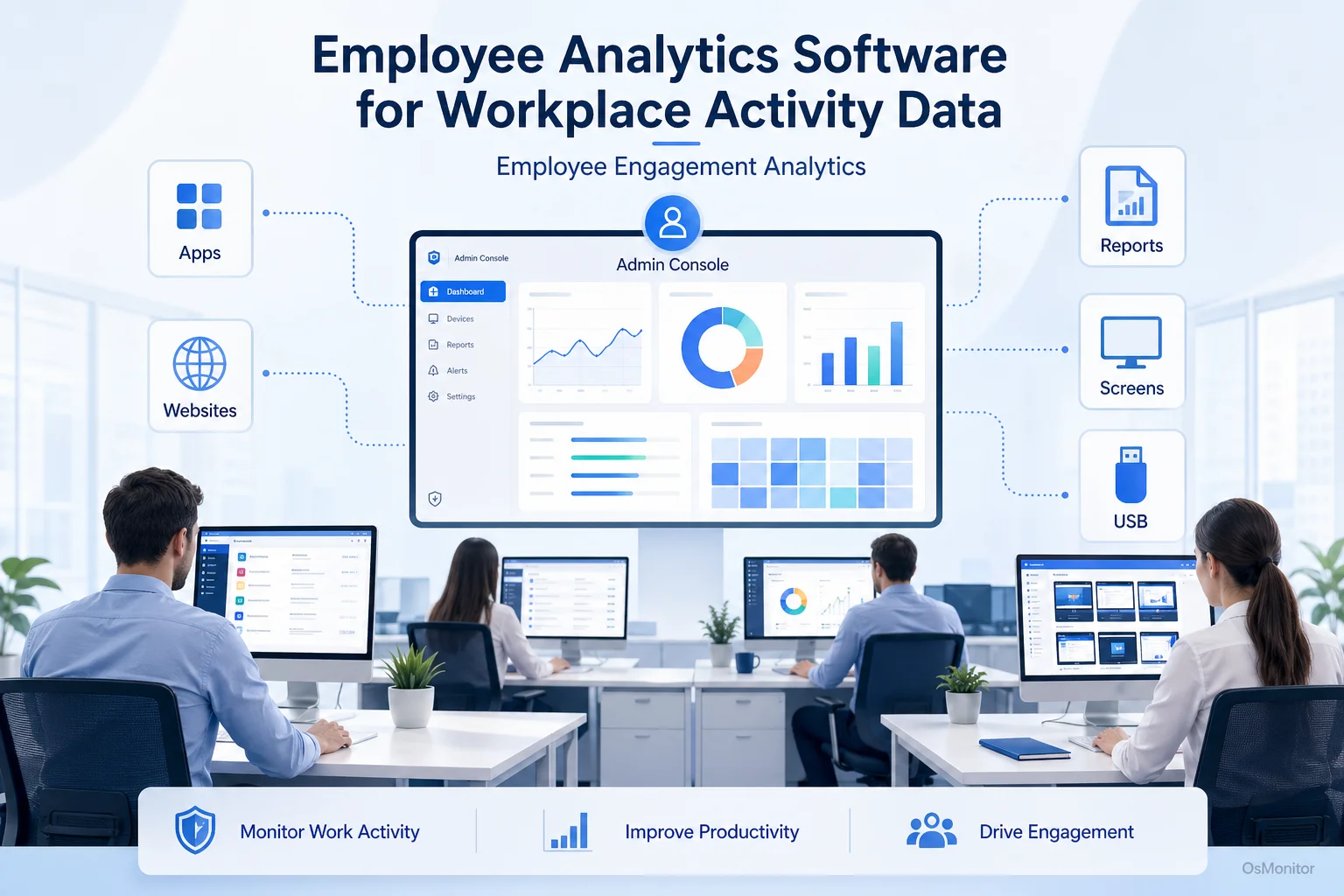
A practical overview of employee engagement analytics for workplace computer management.
What is Employee Engagement Analytics?
When tech companies talk about employee engagement analytics, they aren’t talking about HR sentiment surveys or “happiness scores.” In the IT world, this refers to an employee analytics software suite that collects and analyzes exactly how company-owned hardware is utilized. The goal is to identify hard productivity trends, streamline broken workflows, and ensure IT policies are respected.
An effective employee analytics platform focuses on tangible metrics:
- Application Usage: Which software drives your business, and which expensive licenses are collecting dust?
- Website Activity: How much active time is spent on CRM tools versus non-productive browsing?
- Work Hours: When do employees actually log their core active hours?
- File Operations: How are sensitive company documents being moved across the network?
- Bandwidth Usage: Which machines are choking the network with massive downloads?
A solid employee analytics dashboard visualizes this data instantly, answering critical questions about operational efficiency and network security without requiring you to dig through raw logs.
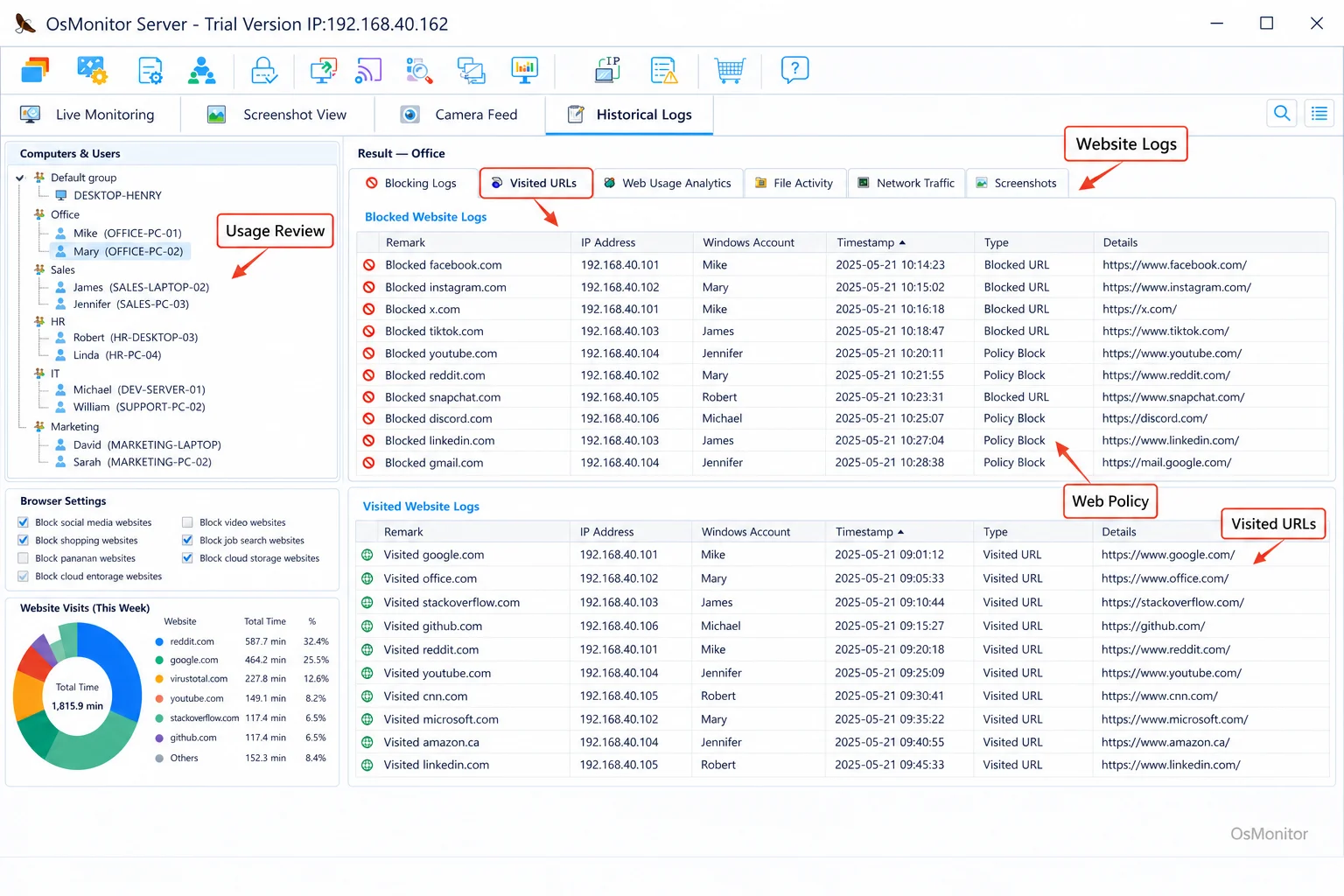
A real-product style screenshot highlighting website activity monitoring in OsMonitor.
OsMonitor: A Practical Employee Analytics Platform
Let’s cut through the marketing jargon. OsMonitor is a straightforward, highly effective workplace productivity and computer activity management tool. It is not a bloated cybersecurity appliance, nor is it a cloud-based HR platform. It is a highly practical, on-premise solution built specifically for authorized, legal employee computer monitoring. This makes it an essential tool for SMBs that need clear employee analytics without a massive IT overhead.
The software runs on a rock-solid client/server architecture. You install the central management console on one IT machine (the server), and push a lightweight client to each employee’s Windows PC. This setup guarantees that all your sensitive monitoring data stays securely inside your own building. Because it is a strict On-Premise Employee Monitoring Software solution, OsMonitor gives you absolute data sovereignty—a mandatory requirement for businesses with strict privacy rules.
Core Features of OsMonitor’s Employee Analytics Dashboard
OsMonitor provides a complete toolkit to gather workplace data. The employee analytics dashboard translates raw logs into clear, actionable reports.
Real-Time Screen Monitoring and History
Visual context is powerful. The centralized dashboard lets managers view dozens of live employee desktops simultaneously in a grid. This live feed gives you an immediate read on the room. Better yet, the system records screen history, which you can play back like a DVR. This is an invaluable feature for QA training, clarifying a workflow dispute, or investigating a specific IT incident.
Application and Website Usage Analytics
If you want to optimize your team, you have to know where the hours are going. The system logs every application run and URL visited, tracking the exact active duration.
You can use this data to:
- Identify the core tools driving productivity versus the apps causing distractions.
- Pull detailed time-spent reports for specific websites.
- Proactively block access to time-wasting sites or unauthorized software, enforcing your Acceptable Use Policy.
- Optimize your IT budget by canceling software licenses that aren’t actually being used.
Comprehensive Reporting and Data Visualization
Data is useless if it takes hours to read. The employee analytics dashboard generates clean summaries for individuals, departments, or the whole company.
Reports include:
- Daily, weekly, or monthly activity breakdowns.
- Precise software and website usage time statistics.
- Bandwidth consumption charts to spot network hogs.
- Violation logs tracking every attempt to bypass blocked sites.
- A strict audit trail of file transfers and print jobs.
These reports help you spot top performers, fix workflow bottlenecks, and ensure IT compliance.
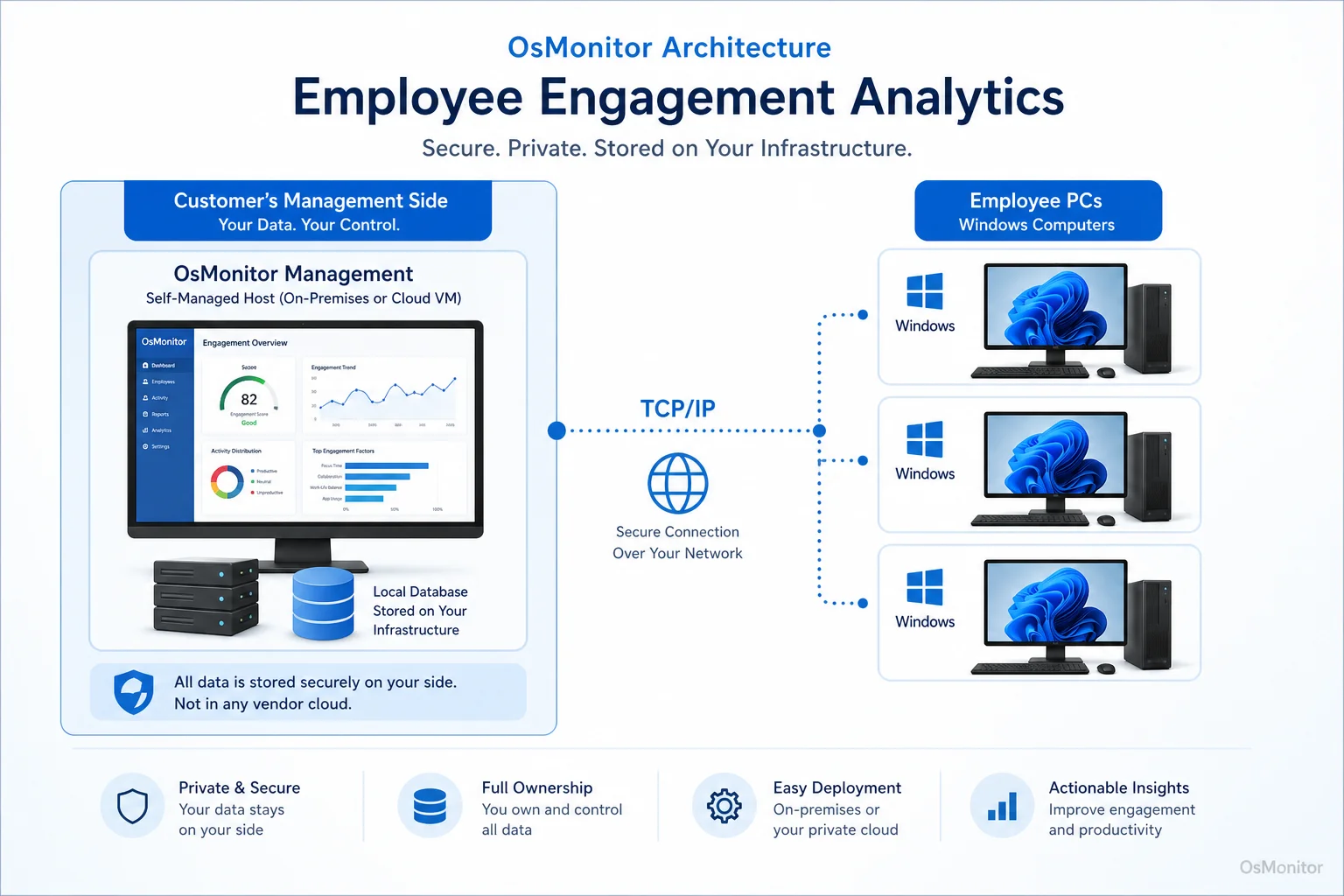
OsMonitor keeps monitoring data under the customer’s control on the management computer or self-managed server.
Device and Document Management
Beyond tracking time, OsMonitor secures your hardware. You can lock down USB drives to prevent data theft or the introduction of malware. It also features a quiet document backup tool that automatically saves copies of specified files from the endpoints directly to your central server, protecting against accidental deletion.
On-Premise Data Control for Your Analytics
In a world obsessed with cloud SaaS, OsMonitor’s on-premise architecture is its biggest advantage. Unlike web-based platforms that store your internal logs on their vendor servers, OsMonitor keeps 100% of your data on your own management PC or your self-managed server. You own the data.
Because of this, OsMonitor can function flawlessly on a closed Local Area Network (LAN) without any internet access. This is perfect for high-security environments like finance or government contractors. If you need remote employee analytics, you can host the server on a private cloud instance (like AWS) or connect your WFH staff via VPN. This provides the flexibility needed for Remote Employee Monitoring Software for Work-from-Home Teams while maintaining total data control.
Use Cases for Employee Analytics Software
This software adapts perfectly to different Windows-based business environments.
| Industry / Team Type | Use Case | Relevant OsMonitor Feature |
|---|---|---|
| Small & Medium Businesses | Optimize IT budgets by tracking software use; block distracting sites. | Application/Website Usage Reports, Website Filtering |
| Call Centers | Ensure agents stay within the CRM; use screen playback for QA. | Real-Time Screen Monitoring, Application Controls |
| Design & Architecture Firms | Verify hours spent in specialized tools (e.g., AutoCAD); protect CAD files from USB theft. | Application Usage Analytics, Device Management |
| Distributed / Remote Teams | Maintain visibility into WFH workflows and deploy instant IT support. | Remote Desktop Control, Live Dashboard |
| Educational Institutions | Keep computer labs focused on academics; block games and inappropriate content. | Website Filtering, Application Blocking |
Responsible Implementation and Limitations
To make this software work for your company culture, you must deploy it transparently. Write a clear Acceptable Use Policy (AUP) and inform your staff that company-issued hardware is monitored. Always consult local legal counsel to ensure your deployment complies with regional employment and privacy laws.
Also, understand the software’s scope. It is an incredibly powerful IT management and policy enforcement tool, but it is not a dedicated enterprise cybersecurity firewall. It is designed to run alongside your existing security stack to manage productivity and internal compliance.
Frequently Asked Questions (FAQ)
What is employee engagement analytics?
In an IT context, it is the practice of collecting and analyzing data on how company-owned hardware is utilized. It provides objective metrics on app usage, web visits, and active time to improve workflow efficiency, not to measure emotional sentiment.
Is employee engagement analytics legal for businesses?
In most jurisdictions, yes. Employers have the right to monitor the use of their own hardware. However, privacy laws vary heavily by region. You must establish a clear written policy, notify your employees, and consult a local legal professional to ensure full compliance.
Does OsMonitor require a client on employee computers?
Yes. It uses a highly stable client/server model. A tiny, lightweight client program must be installed on each Windows PC you intend to manage.
Where is OsMonitor monitoring data stored?
Your data stays with you. All logs and screen recordings are stored exclusively on your own management computer or your internal server. We do not use third-party vendor clouds.
Can OsMonitor work without internet in a LAN?
Absolutely. It is fully designed to function perfectly within a closed Local Area Network (LAN) without any internet connection, which is vital for high-security facilities.
What Windows versions does OsMonitor support?
It supports Windows 7, 8, 10, and 11, along with Windows Server editions (both 32-bit and 64-bit).
If you are ready to stop guessing and start managing your team with clear, objective data, a self-hosted solution is the best path forward. Download OsMonitor Free Trial to test the full suite of features securely on your own network.