Employee Activity Monitoring Software for Windows Computers
I was talking with a business owner last week who was pulling his hair out. His team was missing deadlines, but every time he walked the floor, everyone looked busy typing away. The problem? He had no idea what was actually happening on those screens. You can write all the IT policies in the world about restricting YouTube or stopping game downloads, but without a way to verify them, they are just suggestions. That’s exactly why IT professionals deploy employee activity monitoring software. It gives you clear, undeniable records of what applications and websites are dominating your network, allowing you to manage your team based on facts rather than assumptions.
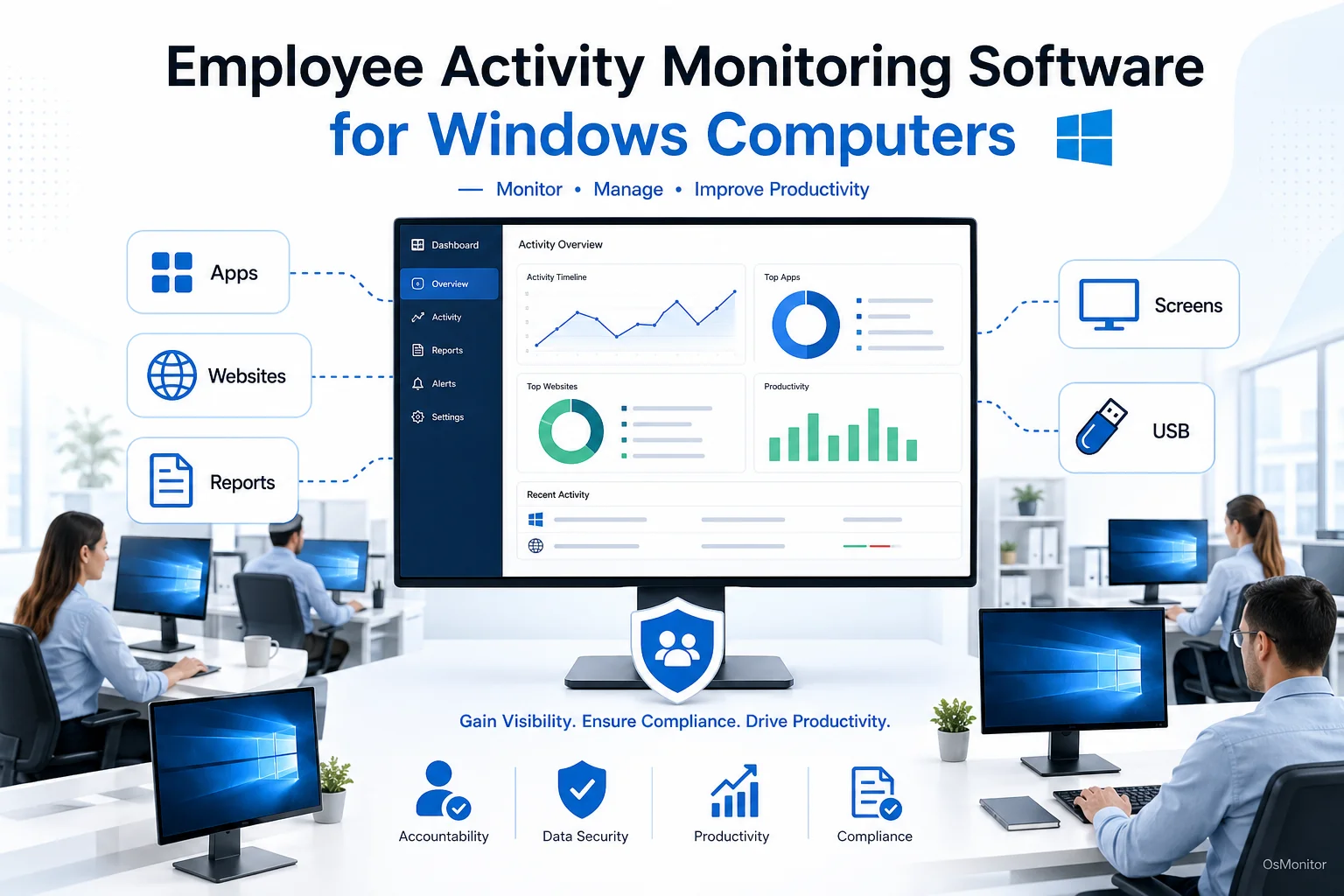
A practical overview of employee activity monitoring software for workplace computer management.
Why Businesses Use Employee Activity Monitoring
When you decide to implement employee activity monitoring, it shouldn’t be about micromanagement. It’s about gaining a clear, data-driven understanding of how company-owned hardware is utilized during the 9-to-5. This visibility solves several massive headaches for IT and management:
- Improving Productivity: By seeing exactly how much time is drained by non-productive sites, managers can have honest conversations about focus. It turns abstract performance reviews into data-driven productivity reviews.
- Enforcing Company Policies: If your handbook says “no social media” or “no unauthorized software,” an employee activity tracking software suite gives you the teeth to enforce it. You can actively block specific sites and log every violation attempt.
- Enhancing Security: Monitoring helps you spot red flags—like massive file transfers to an external drive or attempts to hit malicious websites. It creates a rock-solid audit trail for your IT security team.
- Optimizing Resource Allocation: Do you really need 50 licenses for that expensive design software if only 10 people use it? Understanding exactly how software is used leads directly to cost savings.
To get these benefits, you must handle monitoring employee activity professionally, transparently, and in total compliance with your local labor laws.
How OsMonitor Monitors Employee Activity on Windows Computers
OsMonitor is a classic client/server tool designed for strict, on-premise deployment. This architecture guarantees that all your sensitive employee activity records stay on your own network. It’s a straightforward setup:
- Management Console (Server): You pick one Windows PC to act as your command center. This machine runs the OsMonitor server console, where you view logs, build policies, and pull reports.
- Lightweight Client: A tiny client application (under 2MB) gets installed on every Windows PC you need to manage. This client runs quietly in the background.
- Data Transmission: The client logs exactly what happens on that machine—websites visited, apps opened, files moved—and securely transmits that data back to your management console.
This structure allows you to manage hundreds of machines from one desk. Because it runs on your Local Area Network (LAN), it doesn’t even need an internet connection to function. If you are handling sensitive data, this offline capability is a lifesaver.
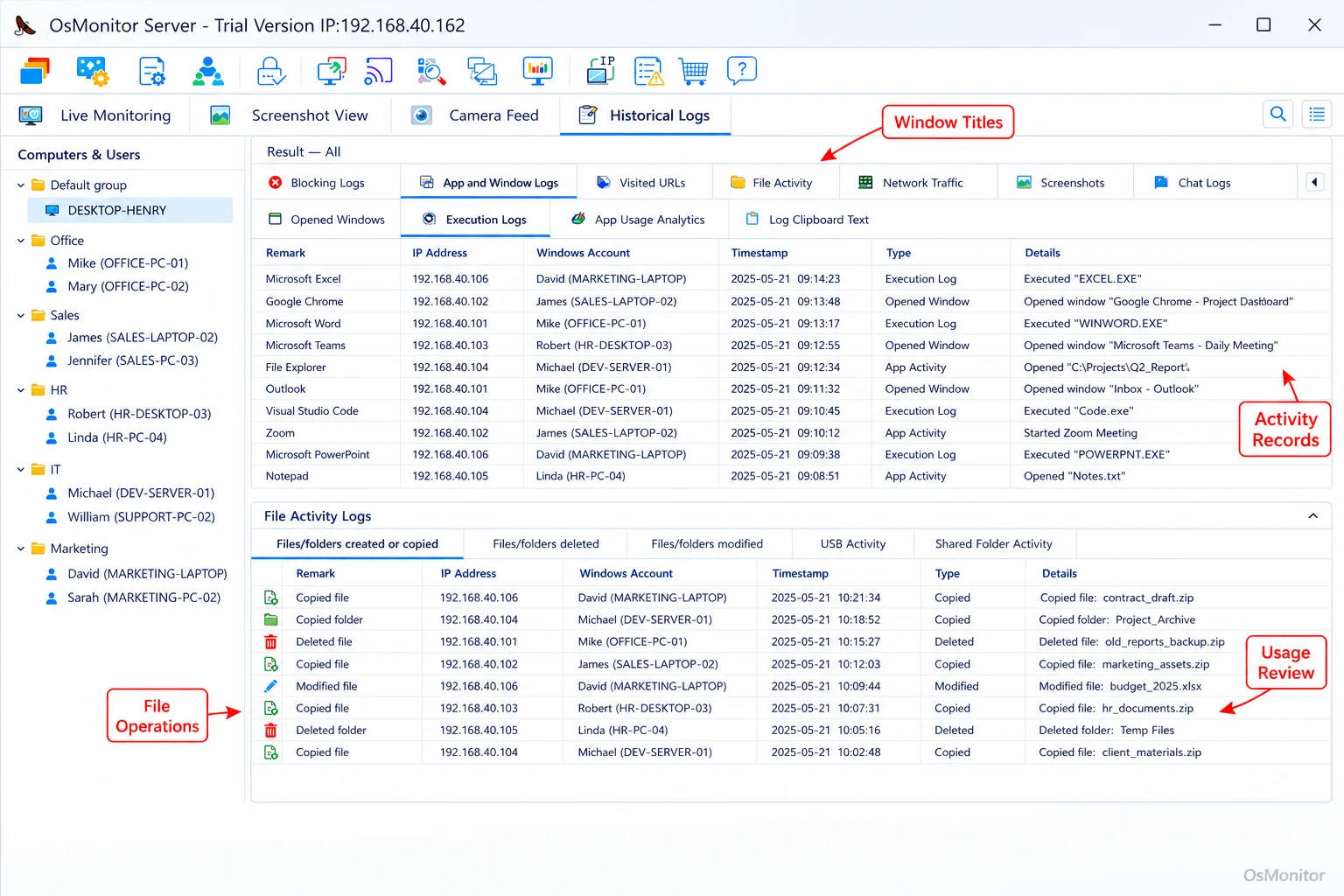
A real-product style screenshot highlighting computer activity records in OsMonitor.
Key Features for Tracking and Managing Computer Activity
A reliable employee activity monitor does more than just dump raw logs onto your desk. It provides the analytical tools to turn that data into actionable management insights.
Website and Application Usage Analysis
If you want to know how to monitor employee activity on computer networks effectively, you start with time allocation. OsMonitor records the active window title and exactly how long it was used. You instantly see which software drives your business and which websites are killing productivity. This is the foundation of solid employee computer activity management. Want to see how deep this goes? Check out our guide on Application Usage Monitoring for Employee Computers & Tools.
Detailed Activity Reports
The software automatically builds comprehensive reports that you can filter by individual, department, or the whole company. Key reports include:
- Time-Based Reports: Exactly how many hours were spent in Excel versus a web browser.
- Violation Counts: A tally of how many times a user tried to bypass your blocked website list.
- Top Usage Reports: The most heavily used apps and sites, highlighting both your best tools and your biggest distractions.
These reports give managers the objective data required to assess team performance accurately.
Download and Bandwidth Statistics
Monitoring downloads isn’t just about productivity; it’s about network health. OsMonitor logs files downloaded via browsers, detailing the file name, source URL, and size. This helps IT track bandwidth hogs and spot potentially malicious files before they compromise the network.
Data Ownership and Secure On-Premise Deployment
In the IT world, who holds your data is just as important as the data itself. Unlike most cloud SaaS solutions that force your logs onto their vendor servers, OsMonitor is strictly an On-Premise Employee Monitoring Software. Your data lives on your management PC or a self-managed server.
This gives you massive advantages:
- Complete Data Control: Your employee activity tracking logs never leave your network unless you explicitly host your server on a private cloud like AWS or Azure.
- Enhanced Security: Keeping data in-house eliminates the risk of a third-party vendor getting breached.
- No Internet Required: It functions perfectly on a closed, air-gapped LAN.
- Predictable Costs: You buy it once. No endless SaaS subscription fees eating into your IT budget year after year.
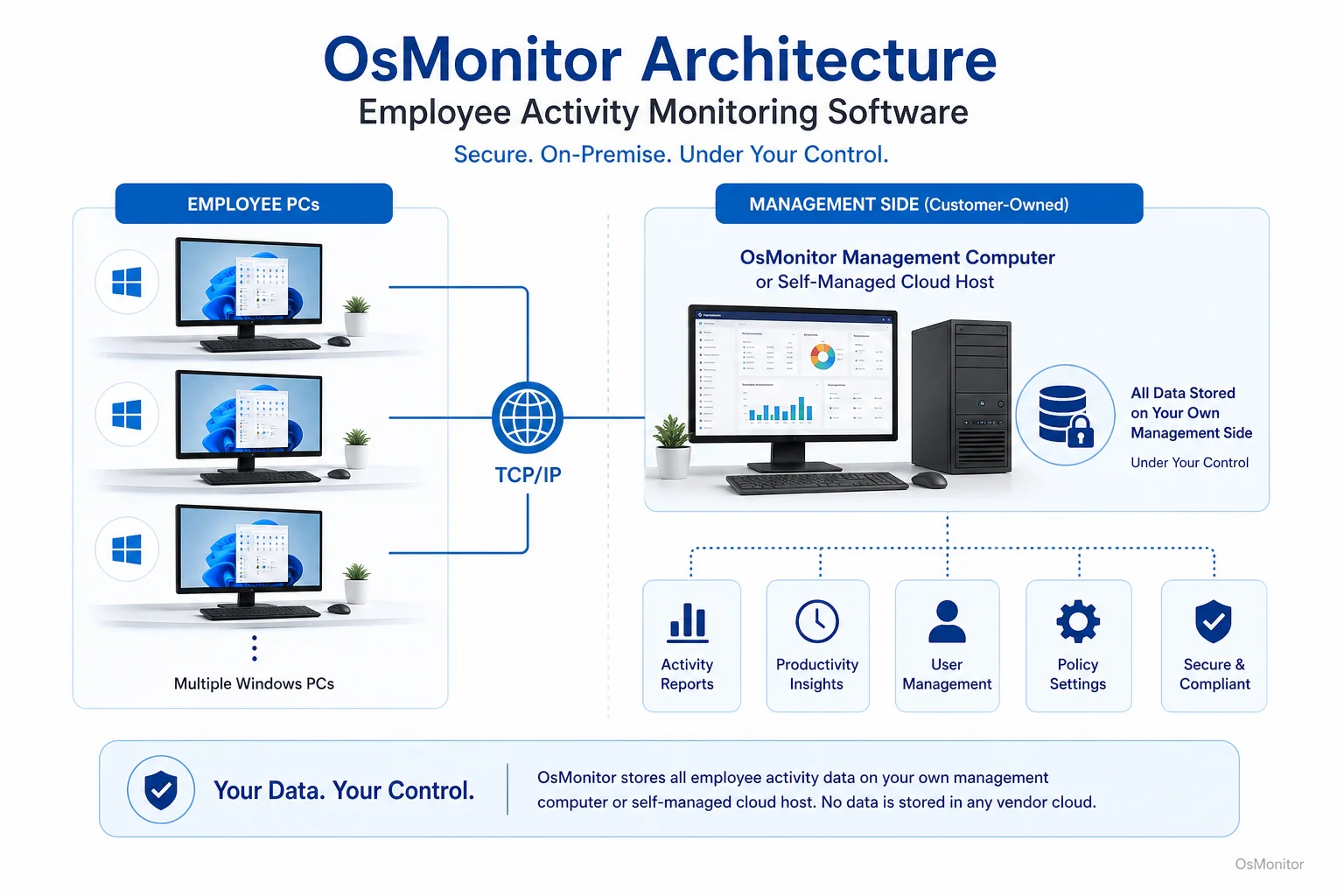
OsMonitor keeps monitoring data under the customer’s control on the management computer or self-managed server.
Implementing Practical Workplace Policies with Monitoring Software
Any employee activity monitor software is only as good as the policy behind it. The goal is to build a transparent framework where staff know exactly what is expected of them regarding computer use.
Here is how IT uses software to enforce policy:
| Policy Rule | Monitoring Software Function | Management Action |
|---|---|---|
| Limit social media use to 30 minutes per day | Website Usage Timer & Reports | Review weekly reports for outliers and discuss time management strategies with the team. |
| Block access to all online gaming websites | Website Filtering/Blocking | The policy is automatically enforced by the software, preventing access. |
| Prohibit installation of unauthorized software | Application Usage Log & Alerts | IT receives alerts for new software installations and can verify their legitimacy. |
| Prevent large file downloads from non-work sites | Download Statistics & URL Logs | Monitor bandwidth usage and file sources to ensure compliance with data security policies. |
By using the software for verification, you ensure that the rules are applied fairly across the board.
System Requirements and Technical Considerations
OsMonitor is built to be lean and integrate smoothly into standard business IT setups.
Windows Compatibility
It is a dedicated tool for Windows environments, supporting:
- Windows 7, 8, 10, and 11 (32-bit and 64-bit)
- Windows Server editions
Lightweight and Efficient
The client is incredibly small (under 2MB). It operates silently in the background and won’t drag down the performance of older workstations. You don’t need any specialized hardware; it’s pure software.
Legal and Ethical Use
When you monitor employee activity computer systems, you must do it ethically and legally. Best practices include:
- Writing a clear, detailed Acceptable Use Policy (AUP).
- Informing your team that you are utilizing software that monitors employee activity on company hardware.
- Using the data strictly for legitimate business purposes like IT security and productivity analysis.
Always consult with a local legal professional to ensure your approach to authorized workplace monitoring complies with regional laws.
Frequently Asked Questions (FAQ)
What is employee activity monitoring software?
It is an IT tool used by businesses to record and manage how company-owned PCs are utilized. It tracks websites visited, applications opened, and active time, providing data to improve productivity and enforce security policies.
Is employee activity monitoring software legal for businesses?
In most jurisdictions, yes, provided it is deployed on company-owned hardware for legitimate business reasons and employees are notified. However, privacy laws vary heavily. Always consult local legal counsel before deploying any software monitor employee activity tools.
Some managers search for “how to monitor employee activity on computer”. How is this done technically?
The standard technical method is to deploy a client/server architecture. A lightweight client application is installed on the target Windows PC, which logs application usage and web traffic, and then transmits that data to a central management server controlled by IT.
Does OsMonitor require a client on employee computers?
Yes. To monitor employee activity accurately, the lightweight client program must be installed on each Windows machine you intend to manage.
Where is OsMonitor monitoring data stored?
Your data stays with you. It is stored on-premise on your designated management computer or your own private server. It never touches OsMonitor’s vendor servers.
Can OsMonitor work without an internet connection in a LAN?
Absolutely. It is fully capable of running completely offline within a Local Area Network (LAN), making it perfect for high-security, closed networks.
What Windows versions does OsMonitor support?
It supports Windows 7, 8, 10, and 11, along with Windows Server editions (both 32-bit and 64-bit).
By implementing a transparent, data-driven approach to computer management, you can finally align your team’s digital habits with your business goals. To see how these tools perform on your own network, Download OsMonitor Free Trial.