Workforce Analytics Software for Computer Activity Insights
I had a coffee recently with a founder who was visibly frustrated. Project velocity had tanked, but whenever he walked the floor, everyone seemed glued to their screens. He suspected that gaming, video streaming, and non-stop social media scrolling were the real culprits, but without data, he couldn’t prove it. If you want to fix a productivity leak like that, you don’t need to become a micromanager; you just need a reliable way to track web access, enforce clear IT policies, and keep objective records. This is exactly where workforce analytics software steps in to provide a silent, structured, and data-driven solution.
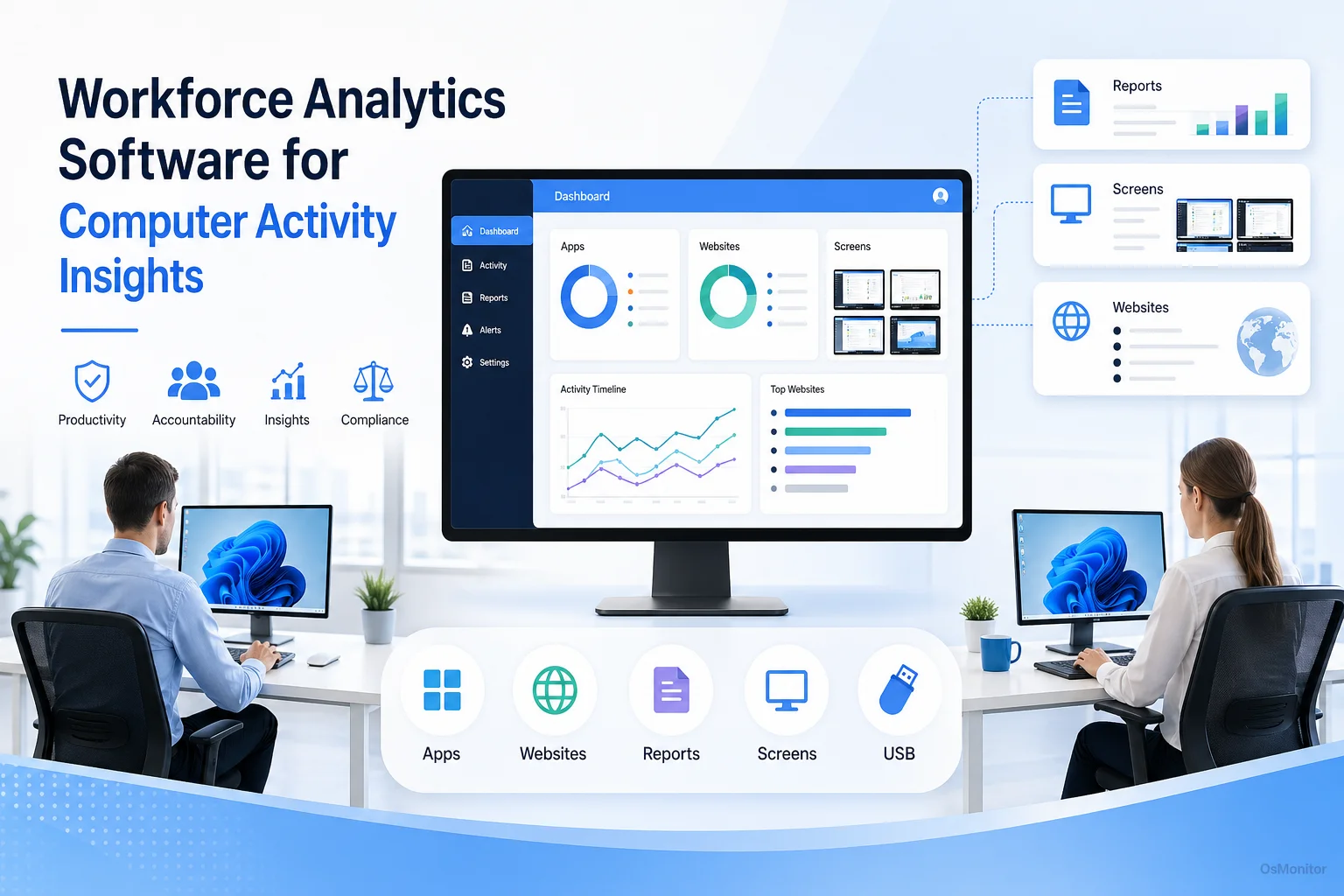
A practical overview of workforce analytics software for workplace computer management.
Understanding Workforce Analytics Software in Practice
When IT professionals talk about a workforce analytics solution, we are referring to business tools designed to log, analyze, and report on how company hardware is utilized. The goal is simple: turn raw computer activity data into actionable management insights. This data helps you understand true productivity patterns, spot workflow bottlenecks, ensure compliance with your internal rules, and make smart decisions to elevate team efficiency.
Unlike a bloated cybersecurity platform or a forensic audit tool, practical workforce analytics platforms like OsMonitor focus entirely on everyday workplace management. They answer the questions that keep managers awake at night:
- Which applications actually drive our business, and which websites are just distractions?
- How much active time is spent on assigned tasks versus idle time or non-work browsing?
- Are there workflow inefficiencies that we can fix with better software or training?
- Are employees following our data handling and acceptable use policies?
OsMonitor is built specifically as a legal, transparent IT management tool. It gives you the power to monitor computer activity objectively, helping you maintain a productive environment and protect your assets on company-owned Windows PCs.
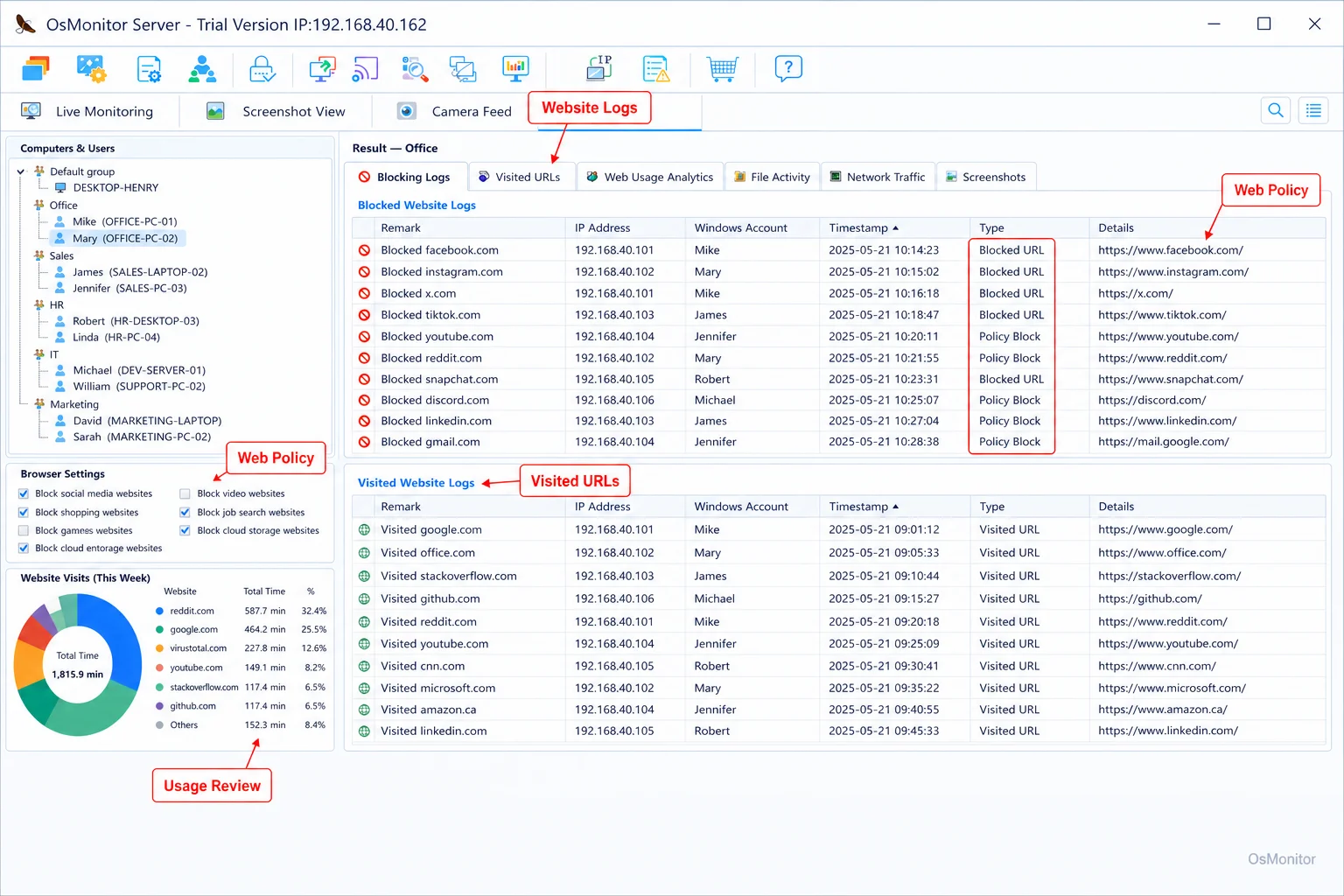
A real-product style screenshot highlighting website activity monitoring in OsMonitor.
How OsMonitor’s Client-Server Architecture Works
If you are evaluating workforce analytics software products, the architecture is the most important technical detail. OsMonitor uses a rock-solid client-server model designed for maximum data control and simplicity.
The system runs on two pieces:
- The Management Console (Server): You install this on a single machine—usually your IT admin’s PC or a dedicated office server. This is your command center. All settings, rules, and activity logs are stored here.
- The Client Agent: A tiny, highly efficient agent (under 2MB) is pushed to every Windows endpoint you want to manage. It runs silently in the background, logging activity and securely pushing that data back to your management console.
This architecture guarantees that all your monitoring data stays inside your building. It is stored on your own hardware, not on a third-party SaaS vendor’s cloud. This is a critical factor for businesses worried about data privacy. Furthermore, OsMonitor can run completely offline inside a closed Local Area Network (LAN) with zero internet access, making it the perfect choice for highly secure, air-gapped environments.
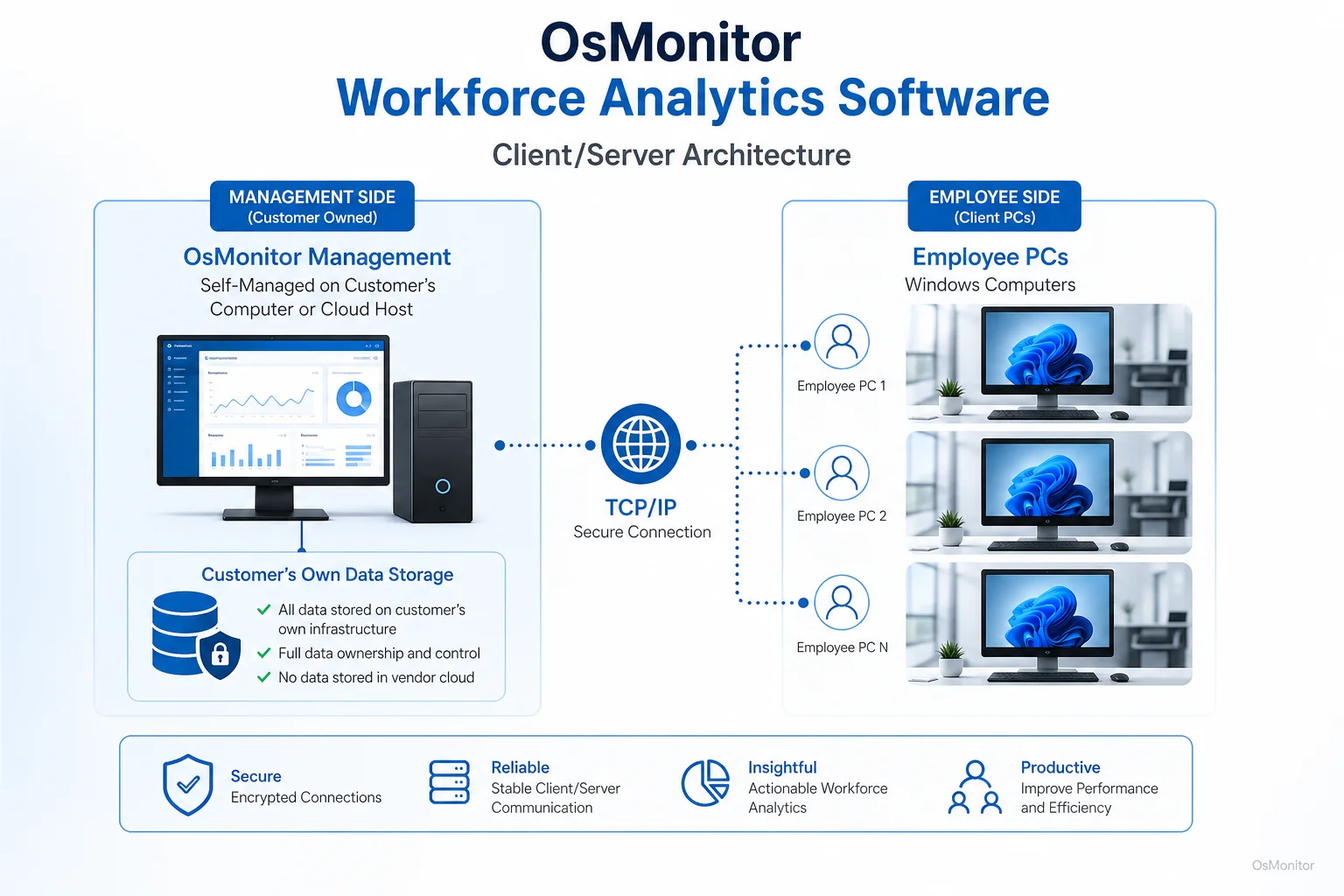
OsMonitor keeps monitoring data under the customer’s control on the management computer or self-managed server.
Core Features of Workforce Analytics Tools
To be effective, workforce analytics tools need a comprehensive feature set to capture the full picture of daily computer usage. Here is how OsMonitor empowers management.
Website and Application Usage Tracking
If you want to fix productivity, you have to know where the time is going. OsMonitor logs the exact active duration of every application opened and every URL visited. This data instantly separates productive focus time from digital distractions. Managers can pull detailed reports showing exactly who is burning hours on non-work sites, and proactively block access to entire categories like gaming, social media, or streaming platforms.
Real-Time Screen Monitoring and Playback
Sometimes you just need to see what’s happening. The screen wall feature lets a manager view multiple live employee desktops simultaneously in a grid. Better yet, the software records screen history. You can play back past activity like a DVR, which is invaluable for QA training, performance reviews, or investigating a specific incident. This visual context is a massive component of any robust Employee Activity Monitoring Software.
USB and Device Controls
Data leaks are a nightmare. Most workforce analytics software solutions include hardware controls. OsMonitor lets you lock down USB ports across the network. You can block thumb drives entirely, force them into read-only mode, or whitelist specific company drives. This stops unauthorized data transfers dead in their tracks.
Comprehensive Reporting and Trend Forecasting
Raw data is useless if you can’t read it. The reporting engine generates clean charts and logs on application usage, web visits, and bandwidth consumption. While it isn’t an AI-driven workforce analytics software trend forecasting engine, the historical data it provides allows managers to spot productivity trends, compare department outputs, and forecast potential workflow issues before they impact deadlines.
| Feature | Description | Business Benefit |
|---|---|---|
| Website Filtering | Block access to specific sites or categories (social media, gaming). | Kills distractions at the source and enforces acceptable use policies automatically. |
| Application Blocking | Stop staff from running unauthorized or non-work-related executables. | Keeps the team focused on core tasks and prevents malicious software installations. |
| Activity Reports | Generate clean reports on software usage, web browsing, and active time. | Replaces guesswork with objective data for performance reviews. |
| File Tracking | Log file operations (copy, delete, rename) across local drives and USBs. | Protects sensitive client documents and builds a clear audit trail of data movement. |
| Remote Assistance | IT can securely take over an employee’s mouse and keyboard. | Drastically reduces downtime by letting IT fix problems instantly from their desk. |
On-Premise Data Ownership and System Compatibility
A massive advantage of OsMonitor is its deployment model. While the market is flooded with cloud-based workforce analytics software systems, OsMonitor is strictly a self-hosted, on-premise solution. Your sensitive logs stay on your hardware.
This gives your IT department three major wins:
- Data Sovereignty: You own the data. This is non-negotiable for highly regulated industries searching for compliance-friendly tools (like workforce analytics software for aged care, finance, or legal sectors).
- Enhanced Security: Keeping your logs inside your private network removes the risk of a third-party cloud breach.
- No Subscription Fees: OsMonitor is a one-time purchase. You avoid the “subscription fatigue” of paying monthly SaaS fees for every single user.
The software is exceptionally lightweight. It supports Windows 7, 8, 10, 11, and Windows Server editions (32-bit and 64-bit). As an elite On-Premise Employee Monitoring Software, it integrates smoothly into your existing network without demanding expensive hardware upgrades.
Practical Use Cases for Businesses
These tools adapt perfectly to almost any Windows-based business environment:
- Small and Medium Businesses (SMBs): Keep a small team highly focused, block distracting sites, and secure basic data without hiring a dedicated security team.
- Call Centers: Ensure agents are utilizing their CRM rather than browsing the web; use screen playback for QA and training.
- Corporate Offices: Department heads use the data to optimize expensive software licenses, find training gaps, and enforce IT rules.
- Educational Institutions: Lab admins lock down PCs, ensuring students stay on task and off inappropriate sites.
- Distributed Teams: By hosting your server on a private cloud instance or connecting via VPN, you gain centralized visibility over all remote company-owned Windows PCs.
Responsible Use and Limitations
Let’s be clear: this is a powerful IT management tool, and it must be used responsibly. You must establish a clear, written Acceptable Use Policy and ensure your staff knows their company-issued hardware is monitored. Always check with your local legal counsel to ensure your deployment complies with regional privacy and employment laws.
Also, understand the scope of the software. It is not an enterprise DLP or a replacement for your antivirus firewall. It is a highly effective tool for policy enforcement and productivity analysis designed to run alongside your broader security stack.
Frequently Asked Questions (FAQ)
What is workforce analytics software?
It is a category of business IT tools used to monitor, log, and analyze employee computer activity on company hardware. It provides actionable data on app and web usage to help managers improve productivity and enforce IT policies.
Is it legal to use workforce analytics platforms?
In most jurisdictions, yes. Employers have the right to monitor the use of their own hardware. However, privacy laws vary heavily by region. You must maintain transparency, notify your employees, and consult a local legal professional to ensure full compliance.
Where do workforce analytics software systems like OsMonitor store data?
Your data stays with you. All logs and screen recordings are stored directly on your own management PC or an internal server. We do not use third-party vendor clouds, guaranteeing you full data ownership.
Does OsMonitor require client software on employee PCs?
Yes. It utilizes a highly stable client-server architecture. A lightweight client agent must be installed on each endpoint you intend to manage so it can communicate with your server.
Can OsMonitor work in a local network without an internet connection?
Absolutely. It is fully designed to operate flawlessly within a closed Local Area Network (LAN) without any internet connection, which is vital for high-security, air-gapped environments.
What are the system requirements for OsMonitor?
It is very lightweight. It supports Windows 7, 8, 10, 11, and Windows Server editions (both 32-bit and 64-bit), and does not require high-end hardware to run.
If you are searching for workforce analytics tools with benchmarking features and need a secure, reliable way to manage your network, a self-hosted solution is the best path forward. Download OsMonitor Free Trial to test its full capabilities securely within your own environment.