User Behavior Analytics Tools for Business Computer Activity
If you manage a small or medium-sized business, you know that keeping the team focused is a constant battle. You want to trust your staff, but when deadlines are missed and network bandwidth is maxed out by video streaming or online games during work hours, you have a problem. Fixing this requires more than just a stern email to the team; it requires clear, undeniable data. You need a way to enforce acceptable use policies and maintain accurate website access logs so you can manage based on facts, not guesswork. This is exactly where dedicated user behavior analytics tools come into play. They give you the visibility to see exactly how company-owned devices are being utilized throughout the day.
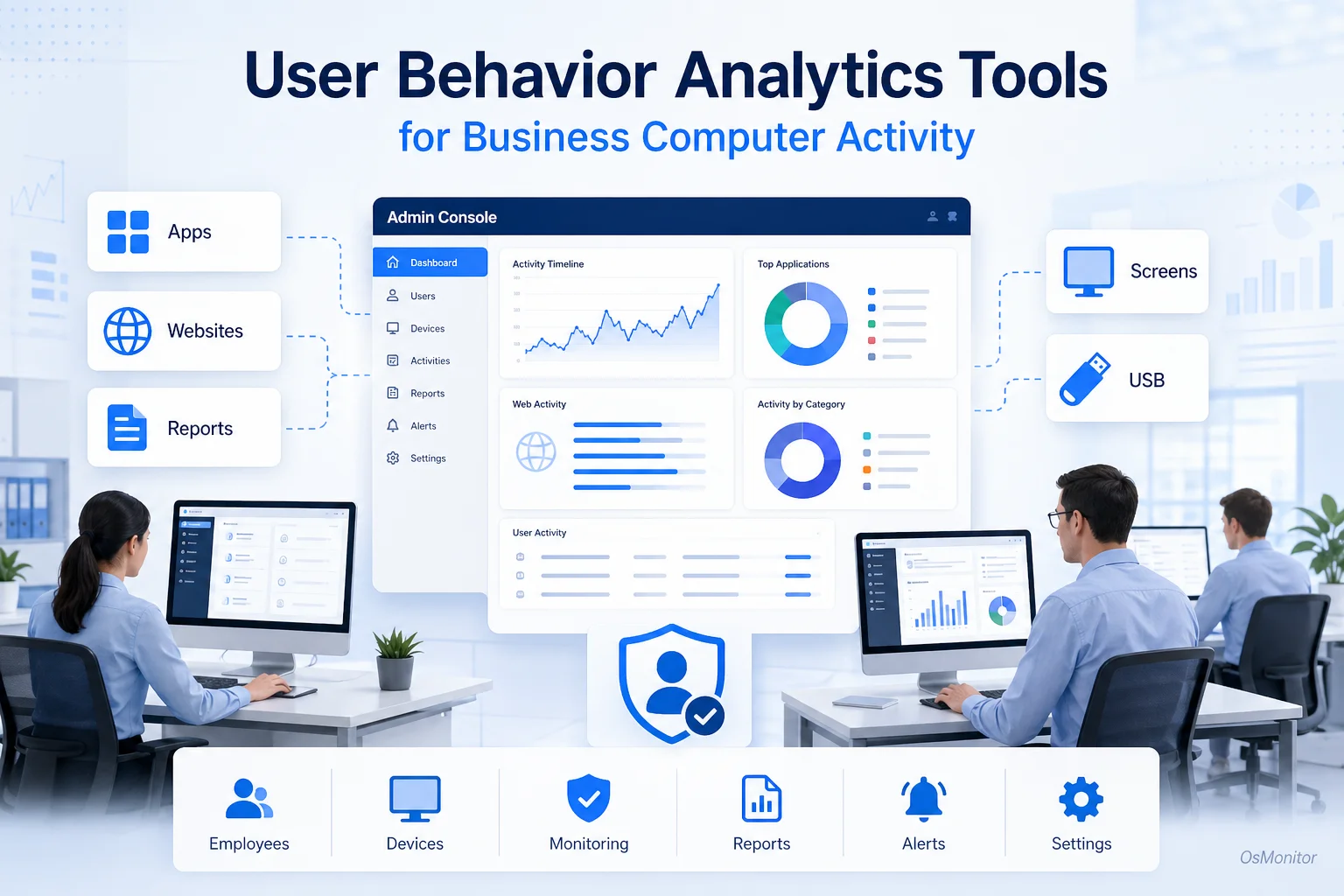
A practical overview of user behavior analytics for workplace computer management.
Understanding User Behavior Analytics in a Business Context
In the IT world, user behavior analytics (UBA) is a broad concept. If you are researching high-end enterprise cybersecurity, you will hear terms like splunk user behavior analytics or siem user behavior analytics. Those are massive, incredibly expensive enterprise security platforms that use AI to detect insider threats by analyzing complex network logs.
However, for 95% of small and medium businesses, the need for user behavior analytics is far more direct: you just need to manage workplace efficiency, enforce your IT policies, and verify that your hardware is used for actual work.
This is exactly where OsMonitor fits. It is not an overly complex cyber security user behavior analytics audit tool. It is a highly practical, straightforward user behavior analytics software suite built for daily management. It provides clear answers to everyday questions:
- Which URLs are being visited, and for exactly how long?
- Are core business applications being used, or is it mostly non-work software?
- Are staff downloading massive, non-work-related files and choking the network?
- Are sensitive client files being copied to unauthorized USB thumb drives?
By providing this data, OsMonitor helps IT administrators and managers perform effective user behavior analysis to streamline productivity and lock down basic data movement. It is a no-nonsense framework for user behavior tracking.
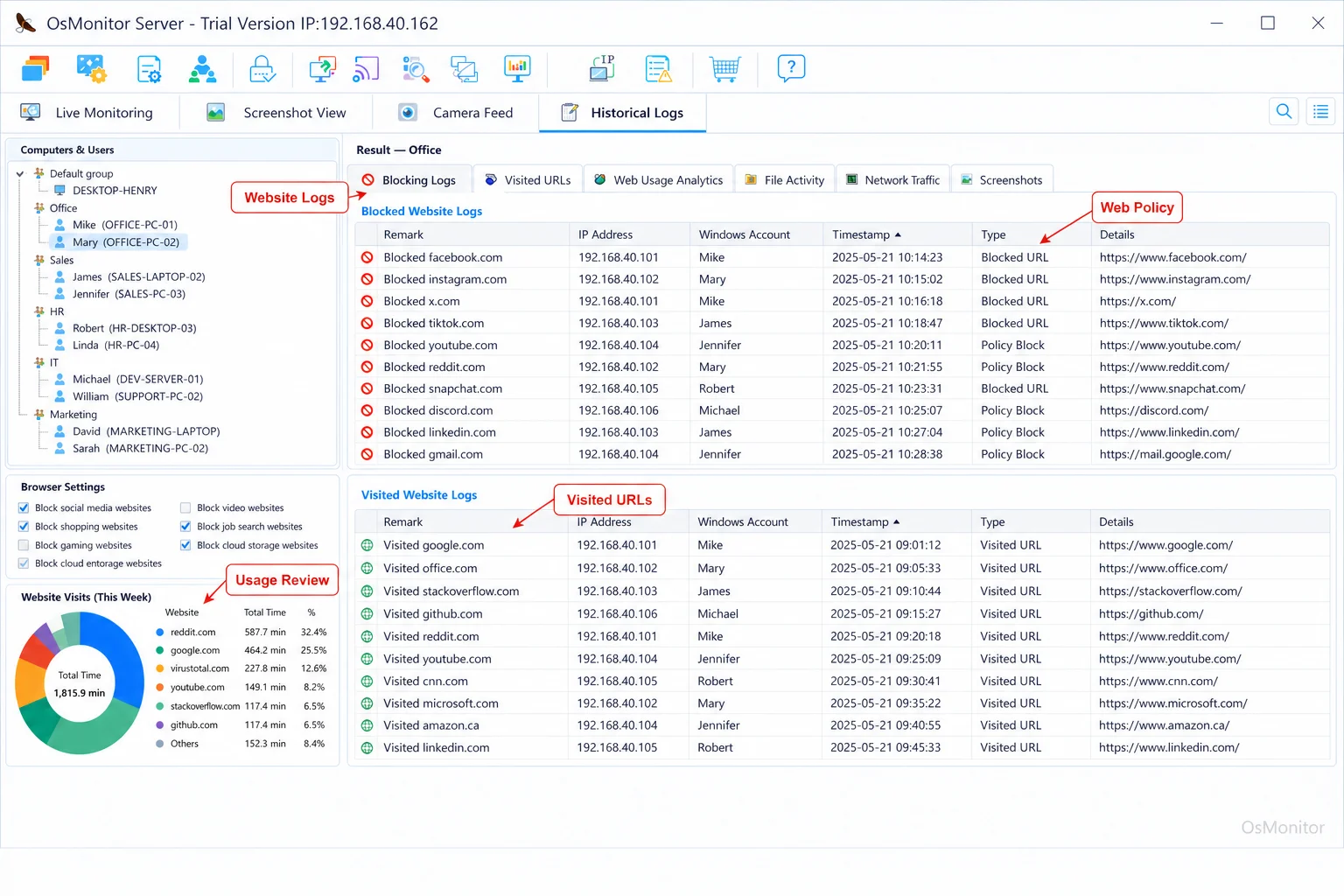
A real-product style screenshot highlighting website activity monitoring in OsMonitor.
How OsMonitor Provides Practical User Behavior Analytics
OsMonitor is built on a classic, bulletproof client/server architecture. This design is highly intentional because it guarantees reliability and puts data control firmly in your hands.
Here’s how the deployment works:
- Server Installation: You install the OsMonitor server console on your own IT management PC or a dedicated Windows Server in your closet. This becomes your central command hub.
- Client Deployment: You push a tiny, lightweight client (under 2MB) to every employee’s Windows machine. It runs silently, logging activity and enforcing the rules you build on the server.
- Centralized Management: From your server console, you can view live screens, generate detailed reports, update blocking policies, and manage your entire fleet from one chair.
The biggest advantage here is data ownership. Your logs are stored on your hardware, safely inside your local network. This makes OsMonitor a premier On-Premise Employee Monitoring Software, giving you total control over sensitive user behavior tracking logs without handing them over to a SaaS vendor’s cloud.
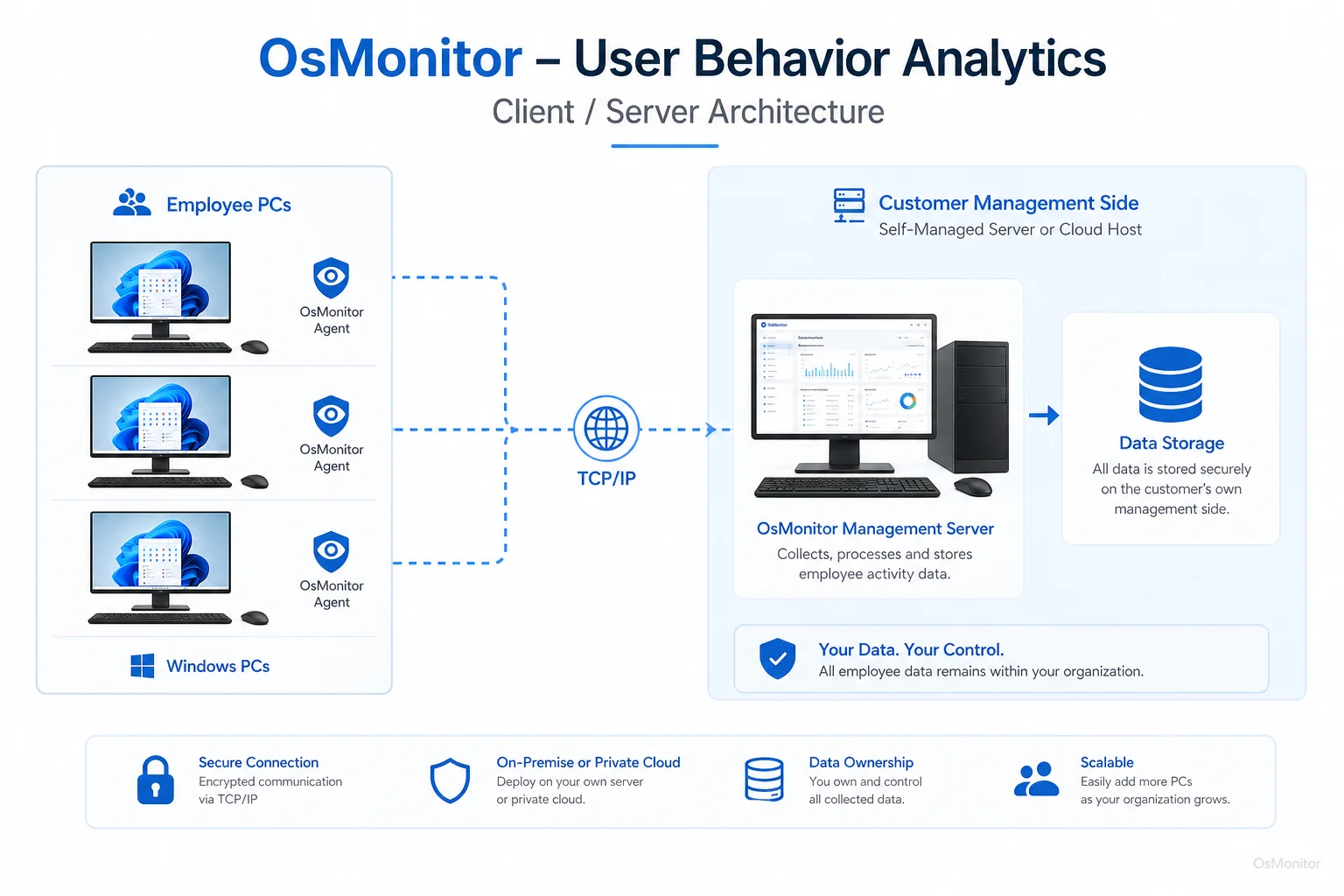
OsMonitor keeps monitoring data under the customer’s control on the management computer or self-managed server.
Core Features for User Behavior Analysis and Management
To effectively manage a team, user behaviour analytics tools need to give you actionable data, not just endless raw logs. OsMonitor provides a comprehensive toolkit tailored for IT management.
| Feature Category | Description | OsMonitor Implementation |
|---|---|---|
| Website Monitoring | Tracks all URLs visited, page titles, and active time spent on the page. | Provides detailed browsing histories and allows you to build strict blacklists to block distracting sites. |
| Application Usage | Logs which executables are run, when, and exactly how long they are the active window. | Generates usage reports so you can identify if expensive software licenses are actually being utilized. |
| Policy Enforcement | Centralized control to block websites, unauthorized apps, and external storage. | Enforce an Acceptable Use Policy by locking down social media, gaming, and USB ports to prevent data theft. |
| Screen Monitoring | Real-time visibility into employee desktops. | View a live, multi-screen wall of your office, or use historical screen playback to understand workflow context. |
| Reporting & Analytics | Translates raw data into clean, readable reports. | Generate specific summaries on bandwidth hogs, top URLs visited, and user behavior analytics use cases like policy violation counts. |
| Document Management | Tracks file movement and quietly backs up critical work. | Monitors file copying and printing, and automatically backs up documents from specified folders to your server. |
These features combine to give you a complete picture of the workday, taking your user behavior analytics beyond clicks and showing you exactly how company time is spent.
On-Premise Data Control and Security
Data privacy is a massive concern right now. Unlike the endless wave of cloud SaaS subscriptions, OsMonitor is a strict, on-premise uba user behavior analytics solution. Your monitoring logs—including screen captures and file histories—stay on your own server.
This gives your IT department massive advantages:
- Total Data Privacy: Your user behavior monitoring data never leaves your building. There is no third-party vendor access.
- LAN-Only Operation: OsMonitor functions perfectly within a closed Local Area Network (LAN) without any internet connection, which is vital for high-security facilities.
- No Subscription Fees: You buy the software once. There are no recurring monthly SaaS fees draining your IT budget.
- Compliance and Control: If you operate in finance, healthcare, or government, keeping data on-premise simplifies your compliance audits significantly.
This focus on absolute data ownership makes OsMonitor an exceptional choice for securing your Employee Activity Monitoring Software.
Use Cases for User Behavior Analytics Tools
OsMonitor’s practical approach to user behaviour monitoring fits perfectly across various business environments. Here are some common user behavior analytics use cases:
- Small and Medium Businesses (SMBs): Owners use it to identify productivity sinks, ensure software licenses aren’t wasted, and keep objective HR records.
- Educational Institutions: Lab admins lock down PCs, ensuring school hardware is used for academics while blocking gaming and inappropriate content.
- Call Centers: Supervisors utilize user behavior analysis to verify that agents stay within approved CRMs and ticketing systems, minimizing idle time.
- Distributed and Remote Teams: IT can manage policies and maintain visibility across all company-owned Windows PCs, even when remote staff connect via VPN.
Responsible Implementation and Limitations
To get the most out of user behavior analytics solutions, the rollout must be transparent. OsMonitor is built for authorized workplace monitoring on company-owned assets. We strongly advise you to write a clear IT policy and inform your staff that their machines are monitored. Always check with your local legal counsel to ensure compliance with regional privacy and labor laws.
Keep your expectations realistic regarding user behavior analytics security. OsMonitor is a powerful IT administration tool, but it does not replace your antivirus, firewall, or advanced enterprise security platforms. It is built for policy enforcement and productivity analysis on Windows networks.
Frequently Asked Questions (FAQ)
What is user behavior analytics?
In a business IT context, UBA is the practice of tracking and analyzing how staff utilize company-issued computers. This involves logging website visits, application active time, and file transfers to optimize productivity, enforce acceptable use policies, and protect basic digital assets.
Is user behavior analytics legal for businesses?
In most jurisdictions, yes. Employers have the right to monitor their own hardware for legitimate business reasons. However, privacy laws vary heavily by region. You must establish a clear policy, notify your employees, and consult legal counsel before deployment.
Does OsMonitor require a client on employee computers?
Yes. It relies on a highly stable client/server model. A lightweight client application must be installed on each endpoint you intend to manage.
Where is OsMonitor monitoring data stored?
Your data stays with you. All logs and recordings are stored directly on your own management PC or internal server. We do not use vendor clouds.
Can OsMonitor work without internet in a LAN?
Absolutely. It is designed to operate flawlessly inside a closed Local Area Network (LAN) without needing an external internet connection.
What Windows versions does OsMonitor support?
It supports Windows 7, 8, 10, and 11, along with Windows Server editions (both 32-bit and 64-bit).
If you are ready to stop guessing and start managing your network with hard facts, an on-premise logging tool is the way to go. Download OsMonitor Free Trial to test the full suite of features securely within your own environment.