Remote Work Tracking Software for Employee Computer Activity
If you manage a distributed workforce, you know the headache of trying to balance productivity with data security. I recently spoke with an IT director at a manufacturing firm who was losing sleep over a simple problem: sensitive engineering CAD files and financial spreadsheets were being casually dragged onto unencrypted personal USB drives by staff working from home. When you can’t walk down the hall to check on your team, how do you enforce your IT policies? That’s where a solid remote monitoring software suite becomes your best friend. It gives you practical visibility and control over company-owned hardware, ensuring your data is secure and your team is focused, regardless of where their desk is located.
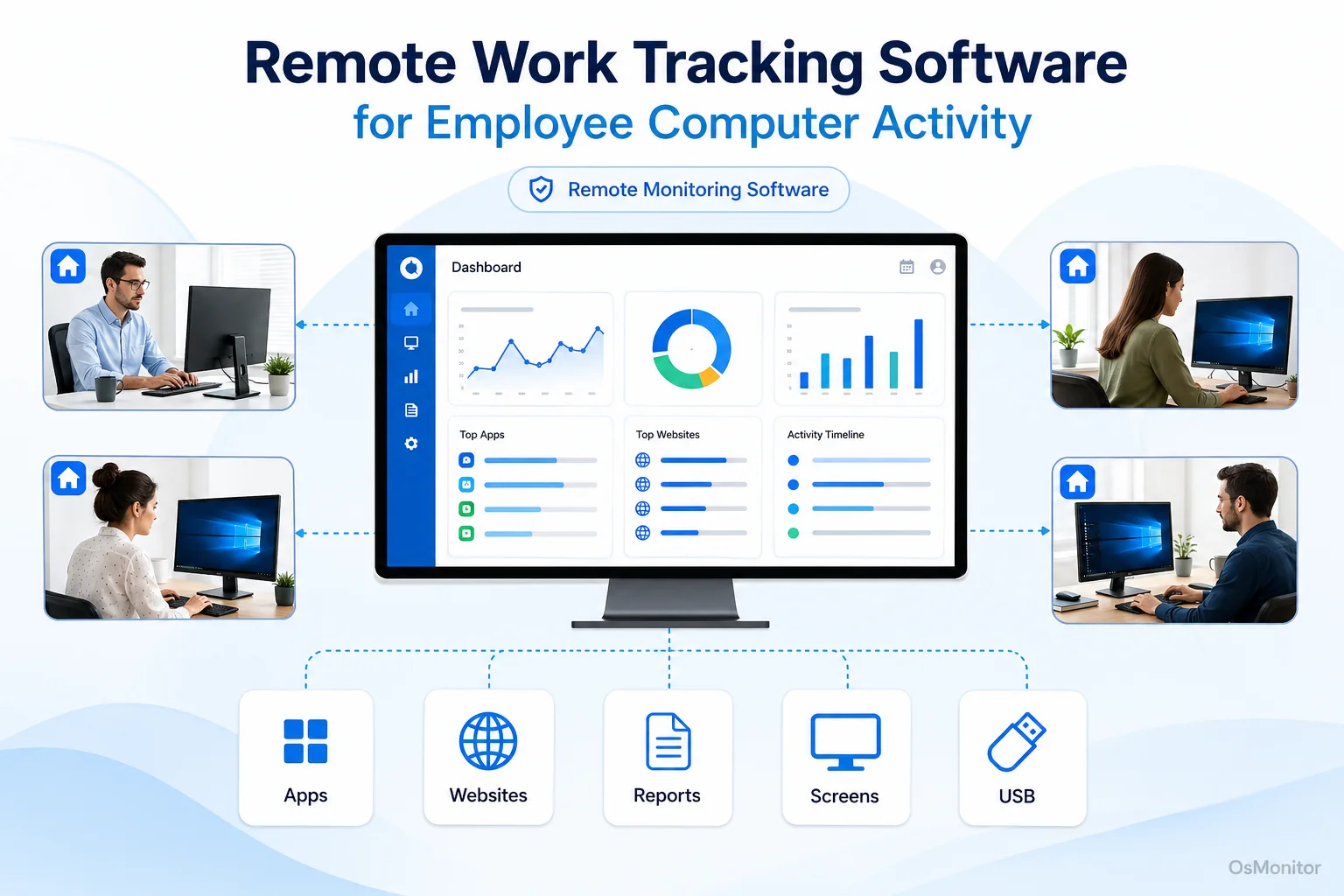
A practical overview of remote monitoring software for workplace computer management.
What is Remote Monitoring Software and Who Needs It?
At its core, remote monitoring tools are IT platforms designed to help businesses manage and oversee company-issued computers. The goal isn’t to play “Big Brother”; it’s to give administrators the ability to view computer activity, track which applications are burning through the workday, enforce acceptable use policies, and pull detailed reports from one central console. This tech is absolutely vital if you want to maintain operational visibility across a scattered network.
A robust it remote monitoring software platform is a lifesaver for:
- Businesses with Remote or Hybrid Teams: Need a reliable remote work tracking software to gain insight into daily workflows without the need for physical oversight.
- Companies with Branch Offices: Standardize your computer usage policies and manage IT assets uniformly across multiple geographic locations.
- Organizations Handling Sensitive Data: Drastically reduce data leakage risks by locking down USB ports and tracking every file operation.
- IT Administrators: Deploy quick remote technical support, handle software updates, and keep endpoints healthy.
Ultimately, remote work tracking bridges the massive gap between managing in-house staff and a distributed team, giving you a consistent framework for IT management.
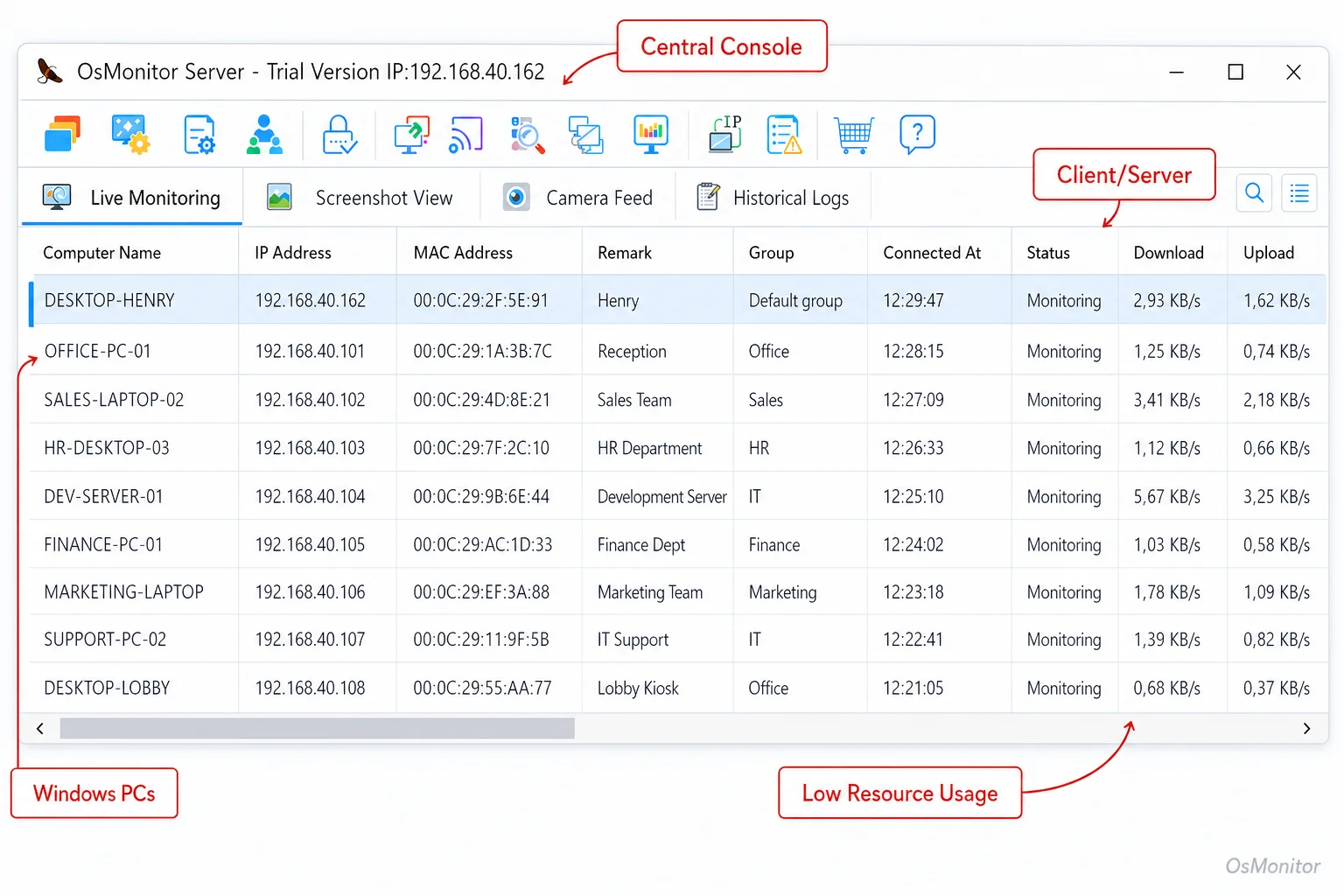
A real-product style screenshot highlighting centralized computer monitoring in OsMonitor.
OsMonitor: Focused on Productivity and Transparent Management
Let’s be clear about OsMonitor’s positioning. It is an employee remote monitoring software built specifically for transparent workplace management. It is not a heavy, expensive enterprise cybersecurity appliance or a formal compliance audit suite. Instead, it provides highly practical tools for IT managers to boost productivity, enforce internal computer usage rules, and secure data on Windows PCs.
If you are evaluating the best remote monitoring software, you want a tool that answers the simple, critical questions: Are these expensive company laptops being used for work? Are folks spending three hours a day on non-work streaming sites? Are there weird file transfers happening that look like data theft? By serving up clear, undeniable data, OsMonitor supports smart management decisions. For a deeper dive into these capabilities, check out our Computer Monitoring Software page.
How OsMonitor’s Client/Server Architecture Works
OsMonitor doesn’t rely on a complex cloud setup; it uses a straightforward, highly secure client/server model. You run the OsMonitor server console on a single management PC—this becomes the central hub for all your logs. On the employee endpoints, you push a lightweight client agent. This agent runs quietly in the background, logging activity and enforcing your policies.
This architecture is exactly what you want from a computer remote monitoring software:
- Centralized Control: Manage every monitored PC from one dashboard, whether they are hardwired to the local area network (LAN) or connecting remotely via VPN.
- Real-Time Data: The console pulls data from the clients continuously, giving you remote monitoring software real-time views of your network.
- Scalability: It runs just as smoothly for a five-person startup as it does for a 500-person enterprise.
- Data Privacy: This is the big one. All your data is stored on your management server, not on a third-party vendor’s cloud. You own the logs.
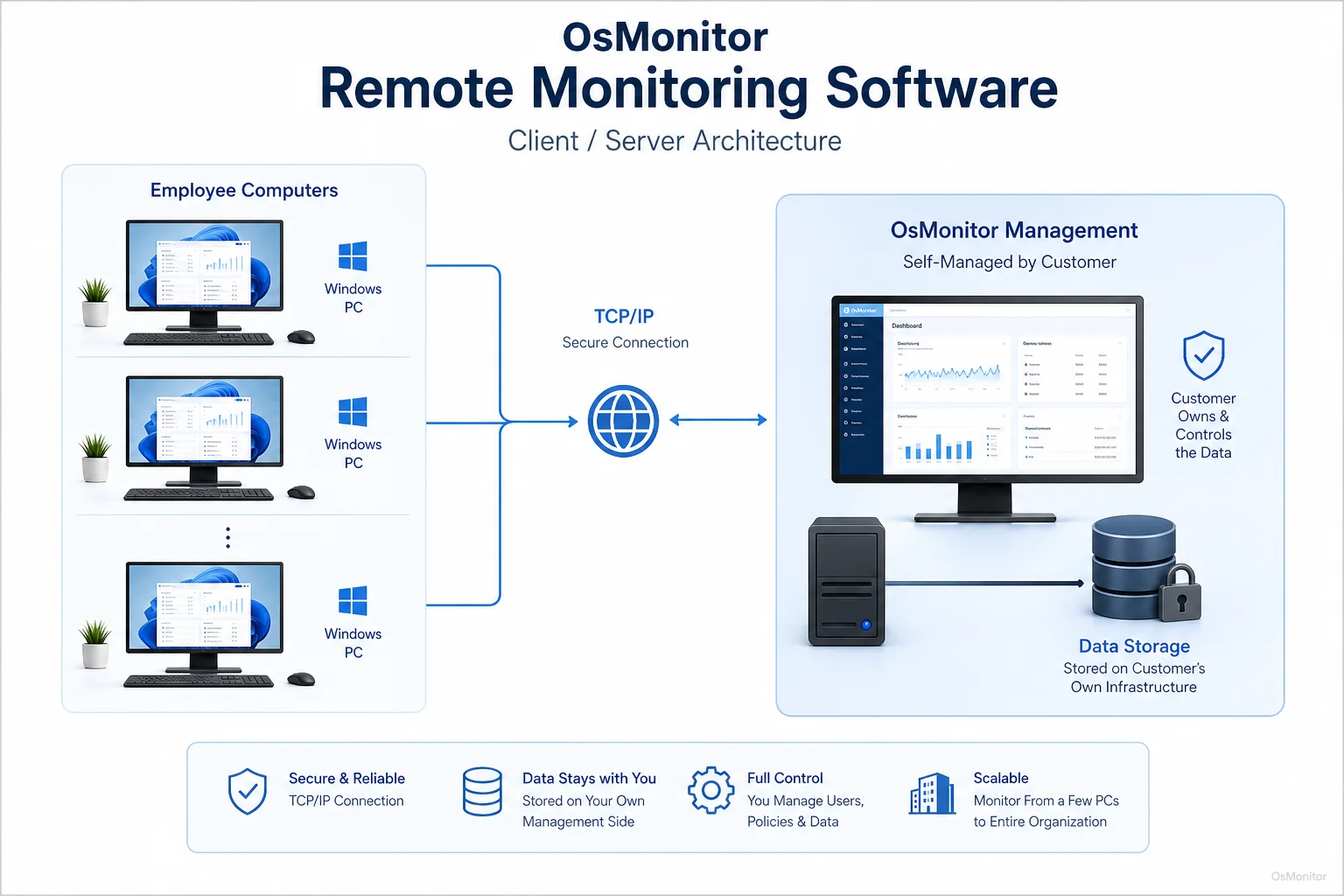
OsMonitor keeps monitoring data under the customer’s control on the management computer or self-managed server.
Core Features of Remote Work Tracking Software
A truly effective remote monitoring software for employees has to combine several key tools into one dashboard. Here is what OsMonitor brings to the table.
Real-Time Screen Monitoring and History Playback
Want to see what’s happening right now? You can view live screens of multiple employees simultaneously in a tiled “screen wall.” Better yet, all screen activity is recorded, so you can play back an employee’s screen history like a DVR to review a past workflow issue or investigate a security incident.
Website and Application Usage Control
You get to define what is productive. OsMonitor can actively block non-work sites (social media, streaming) and applications (gaming, unauthorized chat tools). It also logs exactly which sites were visited and apps were run, calculating the total active time for each.
USB Device and File Operation Controls
To stop data theft like my manufacturing client experienced, you need powerful USB controls. You can completely block all USB storage, force them into a safe read-only mode, or whitelist only specific, company-issued encrypted drives. The software also records every file copy, move, delete, and rename action across local drives and removable storage.
Comprehensive Reports and Activity Records
Raw data needs to be readable. You can generate detailed reports on department or individual activity, giving you insights into software license usage and policy violations. Key reports include:
- Software and website usage time analysis
- Bandwidth and download statistics
- Violation counts for blocked sites or unauthorized apps
- File operation logs and document access history
Our dedicated Employee Activity Monitoring Software page explains how these records drastically improve operational efficiency.
Remote Assistance and File Management
If you run a remote team, this feature pays for the software itself. IT administrators can remotely view and control an employee’s desktop to troubleshoot issues, force software updates, or transfer files directly, streamlining IT support across the board.
On-Premise Data Ownership: Your Data, Your Control
Unlike the endless wave of modern SaaS subscriptions, OsMonitor is an on-premise software. All monitoring data is stored directly on your own management computer or a self-managed server (like a private AWS or Azure instance).
| Feature | OsMonitor (On-Premise) | Typical Cloud SaaS |
|---|---|---|
| Data Storage | Customer’s own server/PC | Vendor’s cloud servers |
| Internet Required | No (for LAN use) | Yes |
| Pricing Model | One-time purchase | Recurring subscription |
| Data Privacy | Full customer control | Subject to vendor’s policy |
| Deployment | LAN, VPN, or self-hosted cloud | Web browser access |
If you have strict data privacy requirements, this model is non-negotiable. Plus, OsMonitor functions perfectly within a closed, offline LAN environment, which is mandatory for high-security facilities.
Limitations and Responsible Use Guidelines
Let’s talk limitations. OsMonitor is a dedicated pc remote monitoring software. It is built for Windows (Windows 7 and later, including Server editions). It does not support macOS, Linux, or mobile phones. (If you are specifically searching for the best remote monitoring software mac ios devices, OsMonitor is not the right fit for that specific hardware).
For a successful, ethical rollout, we strongly advise IT managers to:
- Develop a clear, written Acceptable Use Policy.
- Inform employees that their company-owned hardware is monitored.
- Ensure your authorized workplace monitoring complies with all local privacy and labor laws.
- Use the data to improve workflows and provide IT support, not to micromanage every mouse click.
Frequently Asked Questions (FAQ)
What is remote monitoring software?
It is a suite of IT tools that allows managers to track, secure, and manage computer activity on company-owned hardware from a central console, ensuring productivity and enforcing security policies for both in-office and remote teams.
Is remote monitoring software legal for businesses?
In most jurisdictions, yes. Businesses have the legal right to monitor their own property. However, it almost always requires a clear policy and employee notification. Always consult your local legal counsel before deployment to ensure compliance.
Many buyers search for “free remote monitoring software” or a “remote monitoring software free” trial. Does OsMonitor offer one?
Searching for entirely free software in this category is risky for data privacy, but OsMonitor does offer a full-featured, secure free trial so you can evaluate the platform on your own network before purchasing.
Does OsMonitor require a client on employee computers?
Yes. To enforce your IT policies and collect data, the lightweight client agent must be installed on each Windows endpoint you want to manage.
Where is OsMonitor monitoring data stored?
Your data stays with you. It is stored exclusively on your own management computer or a self-managed server. It is never sent to our vendor servers.
Can OsMonitor work without internet in a LAN?
Absolutely. It is fully capable of running completely offline within a Local Area Network (LAN), making it perfect for air-gapped security environments.
What Windows versions does OsMonitor support?
It supports Windows 7, 8, 10, and 11, along with Windows Server editions (both 32-bit and 64-bit).
If you are ready to secure your data and gain actionable insights into your remote team’s workflow, View OsMonitor Pricing to explore our transparent, one-time purchase licensing options.