Best PC Monitoring Software for Business Computer Usage
As an IT manager, I know that the hunt for the best pc monitoring software rarely starts with idle curiosity. It usually begins with a specific, urgent headache. For example, you might realize that sensitive engineering drawings or financial Excel files are quietly walking out the front door on unauthorized USB drives. When that happens, it’s not a trust issue; it’s an IT infrastructure issue. You need a way to enforce your company policies automatically. The best pc monitoring program doesn’t just watch; it gives you the tools to secure assets, record activity for compliance, and ensure your hardware is used for actual work, all while operating transparently within legal boundaries.
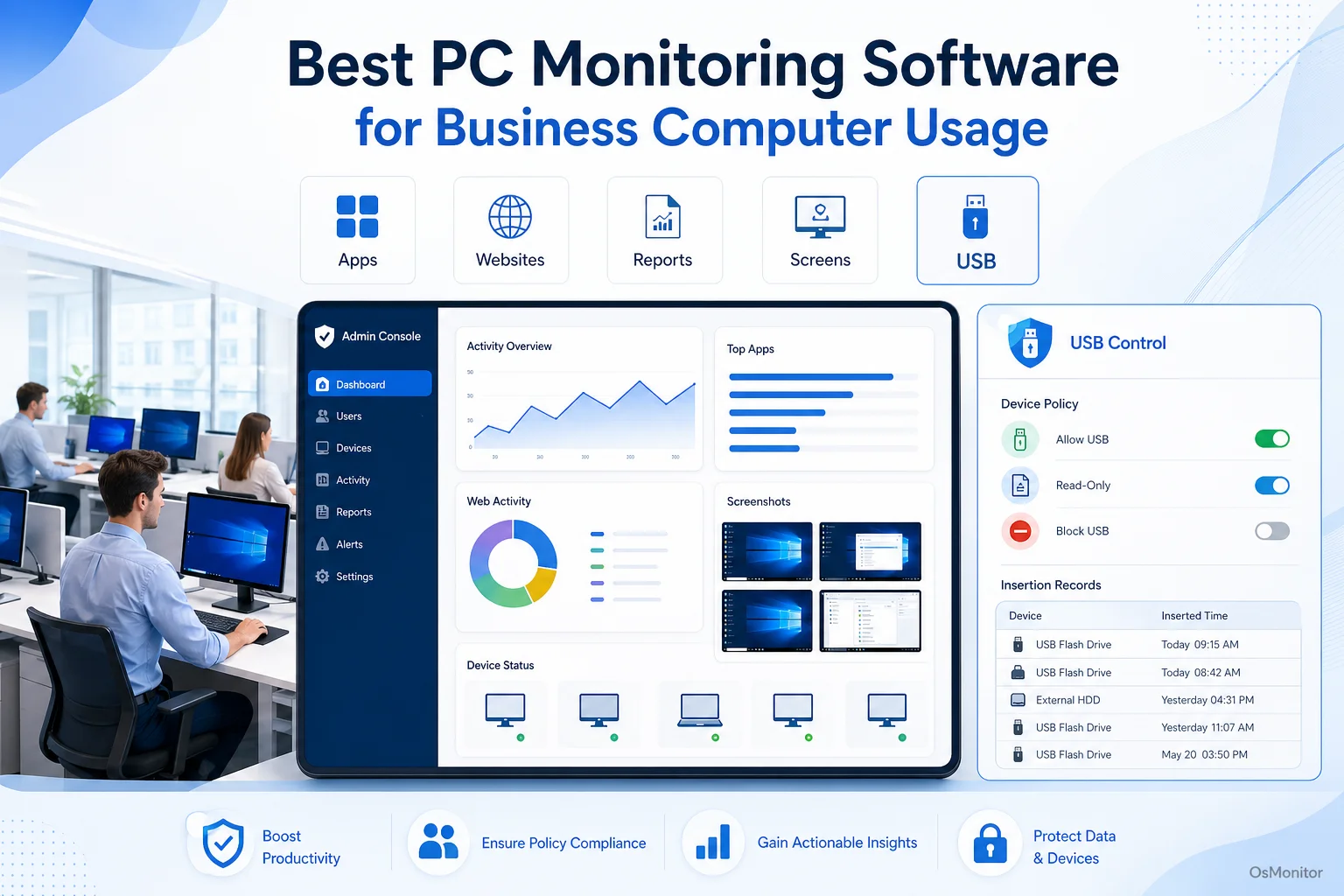
A practical overview of best pc monitoring software for workplace computer management.
Key Selection Criteria for PC Monitoring Software
When you are tasked with finding the best computer monitoring software, do not just compare feature checklists on vendor websites. The right solution has to map perfectly to your existing IT infrastructure, your budget, and your data privacy rules. Before you deploy anything to your network, evaluate these critical factors.
Deployment Model and Data Ownership
This is the very first question you must answer: Where does the data go?
- Cloud-Based (SaaS): Hosted by the vendor. You log in through a web browser, and all your internal employee logs sit on their servers. It’s fast to set up, but you are handing sensitive operational data to a third party. Plus, you will be hit with recurring per-user monthly fees forever.
- On-Premise (Self-Hosted): The software and all collected logs live strictly on your own hardware—either a physical server in your closet or a private cloud instance you control. This gives you 100% data ownership. If you are looking for the best pc monitoring software for businesses centralized management 2025 and beyond, this is the standard for industries like finance, manufacturing, or healthcare.
OsMonitor uses this highly secure, on-premise client-server model. Your activity logs never leave your private network, which is mandatory for businesses that refuse to store sensitive operational data in a public cloud.
Operating System Compatibility
You need software built for your environment. (Note: If your team runs entirely on Apple hardware, you will need to search for the best computer monitoring software for mac.) However, if your office runs on Windows—like the vast majority of the business world—you want a dedicated Windows Employee Monitoring Software. A tool built specifically for Windows (supporting everything from Windows 7 to Windows 11 and Server editions) provides much deeper OS integration and rock-solid stability compared to a generic cross-platform web app.
Centralized Management and Reporting
The best computer monitoring tools provide a single pane of glass. You cannot waste time logging into individual machines to check status. A powerful centralized dashboard allows IT admins or department heads to view live screens, generate historical productivity reports, and push out blocking policies across the entire network instantly.
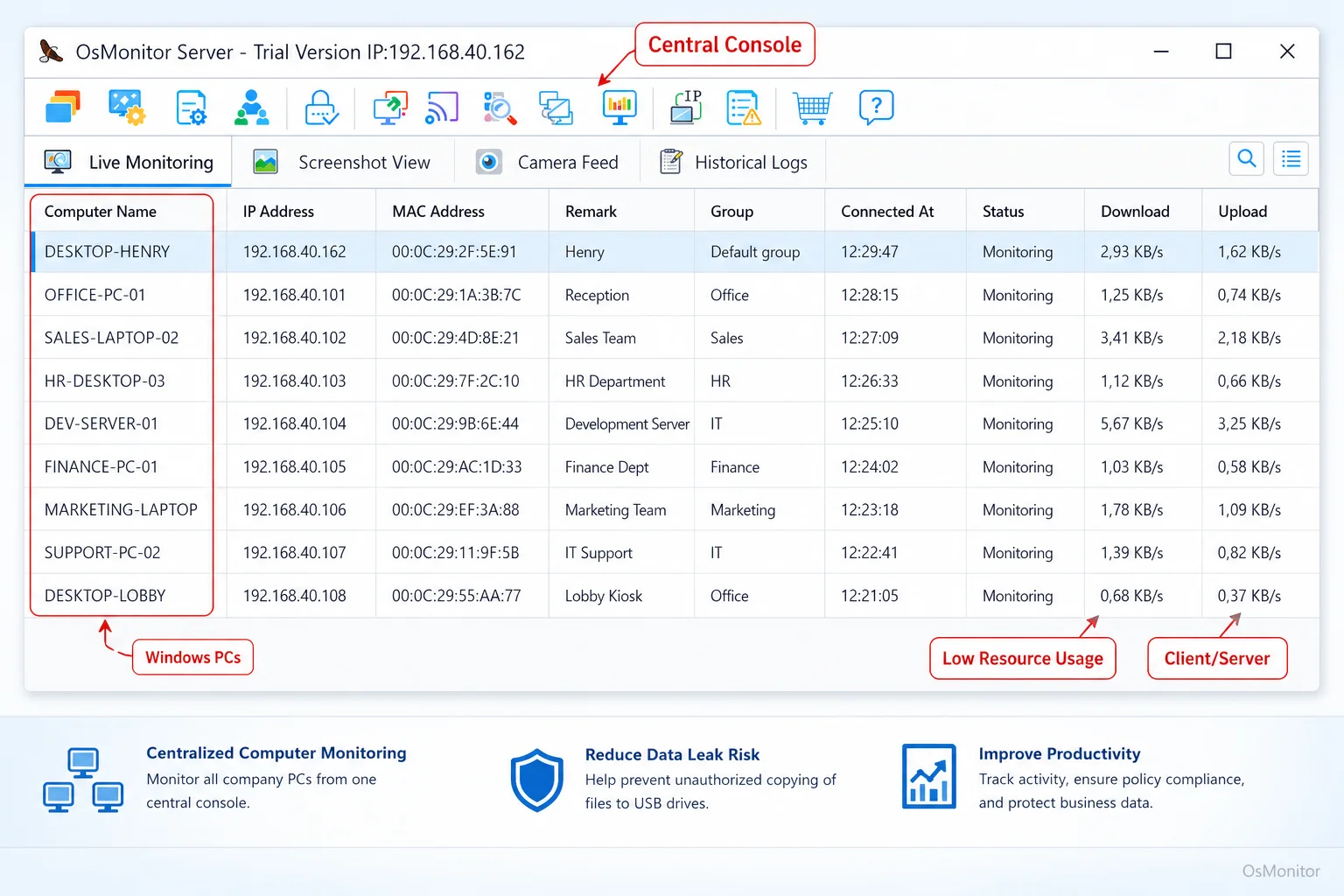
A real-product style screenshot highlighting centralized computer monitoring in OsMonitor.
Policy Controls and Enforcement
Visibility is great, but control is better. The best employee computer monitoring software lets you actively enforce your rules:
- Website Blocking: Instantly restrict access to known time-wasters or malicious sites.
- Application Control: Stop the execution of unauthorized software or games.
- Device Control: This is critical. You must be able to manage USB access—blocking drives entirely or forcing them into read-only mode to prevent data theft.
Pricing and Licensing Model
Software costs compound. Know what you are signing up for.
- Subscription (SaaS): You pay per user, every single month. It looks cheap on day one but becomes a massive budget drain over the years.
- One-Time Purchase (Perpetual License): You buy the software once and own it forever. This is how OsMonitor is priced, making it the most cost-effective best pc monitoring option for businesses planning for the long haul.
Common Types of Computer Monitoring Tools
When executives ask me, “what is the best computer monitoring software?” I tell them it depends on what category they actually need.
Cloud SaaS Employee Monitoring Platforms
These are the heavily marketed, all-in-one web dashboards. They bundle time tracking and basic screen captures. They are easy to use, but your internal data lives on their servers, and you are tied to their monthly billing cycles.
Dedicated Time Tracking Applications
These tools just act as digital stopwatches for payroll or billing. While useful for freelancers, they lack the deep IT controls you need for actual pc monitoring, such as USB locking, policy enforcement, or detailed application tracking.
On-Premise Computer Monitoring Software
This is where robust, client-server tools like OsMonitor live. Designed for businesses prioritizing absolute data security, the entire system runs on your hardware. It is the top computer monitoring software with easy deployment across multiple devices. This is the undisputed choice for protecting sensitive intellectual property. Plus, if your internet connection goes down, this On-Premise Employee Monitoring Software keeps running flawlessly on your local network.
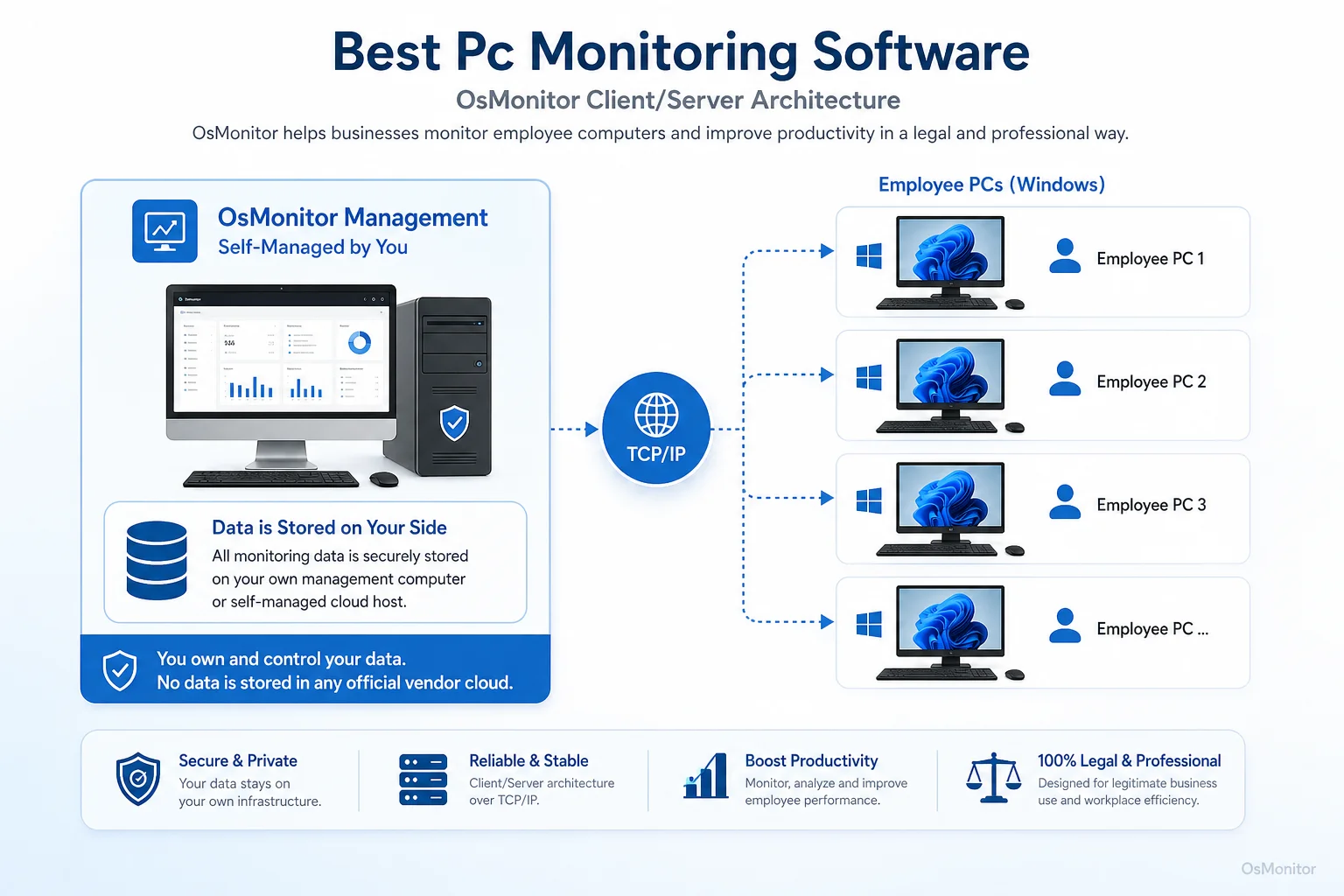
OsMonitor keeps monitoring data under the customer’s control on the management computer or self-managed server.
Project Management Tools with Monitoring Features
Tools like Asana track tasks, but they don’t track the computer. They tell you if a job is done, not how company resources were used to do it.
OsMonitor: On-Premise Software for Windows PC Management
OsMonitor is purpose-built for businesses managing fleets of Windows PCs that demand full control over their data. By choosing an On-Premise Employee Monitoring Software like OsMonitor, you can lock down your network without relying on fragile third-party cloud infrastructure.
The setup is simple: install the management console on your IT server, and push a tiny (under 2MB) client to the employee endpoints. Because all communication happens over your local network, it doesn’t even need internet access to function, ensuring total privacy.
Core Features of Effective PC Monitoring Programs
To truly manage a network, you need a balance of visibility and preventative control. Here is a checklist of what a comprehensive Employee Activity Monitoring Software solution must have.
| Feature | Description | Business Application |
|---|---|---|
| Live Screen Monitoring | View live screens individually or via a multi-screen wall. | Quickly assess team activity and provide instant remote assistance without leaving your desk. |
| Website & Application Usage | Logs exactly what sites and apps are used, tracking active time. | Identifies productivity drains and helps optimize expensive software licenses. |
| Policy Controls | Actively block specific sites, apps, or games. | Enforces acceptable use policies automatically, killing distractions at the source. |
| USB & Device Management | Control access to USB ports (block entirely or set to read-only). | Secures intellectual property and prevents staff from walking out with sensitive data. |
| File & Document Tracking | Records file operations (copy, delete) and backs up files automatically. | Creates an airtight audit trail for sensitive documents and protects against accidental deletion. |
| Activity Reports | Generates clean, readable reports on app usage and web history. | Provides objective data for performance reviews rather than relying on guesswork. |
| Remote Assistance | Lets IT take control of an employee’s mouse and keyboard. | Drastically reduces IT downtime by allowing instant troubleshooting. |
Understanding Limitations and Best-Fit Scenarios
No software does everything. You have to ensure a tool aligns with your specific infrastructure.
OsMonitor is built with a very specific focus:
- Windows-Only Environment: It is strictly for Windows. It does not support Mac, Linux, or mobile phones. This specialization is what makes it so stable.
- Client Installation Required: It is not an agentless tool. A lightweight client must be installed on each endpoint to enforce your IT policies.
- Best for On-Premise Data Control: If you want a SaaS tool, this isn’t it. This is for businesses that demand local data storage, absolute privacy, and independence from third-party vendor servers.
Frequently Asked Questions (FAQ)
What is the best PC monitoring software?
It depends entirely on your IT environment. If your company requires total data ownership, runs a Windows network, and prefers a one-time purchase over monthly fees, an on-premise solution like OsMonitor is arguably the best choice. If you run a cross-platform remote team and don’t mind cloud storage, a SaaS tool might fit better.
Is PC monitoring software legal for businesses?
In almost all jurisdictions, yes. Employers have the right to monitor company-owned hardware. However, privacy laws vary heavily by region. You must maintain transparency by establishing a clear written policy and notifying your staff. Always consult local legal counsel before deployment.
Does OsMonitor require a client on employee computers?
Yes. OsMonitor uses a secure client-server model. You must install the lightweight client on each Windows endpoint you want to manage.
Where is OsMonitor monitoring data stored?
Your data stays with you. It is stored exclusively on your own management PC or your internal server. Your sensitive logs never leave your network and are never uploaded to a vendor cloud.
Can OsMonitor work without an internet connection in a LAN?
Absolutely. It is fully designed to operate flawlessly within a closed Local Area Network (LAN) without any internet connection, which is essential for high-security environments.
What Windows versions does OsMonitor support?
It supports Windows 7, 8, 10, and 11, along with Windows Server editions (both 32-bit and 64-bit).
Choosing the right software is a major strategic decision that impacts your network security and your IT budget. If you are ready for a secure, self-hosted solution, View OsMonitor Pricing to see how a perpetual, one-time license can save your company money in the long run.