Best Employee Monitoring Software for Small Businesses
Every growing business hits a wall where managing productivity through guesswork simply stops working. When you have multiple teams working across different departments or branch offices, asking “What’s everyone working on?” becomes a major time sink. Imagine being able to review multiple workstations at once through a centralized screen wall, cutting out endless status update meetings and getting a real-time read on your entire network. That kind of visibility and security is exactly why IT managers start searching for the best employee monitoring software. But as any IT veteran will tell you, the “best” tool isn’t just about features; it’s about finding the exact right fit for your data control needs, your budget, and your specific hardware environment.
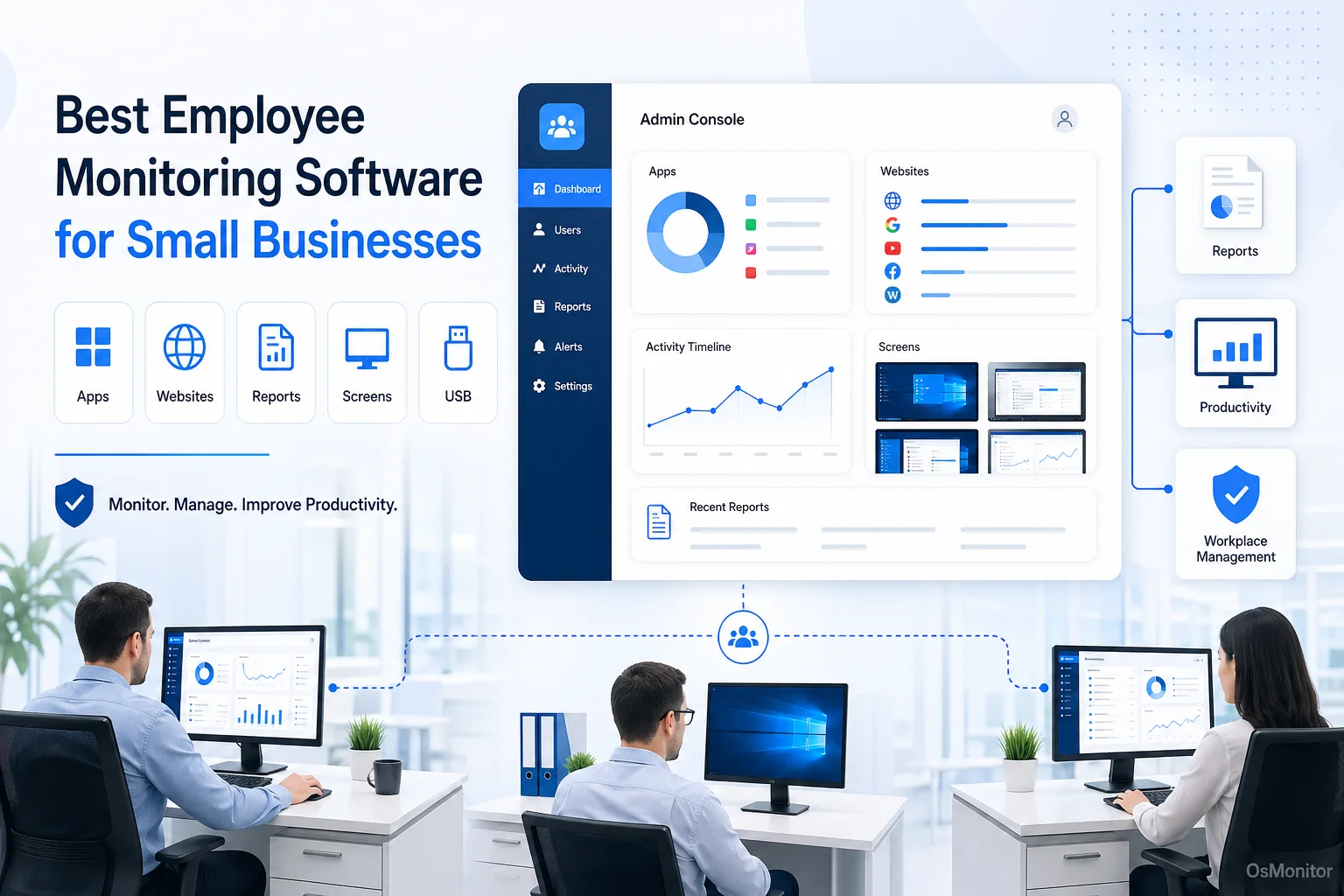
A practical overview of best employee monitoring software for workplace computer management.
How to Choose the Best Employee Monitoring Software
Picking the right software takes more than just glancing at a vendor’s feature list. Whether you are running a small logistics firm or you need the best employee monitoring systems for security-conscious industries, your decision ultimately comes down to deployment models, data ownership, and pricing structures.
Deployment Model: On-Premise vs. Cloud SaaS
Your first big IT decision is where the software lives.
- Cloud SaaS (Software-as-a-Service): These are hosted by the software vendor. They are quick to set up and accessible from anywhere. The downside? You are hit with recurring per-user monthly fees, and your sensitive company data sits on a third-party server.
- On-Premise (Client/Server): Here, you install the best software for employee monitoring directly on a server you control within your own network. This gives you 100% ownership of your data, which is non-negotiable for businesses handling sensitive client info or operating in regulated spaces. This model usually involves a one-time license fee.
Data Ownership and Security
Who actually controls your activity logs? For many business owners, handing over internal data to a vendor cloud is a massive risk. That’s why the best employee monitoring software for compliance in regulated industries 2025 and beyond will continue to be on-premise solutions. When employee activity records, documents, and communication logs stay on your server, you eliminate third-party breach risks. You control the backups and retention policies, making it much easier to align with HIPAA, GDPR, or your own internal security protocols.
Core Features and Functionality
While bells and whistles vary, the top 10 employee monitoring software lists always highlight a core set of practical tools. Look for:
- Real-Time Screen Monitoring: The ability to monitor employee desktop activity live, usually through a multi-screen wall.
- Activity Logging: Precise records of applications used and websites visited.
- Policy Enforcement: Tools to block time-wasting sites, stop unauthorized app installations, and lock down USB storage ports.
- Reporting and Analytics: Dashboards that translate raw data into department activity reports, helping you identify productivity trends.
- Remote Assistance: Crucial IT tools that allow you to take remote control of a user’s desktop to fix technical issues fast.
Pricing and Licensing Model
Software costs compound quickly. Pay attention to how you are billed:
- Subscription-Based: Typical for cloud tools. Low upfront cost, but extremely expensive as your team scales over the years.
- One-Time Purchase: Common with on-premise solutions like OsMonitor. You pay a single time for a perpetual license. If you are looking for the best employee monitoring software for small business budgets, this predictable cost structure is incredibly economical over the long haul.
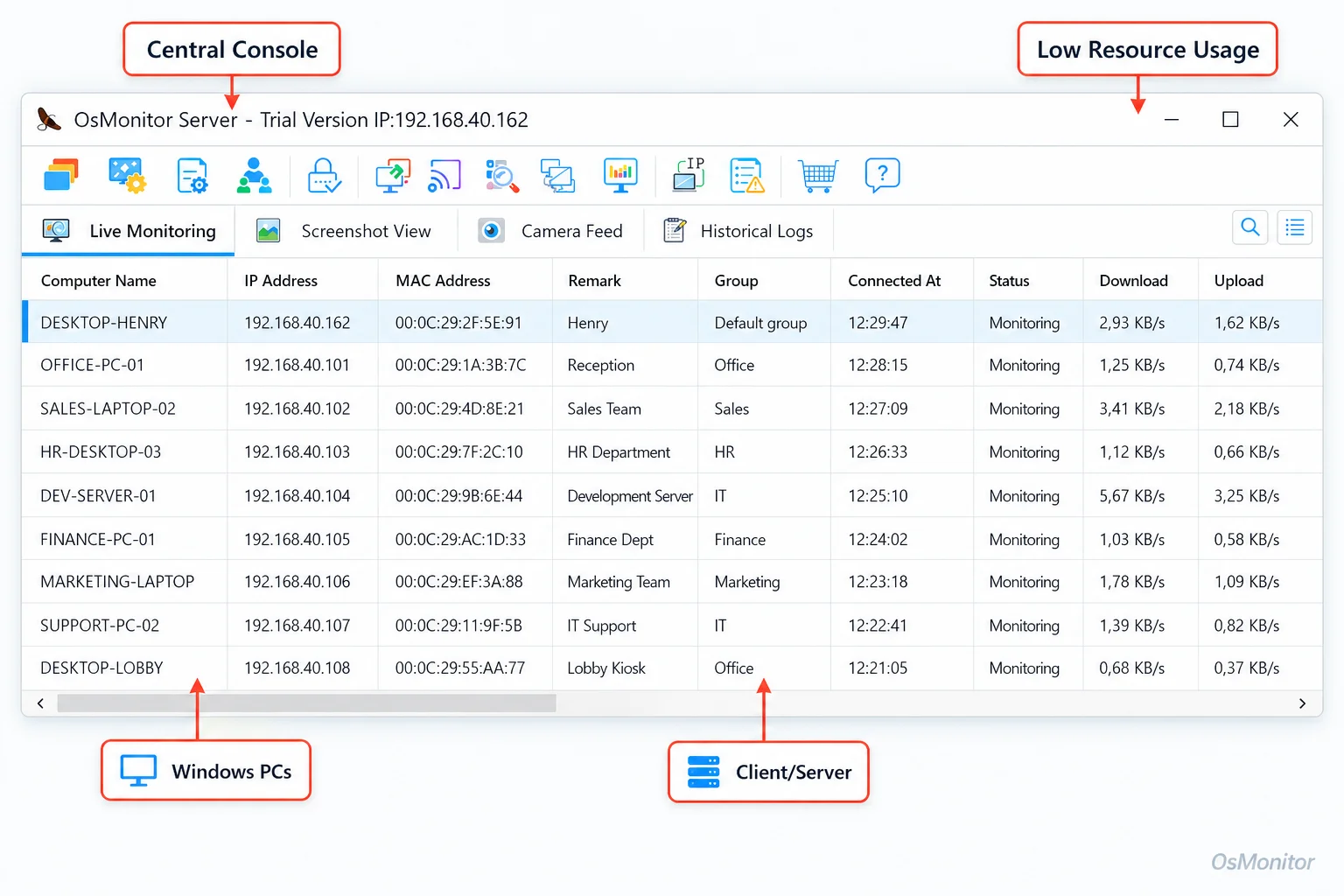
A real-product style screenshot highlighting centralized computer monitoring in OsMonitor.
Common Types of Employee Monitoring Tools
The market is flooded with options, but they generally fall into a few distinct categories. Knowing these helps you zero in on the top employee monitoring software for your specific setup.
All-in-One Cloud SaaS Platforms
These are everywhere. They bundle time tracking, employee desktop monitoring, and project management into a web dashboard. Great for remote-first startups, but their reliance on vendor clouds and endless subscription fees are major drawbacks for established, security-focused businesses.
Dedicated Time Tracking Applications
These tools just track the clock. They handle idle-time detection and payroll integration. While useful for billing, they lack the actual employee desktop monitoring software features you need for IT management, like website blocking or live screen viewing. If you search for the best free employee monitoring software, you usually end up with a highly restricted version of these simple time trackers.
On-Premise Computer Monitoring Software
This is where robust, client/server-based tools like OsMonitor live. Built for businesses that refuse to compromise on data security, the management console is installed centrally on your network, pushing lightweight clients out to employee PCs. All monitoring data stays safely inside your private infrastructure. This makes it arguably the best employee monitoring approach for LAN environments, operating perfectly without internet access. For a deeper dive, check out our On-Premise Employee Monitoring Software guide.
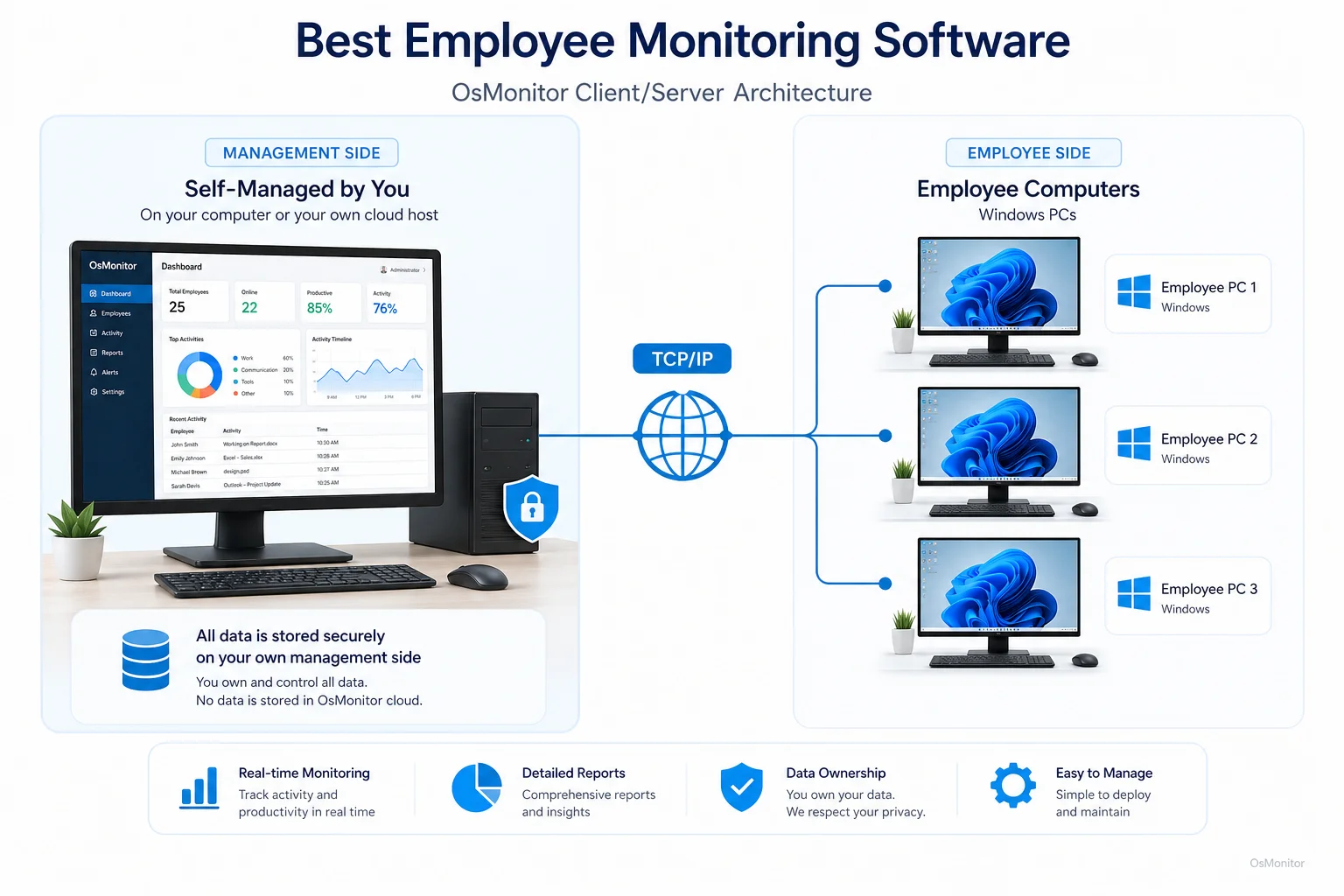
OsMonitor keeps monitoring data under the customer’s control on the management computer or self-managed server.
Project and Task Management Suites
Tools like Asana or Jira tell you if a task is done, but they don’t provide employee laptop monitoring software capabilities to show you how company resources were used to complete it. They are project management tools, not computer management tools.
Where OsMonitor Fits: On-Premise Software for Windows PCs
OsMonitor is a classic, highly stable client/server system built specifically for Windows networks. It sits firmly in the on-premise category, focusing heavily on total data ownership, tight security, and transparent, one-time pricing.
Because your data stays on your own server, it’s often considered the best employee monitoring software for legal, financial, healthcare, and government sectors. It runs beautifully on a local area network (LAN), even offline. By focusing purely on Windows Employee Monitoring Software, it guarantees deep integration across Windows 7, 8, 10, 11, and Windows Server editions.
A Practical Feature Checklist for Top Employee Monitoring Software
When evaluating tools—whether you are looking for a premium system or searching for an employee desktop monitoring software free trial—use this checklist to ensure you get what you need.
| Feature | Description | Why It’s Important for Small Businesses |
|---|---|---|
| Live Screen Monitoring | View multiple employee desktops in real-time on a single centralized dashboard. | Provides an instant best employee screen monitoring software experience, facilitating quick IT support and workflow reviews without interruption. |
| Website & Application Tracking | Logs all sites visited and applications used, tracking active time. | Highlights productivity drains and provides the data needed to refine acceptable use policies. |
| Policy Controls | Block specific websites, unauthorized apps, and USB storage devices. | Prevents non-work browsing and secures sensitive network data from physical unauthorized copying. |
| Activity Reports | Generate detailed reports on computer usage across the company. | Provides objective data for performance reviews and helps justify IT investments. |
| Remote Assistance | Remotely view and control a user’s computer for fast IT support. | Lets administrators troubleshoot technical problems instantly, drastically reducing downtime. |
| Document & File Tracking | Monitors file operations and automatically backs up important documents. | Creates a vital audit trail for sensitive files and protects against accidental data deletion. |
A system that handles these well is the core of effective Employee Screen Monitoring Software, giving you the tools required for transparent oversight.
Limitations and Considerations
I’ll be straight with you: no single tool solves every problem. OsMonitor is powerful, but you need to know its specific design parameters:
- Windows-Only Environment: It is purpose-built for Windows. If your office runs entirely on Mac or Linux, this isn’t for you.
- Client Installation Required: To function, the lightweight client must be installed on each endpoint. It is not an agentless tool.
- Best Fit: It is the best employee monitor software for small to medium businesses running on-site or VPN-connected Windows PCs that demand total data control and prefer a one-time software purchase. (And yes, this holds true globally; if you are searching for the best employee monitoring software in india, the US, or Europe, the need for on-premise data security remains identical).
Frequently Asked Questions (FAQ)
What is the best employee monitoring software?
The answer depends entirely on your IT infrastructure. If you prioritize total data control, operate a Windows network, and want to avoid SaaS fees, an on-premise solution like OsMonitor is arguably the best employee monitoring software 2025 has to offer. If you run a scattered, cross-platform remote team and don’t mind cloud storage, a SaaS tool might fit better.
Is employee monitoring software legal for businesses?
Yes, in most jurisdictions, monitoring activity on company-owned computers is legal when done for legitimate business purposes. However, privacy laws vary. You must establish a clear, written computer usage policy and consult a local legal professional to ensure your authorized workplace monitoring is fully compliant.
Does OsMonitor require a client on employee computers?
Yes. It uses a reliable client/server model. You install the management console centrally, and deploy a lightweight client program to each Windows PC you need to manage.
Where is OsMonitor monitoring data stored?
Your data stays with you. All logs are stored on your own management computer or self-managed server. It never touches a third-party cloud, giving you absolute ownership.
Can OsMonitor work without internet in a LAN?
Absolutely. It is designed to function flawlessly within a Local Area Network (LAN) without any internet connection, which is perfect for high-security, air-gapped environments.
What Windows versions does OsMonitor support?
It supports Windows 7, 8, 10, and 11, along with Windows Server editions (both 32-bit and 64-bit).
Choosing the right software is a critical IT decision that affects security, budget, and workplace trust. Focus on your specific requirements for data control and deployment. If you are ready for a secure, transparent computer management system, take a moment to View OsMonitor Pricing and see how a one-time license can save your IT budget.