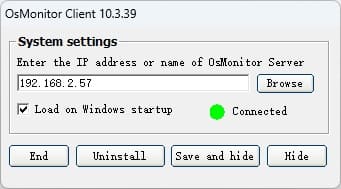

OsMonitor monitoring software is powerful employee monitoring software available for
company. You can find out what employees are doing when they are
assumed to be work in control and restrict what they should not
do on computer during office hours. OsMonitor employee
monitoring software is available for LAN (Local Area Network)
and it is really a fool-proof LAN monitoring software. OsMonitor
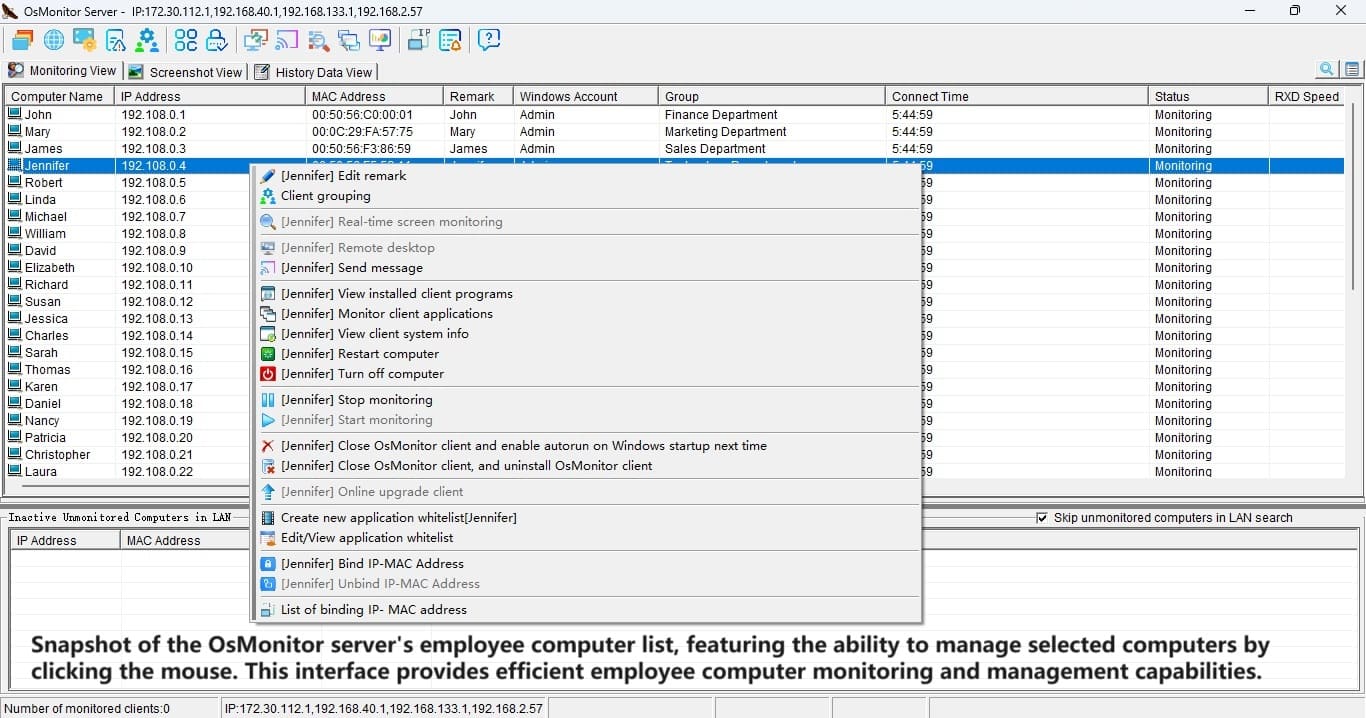
can monitor all your employees' computers (the Clients) in LAN
via a central computer (the Server). OsMonitor helps you to
ensure effective productivity personnel and stricter internet
security.
Here are some key features of "OsMonitor":
· Forbid and restrict, monitor and control. All settings are
done on Server by administrator and all the Clients get the
settings automatically. You won't do setting on the Clients one
by one. It is so easy for you to manage and monitor your
employees.
· OsMonitor won't have any special demand to computer that
installed OsMonitor, and won't have any demand to network
structure and placement. OsMonitor Client will be hidden on
employee's computer even Windows task management won't end
OsMonitor running.
· Block All chatting tools. OsMonitor can block ICQ, MSN, Yahoo
Message, AIM , Peer to peer to prevent from usage of bandwidth.
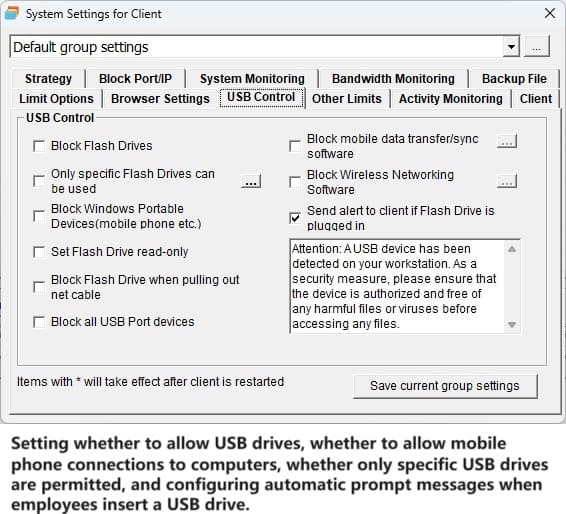
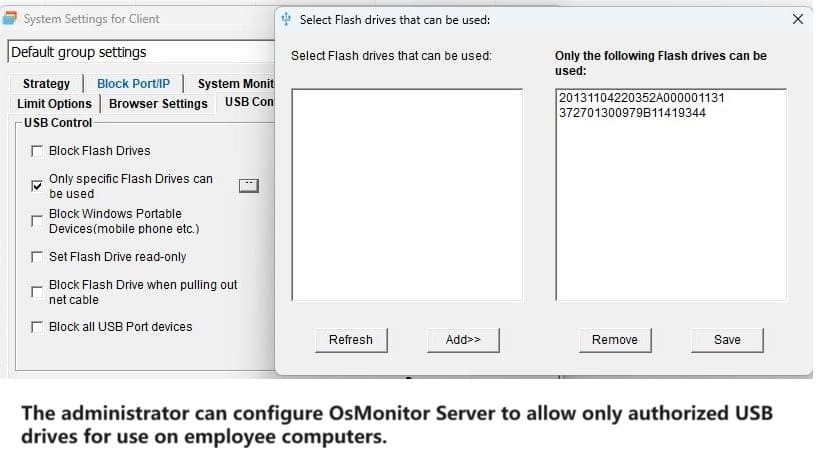
· OsMonitor will restrict your employees using USB ports and USB
storage devices such as movable hard disk and flash memory disk
to prevent confidential information from leaking out.
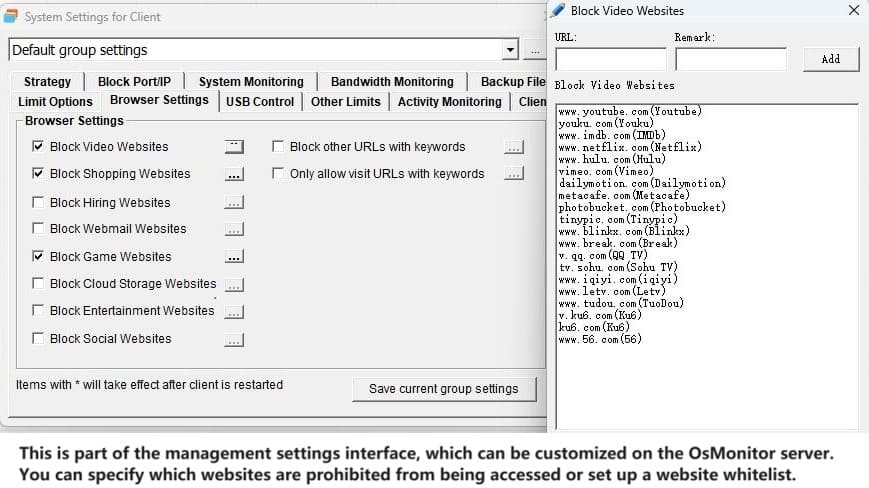
· Restrict surfing on net. You restrict some specified computer
accessing to internet or you can restrict your employees surfing
on net during specified time. You can restrict your employees
visit specified websites or you can shield specified websites.
OsMonitor also can helps you to block porn websites and stock
websites.
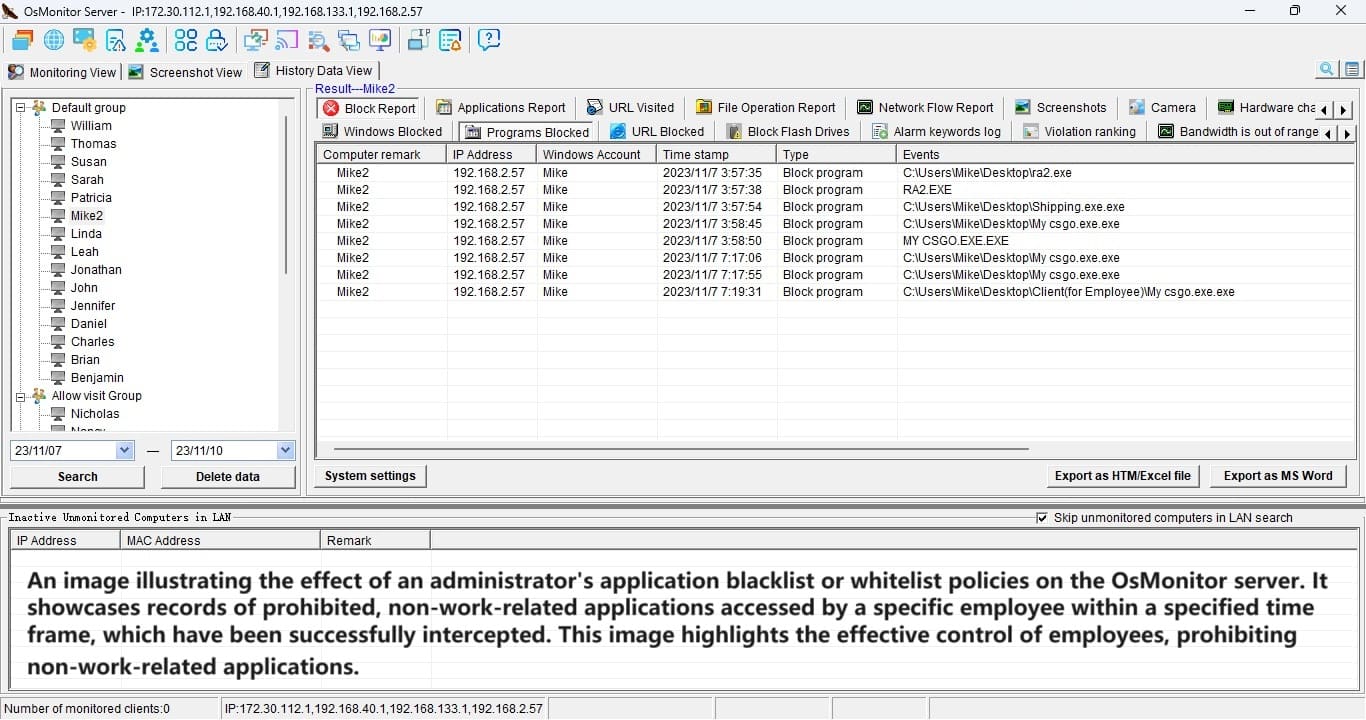
· Block installation. OsMonitor can block software installation
and game program or all programs you don't want to run. You can
customize your employee's computer to run programs related with
work, for example, you can allow your employee's computer only
run Word or Excel, in that case, other programs are not allowed
running.
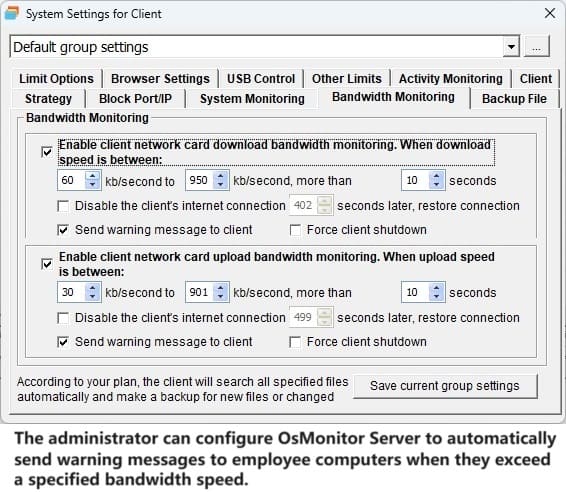
· OsMonitor can monitor and record network card flow of every
employee's computer in real time. All the data are saved for
your later reviewing.
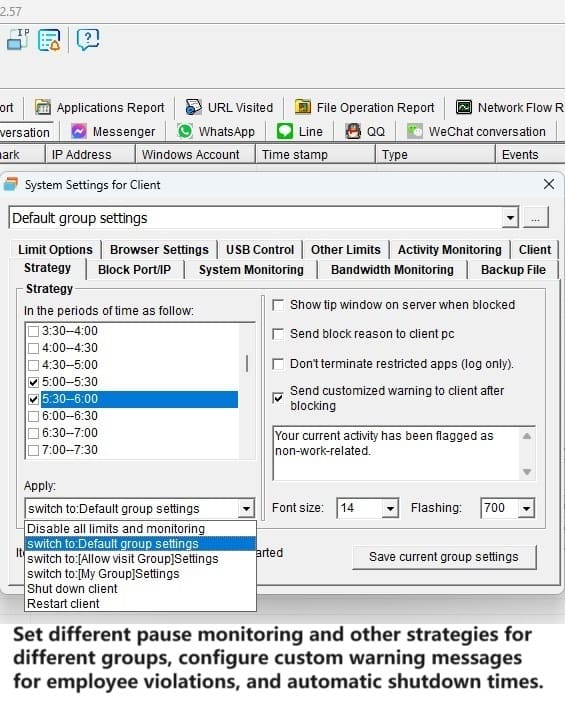
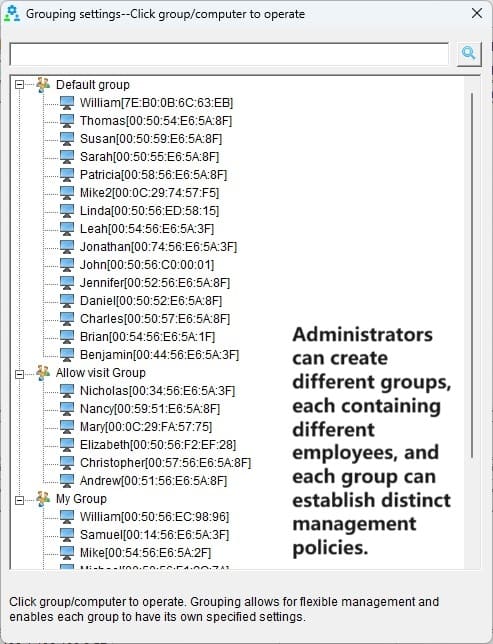
· All the monitor and block options could be customized by your
administrator. You can easily take control of the whole LAN
through giving different employees different rights.
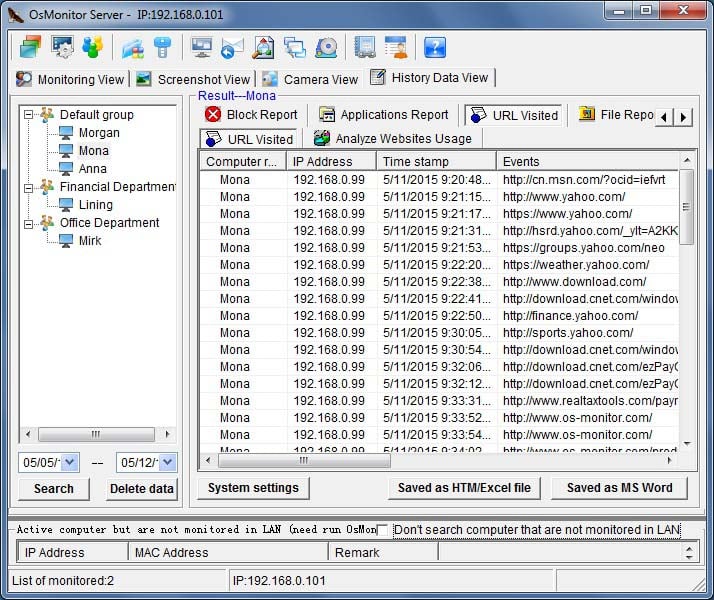
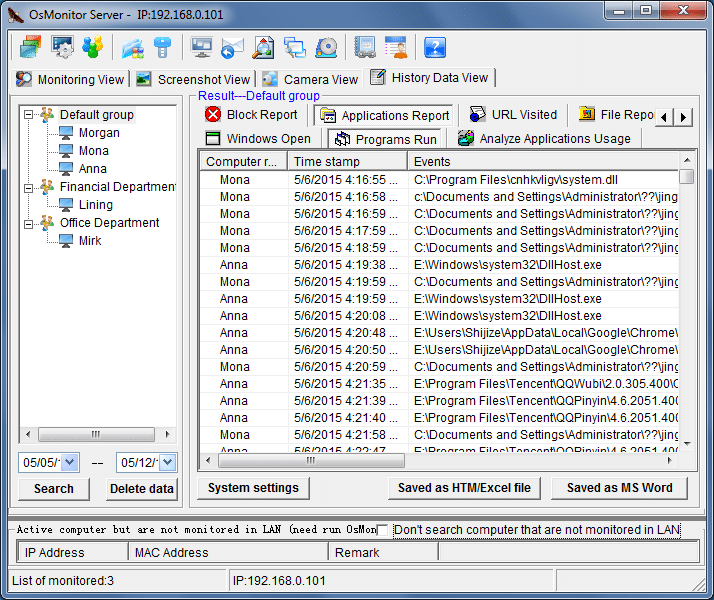
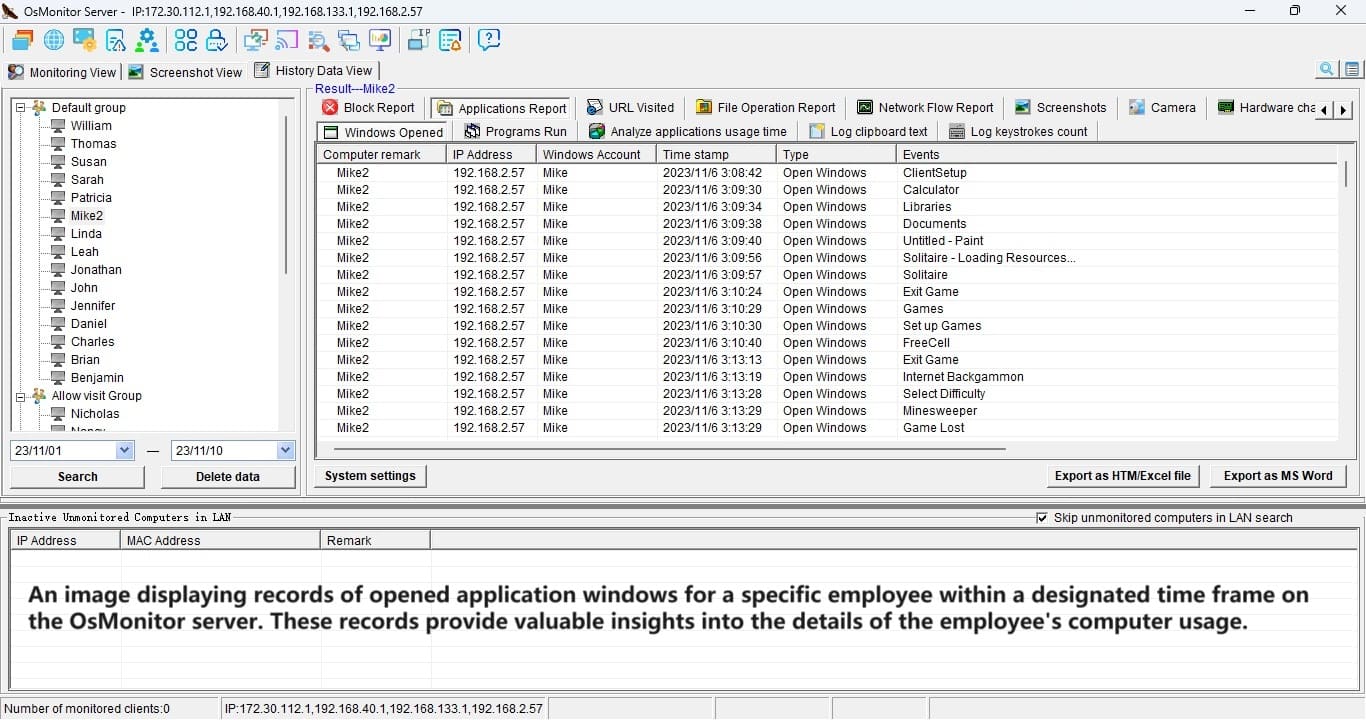
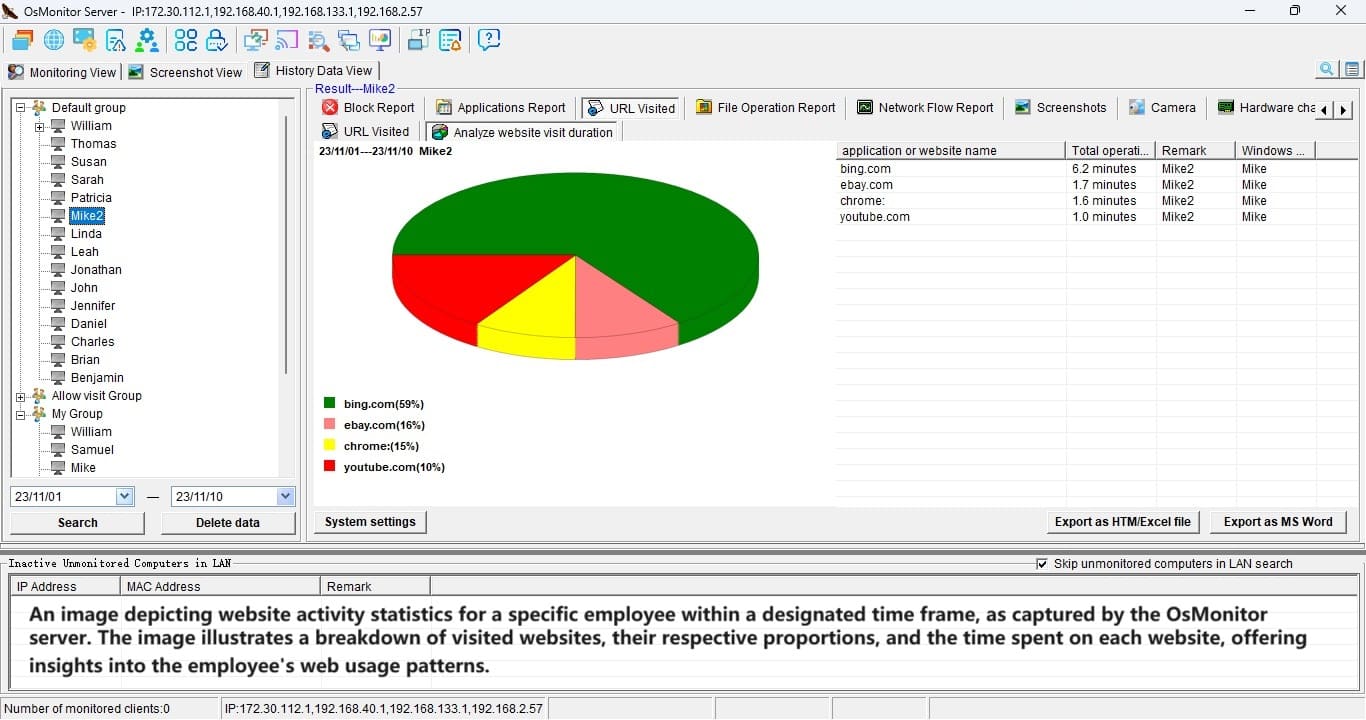
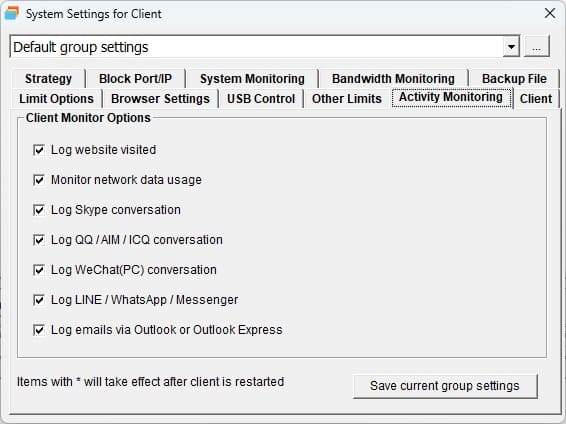
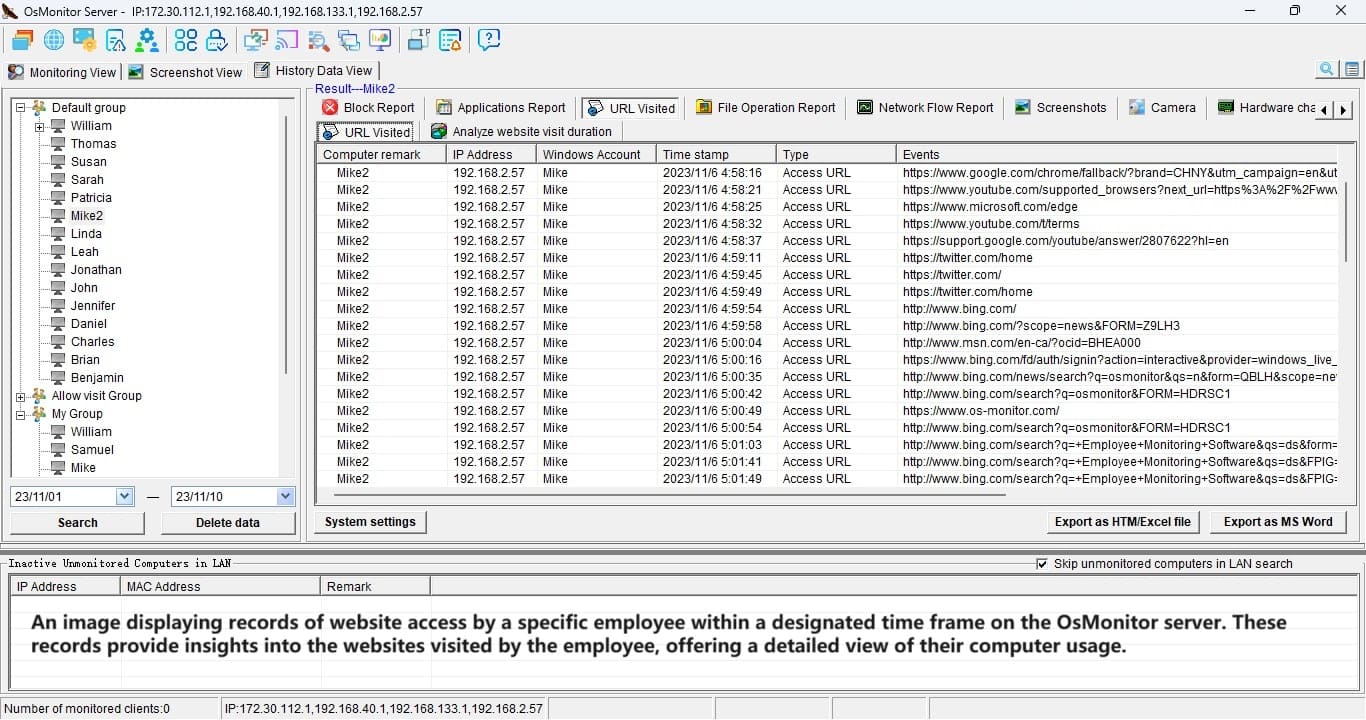
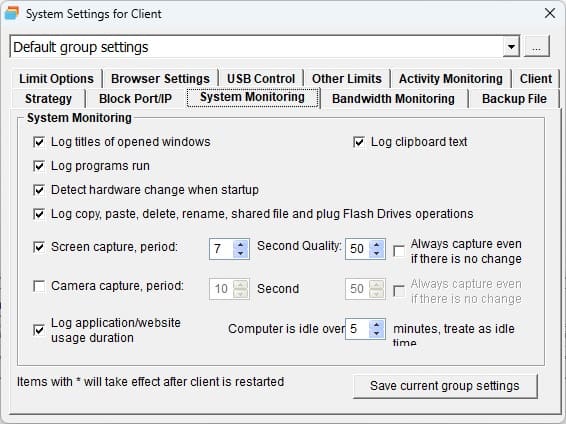
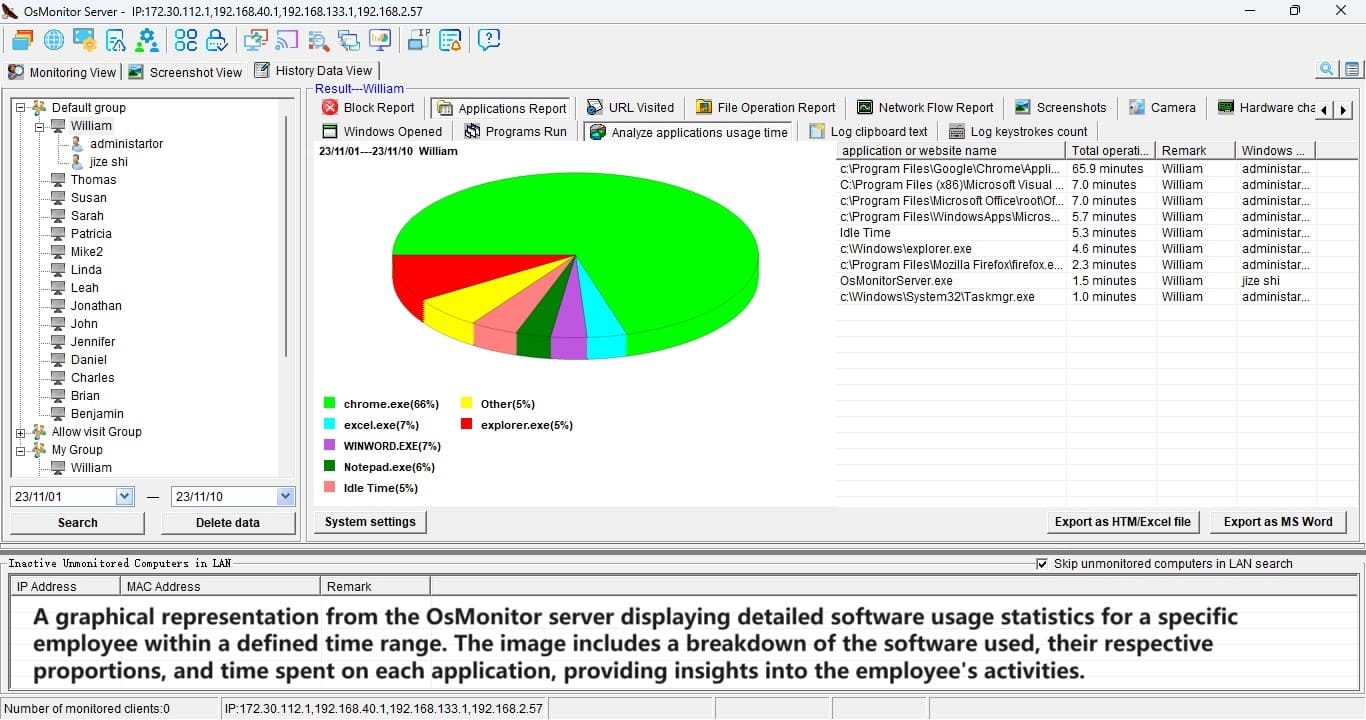
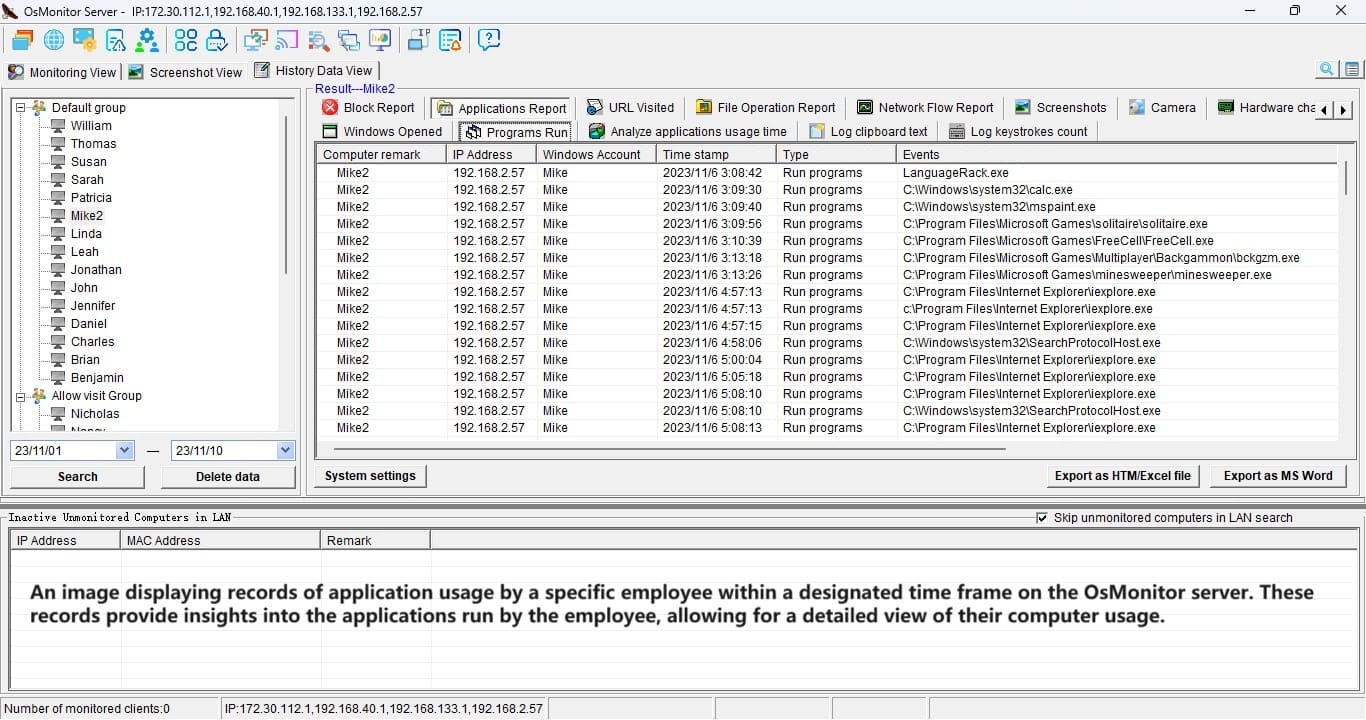
· OsMonitor can record all windows your employees open, programs
they are running, URLs they visit and chatting conversations as
ICQ.
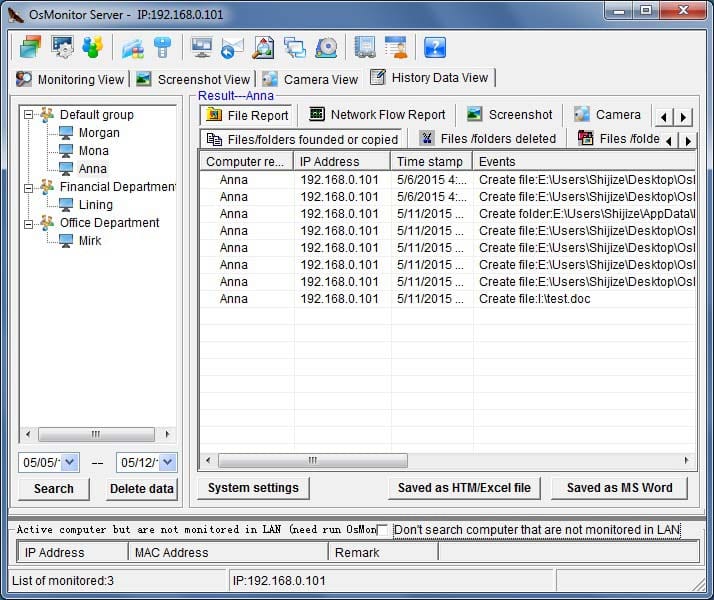
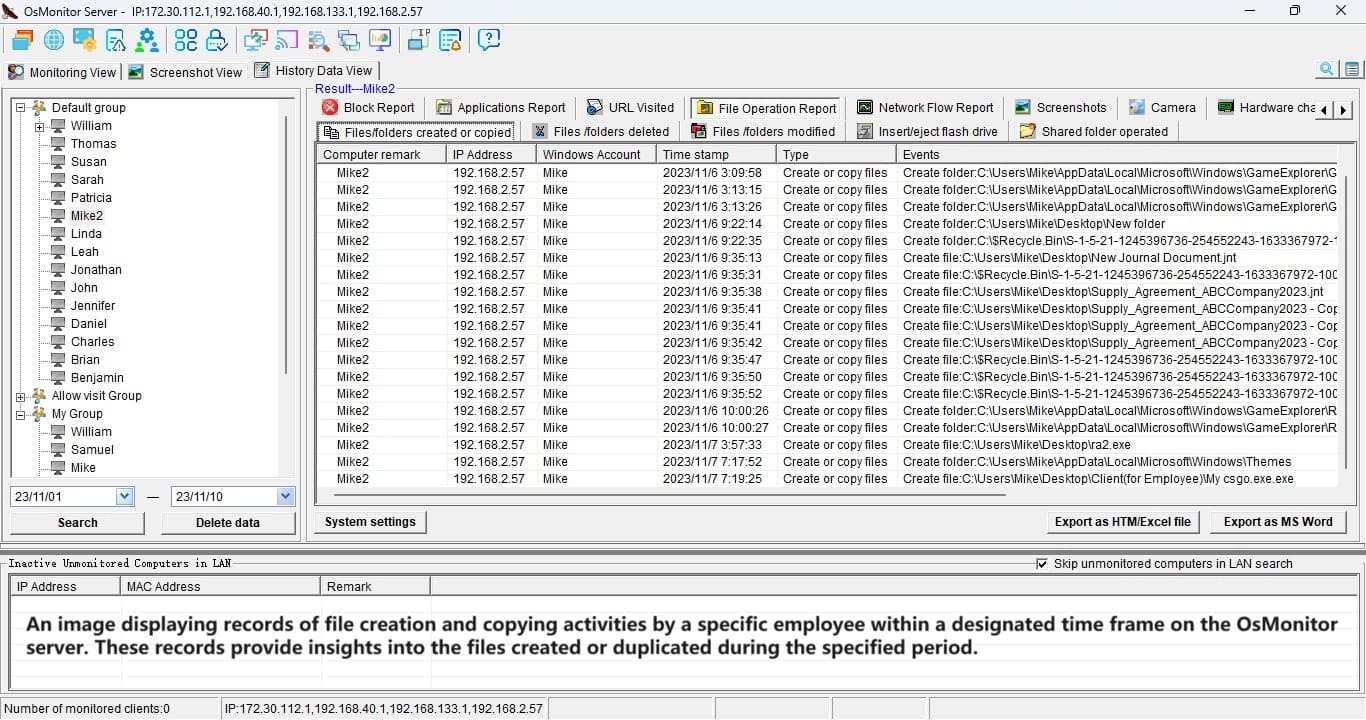
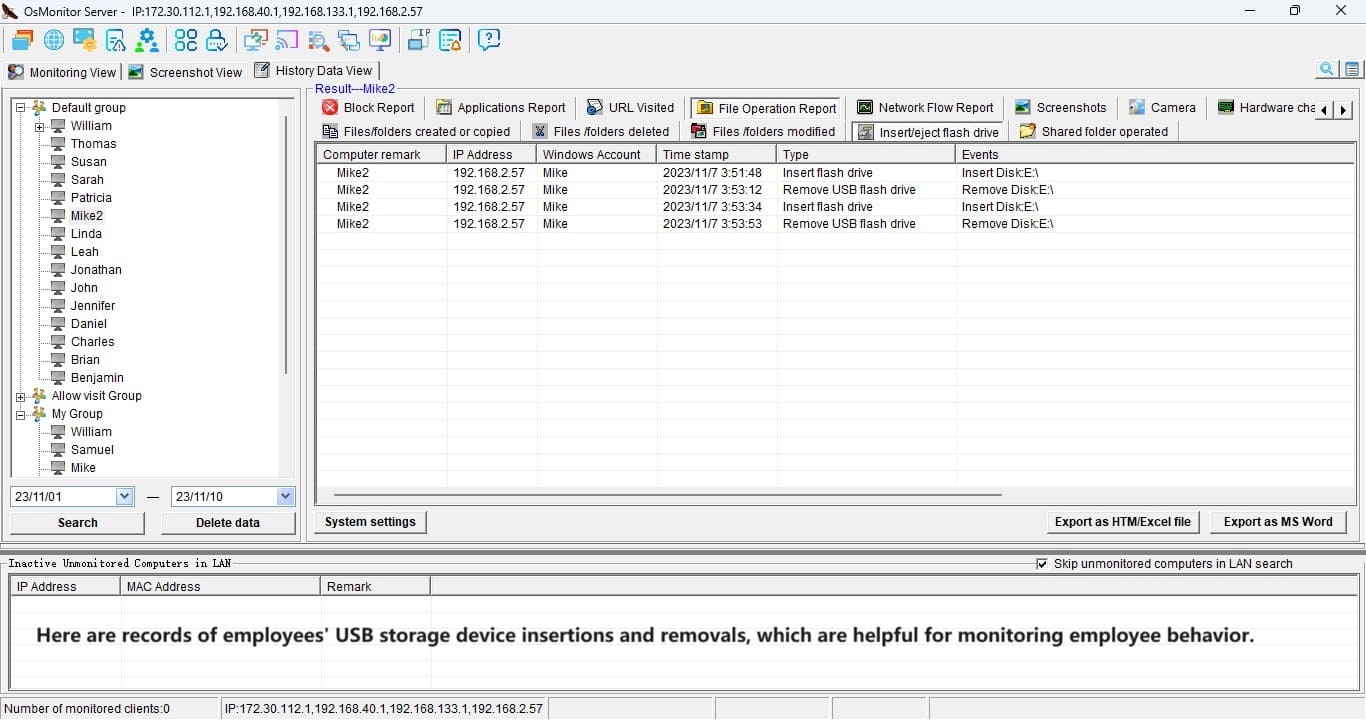
· Monitor file operating. OsMonitor can monitor and record users
copying, pasting, deleting files and plugging and pulling out
flash memory disk.
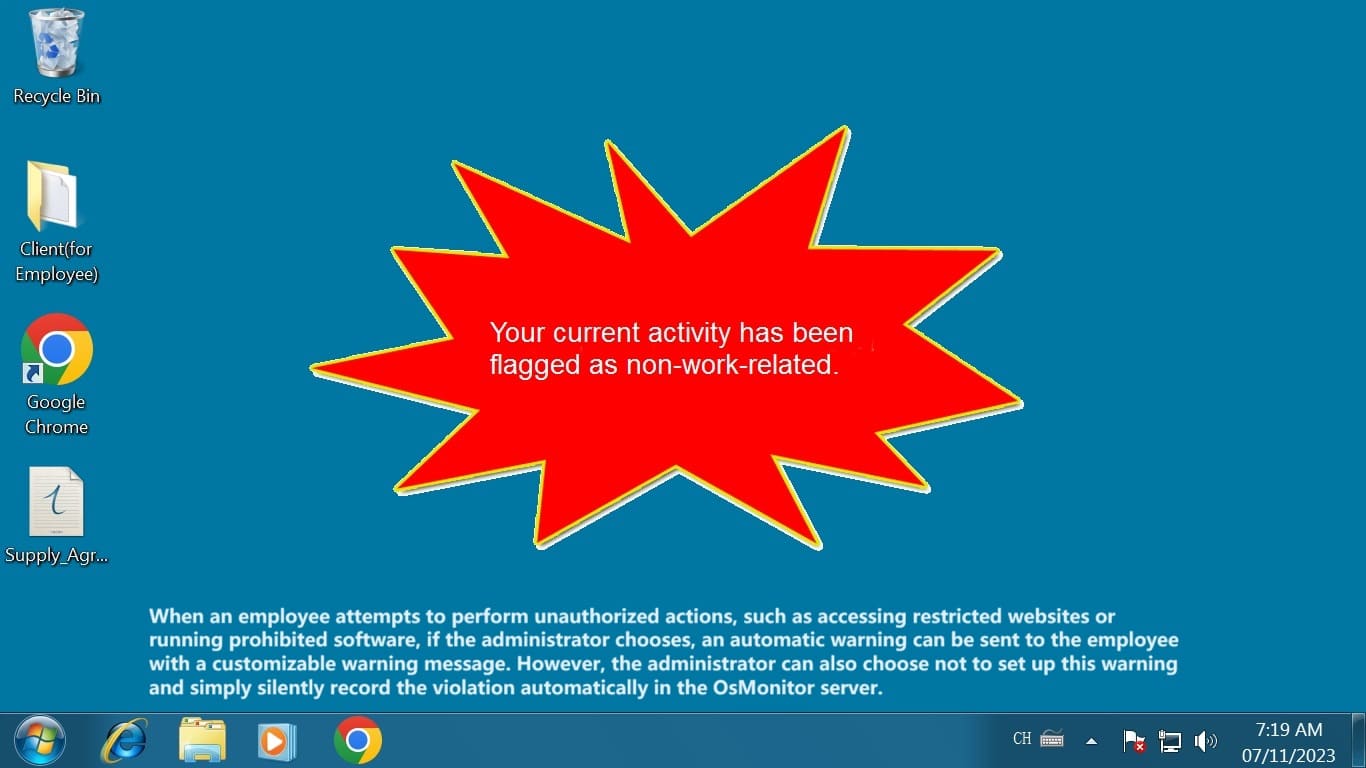
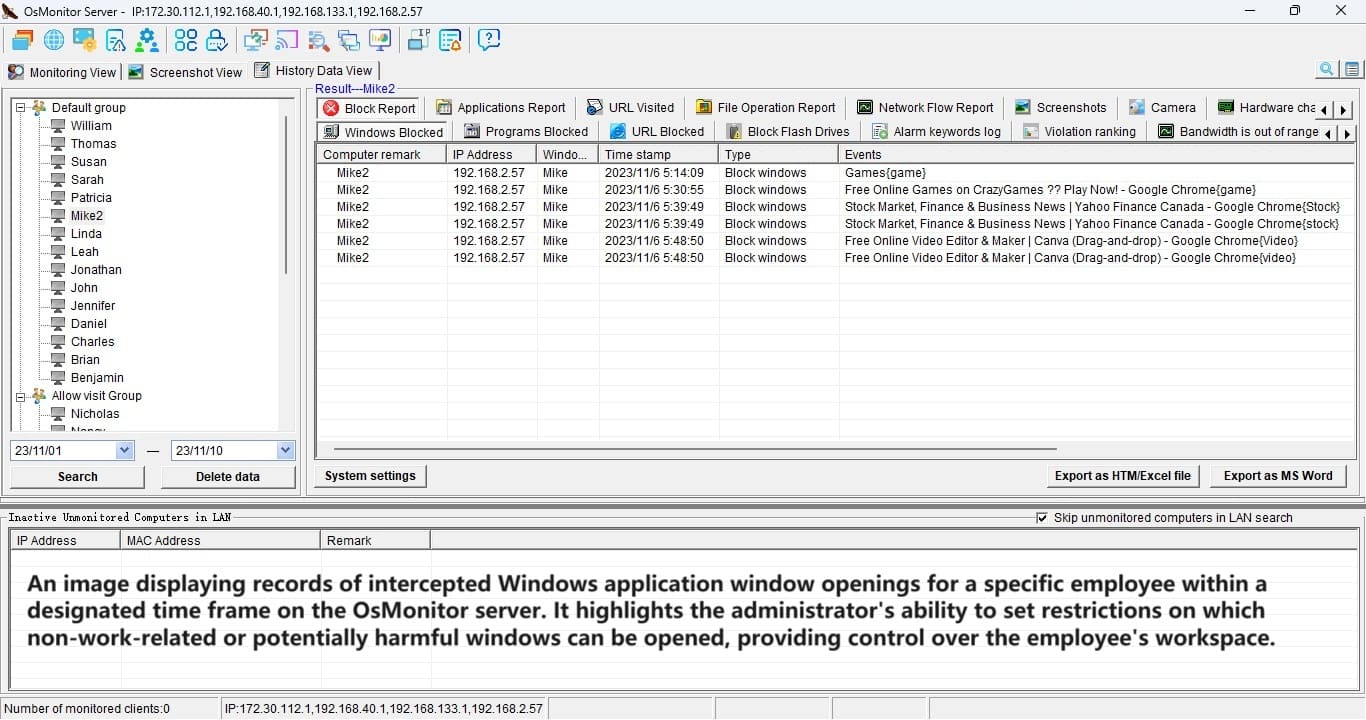
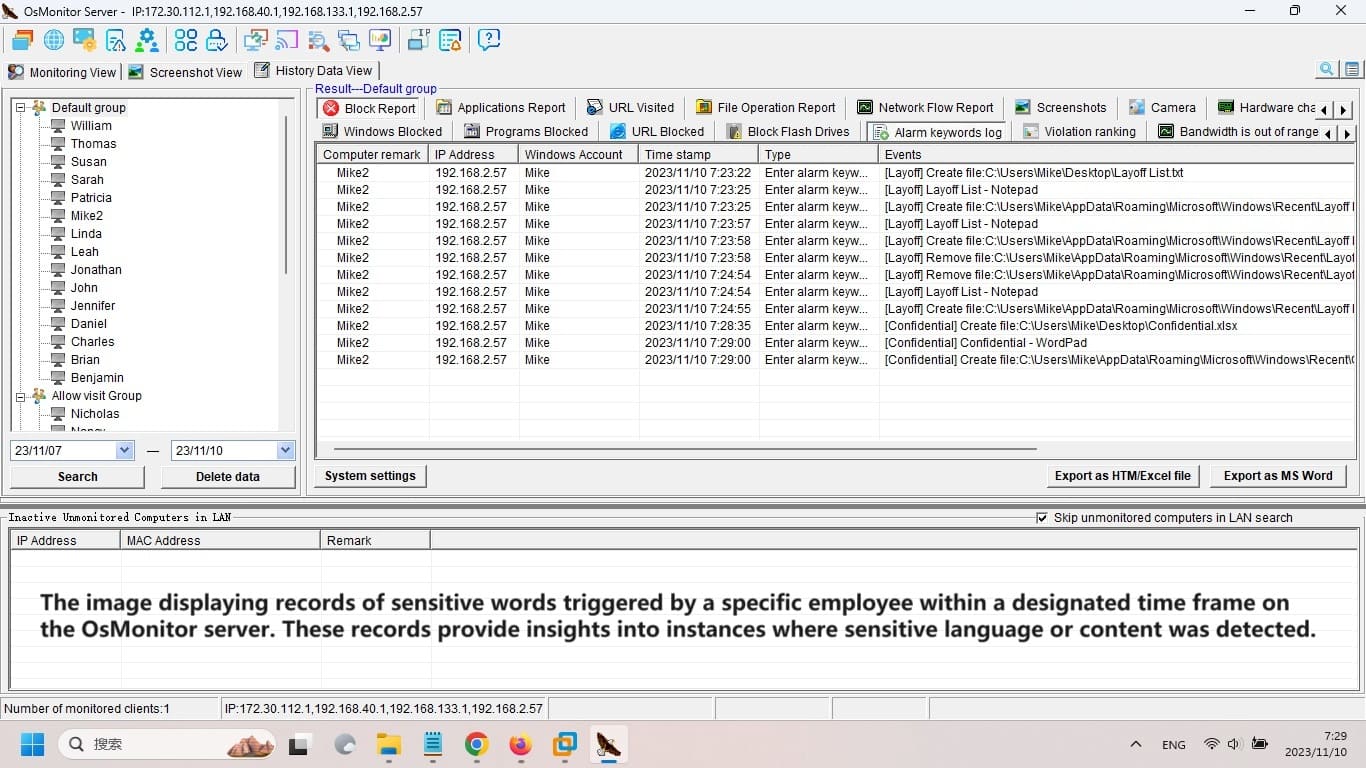
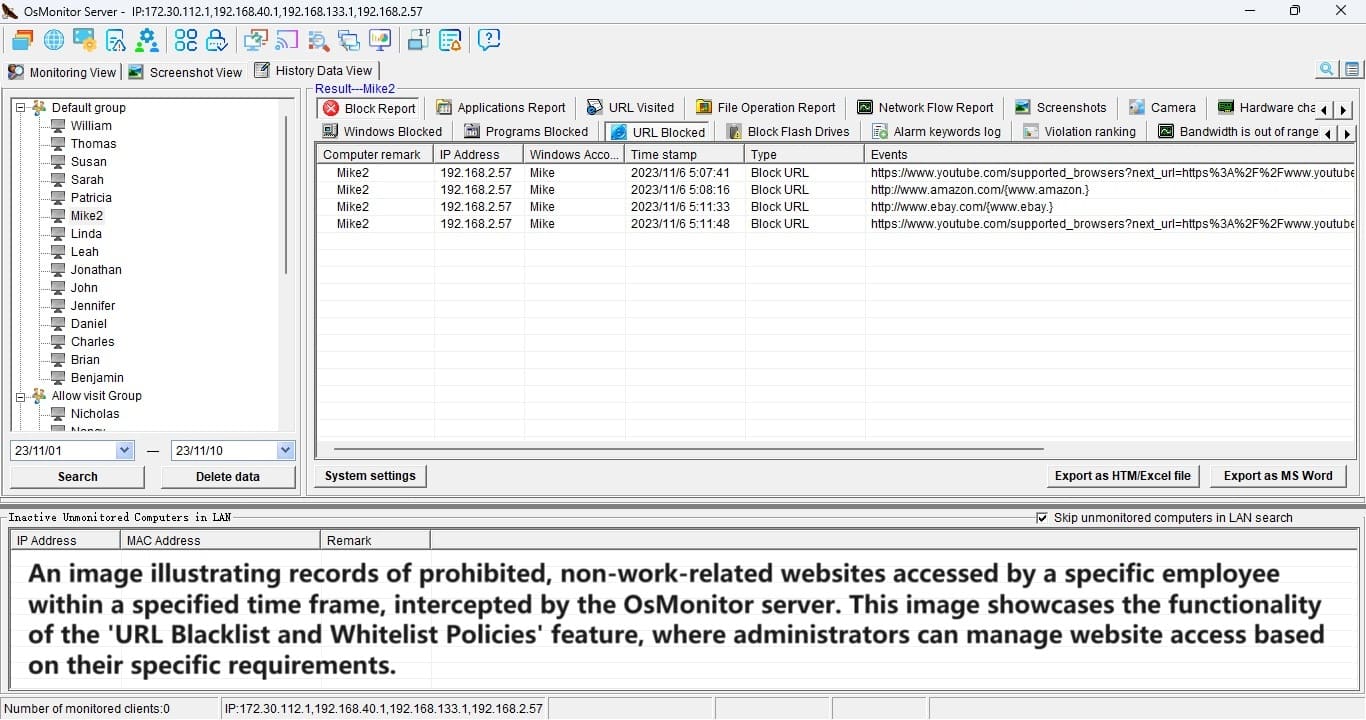
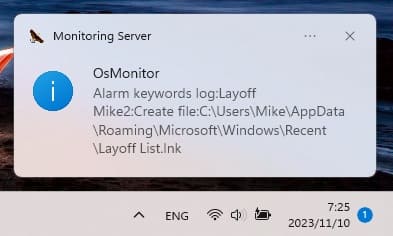
· Any operaions get out of line will be blocked and recorded on
Server database for later reviewing. All the reports can be
saved as Word or HTM for printing.
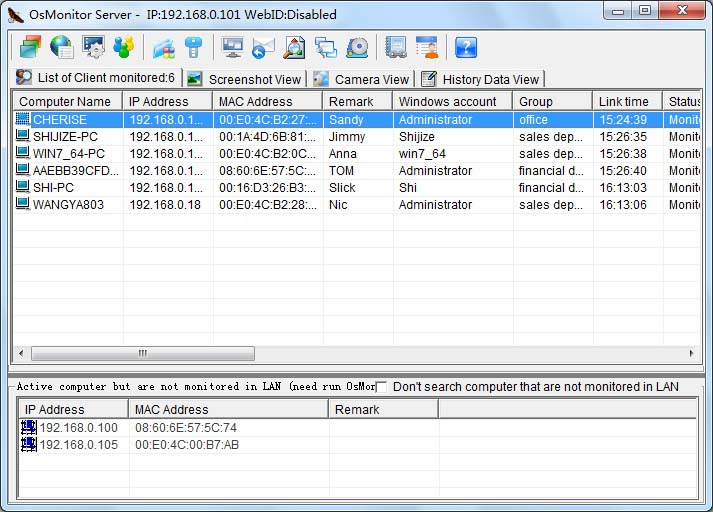
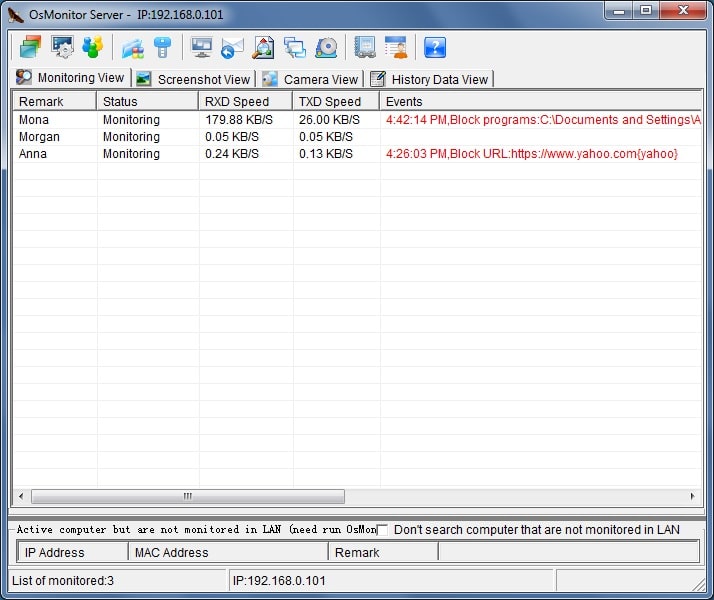
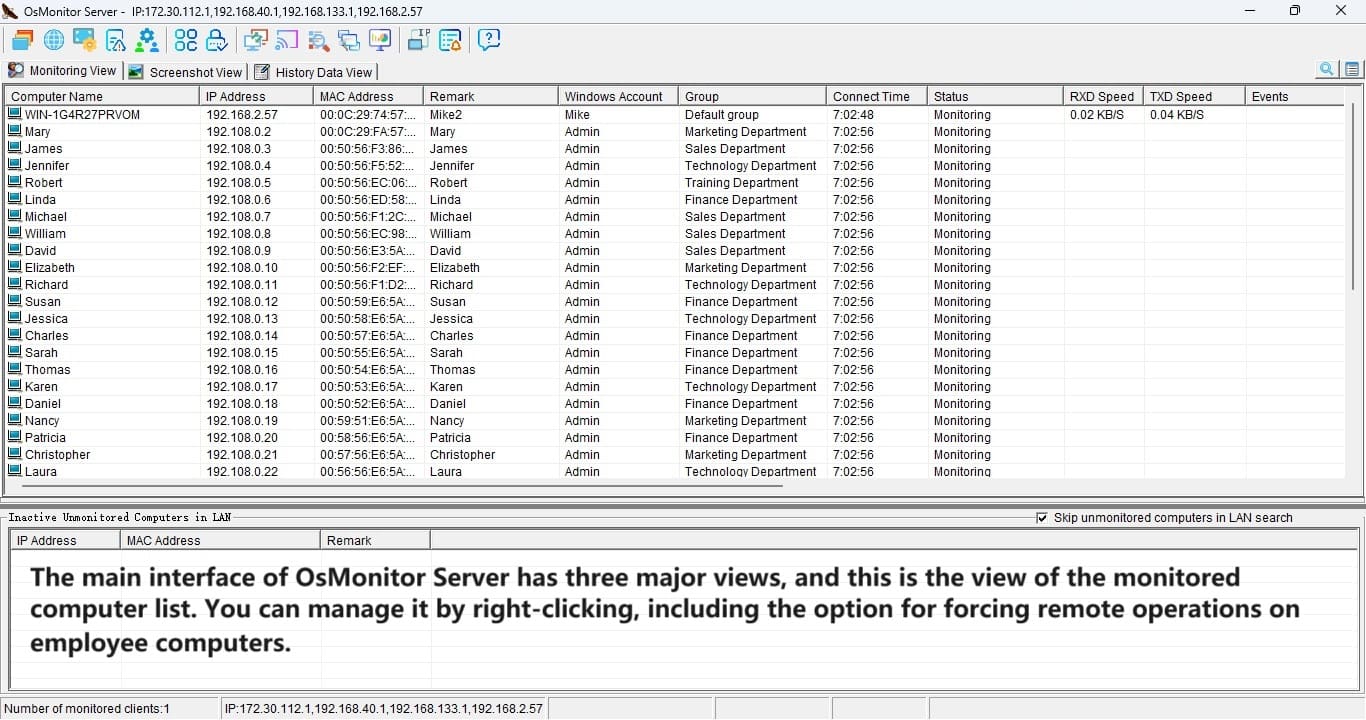
OsMonitor can monitor all your employees' computers in LAN via
the server.

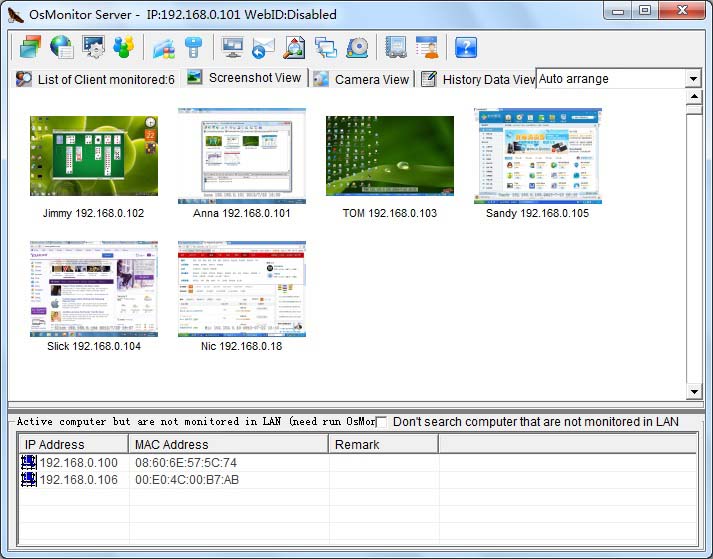
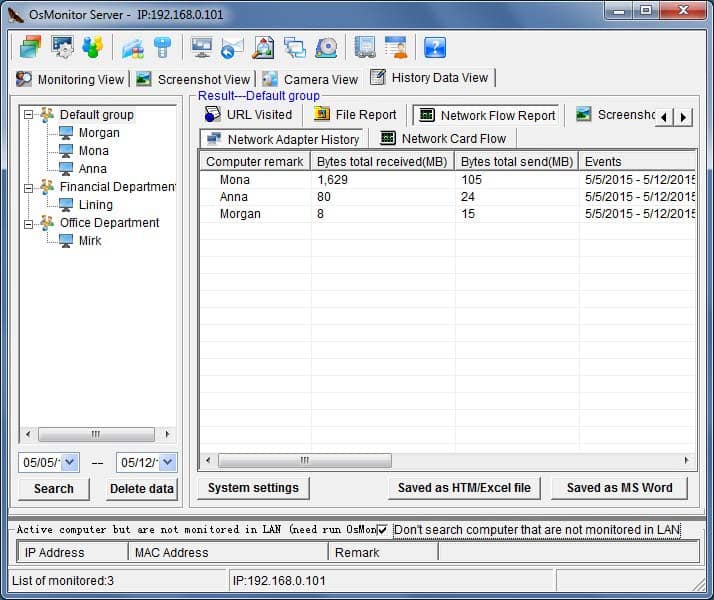
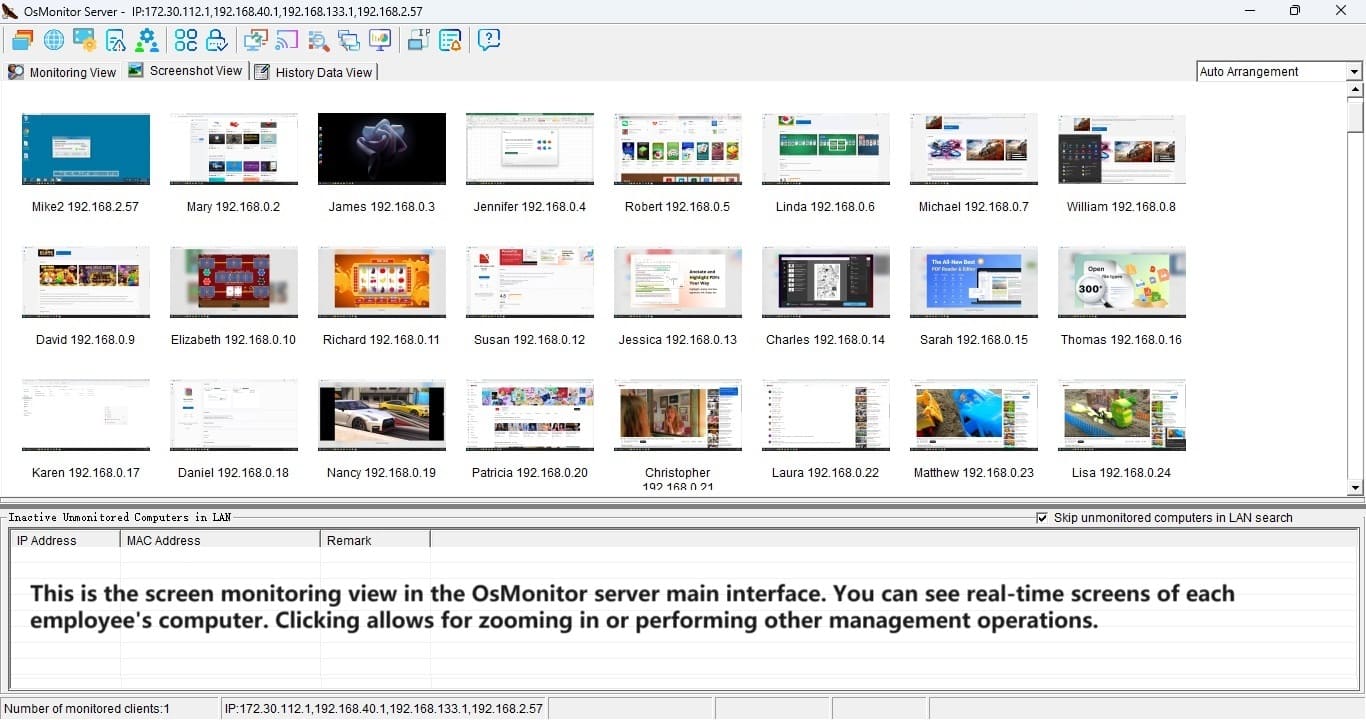
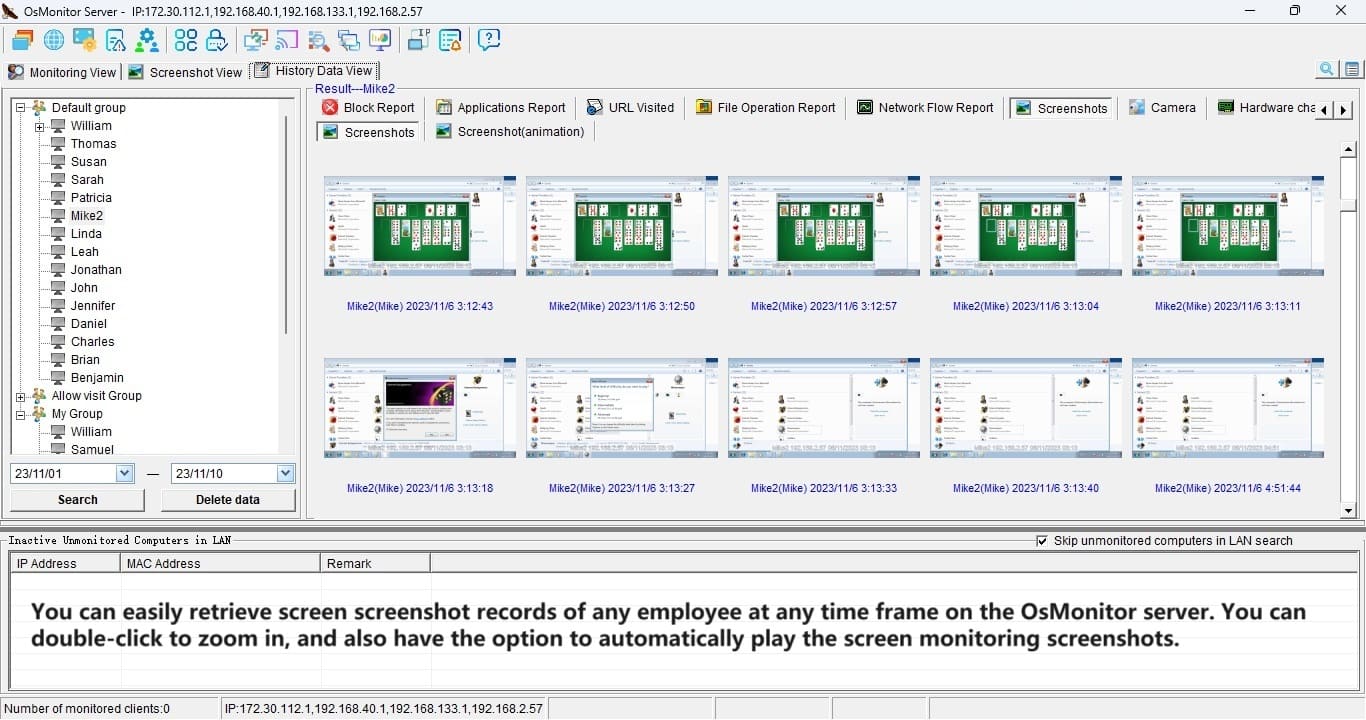
Capture all screenshot of Client. All records are saved in
server database for later reviewing.

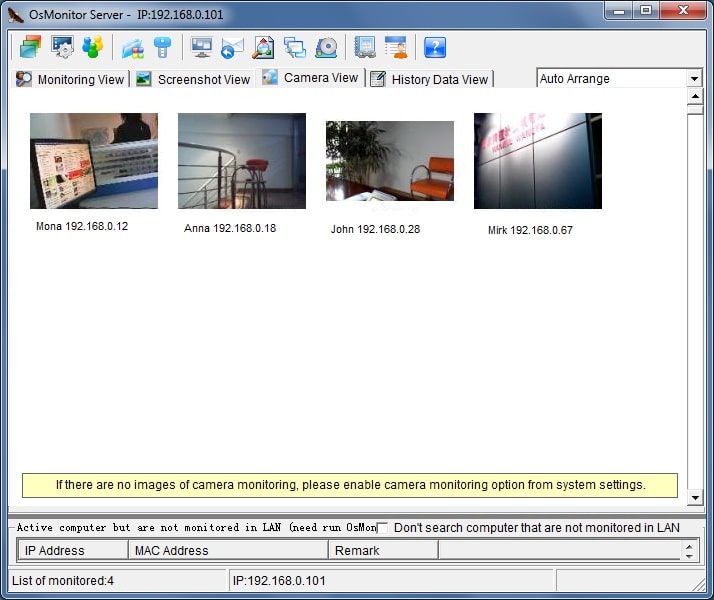
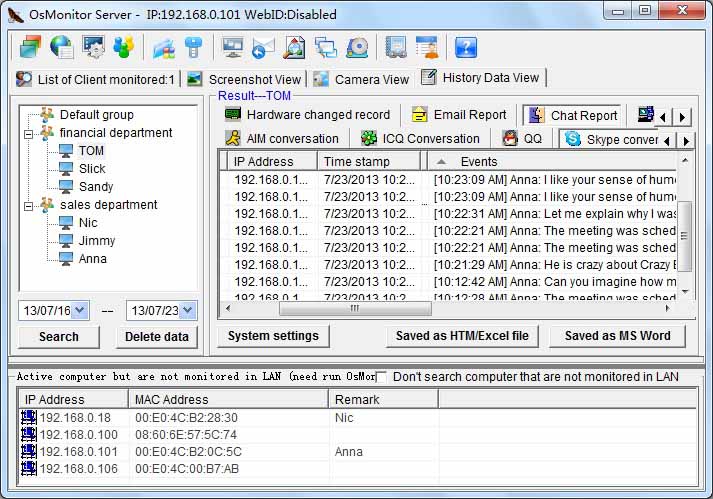
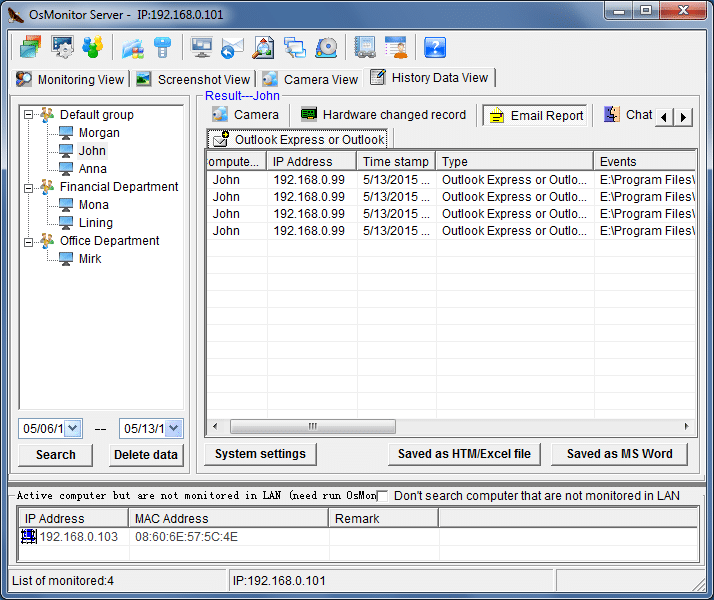
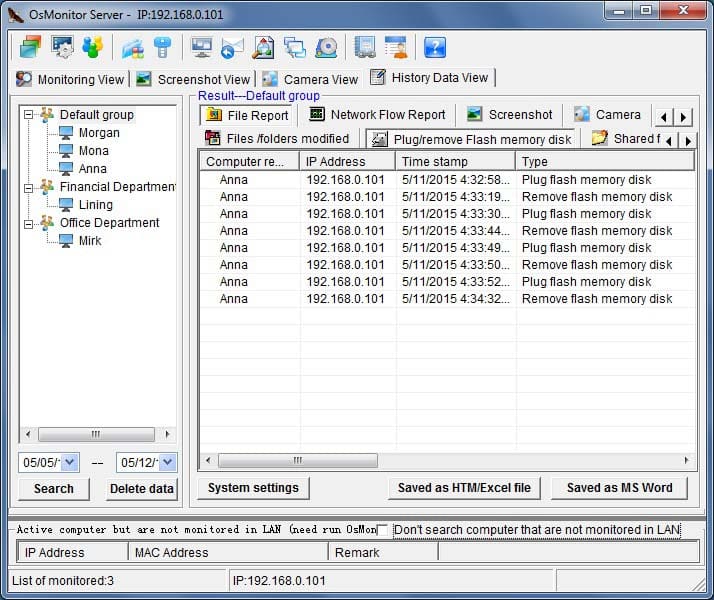
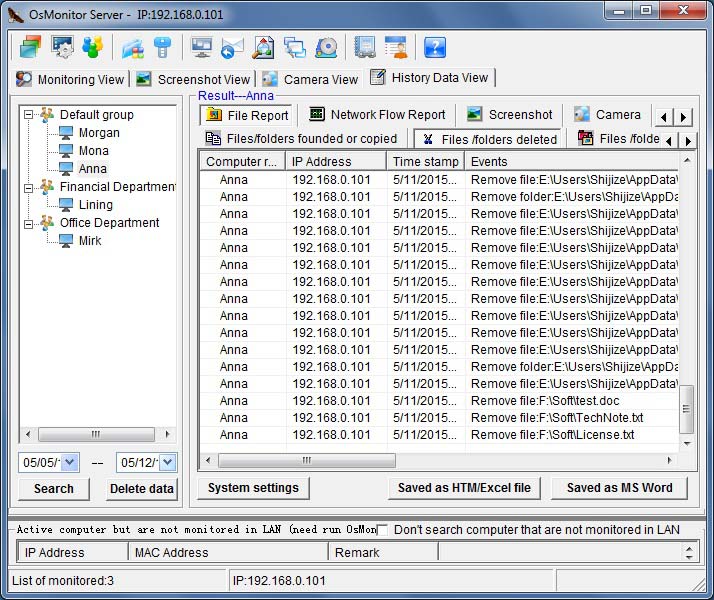
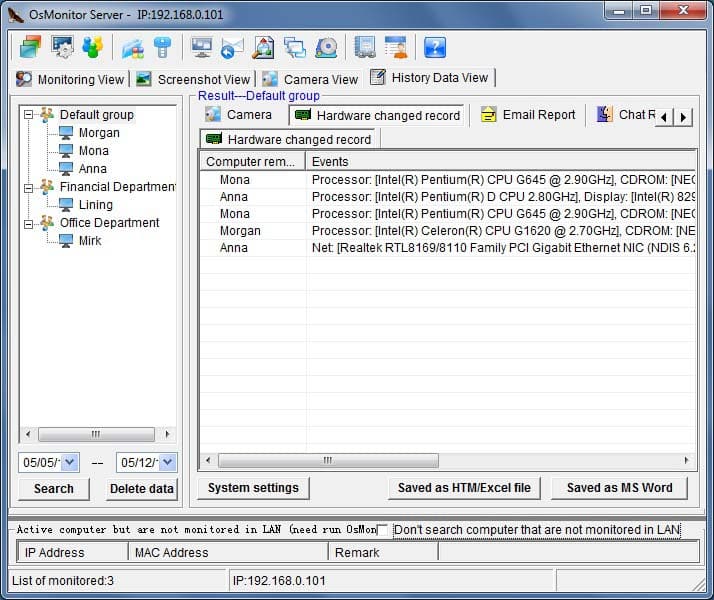
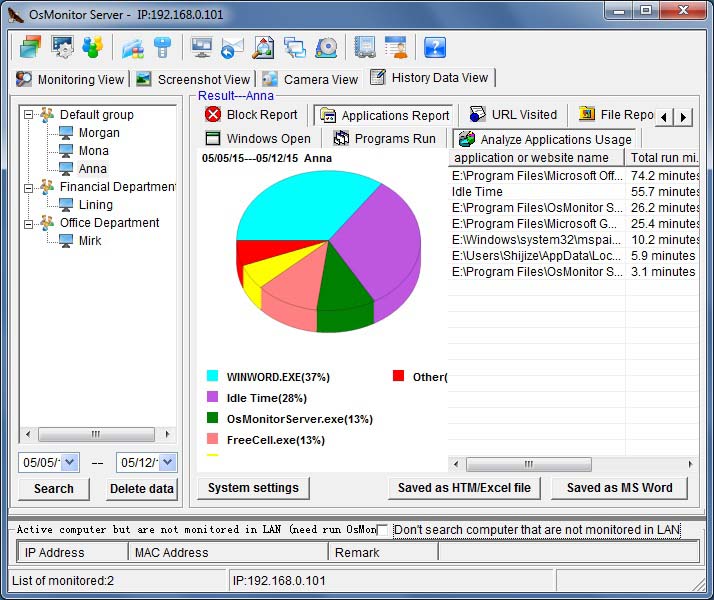
Click “History Data View” to view all records in server.

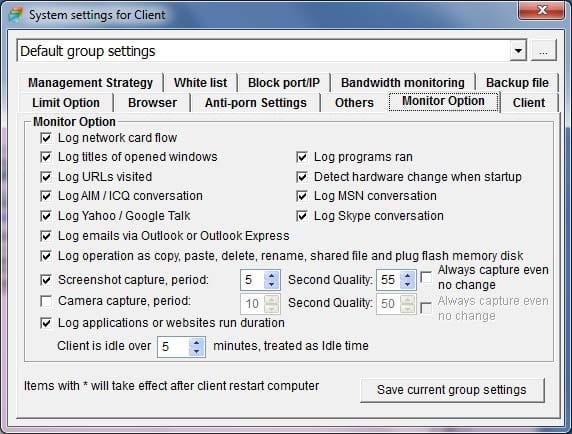
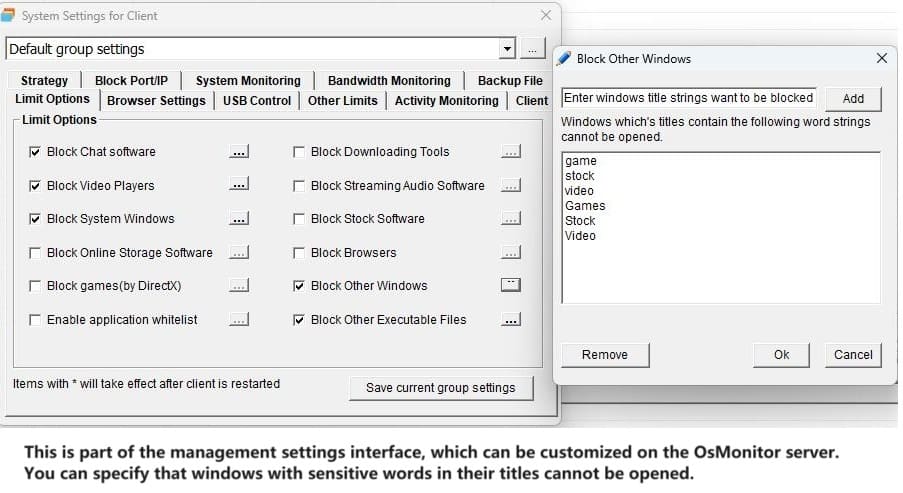
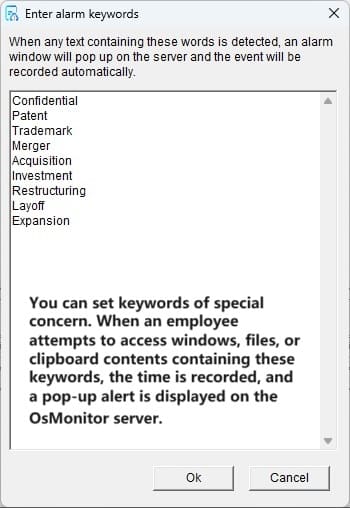
Monitor option setting on OsMonitor Server.


OsMonitor Monitoring Software key functions:
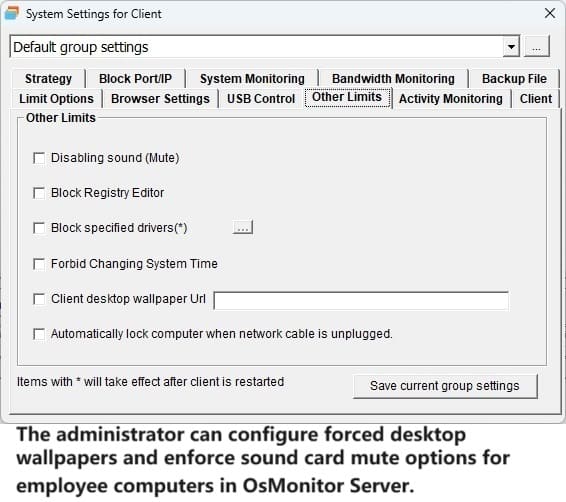
Restrict Option
Restrict all chatting tools running. Block chatting, block MSN,
block games, block network games, block special programs, block special
software, block all software you don't want to run. Different employees have
different rights.
Support white list. You can customize employee's computer to only run
software related with work, for example, you can customize their computers
to only run Word, Excel, in that case, other software are not allowed to
run. (OsMonitor identify files by file condition code not by file name. It
is useless to change executable file name.)
Block download, block BT, Block P2P software to prevent from usage of
bandwidth.
Block USB devices. Block flash memory disk, block CD driver, block USB
port to prevent confidential information from leaking out and security
trouble.
Block surfing on net. Restrict accessing to internet. You restrict some
specified computer accessing to internet or you can restrict your employees
surfing on net during specified time. You can restrict your employees visit
specified websites or you can shield specified websites. OsMonitor also can
helps you to block porn websites and stock websites.
Block installation. block install game software and other software you
don't want to install. Block entering security mode. Block control panel.
Block online movie, block falsh, online music and other software you don't want to
run.
Don't allow to change IP address, pull out network wire and the computer
will be auto turnoff if you pull out the network wire. Support MAC and IP
binding.
All the monitor and block options could be customized by your
administrator. You can easily take control of the whole LAN.
Monitor Option
Monitor and record all windows your employees open, programs they
are running, URLs they visit .You know your employee's work state as well as
your fingers. All the records can be saved on Server database for your later
reviewing at anytime.
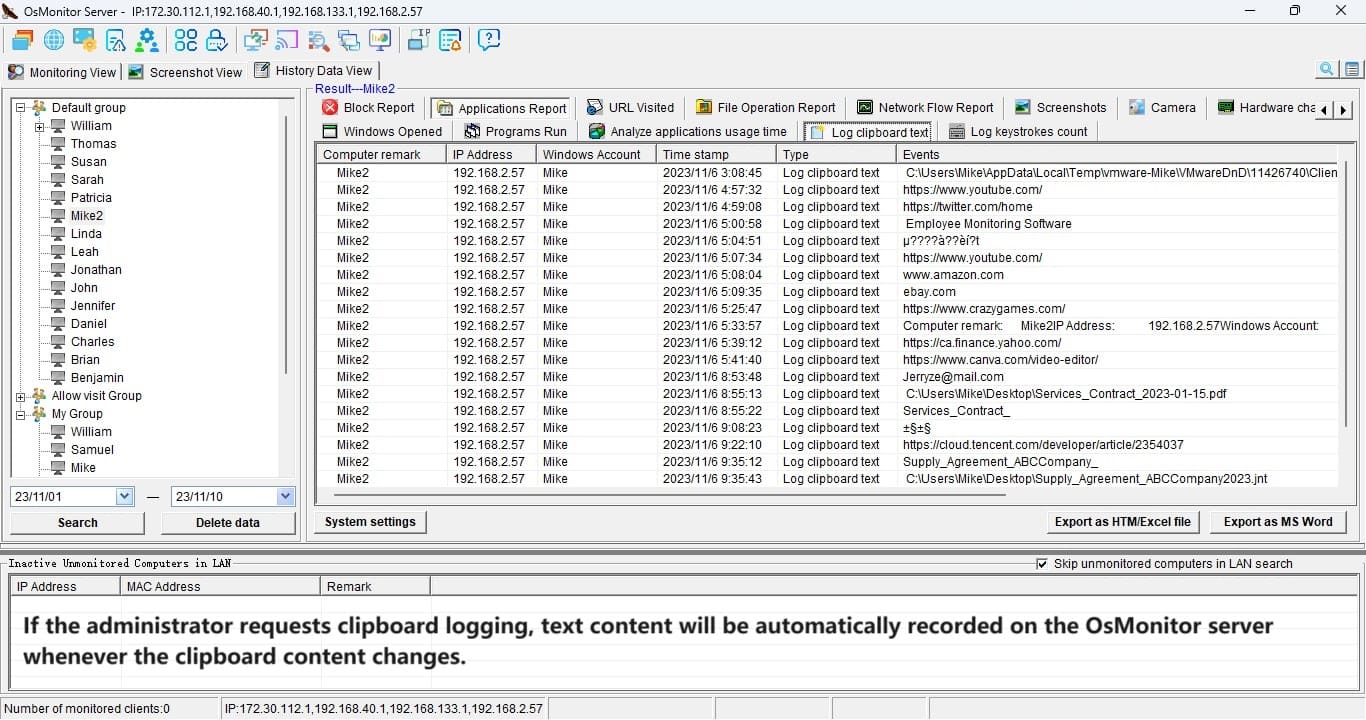
Monitor and record users copying, pasting, deleting files and plugging
and pulling out flash memory disk.All the records can be saved on Server
database for your later reviewing at anytime.
Monitor and record network card flow of every employee's computer in real
time. All the data are saved for your later reviewing.
Screenshot capture. You can view employee's screen (motive picture) on
Server at any time.
Monitor application installation. You can view what software are
installed on your employee's computer on Server at any time.
Monitor process. You can view what software are running on your
employee's computer on Server at any time and you can end process you want
to end.
Monitor chatting conversation. Monitor and record all ICQ conversation,
MSN conversation and Yahoo Messenger conversation. All the records can be
saved on Server database for your later reviewing at anytime.
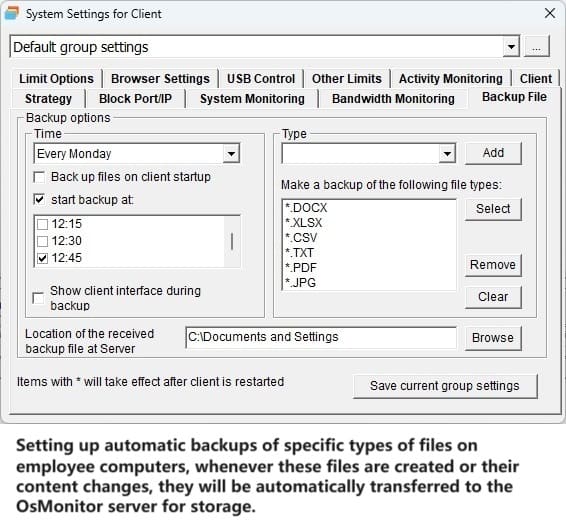
Backup files. Backup automatically all increased and modified work files
(word document, program code, etc. ) on Server from your employee's computer.
Monitor outgoing emails. Monitor and record all outgoing emails (and
attachment) sent through Fox mail and Outlook Express.
Monitor system information. You can view information of hardware and
usage of hard disk on your employee's computer at any time.
Free Download Document(PDF) Order Now
|